Common Problems ~ READ BEFORE POSTING
Sir R. M8gic1an
2010-08-15 05:49:45
NOTICE: If your error is not on this post, check this thread first! Read BEFORE Making a New Thread
From: Zyt3x
- DO use the search button before reporting a bug, or at least check the first page before posting a new thread about a bug. There might be some other people who has posted about the bug you are having already, and if that's the case, then post in that thread instead of making a new thread.
- DO NOT post about failing RANDOMS or ANYTHING about randoms AT ALL. MSI has NOTHING to with randoms AT ALL. I can't make this any more clear. We have been receiving a ton of messages about failing randoms, but there is not much we can do about it, and it isn't our job either. If you have any problems with the randoms visit the Reflection Randoms or SRL Randoms bugs sections.
- DO NOT post script requests without making sure that the script indeed does not exist. There might be a couple of reasons why you can't find the script. All our scripts are in the Supported Locations thread for each skill.
- DO check that you can re-create the problem. Restart your Simba and try again. If the problem doesn't occur, then don't post.
- DO check this thread before posting anything in this section at all. We are constantly updating this post.
~ The MSI team
Common Problems- Failed Randoms
Any failed randoms are not MSI's fault (95%) of the time. Please post any problems you have with randoms in the Randoms section.
- Can't find (or having trouble finding) trees/rocks/fish spots/something on the mainscreen
Make sure you have your graphics settings set correctly! This is more common than you think. You need to be on Fixed Size, Brightness as high as it can go, and all other graphics as low as they can go.
- MSI Update ERROR: Couldn't extract the tar archive.
This has happened for a few people using Windows 7. All you have to do is properly set your permissions on your Simba folder. You can do this by going right clicking on the folder, going to properties > Security > Edit and change all the permissions for your user to Allow.
- Failing to detect player's location/failed to walk somewhere
http://villavu.com/forum/showthread.php?t=70681
- Error: Out Of Range at line 2XXX
I'm not sure why this happens, but go to your MSI folder (Simba/Includes/MSI) and delete your Player.txt file and try again. Everything should work fine.
- Exception in Script: Unable to find file 'sps/sps.simba' used from '..\Simba\Includes\MSI/MSI/Core/Setup.simba'
This means you didn't download SPS properly or at all. See this guide.
- If you're error hasn't been listed yes, there's a 99% chance it's covered in the SRL FAQ thread.
~RM
Tsusho
2010-08-16 10:57:27
My first post :). And it's not too jolly-wolly. I've installed Simba and Scar 3.23 beta and I'm trying to use the MSI scripts. In scar, it cant find setup.simba when I try to compile it, but I put it in the right directories etc. However on Simba it works. The SMART loader comes up, and I can log in, but when I click Enable SMART, nothing happens. :S I hope I can get some help! Sorry if I'm being totally noobish. :)
Becks
2010-08-16 12:15:39
From: Tsusho
My first post :). And it's not too jolly-wolly. I've installed Simba and Scar 3.23 beta and I'm trying to use the MSI scripts. In scar, it cant find setup.simba when I try to compile it, but I put it in the right directories etc. However on Simba it works. The SMART loader comes up, and I can log in, but when I click Enable SMART, nothing happens. :S I hope I can get some help! Sorry if I'm being totally noobish. :)
You need
simba. Look here.
http://villavu.com/forum/showthread.php?t=47714rl
Tsusho
2010-08-16 13:20:46
From: Becks
You need simba. Look here.
http://villavu.com/forum/showthread.php?t=47714rl
I do have Simba. I got it from there. The only little glitchy thing that happened was that when I downloaded Simba and installed it. It wouldn't recognize that there were any updates for the SRL or reflections. I got reflection manually, from a thread in that link. But what about SRL? Can I copy the same SRL folder from Scar 3.23 Beta over?
nickrules
2010-08-16 13:24:09
From: Tsusho
My first post :). And it's not too jolly-wolly. I've installed Simba and Scar 3.23 beta and I'm trying to use the MSI scripts. In scar, it cant find setup.simba when I try to compile it, but I put it in the right directories etc. However on Simba it works. The SMART loader comes up, and I can log in, but when I click Enable SMART, nothing happens. :S I hope I can get some help! Sorry if I'm being totally noobish. :)
You shouldn't need to log in - MSI should do it for you. Did you fill out the runme.simba correctly?
What error are you getting? or is it just not doing anything?
i luffs yeww
2010-08-16 13:26:04
Tsusho
2010-08-16 13:33:44
@i luffs yeww: I think so. I just grabbed the SRL from Scar and it seems to work okay. But that might be why it's not working too.
@nickrules: SMART does come up and Runescape does load. It's just that nothing happens after that.
The runme looks like this:
HowManyPlayers := 1;
NumberOfPlayers(HowManyPlayers);
SetLength(MSI_Players, HowManyPlayers);
SetLength(ProgressReportArray, HowManyPlayers);
CurrentPlayer := 0;
CurrentScript := 0;
with MSI_Players[0] do
begin
Name := 'username'; // Username
Pass := 'pass'; // Password
Nick := 'tsu'; // Nickname (3-4 lowercase letters from username)
Pin := '1357'; // Bank pin; leave as '' if player doesn't have one
Active := True; // Use this player?
Member := False; // Is this player a member?
Location := LOC_PS_WILLOWS; // See instructions at the top
Scripts := [SCRIPT_PS_WILLOWS]; // See instructions at the top
Objects := [[]]; // See instructions at the top
Loads[0] := 10; // Amount of loads before breaking/switching players
Loads[1] := 100; // Total loads for the player to do
end;
I assume this is for Port Sarim Willows.
Thanks for the help so far guys! I appreciate it greatly.
3Garrett3
2010-08-16 14:01:49
From: Tsusho
@nickrules: SMART does come up and Runescape does load. It's just that nothing happens after that.
It seems that your problem is that you haven't set up RS to work properly. Because of the different window sizes and such, SRL cannot detect the window properly unless you have set the following settings (that I know of)
Put the window to 'Fixed'
Set all of the settings to 'Lowest'
Brightness must be set to max
I don't think there is anything else that is important for you to change. These steps take 3 clicks in total basically, and if that doesn't work, I will search up a thread that will be much more useful :p
Tsusho
2010-08-16 14:17:21
From: 3Garrett3
It seems that your problem is that you haven't set up RS to work properly. Because of the different window sizes and such, SRL cannot detect the window properly unless you have set the following settings (that I know of)
Put the window to 'Fixed'
Set all of the settings to 'Lowest'
Brightness must be set to max
I don't think there is anything else that is important for you to change. These steps take 3 clicks in total basically, and if that doesn't work, I will search up a thread that will be much more useful :p
I think that was it! It's moving now. Going to do some further testing. I hope it works! I'll put up an edit soon. And it's a little laggy.
Thanks a ton for the info!
EDIT: There's a little bit more to the trouble. After this, I'm sure it will work. Simba tells me my reflection hooks are outdated. Here's the log:
[0:00:01]: SRL Compiled in 16 msec
[0:00:01]: SMART Initialized.
Loaded: Server 152, Members: False, Signed: True, Super Detail: False.
[0:00:03]: Setting up MSI took 140 ms.
[0:00:03]: ** REFLECTION HOOKS OUTDATED **
[0:00:03]: [ Tsu ] MSI_SetupPlayer
[0:00:03]: STATS: "ERROR(1): Wrong username or password!"
[0:00:05]: [ Tsu ] – Unable to Open Bank
[0:00:05]: [ Tsu ] MSI_SetupPlayer: False
[0:00:05]: [ Tsu ] – MSI_TimedOut: Suspicion of connection loss
[0:00:36]: Welcome to Runescape.
[0:00:38]: Username
WriteFileString: Invalid Internal Handle of File: 1
[0:01:06]: [ Tsu ] MSI_SetupPlayer
[0:01:19]: [ Tsu ] – MSI_BestTool
[0:01:21]: [ Tsu ] —- CurrentSkill level: 68
[0:01:21]: [ Tsu ] – MSI_BestTool: Rune Hatchet
[0:01:21]: [ Tsu ] – MSI_FindTool
[0:01:22]: [ Tsu ] —- Found DTM: Rune Hatchet.
[0:01:22]: [ Tsu ] – MSI_FindTool: Successfully Found Tool - Rune Hatchet
[0:01:22]: [ Tsu ] – MSI_Walk, Location = Port Sarim willows
[0:01:22]: [ Tsu ] —- MSI_AutoObjects
[0:01:24]: [ Tsu ] —- MSI_AutoObjects: True
[0:01:24]: [ Tsu ] —- MSI_Walk, Location = Port Sarim willows
[0:01:24]: [ Tsu ] —— MSI_PerfomWalk
[0:01:24]: [ Tsu ] ——– No color path developed for Port Sarim Willows
Error: Out of Global Vars range at line 50
The following DTMs were not freed: [SRL - Lamp bitmap, 1, 2, 3, 4, 5, 6, 7, 8, 9, 10, 11, 12, 13, 14, 15, 16, 17, 18, 19, 20, 21, 22, 23, 24, 25, 26, 27, 28, 29, 30, 31, 32, 33, 34, 35, 36, 37, 38, 39, 40, 41, 42, 43]
The following bitmaps were not freed: [SRL - Mod bitmap, SRL - Admin bitmap]
File[C:\Simba\Includes\SRL\Logs\SRL Log 16-08-10 0.txt] has not been freed in the script, freeing it now.
From: Tsusho
I think that was it! It's moving now. Going to do some further testing. I hope it works! I'll put up an edit soon. And it's a little laggy.
Thanks a ton for the info!
EDIT: There's a little bit more to the trouble. After this, I'm sure it will work. Simba tells me my reflection hooks are outdated. Here's the log:
[0:00:01]: SRL Compiled in 16 msec
[0:00:01]: SMART Initialized.
Loaded: Server 152, Members: False, Signed: True, Super Detail: False.
[0:00:03]: Setting up MSI took 140 ms.
[0:00:03]: ** REFLECTION HOOKS OUTDATED **
[0:00:03]: [ Tsu ] MSI_SetupPlayer
[0:00:03]: STATS: "ERROR(1): Wrong username or password!"
[0:00:05]: [ Tsu ] – Unable to Open Bank
[0:00:05]: [ Tsu ] MSI_SetupPlayer: False
[0:00:05]: [ Tsu ] – MSI_TimedOut: Suspicion of connection loss
[0:00:36]: Welcome to Runescape.
[0:00:38]: Username
WriteFileString: Invalid Internal Handle of File: 1
[0:01:06]: [ Tsu ] MSI_SetupPlayer
[0:01:19]: [ Tsu ] – MSI_BestTool
[0:01:21]: [ Tsu ] —- CurrentSkill level: 68
[0:01:21]: [ Tsu ] – MSI_BestTool: Rune Hatchet
[0:01:21]: [ Tsu ] – MSI_FindTool
[0:01:22]: [ Tsu ] —- Found DTM: Rune Hatchet.
[0:01:22]: [ Tsu ] – MSI_FindTool: Successfully Found Tool - Rune Hatchet
[0:01:22]: [ Tsu ] – MSI_Walk, Location = Port Sarim willows
[0:01:22]: [ Tsu ] —- MSI_AutoObjects
[0:01:24]: [ Tsu ] —- MSI_AutoObjects: True
[0:01:24]: [ Tsu ] —- MSI_Walk, Location = Port Sarim willows
[0:01:24]: [ Tsu ] —— MSI_PerfomWalk
[0:01:24]: [ Tsu ] ——– No color path developed for Port Sarim Willows
Error: Out of Global Vars range at line 50
The following DTMs were not freed: [SRL - Lamp bitmap, 1, 2, 3, 4, 5, 6, 7, 8, 9, 10, 11, 12, 13, 14, 15, 16, 17, 18, 19, 20, 21, 22, 23, 24, 25, 26, 27, 28, 29, 30, 31, 32, 33, 34, 35, 36, 37, 38, 39, 40, 41, 42, 43]
The following bitmaps were not freed: [SRL - Mod bitmap, SRL - Admin bitmap]
File[C:\Simba\Includes\SRL\Logs\SRL Log 16-08-10 0.txt] has not been freed in the script, freeing it now.
[0:00:03]: ** REFLECTION HOOKS OUTDATED ** ;)
You need them for most MSI walking.
Tsusho
2010-08-16 14:29:18
From: NCDS
[0:00:03]: ** REFLECTION HOOKS OUTDATED ** ;)
You need them for most MSI walking.
Thanks :). Any place you recommend me finding an update manually? My Simba is a little fritzy, it doesn't recognize updates.
i luffs yeww
2010-08-16 14:30:40
That's because of what I posted earlier. You have to update it through subversion.
From: Tsusho
Thanks :). Any place you recommend me finding an update manually? My Simba is a little fritzy, it doesn't recognize updates.
That's simply because Wizzup's site is down for a couple days.
I'm not positive if Reflection is supposed to work right at this moment or not. Perhaps look around the reflection section of the forums to see if it is awaiting an update?
Tsusho
2010-08-16 14:33:41
From: i luffs yeww
That's because of what I posted earlier. You have to update it through subversion.
I got it through subversion from the link given in
http://villavu.com/forum/showthread.php?t=57107.
Would that be the lastest version? Tortoise SVN isn't telling me there's a new update for anything.
If I SVN update anyways. It stops me at Revision 73, May 31 / 2010.
@NCDS Alright! Thanks for the help so far! I'll check it out. Hope his site comes back up soon :)
i luffs yeww
2010-08-16 14:45:03
Revision: 49
Author: [email]nava2@live.ca[/email]
Date: 7:11:03 PM, Saturday, July 24, 2010
Message:
Added Sumilion's path maker into the Tools folder, it includes Shuttleu's map and offsets.
—-
Added : /trunk/Tools/PathMaker
Added : /trunk/Tools/PathMaker/PathMaker.exe
Added : /trunk/Tools/PathMaker/README.txt
Added : /trunk/Tools/PathMaker/mapp2.png
That's the newest rev I have.. I dunno though; I never use reflection(/SRL/Simba/SCAR).
Tsusho
2010-08-16 14:53:11
From: i luffs yeww
That's the newest rev I have.. I dunno though; I never use reflection(/SRL/Simba/SCAR).
I have that rev too after redownloading. Huh. Maybe I'll have to try again later? Or maybe it's just the hooks that need replacing?
i luffs yeww
2010-08-16 15:13:13
Well if you want, you can have a list of >100 hooks. Dunno which are used in this version of reflection, and you'll need to do some stuff, but I'm sure you can figure it out. :p Actually I dunno. Don't really care. Here you go.
RSBuild 614

client.getBaseX() fi.a
client.getBaseY() fn.t
client.getLoginIndex() om.H
client.getUsername() lc.c
client.getPassword() wl.f
client.getPlane() pd.o
client.getPlanes() hq.N
client.getGroundTiles() dw.V
client.getMenuNodeList() pt.A
client.getMenuOptionCount() ow.ab
client.getIsMenuOpen() kf.e
client.getMenuX() qea.n
client.getMenuY() m.f
client.getNpcCount() qp.x
client.getNpcIndices() bl.B
client.getNpcNodes() mm.c
client.getMyPlayer() s.L
client.getPlayerCount() naa.d
client.getPlayers() vi.E
client.getPlayerIndices() nr.g
client.getLoopCycle() oca.c
client.getSelectedObjectName() gv.h
client.getSelectedActionName() hfa.e
client.getMapWidth() al.o
client.getMapHeight() cr.k
client.getMenuHeight() qba.j
client.getMenuWidth() jba.w
client.getIsSpellSelected() va.Sb
client.getSpellTarget() jea.K
client.getPlayerRights() dw.W
client.getDestX() wd.d
client.getDestY() vb.o
client.getMinimapOffset() waa.A
client.getMinimapSetting() cc.c
client.getMinimapAngle() cda.c
client.getMinimapScale() iaa.s
client.getValidInterfaces() qs.W
client.getInterfaces() ob.a
client.getInterfaceBoundsArray() wf.g
client.getMainToolkit() vm.a
client.getFriendsList() mr.e
client.getFriendWorlds() pda.O
client.getFPS() jb.bb
client.getItemDefLoader() ed.t
client.getSettings() cea.h
client.getCameraYaw() it.v
client.getCameraPitch() bf.e

settings.getSettings() cg.n

node.getNext() ia.a

nodelist.getHead() su.d

menunode.getOption() ln.u
menunode.getAction() ln.x

groundtile.getAnimableList() hl.z

animablenode.getNext() ub.d
animablenode.getAnimable() ub.a

interactiveobject1.getId() ow.w
interactiveobject1.getModel() ow.x

interactiveobject2.getData() dt.E

objectdata.getId() s.E
objectdata.getModel() s.h

sdmodel.getPointsX() ev.y
sdmodel.getPointsY() ev.V
sdmodel.getPointsZ() ev.ec
sdmodel.getIndices1() ev.Ib
sdmodel.getIndices2() ev.gb
sdmodel.getIndices3() ev.Ab

npcnode.getNpc() vb.m

npc.getDef() kw.Uc

npcdef.getName() ei.ob
npcdef.getActions() ei.K
npcdef.getId() ei.eb
npcdef.getLevel() ei.mb

animable.getLocalX() bt.i
animable.getLocalY() bt.n
animable.getPlane() bt.t

character.getAnimation() va.N
character.getMovementSpeed() va.wc
character.getHPRatio() va.W
character.getHeight() va.sb
character.getModels() va.pc
character.getInteracting() va.G
character.getLoopCycleStatus() va.dc
character.getWalkingX() va.uc
character.getWalkingY() va.oc
character.getCurrentWaypoint() va.wc
character.getWalkingTypes() va.tc

player.getName() uea.bd
player.getSkillLevel() uea.kd
player.getLevel() uea.Ac
player.getTeam() uea.od

interface.getParentID() faa.Vb
interface.getUID() faa.Pc
interface.getChildren() faa.Kb
interface.getName() faa.Bb
interface.getComponentID() faa.o
interface.getContentType() faa.R
interface.getType() faa.qb
interface.getStackSize() faa.gc
interface.getActions() faa.yb
interface.getX() faa.wb
interface.getY() faa.ub
interface.getWidth() faa.kd
interface.getHeight() faa.xc
interface.getText() faa.r
interface.getTextColor() faa.m
interface.getBoundsArrayIndex() faa.kc
interface.getTextureID() faa.db
interface.getIsHidden() faa.Sb
interface.getLastUpdate() faa.P
interface.getComponentStack() faa.gc

itemdef.getName() ol.ab
itemdef.getStackable() ol.z

plane.getScale() d.f
plane.getXSize() d.c
plane.getYSize() d.d
plane.getZSize() d.a

sdplane.getTileHeights() gw.G

sdtoolkit.getXMin() fv.db
sdtoolkit.getXMax() fv.J
sdtoolkit.getYMin() fv.V
sdtoolkit.getYMax() fv.M
sdtoolkit.getZMin() fv.Q
sdtoolkit.getZMax() fv.C
sdtoolkit.getXScale() fv.eb
sdtoolkit.getYScale() fv.Z
sdtoolkit.getViewport() fv.D

sdviewport.getXOff() eq.h
sdviewport.getXX() eq.l
sdviewport.getXY() eq.n
sdviewport.getXZ() eq.o
sdviewport.getYOff() eq.g
sdviewport.getYX() eq.f
sdviewport.getYY() eq.i
sdviewport.getYZ() eq.k
sdviewport.getZOff() eq.p
sdviewport.getZX() eq.q
sdviewport.getZY() eq.m
sdviewport.getZZ() eq.j
(From Tribot (
www.tribot.org).)
nickrules
2010-08-17 15:14:40
Script ran fine, but It thought I mined (or at least found) 5 adamant ore in my inventory (only level 5 mining though :|)
[ Erma ]  MSI_MainLoop
[ Erma ] -- Created Debug file
[ Erma ] -- Gathering report info, please wait...
[ Erma ] -- MSI_SetupPlayer
[ Erma ] ---- MSI_BestTool
[ Erma ] ------ CurrentSkill level: 5
[ Erma ] ---- MSI_BestTool: Iron pickaxe
[ Erma ] ---- MSI_FindTool
[ Erma ] ---- MSI_FindTool: Failed to find Tool - Iron pickaxe
[ Erma ] ---- MSI_FindTool
[ Erma ] ------ Found DTM: Bronze pickaxe.
[ Erma ] ---- MSI_FindTool: Successfully Found Tool - Bronze pickaxe
[ Erma ] ---- MSI_AutoObjects
[ Erma ] -------- MSI_CountItems: Found 23 of item Copper ore
[ Erma ] -------- MSI_CountItems: Found 5 of item Tin ore
[ Erma ] -------- MSI_CountItems: Found 0 of item Iron ore
[ Erma ] -------- MSI_CountItems: Found 0 of item Coal ore
[ Erma ] -------- MSI_CountItems: Found 0 of item Mithril Ore
[ Erma ] -------- MSI_CountItems: Found 5 of item Adamantite Ore
Beginning of the log file.
Not sure if this is the right place, but whatever.
From: nickrules
Script ran fine, but It thought I mined (or at least found) 5 adamant ore in my inventory (only level 5 mining though :|)
[ Erma ]  MSI_MainLoop
[ Erma ] -- Created Debug file
[ Erma ] -- Gathering report info, please wait...
[ Erma ] -- MSI_SetupPlayer
[ Erma ] ---- MSI_BestTool
[ Erma ] ------ CurrentSkill level: 5
[ Erma ] ---- MSI_BestTool: Iron pickaxe
[ Erma ] ---- MSI_FindTool
[ Erma ] ---- MSI_FindTool: Failed to find Tool - Iron pickaxe
[ Erma ] ---- MSI_FindTool
[ Erma ] ------ Found DTM: Bronze pickaxe.
[ Erma ] ---- MSI_FindTool: Successfully Found Tool - Bronze pickaxe
[ Erma ] ---- MSI_AutoObjects
[ Erma ] -------- MSI_CountItems: Found 23 of item Copper ore
[ Erma ] -------- MSI_CountItems: Found 5 of item Tin ore
[ Erma ] -------- MSI_CountItems: Found 0 of item Iron ore
[ Erma ] -------- MSI_CountItems: Found 0 of item Coal ore
[ Erma ] -------- MSI_CountItems: Found 0 of item Mithril Ore
[ Erma ] -------- MSI_CountItems: Found 5 of item Adamantite Ore
Beginning of the log file.
Not sure if this is the right place, but whatever.
I'm assuming it thought the tin was addy. I'll address this issue shortly ;)
i luffs yeww
2010-08-17 18:16:33
The issue should be fixed just by adding a Break;(or Continue/Exit/idr) (I'm assuming a case is used).
Of course colors should be changed so that doesn't happen regardless, but a single ore should never count for two different kinds (meaning a break/continue/exit/whatever would do nicely here).
Sir R. M8gic1an
2010-08-18 14:45:44
btw, the problems that show up here should be added to the first post, with the answers.
The problems being SMART not running, not ore miscounting.
~RM
CX gamer
2010-08-18 14:56:21
So normal errors happening after the script setup (like not recognising randoms or clicking wrong stuff) should be reported in the proggy thread along with the respective proggy?
Coh3n
2010-08-18 14:59:20
From: CX gamer
So normal errors happening after the script setup (like not recognising randoms or clicking wrong stuff) should be reported in the proggy thread along with the respective proggy?
No, all problems should be reported here. Only the common problems (i.e. SMART issues) will be added to the first post so we don't get people asking the same questions.
Vapour knuckles
2010-08-21 00:10:01
Error when trying to mine in Lumbridge South West Mine:
[0:00:00]: SRL Compiled in 0 msec
[0:00:00]: SMART Initialized.
Loaded: Server 152, Members: False, Signed: True, Super Detail: False.
[0:00:01]: Setting up MSI took 62 ms.
[0:00:01]: ** REFLECTION HOOKS OUTDATED **
[0:00:01]: [ Matt ]  MSI_SetupPlayer
[0:00:11]: Welcome to Runescape.
[0:00:13]: Mattmatt324
WriteFileString: Invalid Internal Handle of File: 1
[0:00:51]: [ Matt ] -- MSI_BestTool
[0:00:52]: [ Matt ] ---- CurrentSkill level: 72
[0:00:52]: [ Matt ] -- MSI_BestTool: Rune pickaxe
[0:00:52]: [ Matt ] -- MSI_FindTool
[0:00:53]: [ Matt ] ---- Found DTM: Rune pickaxe.
[0:00:53]: [ Matt ] -- MSI_FindTool: Successfully Found Tool - Rune pickaxe
[0:00:53]: [ Matt ] -- MSI_Walk, Location = Draynor Village bank
[0:00:53]: [ Matt ] ---- MSI_PerfomWalk
[0:00:53]: [ Matt ] ------ No color path developed for Lumby Swamp West Miner
Error: Out of Global Vars range at line 50
The following DTMs were not freed: [SRL - Lamp bitmap, 1, 2, 3, 4, 5, 6, 7, 8, 9, 10, 11, 12, 13, 14, 15, 16, 17, 18, 19, 20, 21, 22, 23, 24, 25, 26, 27, 28, 29, 30, 31, 32, 33, 34, 35, 36, 37, 38, 39, 40, 41, 42, 43, 44, 45, 46, 47]
The following bitmaps were not freed: [SRL - Mod bitmap, SRL - Admin bitmap]
File[C:\Simba\Includes\SRL\Logs\SRL Log 21-08-10 0.txt] has not been freed in the script, freeing it now.

This is what I enter in:

I had my character starting at the draynor bank and at the mines and the same errors happened, I checked to see if reflection was updated and it was.
i luffs yeww
2010-08-21 01:35:23
There's no color path for that mine yet apparently, meaning you have to use reflection (I don't think you were).
Coh3n
2010-08-21 09:18:42
From: i luffs yeww
There's no color path for that mine yet apparently, meaning you have to use reflection (I don't think you were).
That shouldn't have anything to do with the error. I actually don't know what would cause that, but I'll look into it now.
Sir R. M8gic1an
2010-08-21 10:06:58
** REFLECTION HOOKS OUTDATED **
The reflection extension does not work properly, and therefore you have to download Reflection through the SVN.
~RM
Coh3n
2010-08-21 10:09:44
From: Rasta Magician
** REFLECTION HOOKS OUTDATED **
The reflection extension does not work properly, and therefore you have to download Reflection through the SVN.
~RM
Yeah…. about that….
HUGE mistake on my part. Reflection IS NOT outdated right now. For some reason, {$i Reflection/Reflection.simba} was commented out and Setup.simba. I also had the ** REFLECTION HOOKS OUTDATED ** in the wrong spot. I have fixed this and I'm adjusting some debugging. The working version will be committed within the next 20 minutes.
Really sorry guys for the inconvenience. :o
E: Keep in mind that you still may have to download reflection via SVN rather than the Simba extension.
E2: Committed. Everything (including Reflection) should be working perfectly now. :)
CX gamer
2010-08-21 14:51:51
Progress Report:
[ Cx ] ------ MSI_FindObjectsIn: False
[ Cx ] ------ MSI_FindObjectsIn
[ Cx ] -------- MSI_FindObjectsTPA
[ Cx ] -------- MSI_FindObjectsTPA: No colors found!
[ Cx ] ------ MSI_FindObjectsIn: False
[ Cx ] ------ MSI_FindObjectsIn
[ Cx ] -------- MSI_FindObjectsTPA
[ Cx ] -------- MSI_FindObjectsTPA: No colors found!
[ Cx ] ------ MSI_FindObjectsIn: False
[ Cx ] ------ MSI_FindObjectsIn
[ Cx ] -------- MSI_FindObjectsTPA
[ Cx ] -------- MSI_FindObjectsTPA: No colors found!
[ Cx ] ------ MSI_FindObjectsIn: False
[ Cx ] ------ MSI_FindObjectsIn
[ Cx ] -------- MSI_FindObjectsTPA
[ Cx ] -------- MSI_FindObjectsTPA: No colors found!
[ Cx ] ------ MSI_FindObjectsIn: False
[ Cx ] ------ MSI_FindObjectsIn
[ Cx ] -------- MSI_FindObjectsTPA
[ Cx ] -------- MSI_FindObjectsTPA: No colors found!
[ Cx ] ------ MSI_FindObjectsIn: False
[ Cx ] ------ MSI_FindObjectsIn
[ Cx ] -------- MSI_FindObjectsTPA
[ Cx ] -------- MSI_FindObjectsTPA: No colors found!
[ Cx ] ------ MSI_FindObjectsIn: False
[ Cx ] ------ MSI_FindObjectsIn
[ Cx ] -------- MSI_FindObjectsTPA
[ Cx ] -------- MSI_FindObjectsTPA: No colors found!
[ Cx ] ------ MSI_FindObjectsIn: False
[ Cx ] ------ MSI_FindObjectsIn
[ Cx ] -------- MSI_FindObjectsTPA
[ Cx ] -------- MSI_FindObjectsTPA: No colors found!
[ Cx ] ------ MSI_FindObjectsIn: False
[ Cx ] ------ MSI_FindObjectsIn
[ Cx ] -------- MSI_FindObjectsTPA
[ Cx ] -------- MSI_FindObjectsTPA: No colors found!
[ Cx ] ------ MSI_FindObjectsIn: False
[ Cx ] ------ MSI_FindObjectsIn
[ Cx ] -------- MSI_FindObjectsTPA
[ Cx ] ---------- Not enough points!
[ Cx ] ---------- Not enough points!
[ Cx ] ---------- Not enough points!
[ Cx ] -------- MSI_FindObjectsTPA: True
[ Cx ] -------- 4 objects found!
[ Cx ] -------- MSI_FindObjectsTPA
[ Cx ] ---------- Not enough points!
[ Cx ] -------- MSI_FindObjectsTPA: True
[ Cx ] ------ MSI_FindObjectsIn: True
[ Cx ] ------ MSI_FindObjectsTPA
[ Cx ] -------- Not enough points!
[ Cx ] ------ MSI_FindObjectsTPA: True
[ Cx ] ------ MSI_FindObjectsIn
[ Cx ] -------- MSI_FindObjectsTPA
[ Cx ] ---------- Own character!
[ Cx ] ---------- Not enough points!
[ Cx ] ---------- Not enough points!
[ Cx ] ---------- Not enough points!
[ Cx ] ---------- Not enough points!
[ Cx ] ---------- Not enough points!
[ Cx ] -------- MSI_FindObjectsTPA: True
[ Cx ] -------- 1 objects found!
[ Cx ] -------- MSI_FindObjectsTPA
[ Cx ] ---------- Not enough points!
[ Cx ] ---------- Not enough points!
[ Cx ] ---------- Not enough points!
[ Cx ] -------- MSI_FindObjectsTPA: False
[ Cx ] -------- MSI_FindObjectsTPA
[ Cx ] ---------- Not enough points!
[ Cx ] ---------- Not enough points!
[ Cx ] ---------- Not enough points!
[ Cx ] -------- MSI_FindObjectsTPA: False
[ Cx ] ------ MSI_FindObjectsIn: True
[ Cx ] ------ MSI_FindObjectsTPA
[ Cx ] -------- Not enough points!
[ Cx ] -------- Not enough points!
[ Cx ] -------- Not enough points!
[ Cx ] ------ MSI_FindObjectsTPA: False
[ Cx ] ------ MSI_FindObjectsIn
[ Cx ] -------- MSI_FindObjectsTPA
[ Cx ] ---------- Own character!
[ Cx ] ---------- Not enough points!
[ Cx ] ---------- Not enough points!
[ Cx ] ---------- Not enough points!
[ Cx ] -------- MSI_FindObjectsTPA: True
[ Cx ] -------- 3 objects found!
[ Cx ] -------- MSI_FindObjectsTPA
[ Cx ] ---------- Not enough points!
[ Cx ] -------- MSI_FindObjectsTPA: True
[ Cx ] ------ MSI_FindObjectsIn: True
[ Cx ] ------ MSI_FindObjectsTPA
[ Cx ] -------- Not enough points!
[ Cx ] ------ MSI_FindObjectsTPA: True
[ Cx ] -------- MSI_AntiBan
[ Cx ] ---- MSI_AutoObjects: True
[ Cx ] ---- MSI_Walk
[ Cx ] ------ Player's Location = Grand Exchange yews
[ Cx ] ------ MSI_PerfomWalk
[ Cx ] -------- MSI_ReflectionWalk
[ Cx ] ------------ Tile(3207, 3502) is not on the minimap
[ Cx ] ------------ Tile(3167, 3489) is not on the minimap
[ Cx ] ------------ Tile(3176, 3490) is not on the minimap
[ Cx ] ------------ Tile(3187, 3488) is not on the minimap
[ Cx ] ------------ Tile(3195, 3496) is not on the minimap
[ Cx ] ------------ Tile(3207, 3502) is not on the minimap
Runtime errorin the debug.simba line 56;
Progress Report:
WriteFileString: Invalid Internal Handle of File: 1
[LEFT]
theFile := RewriteFile(path + scriptStart + [COLOR=#0000ff]'.txt'[/COLOR], False);
[/LEFT]
The character was found at GEyews, with a full inventory of yew logs. (and rune hatchet ofc)
EDIT: Also, the func/proc that writes the debug files, which one is that? I want to edit the time notation for myself.
Coh3n
2010-08-21 22:32:39
From: CX gamer
EDIT: Also, the func/proc that writes the debug files, which one is that? I want to edit the time notation for myself.
It's a built-in Simba property. I'm not sure of the different parameter arguments, but it's set in the actual mainloop (RunMe.simba).
SetScriptProp(SP_WriteTimeStamp, [True]);
As for your error, I'm not sure what would cause that (I don't even really know what it means :unsure:), but thanks I'll look into it now.
E: I don't think it will make a difference, but try now.
nickrules
2010-08-21 22:58:52
Two things I have found:
1) I think I disconnected, and msi hadn't yet detected it. regardless however, MSI kept clicking on the recovery questions button in the lobby. it opened like 25 windows xD
Thankfully i stopped it before it got too far, because an error poped up from opening too many pages, lol. I didn't look at the debug, but if im not mistaken, it was trying to search for a tree.
2)The woodcutter should make sure that the right tab is open, because a few times, I've caught it open to the wrong tab, so it doesn't realize that it has a full inventory, and therefore, keeps clicking the same tree.
Coh3n
2010-08-21 23:38:13
From: nickrules
Two things I have found:
1) I think I disconnected, and msi hadn't yet detected it. regardless however, MSI kept clicking on the recovery questions button in the lobby. it opened like 25 windows xD
Thankfully i stopped it before it got too far, because an error poped up from opening too many pages, lol. I didn't look at the debug, but if im not mistaken, it was trying to search for a tree.
2)The woodcutter should make sure that the right tab is open, because a few times, I've caught it open to the wrong tab, so it doesn't realize that it has a full inventory, and therefore, keeps clicking the same tree.
1. I've tried and tried and tried and I can't for the life of me figure out why it opens the recovery pages. :( (E: Done!)
2. I will add a GameTab(tab_Inv) to MSI_Antiban, so every time it's done doing antiban it will go back to the inventory (if not there already).
CX gamer
2010-08-22 06:07:24
Great! :D
What did you do to fix the recovery?
Also, reflection walking still gives the same runtime error for me..
EDIT: The fault is not reflection! I commented reflection setup out (ReflectionBroken := true) but the script still runtime error'd at line 49 of debug. Turning SAVE_DEBUG = False also does nothing.
I also have no clue where SP_WriteTimeStamp comes from, nor can I find a simba reference. >.<
Sir R. M8gic1an
2010-08-22 10:40:37
I would guess the file error to be associated with file naming…
~RM
Coh3n
2010-08-22 12:10:11
From: CX gamer
Great! :D
What did you do to fix the recovery?
Nothing, I couldn't even guess where the problem would be. :( Was it you that was recording video of the script? I would like to see the error in progress (I can't seem to recreate it myself). Oh wait, you said it may have lost connection and just didn't detect it?
From: CX gamer
I also have no clue where SP_WriteTimeStamp comes from, nor can I find a simba reference. >.<
mastaraymond told me about it. That's where I got it from. Sorry I can't be much more help here. :unsure:
From: Rasta Magician
I would guess the file error to be associated with file naming…
~RM
This was a problem for Windows a while back because we were using ':' in the name which apparently isn't allowed. Correct me if I'm wrong, CX, but you're getting the error while the scripts running, right? The file gets created at the beginning of the script, and even if it was unable to create it (i.e. invalid name), it would throw an exception and the script would still run. I'm wondering right now why it didn't throw an exception in this case…
CX gamer
2010-08-22 12:55:36
From: Coh3n
Nothing, I couldn't even guess where the problem would be. :( Was it you that was recording video of the script?
Yes, I recorded the demo-bug, which was preventing me from recording the recovery-bug. Right now, the file-bug is preventing it for me. XD
From: Coh3n
This was a problem for Windows a while back because we were using ':' in the name which apparently isn't allowed. Correct me if I'm wrong, CX, but you're getting the error while the scripts running, right? The file gets created at the beginning of the script, and even if it was unable to create it (i.e. invalid name), it would throw an exception and the script would still run. I'm wondering right now why it didn't throw an exception in this case…
Yes! It errored
'invalid file handler: 1' I think, and it terminated while it was running. Placing the cursor at line 49 of the debug script.
Coh3n
2010-08-23 07:31:17
From: CX gamer
Yes, I recorded the demo-bug, which was preventing me from recording the recovery-bug. Right now, the file-bug is preventing it for me. XD
Well clearly some higher influence doesn't want us to figure out this recovery bug! :rolleyes:
From: CX gamer
Yes! It errored 'invalid file handler: 1' I think, and it terminated while it was running. Placing the cursor at line 49 of the debug script.
The thing is, I don't know exactly what invalid file handler means, and I would think it would still throw an exception rather than stop the script. :unsure:
CX gamer
2010-08-23 07:48:01
My guess it that it wanted to do a file read/write function with a file that hasn't been opened properly.
I'll look into it, though I don't know that much about programming.
EDIT: I understand your problem. The script terminates in a try except. If an error occurs inside that, the except is executed. So in theory this shouldn't be possible. Or am I missing something?
Also, do you find my sig rather repulsing or ironic?
Coh3n
2010-08-23 13:10:45
From: CX gamer
EDIT: I understand your problem. The script terminates in a try except. If an error occurs inside that, the except is executed. So in theory this shouldn't be possible. Or am I missing something?
No that's exactly what I mean. I wish I had more experience in working with files. I'll have to research it when I have more time.
Also, your signature is kind of ironic. :p
i luffs yeww
2010-08-23 13:42:56
That's the point, I think. He's saying that Andrew Gower (or whatever his last name is) said that, yet it is not true at all.
Coh3n
2010-08-23 13:46:52
From: i luffs yeww
That's the point, I think. He's saying that Andrew Gower (or whatever his last name is) said that, yet it is not true at all.
I know…
He asked if I found it repulsing or ironic.
i luffs yeww
2010-08-23 14:25:33
:3 ima smart.
CX gamer
2010-08-24 08:20:42
From: i luffs yeww
That's the point, I think. He's saying that Andrew Gower (or whatever his last name is) said that, yet it is not true at all.
Oh I'm sorry. I just read this article on wikia that said he did.. I'm being ignorant again. :duh:
I'll remove my sig right away then.
http://runescape.wikia.com/wiki/Update:Massive_crackdown_on_cheating_players.
i luffs yeww
2010-08-24 14:58:59
wat
No, it's true that Andrew Gower said "From this point on if you use a macro or use a modified version of the RuneScape client, it is almost 100% certain that you WILL be banned or erased," but that statement itself is false, meaning it is ironic. :)
I think it's a good signature quote, tbh.
CX gamer
2010-08-25 07:45:12
Ooh like that. Dang you dangeling participles! >.<
RawringDragon
2010-08-29 20:46:06
Ahhhh. Sorry for butting on this, but my MSI doesn't want to work :(.
I have the following code, seems to be related to a debug?
[0:00:03]: SRL Compiled in 78 msec
[0:00:03]: SMART Initialized.
Loaded: Server 152, Members: False, Signed: True, Super Detail: False.
[0:00:04]: Setting up MSI took 453 ms.
OpenFile - Exception. Could not open file: C:\Simba\Includes\SRL/SRL/MSI/.svn/entries
[0:00:04]: [ Ush ] MSI_SetupPlayer
Error: Invalid Opcode at line 61
The following DTMs were not freed: [SRL - Lamp bitmap, 1, 2, 3, 4, 5, 6, 7, 8, 9, 10, 11, 12, 13, 14, 15, 16, 17, 18, 19, 20, 21, 22, 23, 24, 25, 26, 27, 28, 29, 30, 31, 32, 33, 34, 35, 36, 37, 38, 39, 40, 41, 42, 43, 44, 45, 46, 47]
The following bitmaps were not freed: [SRL - Mod bitmap, SRL - Admin bitmap]
File[C:\Simba\Includes\SRL\Logs\SRL Log 29-08-10 27.txt] has not been freed in the script, freeing it now.
From: RawringDragon
Ahhhh. Sorry for butting on this, but my MSI doesn't want to work :(.
I have the following code, seems to be related to a debug?
[0:00:03]: SRL Compiled in 78 msec
[0:00:03]: SMART Initialized.
Loaded: Server 152, Members: False, Signed: True, Super Detail: False.
[0:00:04]: Setting up MSI took 453 ms.
OpenFile - Exception. Could not open file: C:\Simba\Includes\SRL/SRL/MSI/.svn/entries
[0:00:04]: [ Ush ] MSI_SetupPlayer
Error: Invalid Opcode at line 61
The following DTMs were not freed: [SRL - Lamp bitmap, 1, 2, 3, 4, 5, 6, 7, 8, 9, 10, 11, 12, 13, 14, 15, 16, 17, 18, 19, 20, 21, 22, 23, 24, 25, 26, 27, 28, 29, 30, 31, 32, 33, 34, 35, 36, 37, 38, 39, 40, 41, 42, 43, 44, 45, 46, 47]
The following bitmaps were not freed: [SRL - Mod bitmap, SRL - Admin bitmap]
File[C:\Simba\Includes\SRL\Logs\SRL Log 29-08-10 27.txt] has not been freed in the script, freeing it now.
"Error: Invalid Opcode at line 61" I believe Wizzup? said that was a Simba error. I don't remember exactly what he said though. I'll look for it and edit my post if I find it.
Try closing Simba and trying again?
RawringDragon
2010-08-29 23:03:57
From: NCDS
"Error: Invalid Opcode at line 61" I believe Wizzup? said that was a Simba error. I don't remember exactly what he said though. I'll look for it and edit my post if I find it.
Try closing Simba and trying again?
I've tried doing so. Doesn't work. Actually, I can't even close Simba without an error coming up:
EDOMError in DOMDocument.CreateElement.
Press OK to ignore and risk data corruption.
Press Cancel to kill the program.
Oh, and I am running Simba.
From: RawringDragon
I've tried doing so. Doesn't work. Actually, I can't even close Simba without an error coming up:
EDOMError in DOMDocument.CreateElement.
Press OK to ignore and risk data corruption.
Press Cancel to kill the program.
Oh, and I am running Simba.
I would ask about that in the Simba forums. Someone can probably help you there.
Coh3n
2010-08-30 20:35:20
sonokirujin
2010-08-30 21:18:11
@ RawringDragon
I had a similar error. If you are using a dragon hatchet like I was… it's not supported (I don't think:confused:) but as soon as I used a rune axe it worked fine.
Also are maples not supported for power chopping? I couldn't get them to work but willows worked just fine.
Here is the error for it. It couldn't find the color while I was surrounded by them. it just looped the message over and over again.
– MSI_FindObjectsIn
—- MSI_FindObjectsTPA
—- MSI_FindObjectsTPA: No colors found!
– MSI_FindObjectsIn: False
Still getting this error
Error: Out of Global Vars range at line 64
The following DTMs were not freed: [SRL - Lamp bitmap, 1, 2, 3, 4, 5, 6, 7, 8, 9, 10, 11, 12, 13, 14, 15, 16, 17, 18, 19, 20, 21, 22, 23, 24, 25, 26, 27, 28, 29, 30, 31, 32, 33, 34, 35, 36, 37, 38, 39, 40, 41, 42, 43, 44, 45, 46, 47]
The following bitmaps were not freed: [SRL - Mod bitmap, SRL - Admin bitmap]
File[C:\Users\Name\A runescape\Simba\Includes\SRL\Logs\SRL Log 30-08-10 0.txt] has not been freed in the script, freeing it now.
I updated all my extensions after this post:
Problems people have been having - FIXED!
Coh3n
2010-08-30 22:02:26
From: goldrush655
Still getting this error
Error: Out of Global Vars range at line 64
The following DTMs were not freed: [SRL - Lamp bitmap, 1, 2, 3, 4, 5, 6, 7, 8, 9, 10, 11, 12, 13, 14, 15, 16, 17, 18, 19, 20, 21, 22, 23, 24, 25, 26, 27, 28, 29, 30, 31, 32, 33, 34, 35, 36, 37, 38, 39, 40, 41, 42, 43, 44, 45, 46, 47]
The following bitmaps were not freed: [SRL - Mod bitmap, SRL - Admin bitmap]
File[C:\Users\Name\A runescape\Simba\Includes\SRL\Logs\SRL Log 30-08-10 0.txt] has not been freed in the script, freeing it now.
I updated all my extensions after this post: Problems people have been having - FIXED!
Where does the script get to before that error comes up? Do you have any earlier debug info?
[0:00:42]: {----------------------------------------------------------------}
[0:00:42]: {                    MSI Phoenix Player Report                   }
[0:00:42]: {------------------------- Revision 241 -------------------------}
[0:00:42]: {     Time Running: 42 Seconds                                   }
[0:00:42]: {----------------------------------------------------------------}
[0:00:42]: {                                                                }
[0:00:42]: {     Player 0: Username                                         }
[0:00:42]: {     Location: Falador east bank                                }
[0:00:42]: {     Time: 00s                                                  }
[0:00:42]: {     Total Loads: 0                                             }
[0:00:42]: {     Active: True                                               }
[0:00:42]: {                                                                }
[0:00:42]: {     Script: Rimmington Yews                                    }
[0:00:42]: {       Time:  00s                                               }
[0:00:42]: {       Skill: Woodcutting                                       }
[0:00:42]: {       Loads: 0                                                 }
[0:00:42]: {       Exp:   0                                                 }
[0:00:42]: {       Level: Not yet defined                                   }
[0:00:42]: {         Item:   Yew logs                                       }
[0:00:42]: {         Amount: 0                                              }
[0:00:42]: {                                                                }
[0:00:42]: {----------------------------------------------------------------}
[0:00:42]: {----------------------------------------------------------------}
[0:00:42]: [ Nick ]  MSI_SetupPlayer
[0:00:43]: Welcome to Runescape.
[0:00:45]: Username
WriteFileString: Invalid Internal Handle of File: 1
[0:00:59]: [ Rock ] -- MSI_BestTool
[0:01:00]: [ Rock ] ---- CurrentSkill level: 72
[0:01:00]: [ Rock ] -- MSI_BestTool: Rune Hatchet
[0:01:00]: [ Rock ] -- MSI_FindTool - GameTab:26
[0:01:01]: [ Rock ] ---- Found DTM: Rune Hatchet
[0:01:01]: [ Rock ] -- MSI_FindTool: True
Error: Out of Global Vars range at line 64
The following DTMs were not freed: [SRL - Lamp bitmap, 1, 2, 3, 4, 5, 6, 7, 8, 9, 10, 11, 12, 13, 14, 15, 16, 17, 18, 19, 20, 21, 22, 23, 24, 25, 26, 27, 28, 29, 30, 31, 32, 33, 34, 35, 36, 37, 38, 39, 40, 41, 42, 43, 44, 45, 46, 47]
The following bitmaps were not freed: [SRL - Mod bitmap, SRL - Admin bitmap]
File[C:\Users\Name\A runescape\Simba\Includes\SRL\Logs\SRL Log 30-08-10 0.txt] has not been freed in the script, freeing it now.
That's the full debug with names and nicknames changed of course.
Coh3n
2010-08-30 22:16:25
And you don't manually stop the script? It just does that on it's own? Can you post your DeclarePlayers please?
const
  BREAK_TIME     = 30;    // Single player only - how long to break for (in minutes)
  SAVE_DEBUG     = True;  // Save's the debug box text to a file
  LEVEL_TO_DEBUG = 10;    // The lower the number, the less the script will debug

  WORLD_SMART = 157;

  STATS_ID   = ''; // Temporary stats ID (2 digit number)
  STATS_PASS = ''; // Temporary stats password

procedure DeclarePlayers;
var
  i: Integer;
begin
  HowManyPlayers := 1;
  NumberOfPlayers(HowManyPlayers);
  SetLength(MSI_Players, HowManyPlayers);
  SetLength(ProgressReportArray, HowManyPlayers);

  CurrentPlayer := 0;
  CurrentScript := 0;

  with MSI_Players[0] do
  begin
    Name     := 'Username';       // Username
    Pass     := 'Password';       // Password
    Nick     := 'Nick';       // Nickname (3-4 lowercase letters from username)
    Pin      := '';       // Bank pin; leave as '' if player doesn't have one
    Active   := True;     // Use this player?
    Member   := True;    // Is this player a member?
    Location := LOC_FE_BANK;         // See instructions at the top
    Scripts  := [SCRIPT_RM_YEWS];       // See instructions at the top
    Objects  := [[TREE_YEW]];     // See instructions at the top
    Loads[0] := 200;         // Amount of loads before breaking/switching players
    Loads[1] := 200;         // Total loads for the player to do
  end;
Player info left out.
Coh3n
2010-08-30 23:05:12
Seems to be right. Could try with Member set to False? Not sure why that would make a difference, but we'll see.
Nope, same error. But, I noticed that in the debug line 64
if CurrDebugLevel <= LevelToDebug then
Was highlighted.
i luffs yeww
2010-08-30 23:50:18
If you change that to
if CurrDebugLevel <= LEVEL_TO_DEBUG then
does it change anything?
From: i luffs yeww
If you change that to
[Highligh="Pascal"]if CurrDebugLevel <= LEVEL_TO_DEBUG then
does it change anything?
Nope got this error:
[Error] C:\Users\Name\A runescape\Simba\Includes\srl/srl/msi/Debug.simba(65:24): Unknown identifier 'LEVEL_TO_DEBUG' at line 64
Compiling failed.
Coh3n
2010-08-30 23:55:19
Okay I have a suspicion the problem is in SRL. Can you open up Login.scar (SRL/SRL/core) and comment out line 593 (or just delete it).
AddToSRLLog('Current player: ' + Capitalize(Players[CurrentPlayer].Name));
From: Coh3n
Okay I have a suspicion the problem is in SRL. Can you open up Login.scar (SRL/SRL/core) and comment out line 593 (or just delete it).
AddToSRLLog('Current player: ' + Capitalize(Players[CurrentPlayer].Name));
Nope, still didn't work :(
I've noticed that the filewall is also bugging me to constantly allow stuff while running MSI scripts, but not while running just regular Simba scripts
Coh3n
2010-08-31 00:06:37
From: goldrush655
Nope, still didn't work :(
I've noticed that the filewall is also bugging me to constantly allow stuff while running MSI scripts, but not while running just regular Simba scripts
Could be because MSI uses a lot of file functions. Not sure why your firewall would interfere though. You could try disabling it and trying again, or adding Simba to the firewall's exceptions list.
From: Coh3n
Could be because MSI uses a lot of file functions. Not sure why your firewall would interfere though. You could try disabling it and trying again, or adding Simba to the firewall's exceptions list.
Not "fire" "file" And I hit always allow but it doesn't always allow :P
But, that's not important right now haha xD
Coh3n
2010-08-31 00:12:41
From: goldrush655
Not "fire" "file" And I hit always allow but it doesn't always allow :P
But, that's not important right now haha xD
Oh my bad. :duh:
Yeah that's weird. After you hit "Always Allow", you should never get that message again. Do you have Windows' User Account Control on? Try turning that off, and disabling you firewall. Sorry, I just have no idea why you're getting this. The script is running fine for me, so I'm trying literally everything. :p
From: Coh3n
Oh my bad. :duh:
Yeah that's weird. After you hit "Always Allow", you should never get that message again. Do you have Windows' User Account Control on? Try turning that off, and disabling you firewall. Sorry, I just have no idea why you're getting this. The script is running fine for me, so I'm trying literally everything. :p
I'm not sure how to check if Windows' User Account control is on, but I'm disabling my firewall.
Coh3n
2010-08-31 00:17:05
From: goldrush655
I'm not sure how to check if Windows' User Account control is on, but I'm disabling my firewall.
Google "How to disable Windows UAC for (your version of windows here)".
Alright while I do that, I noticed in my console window these errors:

Coh3n
2010-08-31 00:25:42
From: goldrush655
Alright while I do that, I noticed in my console window these errors:
Have you moved the libsmart.dll file in "Reflection/Place in plugins folder" to Simba/Plugins/?
libsmart.dll is in my Simba/Plugins/ folder
Also, my UAC and Firewall had nothing to do with the filewall popping up, that is all Simba's security. I'm just gonna go for a total re-download and see where I end up.
Coh3n
2010-08-31 00:31:33
From: goldrush655
libsmart.dll is in my Simba/Plugins/ folder
Yes, but I know the file was updated recently so you may have to replace it with a new one from SRL/Reflection.
Well gotta put this to the side for a sec, I re-downloaded everything and now it's all messed up :( I'll be posting my problems in the Simba forum, not here.
Coh3n
2010-08-31 01:07:56
From: goldrush655
Well gotta put this to the side for a sec, I re-downloaded everything and now it's all messed up :( I'll be posting my problems in the Simba forum, not here.
Okay, I'm sorry we couldn't get it figured out. :(
Hopefully someone over there will have the answers I don't.
Alright, after a rigorous re-install (After having to completely purge everything Simba/srl from my comp) the error changed a bit.
Instead of:
Error: Out of Global Vars range at line 64
The following DTMs were not freed: [SRL - Lamp bitmap, 1, 2, 3, 4, 5, 6, 7, 8, 9, 10, 11, 12, 13, 14, 15, 16, 17, 18, 19, 20, 21, 22, 23, 24, 25, 26, 27, 28, 29, 30, 31, 32, 33, 34, 35, 36, 37, 38, 39, 40, 41, 42, 43, 44, 45, 46, 47]
The following bitmaps were not freed: [SRL - Mod bitmap, SRL - Admin bitmap]
File[C:\Users\Name\A runescape\Simba\Includes\SRL\Logs\SRL Log 30-08-10 0.txt] has not been freed in the script, freeing it now.
It is now
Error: Invalid Opcode at line 64
The following DTMs were not freed: [SRL - Lamp bitmap, 1, 2, 3, 4, 5, 6, 7, 8, 9, 10, 11, 12, 13, 14, 15, 16, 17, 18, 19, 20, 21, 22, 23, 24, 25, 26, 27, 28, 29, 30, 31, 32, 33, 34, 35, 36, 37, 38, 39, 40, 41, 42, 43, 44, 45, 46, 47]
The following bitmaps were not freed: [SRL - Mod bitmap, SRL - Admin bitmap]
File[C:\Users\Name\Simba\Includes\SRL\Logs\SRL Log 30-08-10 0.txt] has not been freed in the script, freeing it now.
The Opcode error was solved I do believe, so I'll look for that post.
Coh3n
2010-08-31 11:39:53
It should have been fixed in revision 242. What line gets highlighted when you get the error?
Same as before
if CurrDebugLevel <= LevelToDebug then
Punkgi
2010-08-31 12:40:36
Wait, I suggest taking out MSI and starting over.
The instructions say to make a new folder with the SRL folder. ACTUALLY go inside that folder You should see Simba plugins, SRL, Logs, and maybe 1 other thing. Go into the SRL again, and make the folder there. and then checkout there.
I'm not an idiot, my MSI folder is in Simba/includes/srl/srl/MSI right along with the Core, Misc, and Skill folders.
I reloaded EVERYTHING yesterday so that wasn't the problem.
Punkgi
2010-08-31 12:51:21
From: goldrush655
I'm not an idiot, my MSI folder is in Simba/includes/srl/srl/MSI right along with the Core, Misc, and Skill folders.
I reloaded EVERYTHING yesterday so that wasn't the problem.
Damn, I never called you an idiot…
From: Punkgi
Damn, I never called you an idiot…
It sounded harsher them I meant it :blushing:
Coh3n
2010-08-31 13:35:48
Since I'm stumped, I'm going to wait a bit and see if anything comes of the thread you made in the Simba forum. Sorry. :blushing:
From: Coh3n
Since I'm stumped, I'm going to wait a bit and see if anything comes of the thread you made in the Simba forum. Sorry. :blushing:
It's cool I can wait :D
marijuana
2010-09-06 19:06:15
SCRIPT_POWER_CHOP likes to target and sometimes click dropped logs.
From: marijuana
SCRIPT_POWER_CHOP likes to target and sometimes click dropped logs.
This should now be fixed if you would like to update and try again :)
marijuana
2010-09-06 19:34:09
From: NCDS
This should now be fixed if you would like to update and try again :)
Great :)
Also, another bug:
Script sometimes clicks on the achievements tab (the one adjacent to the inventory) for one reason or another. (I'm guessing it's the anti-detection algorithm or a too-large random offset or something). This ruins the full-inventory check and leaves your character clicking on trees, in vain.
Coh3n
2010-09-06 20:19:46
From: marijuana
Great :)
Also, another bug:
Script sometimes clicks on the achievements tab (the one adjacent to the inventory) for one reason or another. (I'm guessing it's the anti-detection algorithm or a too-large random offset or something). This ruins the full-inventory check and leaves your character clicking on trees, in vain.
That's been reported quite a few times, actually. No one (including myself) can figure out why it happens. I've tested MSI 100 times and never had this error. All I can say is make sure your SRL is up to date, until something else comes to my mind.
sk80rdie76
2010-09-11 12:29:17

then it just quits.
i have reflection installed properly, i dont know why it wants to use color
Coh3n
2010-09-11 14:53:32
From: sk80rdie76
then it just quits.
i have reflection installed properly, i dont know why it wants to use color
The hooks are currently outdated. We have to wait for a reflection dev to commit the new hooks. Alternatively (what I did), you can replace your Hooks.simba (Simba/Includes/Reflection/Core/Hooks.simba) with this:
{**
 *  Copyright 2010 by Benjamin J. Land (a.k.a. BenLand100)
 *
 *  This file is part of the SMART Minimizing Autoing Resource Thing (SMART)
 *
 *  SMART is free software: you can redistribute it and/or modify
 *  it under the terms of the GNU General Public License as published by
 *  the Free Software Foundation, either version 3 of the License, or
 *  (at your option) any later version.
 *
 *  SMART is distributed in the hope that it will be useful,
 *  but WITHOUT ANY WARRANTY; without even the implied warranty of
 *  MERCHANTABILITY or FITNESS FOR A PARTICULAR PURPOSE. See the
 *  GNU General Public License for more details.
 *
 *  You should have received a copy of the GNU General Public License
 *  along with SMART. If not, see <http://www.gnu.org/licenses/>.
 *}

const
    ClientVersion = 617;

{Static Hooks}
    hook_static_LoginIndex = 'wv.t';
    hook_static_MyPlayer = 'eq.x';
    hook_static_BaseX = 'od.n';
    hook_static_BaseY = 'ae.v';
    hook_static_NPCIndexArray = 'qv.h';
    hook_static_NPCNodes = 'gda.j';
    hook_static_NPCCount = 'qda.z';
    hook_static_GroundSettingsArray = 'dk.i';
    hook_static_LoadedPlane = 'mca.g';
    hook_static_PlaneArray = 'ec.p';
    hook_static_Toolkit = 'hba.t';
    hook_static_MapAngle = 'sca.j';
    hook_static_DestX = 'mc.H';
    hook_static_DestY = 'qj.v';
    hook_static_MenuOptionCount = 'li.o';
    hook_static_MenuX = 's.E';
    hook_static_MenuY = 'mn.U';
    hook_static_MenuOpen = 'mf.e';
    hook_static_MenuNodeList = 'nga.l';
    hook_static_LoopCycle = 'jca.d';
    hook_static_PlayerCount = 'ki.g';
    hook_static_PlayerIndexArray = 'nr.t';
    hook_static_GetPlayers = 'tn.f';
    hook_static_GetSkillLevels = 'nw.O';
    hook_static_GetSkillExperiences = 'mt.b';
    hook_static_GroundTiles = 'lr.a';
    hook_static_GetInterfaces = 'rg.c';
    hook_static_ValidInterfaces = 'raa.N';
    hook_static_GetSettings = 'tn.f';
    hook_static_GroundItemCache = 'sm.kb';
    hook_static_CamPosX = 's.B';
    hook_static_CamPosY = 'vm.f';

{Class Animable}
    class_Animable = 'ag';
    hook_animable_PixelX = 'n';
    hook_animable_PixelY = 'f';
    hook_animable_Plane = 'c';

{Class Player}
    class_Player = 'st';
    hook_player_GetLevel = 'kd';
    hook_player_GetName = 'Nc';
  hook_player_PlayerDef = 'pd'; //not updated

{Class Character}
    class_Character = 'vj';
    hook_character_GetHitDamges = 'I'; //check?-617
    hook_character_Animation = 'T';
    hook_character_Motion = 'ic';
    hook_character_WalkQueueX = 'pc';
    hook_character_WalkQueueY = 'jc';
    hook_character_GetHeight = 'G';
    hook_character_LoopCycleStatus = 'vb';
    hook_character_HPRatio = 'cc';
    hook_character_GetInteracting = 'v';
    hook_character_Orientation = 'lb';

{Class NPC}
    class_NPC = 'hfa';
    hook_npc_NPCDef = 'Ic';

{Class NPCDef}
    class_NPCDef = 'ci';
    hook_npcdef_GetActions = 'c';
    hook_npcdef_GetName = 'ab';
    hook_npcdef_GetLevel = 'Y';
  hook_npcdef_GetID = 'X'; //not updated

{Class NPCNode}
    class_NPCNode = 'vt';
    hook_npcnode_GetNPC = 'j';

{Class GroundTile}
    class_GroundTile = 'fba';

{Class Plane}
  class_Plane = 'd'; //not updated

{Class RSInteractable}
    class_RSInteractable = 'ni';

{Class Toolkit}
    class_Toolkit = 'oa';

{Class Viewport}
    class_Viewport = 'q';

{Class SDViewport}
    class_SDViewport = 'pt';
    hook_sdviewport_xOff = 'n';
    hook_sdviewport_xX = 'k';
    hook_sdviewport_xY = 'g';
    hook_sdviewport_xZ = 'r';
    hook_sdviewport_yOff = 'j';
    hook_sdviewport_yX = 'm';
    hook_sdviewport_yY = 'i';
    hook_sdviewport_yZ = 'h';
    hook_sdviewport_zOff = 'l';
    hook_sdviewport_zX = 'q';
    hook_sdviewport_zY = 'p';
    hook_sdviewport_zZ = 'o';

{Class SDToolkit}
    class_SDToolkit = 'qe';
    hook_sdtoolkit_xMin = 'R';
    hook_sdtoolkit_xMax = 'Z';
    hook_sdtoolkit_yMin = 'jb';
    hook_sdtoolkit_yMax = 'G';
    hook_sdtoolkit_zMin = 'z';
    hook_sdtoolkit_zMax = 'y';
    hook_sdtoolkit_xScale = 'ib';
    hook_sdtoolkit_yScale = 'ab';
    hook_sdtoolkit_Viewport = 'B';

{Class SDPlane}
    class_SDPlane = 'bs'; //Check?-617
    hook_sdplane_TileHeights = 'x'; //Check?-617

{Class NodeList}
    class_NodeList = 'gj';
    hook_nodelist_Current = 'o';
    hook_nodelist_Head = 'n';

{Class Node}
    class_Node = 'rc';
    hook_node_Next = 'a';
    hook_node_Previous = 'b';
    hook_node_GetID = 'c';

{Class Menu}
    class_Menu = 'fg';
    hook_menu_Action = 's';
    hook_menu_Option = 'l';

{Class PlayerDef}
    class_PlayerDef = 'n'; //couldn't find class
    hook_playerdef_GetEquipment = 't'; //couldn't find this hook (n.t) anywhere in #614..

{Class AnimableNode}
    class_AnimableNode = 'bo';
    hook_AnimableNode_GetAnimable = 'b';
    hook_AnimableNode_GetNext = 'a';

{Class ObjectInterface}
    class_ObjectInterface = 'gba';
    hook_interface_GetActions = 'O';
    hook_interface_GetX = 'N';
    hook_interface_GetY = 'S';
    hook_interface_GetWidth = 'zb';
    hook_interface_GetHeight = 'Kb';
    hook_interface_GetText = 'sb';
    hook_interface_GetTextureID = 'p';
    hook_interface_GetTextColor = 'pc';
  hook_interface_GetModelID = 'ob'; //not updated
    hook_interface_GetModelZoom = 'hb';
  hook_interface_GetName = 'tc'; //not updated
    hook_interface_GetChildren = 'Rc';
    hook_interface_GetID = 'Ac';
    hook_interface_GetStack = 'Qb';

{Class Ground}
    class_Ground = 'fba';
    hook_ground_AnimableList = 'o';
    hook_ground_WallObject1 = 'l';
    hook_ground_WallObject2 = 'q';
    hook_ground_WallDecoration1 = 's';
    hook_ground_WallDecoration2 = 'b';
    hook_ground_FloorDecoration = 'B';

//GroundItem crap.
//nodecache class jw
  hook_nodecache_GetNodes = 'jw.b';

//RSItem class qd
  hook_item_GetID = 'qd.m';
  hook_item_GetStack = 'qd.n';

//nodelistcache class es
  hook_nodelistcache_GetNodeList = 'es.i';

//Settings Array
  hook_settingarray_GetData = 'ui.l';

{
  /////////////// HOOKS BELOW HERE ARE *OUTDATED* AS OF 14 July 2010 (Client 614) ////////////////////////
  These hooks all need to be added to the updater.
}

 //Some work actually. You're welcome. Updated as much as I could. (Thanks to TRiLeZ.)

{Class InteractiveObject1}
    class_InteractiveObject1 = 'bq';
    hook_interactiveobject_GetID = 's';
    hook_interactiveobject_getModel = 'B';

{Class InteractiveObject2}
    class_InteractiveObject2 = 'uca';
    hook_interactiveobject2_getObjectData = 'z';
    hook_interactiveobject_GetID2 = 'w.H'; //not updated

{Class SecondLevelObject}
    class_SecondLevelObject = 'wc';

//WallObjectData class wda
  hook_wallobjectdata_GetID = 'x'; //not updated
  hook_wallobjectdata_GetID2 = 'D.H'; //not updated

//WallDecorationData class ew
  hook_WallDecorationData_GetID = 'w'; //not updated
  hook_WallDecorationData_GetID2 = 'y.H'; //not updated

//FloorDecorationData class rv
  hook_FloorDecorationData_GetID = 'z'; //not updated
  hook_FloorDecorationData_GetID2 = 'm.H'; //not updated
And everything should work fine. :)
sk80rdie76
2010-09-11 18:27:13
same exact thing still happens after changing the hooks
Coh3n
2010-09-11 19:38:50
From: sk80rdie76
same exact thing still happens after changing the hooks
You copied and pasted what I posted into you Hooks.simba file?
You shouldn't get any errors… Make sure you save it and restart Simba.
sk80rdie76
2010-09-11 20:16:37
From: Coh3n
You copied and pasted what I posted into you Hooks.simba file?
You shouldn't get any errors… Make sure you save it and restart Simba.
yes, I did exactly what you said and I get the same exact thing as I posted
Coh3n
2010-09-12 02:05:41
From: sk80rdie76
yes, I did exactly what you said and I get the same exact thing as I posted
No offense, but you must have done something wrong. What I posted is my Hooks.simba and I'm running MSI as we speak. Is this the first time you've tried running MSI, or did you just get this error when RS updated?
You can try deleting your Hooks.simba, and replace it with the one I've attached.
magernub573
2010-09-12 19:05:57
I recently updated MSI through SVN, and it deleted, updated, and added some new things (such as cooking.simba). When i tried using the fishing script, i got an error (picture is attached to this post).
can anyone help me?
Thanks,
Magernub
Coh3n
2010-09-12 20:23:00
From: magernub573
I recently updated MSI through SVN, and it deleted, updated, and added some new things (such as cooking.simba). When i tried using the fishing script, i got an error (picture is attached to this post).
can anyone help me?
Thanks,
Magernub
Fixed in revision 275.
wondersueak
2010-09-15 19:53:12
I am trying to run the fishing part of the script.
when I go to enter the script i put this:
SCRIPT_POWER_FISHER
and I get this error message:
[Error] (54:18): Unknown identifier 'SCRIPT_POWER_FISHER' at line 53
Compiling failed.
begin
HowManyPlayers := 1;
NumberOfPlayers(HowManyPlayers);
SetLength(MSI_Players, HowManyPlayers);
SetLength(ProgressReportArray, HowManyPlayers);
CurrentPlayer := 0;
CurrentScript := 0;
with MSI_Players[0] do
begin
Name := '*****'; // Username
Pass := '*****'; // Password
Nick := '*****'; // Nickname (3-4 lowercase letters from username)
Pin := '****'; // Bank pin; leave as '' if player doesn't have one
Active := True; // Use this player?
Member := True; // Is this player a member?
Location := LOC_POWER_SKILL; // See instructions at the top
Scripts := [SCRIPT_POWER_FISHER]; // See instructions at the top
Objects := [[FISHSPOT_NET, FISHSPOT_BAIT, FISHSPOT_LURE, FISHSPOT_CAGE, FISHSPOT_HARPOON]]; // See instructions at the top
Priority := [[]]; // See instructions at the top
Loads[0] := 20; // Amount of loads before breaking/switching players
Loads[1] := 50; // Total loads for the player to do
end;
Coh3n
2010-09-15 22:16:18
From: wondersueak
I am trying to run the fishing part of the script.
when I go to enter the script i put this:
SCRIPT_POWER_FISHER
and I get this error message:
[Error] (54:18): Unknown identifier 'SCRIPT_POWER_FISHER' at line 53
Compiling failed.
begin
HowManyPlayers := 1;
NumberOfPlayers(HowManyPlayers);
SetLength(MSI_Players, HowManyPlayers);
SetLength(ProgressReportArray, HowManyPlayers);
CurrentPlayer := 0;
CurrentScript := 0;
with MSI_Players[0] do
begin
Name := '*****'; // Username
Pass := '*****'; // Password
Nick := '*****'; // Nickname (3-4 lowercase letters from username)
Pin := '****'; // Bank pin; leave as '' if player doesn't have one
Active := True; // Use this player?
Member := True; // Is this player a member?
Location := LOC_POWER_SKILL; // See instructions at the top
Scripts := [SCRIPT_POWER_FISHER]; // See instructions at the top
Objects := [[FISHSPOT_NET, FISHSPOT_BAIT, FISHSPOT_LURE, FISHSPOT_CAGE, FISHSPOT_HARPOON]]; // See instructions at the top
Priority := [[]]; // See instructions at the top
Loads[0] := 20; // Amount of loads before breaking/switching players
Loads[1] := 50; // Total loads for the player to do
end;
That's because it was SCRIPT_POWER_FISH. Just a naming mistake. Update your MSI and SCRIPT_POWER_FISHER should work. :)
Mike408
2010-09-18 19:39:11
From: Coh3n
No offense, but you must have done something wrong. What I posted is my Hooks.simba and I'm running MSI as we speak. Is this the first time you've tried running MSI, or did you just get this error when RS updated?
You can try deleting your Hooks.simba, and replace it with the one I've attached.
Im having the same problem as him.
With your hooks.simba file I replaced, It found the rune axe in my inventory, but failed to walk anywhere.
[ Sin ] -- Created Debug file
[ Sin ] – Gathering report info, please wait…
[ Sin ] – MSI_SetupPlayer
[ Sin ] —- Player is not logged in
[ Sin ] —— Scanning for randoms…
[ Sin ] —- MSI_BestTool
[ Sin ] —— CurrentSkill level: 79
[ Sin ] —- MSI_BestTool: Rune Hatchet
[ Sin ] —- MSI_FindTool - GameTab: 26
[ Sin ] —— Failed to find tool: Rune Hatchet
[ Sin ] —- MSI_FindTool: False
[ Sin ] —- MSI_FindTool - GameTab: 26
[ Sin ] —— Failed to find tool: Adamant Hatchet
[ Sin ] —- MSI_FindTool: False
[ Sin ] —- MSI_FindTool - GameTab: 26
[ Sin ] —— Failed to find tool: Mithril Hatchet
[ Sin ] —- MSI_FindTool: False
[ Sin ] —- MSI_FindTool - GameTab: 26
[ Sin ] —— Failed to find tool: Steel Hatchet
[ Sin ] —- MSI_FindTool: False
[ Sin ] —- MSI_FindTool - GameTab: 26
[ Sin ] —— Failed to find tool: Iron Hatchet
[ Sin ] —- MSI_FindTool: False
[ Sin ] —- MSI_FindTool - GameTab: 26
[ Sin ] —— Failed to find tool: Bronze Hatchet
[ Sin ] —- MSI_FindTool: False
[ Sin ] —- MSI_FindTool - GameTab: 25
[ Sin ] —— Found DTM: Rune Hatchet
[ Sin ] —- MSI_FindTool: True
[ Sin ] – MSI_SetupPlayer: True
[ Sin ] – MSI_FindItemSlots: Found 0 Bronze Hatchet in inventory
[ Sin ] – MSI_FindItemSlots: Found 1 Iron Hatchet in inventory
[ Sin ] – MSI_FindItemSlots: Found 0 Steel Hatchet in inventory
[ Sin ] – MSI_FindItemSlots: Found 0 Mithril Hatchet in inventory
[ Sin ] – MSI_FindItemSlots: Found 0 Adamant Hatchet in inventory
[ Sin ] – MSI_FindItemSlots: Found 1 Rune Hatchet in inventory
[ Sin ] – MSI_Walk
[ Sin ] —- Player's Location = Grand Exchange bank
[ Sin ] —- MSI_PerfomWalk
[ Sin ] —— No color path developed for Grand Exchange Yews
[ Sin ] —- MSI_PerformWalk: False
[ Sin ] – MSI_Walk: False
[ Sin ] – MSI_UnsetPlayer
[ Sin ] —- Failed to walk to location
[ Sin ] – MSI_UnsetPlayer: Done
[ Sin ] All players inactive, terminating script!
[ Sin ] – Created Debug file
[ Sin ] – Gathering report info, please wait…
[ Sin ] – MSI_SetupPlayer
[ Sin ] —- Player is not logged in
[ Sin ] —— Scanning for randoms…
[ Sin ] —- MSI_BestTool
[ Sin ] —— CurrentSkill level: 79
[ Sin ] —- MSI_BestTool: Rune Hatchet
[ Sin ] —- MSI_FindTool - GameTab: 26
[ Sin ] —— Failed to find tool: Rune Hatchet
[ Sin ] —- MSI_FindTool: False
[ Sin ] —- MSI_FindTool - GameTab: 26
[ Sin ] —— Failed to find tool: Adamant Hatchet
[ Sin ] —- MSI_FindTool: False
[ Sin ] —- MSI_FindTool - GameTab: 26
[ Sin ] —— Failed to find tool: Mithril Hatchet
[ Sin ] —- MSI_FindTool: False
[ Sin ] —- MSI_FindTool - GameTab: 26
[ Sin ] —— Failed to find tool: Steel Hatchet
[ Sin ] —- MSI_FindTool: False
[ Sin ] —- MSI_FindTool - GameTab: 26
[ Sin ] —— Failed to find tool: Iron Hatchet
[ Sin ] —- MSI_FindTool: False
[ Sin ] —- MSI_FindTool - GameTab: 26
[ Sin ] —— Failed to find tool: Bronze Hatchet
[ Sin ] —- MSI_FindTool: False
[ Sin ] —- MSI_FindTool - GameTab: 25
[ Sin ] —— Found DTM: Rune Hatchet
[ Sin ] —- MSI_FindTool: True
[ Sin ] – MSI_SetupPlayer: True
[ Sin ] – MSI_FindItemSlots: Found 0 Bronze Hatchet in inventory
[ Sin ] – MSI_FindItemSlots: Found 1 Iron Hatchet in inventory
[ Sin ] – MSI_FindItemSlots: Found 0 Steel Hatchet in inventory
[ Sin ] – MSI_FindItemSlots: Found 0 Mithril Hatchet in inventory
[ Sin ] – MSI_FindItemSlots: Found 0 Adamant Hatchet in inventory
[ Sin ] – MSI_FindItemSlots: Found 1 Rune Hatchet in inventory
[ Sin ] – MSI_Walk
[ Sin ] —- Player's Location = Grand Exchange bank
[ Sin ] —- MSI_PerfomWalk
[ Sin ] —— No color path developed for Grand Exchange Yews
[ Sin ] —- MSI_PerformWalk: False
[ Sin ] – MSI_Walk: False
[ Sin ] – MSI_UnsetPlayer
[ Sin ] —- Failed to walk to location
[ Sin ] – MSI_UnsetPlayer: Done
[ Sin ] All players inactive, terminating script! First quote = With MY hooks.
Second quote = With YOUR hooks.
either way, something is keeping me from walking anywhere. Im just standing there, checking for an axe, and logging out after it fails.
Coh3n
2010-09-20 13:34:04
The hooks in this thread are now outdated. From now on, the newest hooks will be placed in
this thread. You also aren't the first person to have the Rune Hatchet issue. I'll take a look.
E: Have you tried the latest version of MSI, the Rune Hatchet finding is working fine for me.
Mike408
2010-09-23 20:48:52
{==============================================================================\
|                         MSI Group Scripting Include                          |
|                                 RunMe.scar                                   |
|==============================================================================|
| For the script user to just simply press play                                |
|                                                                              |
|==============================================================================|
|                         ** Setup Instructions **                             |
|==============================================================================|
|                                                                              |
| -> Valid arguments for Location, Scripts & Objects:                          |
|    - See the Supported Locations! threads in the subforum of the skill of    |
|      your choice -> [url]http://villavu.com/forum/forumdisplay.php?f=277[/url]          |
 \_____________________________________________________________________________}

program MSI_Script;

const
  DEBUG_SMART    = True;    // Debugs things onto SMART (may cause lag)
  BREAK_TIME     = 15;      // Single player only - how long to break for (in minutes)
  SAVE_DEBUG     = True;    // Save's the debug box text to a file
  ENABLE_REMOTE  = True;    // Do you want to enable the Player Remote?
  LEVEL_TO_DEBUG = 10;      // The lower the number, the less the script will debug
  HUMAN_BREAKING = True;    // Take more human like breaks
  ANTIBAN_MIN_WAIT = 10000; // Minimum time to wait between antibans

  WORLD_SMART = 153;

  STATS_ID   = ''; // Temporary stats ID (2 digit number)
  STATS_PASS = ''; // Temporary stats password

{$i MSI/Setup.simba}

procedure DeclarePlayers;
var
  i: Integer;
begin
  HowManyPlayers := 1;
  NumberOfPlayers(HowManyPlayers);
  SetLength(MSI_Players, HowManyPlayers);
  SetLength(ProgressReportArray, HowManyPlayers);

  CurrentPlayer := 0;
  CurrentScript := 0;

  with MSI_Players[0] do
  begin
    Name     := 'blahblah';      // Username
    Pass     := 'lolfuxu';      // Password
    Nick     := 'lul';      // Nickname (3-4 lowercase letters from username)
    Pin      := '1234';      // Bank pin; leave as '' if player doesn't have one
    Active   := True;    // Use this player?
    Member   := False;    // Is this player a member?
    Location := LOC_GE_BANK;        // See instructions at the top
    Scripts  := [SCRIPT_GE_YEWS];      // See instructions at the top
    Objects  := [[TREE_YEW]];    // See instructions at the top
    Priority := [[20]];    // See instructions at the top
    DontDrop := [];      // See instructions at the top
    Loads[0] := 10;        // Amount of loads before breaking/switching players
    Loads[1] := 100;        // Total loads for the player to do
  end;
{
  with MSI_Players[1] do
  begin
    Name     := '';
    Pass     := '';
    Nick     := '';
    Pin      := '';
    Active   := True;
    Member   := False;
    Location := ;
    Scripts  := [];
    Objects  := [[]];
    Priority := [[]];
    DontDrop := [];
    Loads[0] := ;
    Loads[1] := ;
  end;

  with MSI_Players[2] do
  begin
    Name     := '';
    Pass     := '';
    Nick     := '';
    Pin      := '';
    Active   := True;
    Member   := False;
    Location := ;
    Scripts  := [];
    Objects  := [[]];
    Priority := [[]];
    DontDrop := [];
    Loads[0] := ;
    Loads[1] := ;
  end;

  with MSI_Players[3] do
  begin
    Name     := '';
    Pass     := '';
    Nick     := '';
    Pin      := '';
    Active   := True;
    Member   := False;
    Location := ;
    Scripts  := [];
    Objects  := [[]];
    Priority := [[]];
    DontDrop := [];
    Loads[0] := ;
    Loads[1] := ;
  end;

  with MSI_Players[4] do
  begin
    Name     := '';
    Pass     := '';
    Nick     := '';
    Pin      := '';
    Active   := True;
    Member   := False;
    Location := ;
    Scripts  := [];
    Objects  := [[]];
    Priority := [[]];
    DontDrop := [];
    Loads[0] := ;
    Loads[1] := ;
  end;

  with MSI_Players[5] do
  begin
    Name     := '';
    Pass     := '';
    Nick     := '';
    Pin      := '';
    Active   := True;
    Member   := False;
    Location := ;
    Scripts  := [];
    Objects  := [[]];
    Priority := [[]];
    DontDrop := [];
    Loads[0] := ;
    Loads[1] := ;
  end;

  with MSI_Players[6] do
  begin
    Name     := '';
    Pass     := '';
    Nick     := '';
    Pin      := '';
    Active   := True;
    Member   := False;
    Location := ;
    Scripts  := [];
    Objects  := [[]];
    Priority := [[]];
    DontDrop := [];
    Loads[0] := ;
    Loads[1] := ;
  end;

  with MSI_Players[7] do
  begin
    Name     := '';
    Pass     := '';
    Nick     := '';
    Pin      := '';
    Active   := True;
    Member   := False;
    Location := ;
    Scripts  := [];
    Objects  := [[]];
    Priority := [[]];
    DontDrop := [];
    Loads[0] := ;
    Loads[1] := ;
  end;
}
(**
 * No need to touch anything below here, this is to assign the necessary
 * information so that SRL's Players array works with MSI's
 *)

  for i := 0 to High(Players) do
  begin
    Players[i].Name   := MSI_Players[i].Name;
    Players[i].Pass   := MSI_Players[i].Pass;
    Players[i].Nick   := MSI_Players[i].Nick;
    Players[i].Pin    := MSI_Players[i].Pin;
    Players[i].Active := MSI_Players[i].Active;
    Players[i].Member := MSI_Players[i].Member;
  end;
end;

begin
  ClearDebug;

  AddOnTerminate('MSI_ScriptTerminate');
  SetScriptProp(SP_WriteTimeStamp, [True]);

  Smart_Server := WORLD_SMART;
  Smart_Members := False;
  Smart_Signed := True;
  Smart_SuperDetail := False;
  ActivateClient;

  SetupSRL;
  SetupMSI;

  {$IFDEF REFLECTION}
    // So if the hooks are outdated, the script will attempt colour walking if the points exist
    if (not SetupReflectionEx(False)) then
      ReflectionBroken := True;
  {$ELSE}
    ReflectionBroken := True; // Set to true because it's not even being used
  {$ENDIF}

  Stats_UserID   := STATS_ID;
  Stats_Password := STATS_PASS;
  Stats_ScriptID := '47';
  CurrDebugLevel := 1;

  DeclarePlayers;
  MSI_Mainloop;
end.
Then out pops up
[0:00:01]: SRL Compiled in 31 msec
[0:00:01]: SMART Initialized.
Loaded: Server 153, Members: False, Signed: True, Super Detail: False.
No Reflection update
Error: Exception: Access violation at line 82
The following DTMs were not freed: [SRL - Lamp bitmap]
The following bitmaps were not freed: [SRL - Mod bitmap, SRL - Admin bitmap]
File[C:\Simba\Includes\SRL/logs/SRL log 23-09-10 0.txt] has not been freed in the script, freeing it now.
No SRL update / Plugins update available!
Line 82 (SMART)
function GetColor(x, y: Integer): Integer;
begin
  result:= SmartGetColor(x, y);
end;
nickrules
2010-09-24 15:50:14
[1:50:38]: {     Active: False                                              }
[1:50:38]: {       Reason: Finished total loads!                            }
[1:50:38]: {                                                                }
[1:50:38]: {     Script: Powerminer                                         }
[1:50:38]: {       Time:  01h 27m 43s                                       }
[1:50:38]: {       Skill: Mining                                            }
[1:50:38]: {       Loads: 14                                                }
was set to do 60 loads. did 14.
@mike do you have the correct smart plugin and latest SRL? sorry, not sure if that will help, just a guess :redface:
Mike408
2010-09-25 00:04:17
From: nickrules
[1:50:38]: {     Active: False                                              }
[1:50:38]: {       Reason: Finished total loads!                            }
[1:50:38]: {                                                                }
[1:50:38]: {     Script: Powerminer                                         }
[1:50:38]: {       Time:  01h 27m 43s                                       }
[1:50:38]: {       Skill: Mining                                            }
[1:50:38]: {       Loads: 14                                                }
was set to do 60 loads. did 14.
@mike do you have the correct smart plugin and latest SRL? sorry, not sure if that will help, just a guess :redface:
Latest SRL, idk about SMART.it worked before the update.
Coh3n
2010-09-25 16:20:30
From: nickrules
[1:50:38]: {     Active: False                                              }
[1:50:38]: {       Reason: Finished total loads!                            }
[1:50:38]: {                                                                }
[1:50:38]: {     Script: Powerminer                                         }
[1:50:38]: {       Time:  01h 27m 43s                                       }
[1:50:38]: {       Skill: Mining                                            }
[1:50:38]: {       Loads: 14                                                }
was set to do 60 loads. did 14.
Did you have just one player running? Can I see your DeclarePlayers setup?
From: Mike408
Latest SRL, idk about SMART.it worked before the update.
Which update? SRL or MSI or RS?
TomTuff
2010-09-25 20:29:15
I searched and searched and couldnt find a solution to my problem.
I keep getting errors like this in my debug box:
ReWriteFile - Exception. Could not create file: C:\Simba\Includes\MSI\MSI Logs\25-09-10 at 05 20 09 PM.txt
This means two things: 1: MSI Can't keep logs and 2: Since it can't write to the ini, i can't utilize the player remote.
is there a fix?
I've also tried running simba in administrator mode
Mike408
2010-09-25 22:47:39
From: Coh3n
Did you have just one player running? Can I see your DeclarePlayers setup?
Which update? SRL or MSI or RS?
RS update
Mike408
2010-09-25 23:12:13
From: Mike408
RS update
Also, its not the script im using. It's smart.
if i try to run
program new;
{$i srl/srl/misc/smart.scar}
{$i srl/srl.scar}
{$i reflection/reflection.simba}
begin
SetupSRL;
SetupReflectionEx(False);
end.
Then it will come up with the same error.
Compiled succesfully in 744 ms.
SRL Compiled in 8 msec
SMART Initialized.
Loaded: Server 49, Members: False, Signed: True, Super Detail: False.
Error: Exception: Access violation at line 82
The following DTMs were not freed: [SRL - Lamp bitmap]
The following bitmaps were not freed: [SRL - Mod bitmap, SRL - Admin bitmap]
File[C:\Simba\Includes\SRL/logs/SRL log 25-09-10 0.txt] has not been freed in the script, freeing it now.
Highlighted error:function GetColor(x, y: Integer): Integer;
begin
result:= SmartGetColor(x, y);
end;
Coh3n
2010-09-26 02:06:01
From: TomTuff
I searched and searched and couldnt find a solution to my problem.
I keep getting errors like this in my debug box:
ReWriteFile - Exception. Could not create file: C:\Simba\Includes\MSI\MSI Logs\25-09-10 at 05 20 09 PM.txt
This means two things: 1: MSI Can't keep logs and 2: Since it can't write to the ini, i can't utilize the player remote.
is there a fix?
I've also tried running simba in administrator mode
I'm not sure what the problem is. It's working fine for me, I just tested it. :unsure:
What operating system and version are you using?
Mike408
2010-09-26 03:38:16
From: Coh3n
I'm not sure what the problem is. It's working fine for me, I just tested it. :unsure:
What operating system and version are you using?
was that to him or me?
Im on both Ubuntu and Windows 7. Both have the exact same problem. Using the latest SRL, Simba, and Reflection (I think)
TomTuff
2010-09-26 04:02:25
From: Coh3n
I'm not sure what the problem is. It's working fine for me, I just tested it. :unsure:
What operating system and version are you using?
hey Coh3n,
it turns out i had MSI check out to the wrong place (Includes\srl\msi rather than includes\msi), i checked it out to the right place and it works like a charm, going on a 3 hour proggy right now with my army of 12 players setup in it ^_^
Coh3n
2010-09-28 14:15:17
From: TomTuff
hey Coh3n,
it turns out i had MSI check out to the wrong place (Includes\srl\msi rather than includes\msi), i checked it out to the right place and it works like a charm, going on a 3 hour proggy right now with my army of 12 players setup in it ^_^
Awesome, glad it's working. :)
payton
2010-10-04 17:56:02
i cam't seem to get fly fishing to work at bbv. I figured out that I need to use FISHSPOT_LURE not FISHSPOT_FLY as listed here
http://villavu.com/forum/showthread.php?t=58881. but I still can not get it to run.
I have tried it as the banking script starting in the bank and at the fishing spot and this is what i always get.
it never moves the camera view all the way up like i think it should but other than that I don't know what could be causing this.
[0:00:22]: Welcome to Runescape.
[0:00:23]: **
[0:00:36]: [ Ots ] -- MSI_SetupPlayer: False
[0:00:46]: [ Ots ] -- MSI_UnsetPlayer
[0:00:46]: [ Ots ] ---- Failed to setup player
[0:00:47]: {----------------------------------------------------------------}
[0:00:47]: {                    MSI Phoenix Player Report                   }
[0:00:47]: {------------------------- Revision 325 -------------------------}
[0:00:47]: {     Time Running: 47 Seconds                                   }
[0:00:47]: {----------------------------------------------------------------}
[0:00:47]: {                                                                }
[0:00:47]: {     Player 4: **                                     }
[0:00:47]: {     Location: Barbarian Village fishing spot                   }
[0:00:47]: {     Time: 00s                                                  }
[0:00:47]: {     Total Loads: 0                                             }
[0:00:47]: {     Active: False                                              }
[0:00:47]: {       Reason: Failed to setup player                           }
[0:00:47]: {                                                                }
[0:00:47]: {     Script: Powerfisher                                        }
[0:00:47]: {       Time:  00s                                               }
[0:00:47]: {       Skill: Fishing                                           }
[0:00:47]: {       Loads: 0                                                 }
[0:00:47]: {       Exp:   0                                                 }
[0:00:47]: {       Level: 61                                                }
[0:00:47]: {         Item:   Raw trout                                      }
[0:00:47]: {         Amount: 0                                              }
[0:00:47]: {         Item:   Raw salmon                                     }
[0:00:47]: {         Amount: 0                                              }
[0:00:47]: {                                                                }
[0:00:47]: {----------------------------------------------------------------}
[0:00:47]: {----------------------------------------------------------------}
[0:00:47]: [ **] -- MSI_UnsetPlayer: Done
[0:00:47]: [ **]  All players inactive, terminating script!
[0:01:01]: {----------------------------------------------------------------}
[0:01:01]: {                    MSI Phoenix Player Report                   }
[0:01:01]: {------------------------- Revision 325 -------------------------}
[0:01:01]: {     Time Running: 1 Minutes and 1 Seconds                      }
[0:01:01]: {----------------------------------------------------------------}
[0:01:01]: {                                                                }
[0:01:01]: {     Player 4: **  }
[0:01:01]: {     Location: Barbarian Village fishing spot                   }
[0:01:01]: {     Time: 00s                                                  }
[0:01:01]: {     Total Loads: 0                                             }
[0:01:01]: {     Active: False                                              }
[0:01:01]: {       Reason: Failed to setup player                           }
[0:01:01]: {                                                                }
[0:01:01]: {     Script: Powerfisher                                        }
[0:01:01]: {       Time:  00s                                               }
[0:01:01]: {       Skill: Fishing                                           }
[0:01:01]: {       Loads: 0                                                 }
[0:01:01]: {       Exp:   0                                                 }
[0:01:01]: {       Level: 61                                                }
[0:01:01]: {         Item:   Raw trout                                      }
[0:01:01]: {         Amount: 0                                              }
[0:01:01]: {         Item:   Raw salmon                                     }
[0:01:01]: {         Amount: 0                                              }
[0:01:01]: {                                                                }
[0:01:01]: {----------------------------------------------------------------}
[0:01:01]: {----------------------------------------------------------------}
[0:01:10]: {----------------------------------------------------------------}
[0:01:10]: {                    MSI Phoenix Player Report                   }
[0:01:10]: {------------------------- Revision 325 -------------------------}
[0:01:10]: {     Time Running: 1 Minutes and 10 Seconds                     }
[0:01:10]: {----------------------------------------------------------------}
[0:01:10]: {                                                                }
[0:01:10]: {     Player 4: **}
[0:01:10]: {     Location: Barbarian Village fishing spot                   }
[0:01:10]: {     Time: 00s                                                  }
[0:01:10]: {     Total Loads: 0                                             }
[0:01:10]: {     Active: False                                              }
[0:01:10]: {       Reason: Failed to setup player                           }
[0:01:10]: {                                                                }
[0:01:10]: {     Script: Powerfisher                                        }
[0:01:10]: {       Time:  00s                                               }
[0:01:10]: {       Skill: Fishing                                           }
[0:01:10]: {       Loads: 0                                                 }
[0:01:10]: {       Exp:   0                                                 }
[0:01:10]: {       Level: 61                                                }
[0:01:10]: {         Item:   Raw trout                                      }
[0:01:10]: {         Amount: 0                                              }
[0:01:10]: {         Item:   Raw salmon                                     }
[0:01:10]: {         Amount: 0                                              }
[0:01:10]: {                                                                }
[0:01:10]: {----------------------------------------------------------------}
[0:01:10]: {----------------------------------------------------------------}
[0:01:10]: Thank-you for using MSI Phoenix scripts!
[0:01:10]: Successfully executed.
From: payton
i cam't seem to get fly fishing to work at bbv. I figured out that I need to use FISHSPOT_LURE not FISHSPOT_FLY as listed here http://villavu.com/forum/showthread.php?t=58881. but I still can not get it to run.
I have tried it as the banking script starting in the bank and at the fishing spot and this is what i always get.
it never moves the camera view all the way up like i think it should but other than that I don't know what could be causing this.
[0:00:22]: Welcome to Runescape.
[0:00:23]: **
[0:00:36]: [ Ots ] -- MSI_SetupPlayer: False
[0:00:46]: [ Ots ] -- MSI_UnsetPlayer
[0:00:46]: [ Ots ] ---- Failed to setup player
[0:00:47]: {----------------------------------------------------------------}
[0:00:47]: {                    MSI Phoenix Player Report                   }
[0:00:47]: {------------------------- Revision 325 -------------------------}
[0:00:47]: {     Time Running: 47 Seconds                                   }
[0:00:47]: {----------------------------------------------------------------}
[0:00:47]: {                                                                }
[0:00:47]: {     Player 4: **                                     }
[0:00:47]: {     Location: Barbarian Village fishing spot                   }
[0:00:47]: {     Time: 00s                                                  }
[0:00:47]: {     Total Loads: 0                                             }
[0:00:47]: {     Active: False                                              }
[0:00:47]: {       Reason: Failed to setup player                           }
[0:00:47]: {                                                                }
[0:00:47]: {     Script: Powerfisher                                        }
[0:00:47]: {       Time:  00s                                               }
[0:00:47]: {       Skill: Fishing                                           }
[0:00:47]: {       Loads: 0                                                 }
[0:00:47]: {       Exp:   0                                                 }
[0:00:47]: {       Level: 61                                                }
[0:00:47]: {         Item:   Raw trout                                      }
[0:00:47]: {         Amount: 0                                              }
[0:00:47]: {         Item:   Raw salmon                                     }
[0:00:47]: {         Amount: 0                                              }
[0:00:47]: {                                                                }
[0:00:47]: {----------------------------------------------------------------}
[0:00:47]: {----------------------------------------------------------------}
[0:00:47]: [ **] -- MSI_UnsetPlayer: Done
[0:00:47]: [ **]  All players inactive, terminating script!
[0:01:01]: {----------------------------------------------------------------}
[0:01:01]: {                    MSI Phoenix Player Report                   }
[0:01:01]: {------------------------- Revision 325 -------------------------}
[0:01:01]: {     Time Running: 1 Minutes and 1 Seconds                      }
[0:01:01]: {----------------------------------------------------------------}
[0:01:01]: {                                                                }
[0:01:01]: {     Player 4: **  }
[0:01:01]: {     Location: Barbarian Village fishing spot                   }
[0:01:01]: {     Time: 00s                                                  }
[0:01:01]: {     Total Loads: 0                                             }
[0:01:01]: {     Active: False                                              }
[0:01:01]: {       Reason: Failed to setup player                           }
[0:01:01]: {                                                                }
[0:01:01]: {     Script: Powerfisher                                        }
[0:01:01]: {       Time:  00s                                               }
[0:01:01]: {       Skill: Fishing                                           }
[0:01:01]: {       Loads: 0                                                 }
[0:01:01]: {       Exp:   0                                                 }
[0:01:01]: {       Level: 61                                                }
[0:01:01]: {         Item:   Raw trout                                      }
[0:01:01]: {         Amount: 0                                              }
[0:01:01]: {         Item:   Raw salmon                                     }
[0:01:01]: {         Amount: 0                                              }
[0:01:01]: {                                                                }
[0:01:01]: {----------------------------------------------------------------}
[0:01:01]: {----------------------------------------------------------------}
[0:01:10]: {----------------------------------------------------------------}
[0:01:10]: {                    MSI Phoenix Player Report                   }
[0:01:10]: {------------------------- Revision 325 -------------------------}
[0:01:10]: {     Time Running: 1 Minutes and 10 Seconds                     }
[0:01:10]: {----------------------------------------------------------------}
[0:01:10]: {                                                                }
[0:01:10]: {     Player 4: **}
[0:01:10]: {     Location: Barbarian Village fishing spot                   }
[0:01:10]: {     Time: 00s                                                  }
[0:01:10]: {     Total Loads: 0                                             }
[0:01:10]: {     Active: False                                              }
[0:01:10]: {       Reason: Failed to setup player                           }
[0:01:10]: {                                                                }
[0:01:10]: {     Script: Powerfisher                                        }
[0:01:10]: {       Time:  00s                                               }
[0:01:10]: {       Skill: Fishing                                           }
[0:01:10]: {       Loads: 0                                                 }
[0:01:10]: {       Exp:   0                                                 }
[0:01:10]: {       Level: 61                                                }
[0:01:10]: {         Item:   Raw trout                                      }
[0:01:10]: {         Amount: 0                                              }
[0:01:10]: {         Item:   Raw salmon                                     }
[0:01:10]: {         Amount: 0                                              }
[0:01:10]: {                                                                }
[0:01:10]: {----------------------------------------------------------------}
[0:01:10]: {----------------------------------------------------------------}
[0:01:10]: Thank-you for using MSI Phoenix scripts!
[0:01:10]: Successfully executed.
Please start using the
tags.
Can you post your DeclarePlayers please?
Coh3n
2010-10-04 20:31:17
It doesn't even look like it's trying to setup the player. :unsure:
From: Coh3n
It doesn't even look like it's trying to setup the player. :unsure:
It has to be how he has it set up though. This is the only occurrence of this that I am aware of, and it works fine for me.
payton
2010-10-05 00:48:20
I switched the player to player0 and commented the others out and got it working, but I am having problems with the walk back. It clicks between the tumbs and the river on the mm, then the player runs west to go around the wall, when this happens the flag goes off the top right of the mm and the script clicks back to the location it was just at. after a few times it will make it around the wall but it looks very bot-like running between two points over and over again.
Payton
edit: a suggestion I have is when wood cutting willows with a deposit box, if the hatchet is in the inventory, it will click the logs one at a time not right click and pick all. (i didn't check but will putting the hatched in the last inventory space prevent this)
From: payton
edit: a suggestion I have is when wood cutting willows with a deposit box, if the hatchet is in the inventory, it will click the logs one at a time not right click and pick all. (i didn't check but will putting the hatched in the last inventory space prevent this)
So, you
want it to click the logs one at a time?
Overtime
2010-10-05 09:14:17
no he is saying when he has a hatchet in his inventory, it will deposit the logs one at a time. Instead of right clicking on the log and clicking all.
But im sure thats not suppose to happen?
I never tested Wcing with a hatchet in the inventory.
Alright, I'm going to have to look into that I guess. It used to happen with Copper Ore sometimes as well, but that seemed to just fix itself I guess.
Coh3n
2010-10-05 16:45:24
From: payton
I switched the player to player0 and commented the others out and got it working, but I am having problems with the walk back. It clicks between the tumbs and the river on the mm, then the player runs west to go around the wall, when this happens the flag goes off the top right of the mm and the script clicks back to the location it was just at. after a few times it will make it around the wall but it looks very bot-like running between two points over and over again.
When I wrote MSI_Flag, it worked even when the flag went off the minimap. IIRC someone edited it recently which may have caused this.
From: Coh3n
When I wrote MSI_Flag, it worked even when the flag went off the minimap. IIRC someone edited it recently which may have caused this.
I edited it :p
I don't remember exactly what I edited, but the function still relies on IsMoving just as much as FlagPresent. I specifically remember not messing much with them.
Coh3n
2010-10-05 16:52:59
From: NCDS
I edited it :p
I don't remember exactly what I edited, but the function still relies on IsMoving just as much as FlagPresent. I specifically remember not messing much with them.
You may not have messed anything up, it may have just failed. Guess it's another thing to add to our to-do lists. :p
Jatak
2010-10-06 18:38:08
The fishing at BBV needs fixing, as stated above when walking from the fishing spot to the bank it will get stuck behind a wall. Also if there aren't any fish the the northen pool it just stands there waiting. I manually moved it to the south pool and when walking from the south pool to the bank it doesn't get stuck behind the wall.
E: Sometimes on the way up to the bank it manages to get round the wall, I didnt observe how though as I was tab'd out. Definitely not fishing at the south of BBV fishing spots. Also i have 2 fly rod and 8 k feathers in my inv, first time i put them at the top of my bag and it emptied the feathers while banking the i put them on the bottom of the bag with the rods but everytime it banked it would also click on and bank 2 feathers. I watched it repeat this about 11 times then stoped the script. I even put [FISH_FEATHER] in DontDrop but that didnt work for banking as it still clicked the feathers twice.
Coh3n
2010-10-06 20:14:23
From: Jatak
The fishing at BBV needs fixing, as stated above when walking from the fishing spot to the bank it will get stuck behind a wall.
This is a problem with MSI_Flag (could also be the path), and will be fixed as soon as possible.
From: Jatak
Also if there aren't any fish the the northen pool it just stands there waiting. I manually moved it to the south pool and when walking from the south pool to the bank it doesn't get stuck behind the wall.
Is the south pool visible in the main screen when the player is standing at the north pool?
From: Jatak
E: Sometimes on the way up to the bank it manages to get round the wall, I didnt observe how though as I was tab'd out. Definitely not fishing at the south of BBV fishing spots.
The path to and from the bank isn't different, so the fact that it was walking to the bank won't make a difference. Where does the second part of that come from? If it's walking then no, it won't be fishing…
From: Jatak
Also i have 2 fly rod and 8 k feathers in my inv, first time i put them at the top of my bag and it emptied the feathers while banking the i put them on the bottom of the bag with the rods but everytime it banked it would also click on and bank 2 feathers. I watched it repeat this about 11 times then stoped the script. I even put [FISH_FEATHER] in DontDrop but that didnt work for banking as it still clicked the feathers twice.
DontDrop doesn't effect banking, but I suppose we could make it have an effect, although it shouldn't bank any tools to begin with. I think the DTM of the feathers may not be working (could be because of the numbers). Either way, that is definitely something we can fix.
The reason it banks feathers is because it think the feathers are Raw Trout :p
The feather DTM is fine, it's just that raw trout and feathers are very similar. I tried jusy playing with raw trouts main color point but that wouldn't fix it so tomorrow I will remake the trout DTM to see if I can get it to work then.
Still haven't figured out the MSI_Flag thing :confused: I don't think it has to do with MSI_Flag though, but again, I will figure this out for sure tomorrow. I must get going now though.
Coh3n
2010-10-06 21:44:26
From: NCDS
The reason it banks feathers is because it think the feathers are Raw Trout :p
The feather DTM is fine, it's just that raw trout and feathers are very similar. I tried jusy playing with raw trouts main color point but that wouldn't fix it so tomorrow I will remake the trout DTM to see if I can get it to work then.
Lol wow. I have some time right now, I'm going to try and sort this out. :)
From: NCDS
Still haven't figured out the MSI_Flag thing :confused: I don't think it has to do with MSI_Flag though, but again, I will figure this out for sure tomorrow. I must get going now though.
Just test it in a different area in RS if you're unsure. Have a script click near the willow trees at Port Sarim while standing in Draynor market. See what happens.
E: It's differentiating between Raw trout and Feathers fine for me. :unsure:
From: Coh3n
Lol wow. I have some time right now, I'm going to try and sort this out. :)
Just test it in a different area in RS if you're unsure. Have a script click near the willow trees at Port Sarim while standing in Draynor market. See what happens.
E: It's differentiating between Raw trout and Feathers fine for me. :unsure:
I've got the walking working fine for this location now. I didn't change anything in MSI_Flag, just edited the path a little which I will commit now. I'm looking into the possible problem with MSI_Flag right after, I think I know what it may be.
As for feathers and Raw trout… :/ idk. So it doesn't deposit feathers for you?
It identifies feathers for me, but still deposits and counts them with the Raw trout. I've tried countless DTM changes, and even a few edits to MSI_Deposit and MSI_FindAllToolSlots, but still no luck yet :confused:
Coh3n
2010-10-07 17:38:29
From: NCDS
As for feathers and Raw trout… :/ idk. So it doesn't deposit feathers for you?
It identifies feathers for me, but still deposits and counts them with the Raw trout. I've tried countless DTM changes, and even a few edits to MSI_Deposit and MSI_FindAllToolSlots, but still no luck yet :confused:
I never tested the script, I just had feathers and trout in my inventory and ran MSI_FindToolSlots(FISH_RAW_TROUT) and it found the correct amount.
Gu3st...
2010-10-07 17:39:33
This is one of the reasons why we should change to blacklist system, guys
Coh3n
2010-10-07 22:28:50
From: Zyt3x
This is one of the reasons why we should change to blacklist system, guys
I don't think it would make a difference in this situation. It's also more complicated than it sounds. I know I said I wanted to do it, but more things have come up so if you're up for it, go ahead. :)
E: Just noticed this, some the TLocation record for LOC_BBV_FISH need some relocation points added for the north and south fishing spots.
Jatak
2010-10-08 18:10:53
Thanks for getting back to me guys, apologies for the late reply I have been away for a few days. The BBV fisher is still playing up a bit. The walking problem on the way to the bank, where it gets stuck at the wall because the flag goes off screen is still there and I have updated everything. Is this a reflection problem?
Also can I define wheather I am bait fishing or fly fishing ? I'm fly fishing at the moment but sometimes it right clicks the pool and selects bait fishing, then im standing there doing nothing for 40 sec+ until it sorts itself out. It also still doesn't walk to the south pools when there are no pools at the north. I seems to have stopped depositing 2 feathers everytime it banks though :)
Coh3n: The south fishing pool spot it visable on the minimap but not on the main screen whilst standing at the north fishing spot.
On the way to the bank it clicks next to the wall near the river edge but the gap in the wall is to the west. When it gets to the wall near the river it clicks north next to the river so it starts heading for the gap in the wall. As it is doing this the flag disappears off the minimap and then it clicks back to the spot before overcomming the wall, next to the river. It continues to do this until I manually move it. Sometimes if run is on as it goes to click next to the river just south of the wall after the flag disappering off the minimap the char will run just far enough north that as it clicks on the mini map it clicks just north of the wall, so it gets around it.
Sidenote: I'm also trying out the Rimmington miner, mining iron. Could you add a feature that picks up any iron dropped on the ground by other players?
Thanks again and sorry for the confusing explanation, ill post a vid or a pic if it helps :)
Coh3n
2010-10-08 19:04:56
From: Jatak
Thanks for getting back to me guys, apologies for the late reply I have been away for a few days. The BBV fisher is still playing up a bit. The walking problem on the way to the bank, where it gets stuck at the wall because the flag goes off screen is still there and I have updated everything. Is this a reflection problem?
Oh I only tested the way to the fishing spots. I was thinking it was getting stuck the wall to where the Yews are, but I think I know where you mean now.
Have you updated today? I made a HUGE commit a couple hours ago that should have fixed a few things you said.
From: Jatak
Sidenote: I'm also trying out the Rimmington miner, mining iron. Could you add a feature that picks up any iron dropped on the ground by other players?
I guess and option can be made. We will need to make an MSI_PickupGroundItem or something for Fighting, so I don't see why it couldn't be used in this situation.
From: Jatak
Thanks again and sorry for the confusing explanation, ill post a vid or a pic if it helps :)
If you don't mind. :) I would be very helpful.
From: Jatak
Thanks for getting back to me guys, apologies for the late reply I have been away for a few days. The BBV fisher is still playing up a bit. The walking problem on the way to the bank, where it gets stuck at the wall because the flag goes off screen is still there and I have updated everything. Is this a reflection problem?
[0:41:52]: {----------------------------------------------------------------}
[0:41:52]: {                    MSI Phoenix Player Report                   }
[0:41:52]: {------------------------- Revision 333 -------------------------}
[0:41:52]: {     Time Running: 41 Minutes and 52 Seconds                    }
[0:41:52]: {----------------------------------------------------------------}
[0:41:52]: {                                                                }
[0:41:52]: {     Player 0: Dart6                                            }
[0:41:52]: {     Location: Edgeville bank                                   }
[0:41:52]: {     Time: 26m 27s                                              }
[0:41:52]: {     Total Loads: 5                                             }
[0:41:52]: {     Active: True                                               }
[0:41:52]: {                                                                }
[0:41:52]: {     Script: Barbarian Village Fisher                           }
[0:41:52]: {       Time:  26m 27s                                           }
[0:41:52]: {       Skill: Fishing                                           }
[0:41:52]: {       Loads: 5                                                 }
[0:41:52]: {       Exp:   7,440                                             }
[0:41:52]: {       Level: 49                                                }
[0:41:52]: {         Item:   Raw trout                                      }
[0:41:52]: {         Amount: 83                                             }
[0:41:52]: {         Item:   Raw salmon                                     }
[0:41:52]: {         Amount: 47                                             }
[0:41:52]: {                                                                }
[0:41:52]: {----------------------------------------------------------------}
[0:41:52]: {----------------------------------------------------------------}
I don't seem to be having that problem. Are you positive your Scripts.Simba is up to date?
renafox
2010-10-10 00:00:23
SCRIPT_BBV_MINER -> buggy
1) it mines coal but sometimes it stucks itself hovering around the brown houses instead of the rocks
Seen in debug box…
[0:14:20]: [ XXXXX ] ---- 3 objects found!
[0:14:21]: [ XXXXX ] ---- Track Object
[0:14:21]: [ XXXXX ] -------- MSI_FindObjectsTPA: Not enough points!
[0:14:21]: [ XXXXX ] -------- MSI_FindObjectsTPA: Not enough points!
[0:14:24]: [ XXXXX ] ------ ~ Track Record
[0:14:24]: [ XXXXX ] ------ ~ ~ TrackObject
[0:14:24]: [ XXXXX ] ------ ~ ~ Searches: 70
[0:14:24]: [ XXXXX ] ------ ~ ~ Successes: 21
[0:14:24]: [ XXXXX ] ------ ~ ~ Success %: 30
[0:14:24]: [ XXXXX ] ---- TrackObject: True
[0:14:24]: [ XXXXX ] -- MSI_FindObjectsIn: True
[0:14:25]: [ XXXXX ] -- MSI_WaitWhileMining
[0:14:25]: [ XXXXX ] ---- InvCount: 15
[0:14:25]: [ XXXXX ] ---- Entering loop
[0:14:25]: [ XXXXX ] -------- Scanning for randoms...
[0:14:27]: [ XXXXX ] -------- Scanning for randoms...
[0:14:30]: [ XXXXX ] ------ OldInvCount < InvCount
[0:14:30]: [ XXXXX ] ---- Out of loop
[0:14:30]: [ XXXXX ] -- MSI_WaitWhileMining: exit
[0:14:31]: [ XXXXX ] -- MSI_FindObjectsIn
[0:14:31]: [ XXXXX ] ---- 2 objects found!
[0:14:31]: [ XXXXX ] ---- Uptext didn't match!
[0:14:31]: [ XXXXX ] ---- 2 objects found!
[0:14:32]: [ XXXXX ] ---- Track Object
[0:14:32]: [ XXXXX ] -------- MSI_FindObjectsTPA: Not enough points!
[0:14:32]: [ XXXXX ] -------- MSI_FindObjectsTPA: Not enough points!
[0:14:32]: [ XXXXX ] -------- MSI_FindObjectsTPA: Not enough points!
[0:14:33]: [ XXXXX ] -------- MSI_FindObjectsTPA: No colors found!
[0:14:34]: [ XXXXX ] -------- MSI_FindObjectsTPA: No colors found!
[0:14:34]: [ XXXXX ] -------- MSI_FindObjectsTPA: No colors found!
[0:14:34]: [ XXXXX ] -------- Lost track of object
[0:14:34]: [ XXXXX ] ------ ~ Track Record
[0:14:34]: [ XXXXX ] ------ ~ ~ TrackObject
[0:14:34]: [ XXXXX ] ------ ~ ~ Searches: 71
[0:14:34]: [ XXXXX ] ------ ~ ~ Successes: 21
[0:14:34]: [ XXXXX ] ------ ~ ~ Success %: 29
[0:14:34]: [ XXXXX ] ---- TrackObject: False
[0:14:34]: [ XXXXX ] -- MSI_FindObjectsIn: True
[0:14:35]: [ XXXXX ] -- MSI_WaitWhileMining
[0:14:35]: [ XXXXX ] ---- InvCount: 16
[0:14:35]: [ XXXXX ] ---- Entering loop
[0:14:35]: [ XXXXX ] ------ Colours found < Accuracy
[0:14:35]: [ XXXXX ] ---- Out of loop
[0:14:35]: [ XXXXX ] -- MSI_WaitWhileMining: exit
[0:14:36]: [ XXXXX ] -- MSI_FindObjectsIn
[0:14:36]: [ XXXXX ] ------ MSI_FindObjectsTPA: Own character!
[0:14:36]: [ XXXXX ] ---- 1 objects found!
[0:14:37]: [ XXXXX ] ---- Track Object
[0:14:38]: [ XXXXX ] ------ ~ Track Record
[0:14:38]: [ XXXXX ] ------ ~ ~ TrackObject
[0:14:38]: [ XXXXX ] ------ ~ ~ Searches: 72
[0:14:38]: [ XXXXX ] ------ ~ ~ Successes: 22
[0:14:38]: [ XXXXX ] ------ ~ ~ Success %: 30
looks like a poor success of 30% finding rock
2) it gets lost sometimes along the way between edgevill bank and barb village, west of the 2 yew trees in edgevill
my simba is up2date , srl , reflection
From: renafox
my simba is up2date , srl , reflection
..and what about your MSI?
renafox
2010-10-10 01:26:21
yes updated too…
btw why does these msi script do not do anti randoms?
From: renafox
yes updated too…
btw why does these msi script do not do anti randoms?
All the ting's your mentioning have been fixed in recent updates, that's what makes me think you don't have an up to date version.
renafox
2010-10-10 01:28:46
caught it stuck again

That path may need to be redone. I was having issues wih it too a few days ago since the latest updates.
I'll get into that tomorrow, I need to get to bed.
renafox
2010-10-11 04:37:42
done yet?
Jatak
2010-10-11 06:00:42
I decided not to post a vid after updating MSI and finding the path fixed :) But now every time it banks it also banks all the feathers and the fly fishing rod as well :( I swaped from fishing to woodcutting. When deposting at the deposit box however it clicks each item everytime rather that just empty bag, it is doing this for both the miner and the woodcutter.
E: Sorry need to elaborate, its the SCRIPT_RM_IRON_2 miner and the SCRIPT_PS_WILLOWS woodcutter im using.
renafox
2010-10-11 09:58:27
From: Jatak
I decided not to post a vid after updating MSI and finding the path fixed :) But now every time it banks it also banks all the feathers and the fly fishing rod as well :( I swaped from fishing to woodcutting. When deposting at the deposit box however it clicks each item everytime rather that just empty bag, it is doing this for both the miner and the woodcutter.
E: Sorry need to elaborate, its the SCRIPT_RM_IRON_2 miner and the SCRIPT_PS_WILLOWS woodcutter im using.
+999999999999999999999999999
i used SCRIPT_RM_IRON_2 as well and it clicked each ore instead of rightclicking banking all..
renafox
2010-10-11 12:51:31
iron ore colour finding is even worse now…
under objects.simba i had to increase tolerance from ROCK_IRON tol 5 to 15 to make it work the rocks north of my character
payton
2010-10-13 17:21:52
not sure what happened. did a svn update and now the script won't compile.
[Hint] C:\Simba\Includes\srl/srl/misc/PaintSmart.scar(122:3): Variable 'TP' never used at line 121
[Hint] C:\Simba\Includes\srl/srl/misc/PaintSmart.scar(123:3): Variable 'B' never used at line 122
[Hint] C:\Simba\Includes\MSI/Skills/Fishing.simba(221:3): Variable 'SHIFTSARRAY' never used at line 220
[Hint] C:\Simba\Includes\MSI/Skills/Fishing.simba(237:3): Variable 'TOOLAMOUNT' never used at line 236
[Hint] C:\Simba\Includes\MSI/Skills/Fishing.simba(258:3): Variable 'CTS' never used at line 257
[Hint] C:\Simba\Includes\MSI/Skills/Cooking.simba(2:10): Variable 'Result' never used at line 1
[Hint] C:\Simba\Includes\MSI/Skills/Cooking.simba(7:10): Variable 'Result' never used at line 6
[Error] C:\Simba\Includes\MSI/Skills/Cooking.simba(12:10): Duplicate identifier 'MSI_LOADFOODRANGE' at line 11
Compiling failed.
edit: it is compiling again after an update.
Coh3n
2010-10-15 18:26:25
From: renafox
done yet?
Are you kidding? If there's no update, it's obviously not done yet. Be patient please, we do have lives.
From: Jatak
I decided not to post a vid after updating MSI and finding the path fixed :) But now every time it banks it also banks all the feathers and the fly fishing rod as well :( I swaped from fishing to woodcutting. When deposting at the deposit box however it clicks each item everytime rather that just empty bag, it is doing this for both the miner and the woodcutter.
E: Sorry need to elaborate, its the SCRIPT_RM_IRON_2 miner and the SCRIPT_PS_WILLOWS woodcutter im using.
Weird, it seems like the DTMs are outdated. Can you post the debug before and after it banks please?
E: The depositing bug is fixed in the latest version.
E2: LSW and BBV Miner paths are fixed.
renafox
2010-10-18 06:42:53
From: Coh3n
Are you kidding? If there's no update, it's obviously not done yet. Be patient please, we do have lives.
Weird, it seems like the DTMs are outdated. Can you post the debug before and after it banks please?
E: The depositing bug is fixed in the latest version.
E2: LSW and BBV Miner paths are fixed.
good will test
renafox
2010-10-21 06:36:55
SCRIPT_RM_IRON_2 still having reflection problems since the h'ween update , the ground colours around rimmington changed a bit darker.
bot have trouble walking to deposit box
Coh3n
2010-10-22 00:38:29
From: renafox
SCRIPT_RM_IRON_2 still having reflection problems since the h'ween update , the ground colours around rimmington changed a bit darker.
bot have trouble walking to deposit box
What does the ground changing have anything to do with the script? Does it think the ground is an iron rock or something?
Could you be more specific about the walking? What exactly goes wrong? Do you have the debug box text?
renafox
2010-10-24 02:56:33
it finished mining 28 ores and after walking to bank stopped at this spot instead of continuing to bank

it shows this log
[PHP]
[0:14:10]: [ XXX ] – MSI_WaitWhileMining
[0:14:10]: [ XXX ] —- InvCount: 28
[0:14:10]: [ XXX ] —- Entering loop
[0:14:10]: [ XXX ] —— Colours found < Accuracy
[0:14:10]: [ XXX ] —- Out of loop
[0:14:10]: [ XXX ] – MSI_WaitWhileMining: exit
[0:14:11]: [ XXX ] MSI_AutoObjects: True
[0:14:11]: [ XXX ] MSI_Walk
[0:14:11]: [ XXX ] —- MSI_WaitWhileResting
[0:14:11]: [ XXX ] – Player's Location = Rimmington iron rocks 1
[0:14:11]: [ XXX ] – MSI_PerfomWalk
[0:14:11]: [ XXX ] —- MSI_ReflectionWalk
[0:14:11]: [ XXX ] —— Tile(3047, 3234) is not on the minimap
[0:14:11]: [ XXX ] —— Tile(3033, 3234) is not on the minimap
[0:14:11]: [ XXX ] —— Tile(3021, 3233) is not on the minimap
[0:14:11]: [ XXX ] —— Tile(3008, 3231) is not on the minimap
[0:14:11]: [ XXX ] —— Tile(2996, 3231) is on the minimap
[0:14:13]: [ XXX ] ——– Scanning for randoms…
[0:14:14]: [ XXX ] ——– Scanning for randoms…
[0:14:18]: [ XXX ] ——– Scanning for randoms…
[0:14:21]: [ XXX ] ——– MSI_AntiBan
[0:14:21]: [ XXX ] —— Tile(3047, 3234) is not on the minimap
[0:14:21]: [ XXX ] —— Tile(3033, 3234) is not on the minimap
[0:14:21]: [ XXX ] —— Tile(3021, 3233) is not on the minimap
[0:14:21]: [ XXX ] —— Tile(3008, 3231) is on the minimap
[0:14:22]: [ XXX ] ——– Scanning for randoms…
[0:14:25]: [ XXX ] ——– Scanning for randoms…
[0:14:26]: [ XXX ] —— Tile(3047, 3234) is not on the minimap
[0:14:26]: [ XXX ] —— Tile(3033, 3234) is not on the minimap
[0:14:26]: [ XXX ] —— Tile(3021, 3233) is on the minimap
[0:14:27]: [ XXX ] ——– Scanning for randoms…
[0:14:30]: [ XXX ] ——– Scanning for randoms…
[0:14:31]: [Reflection] Might be in a random(missing InRandom function), terminating.
[/PHP]
and logs me off
Update your MSI. Reflection randoms have now been removed.
TomTuff
2010-10-25 23:55:06
[0:00:04]: SRL Compiled in 15 msec
[0:00:04]: SMART Initialized.
Loaded: Server 13, Members: False, Signed: True, Super Detail: False.
[0:00:04]: Setting up MSI took 329 ms.
[0:00:04]: Player[0].Scripts[0].Objs[0] Experience = 17.5
[0:00:04]: Player[0].Scripts[0].Objs[1] Experience = 17.5
Error: Out Of Range at line 484
The following DTMs were not freed: [SRL - Lamp bitmap, 1, 2, 3, 4, 5, 6, 7, 8, 9, 10, 11, 12, 13, 14, 15, 16, 17, 18, 19, 20, 21, 22, 23, 24, 25, 26, 27, 28, 29, 30, 31, 32, 33, 34, 35, 36, 37, 38, 39, 40, 41, 42, 43, 44, 45, 46, 47, 48, 49, 50, 51, 52, 53, 54, 55, 56, 57, 58, 59, 60, 61, 62, 63, 64, 65, 66, 67, 68, 69]
The following bitmaps were not freed: [SRL - Mod bitmap, SRL - Admin bitmap]
File[C:\Simba\Includes\SRL/logs/SRL log 25-10-10 14.txt] has not been freed in the script, freeing it now.
i must have something setup wrong in declare players, but i can't put my finger on it…
Overtime
2010-10-26 01:04:03
make sure, that when you add the scripts. You now how it has a number on it? Make sure each one corresponds to each character.
Ex from my army:
  [B] with MSI_Players[12] do[/B]
  begin
    Name     := 'Forever SRL';
    Pass     := '';
    Nick     := 'rev';
    Pin      := '';
    Active   := True;
    Member   := False;
    Location := LOC_DB_BANK;
    BreakLoads := 6;
    TotalLoads := 200;
    TotalTime  := 0;

      [B] with Scripts[12] do[/B]
    begin
    Name      := SCRIPT_DB_TREES;
    Trees     := [TREE_NORMAL];
    Priority  := [100];
    DontDrop  := []; // For powerfishing only
    end;
  end;
TomTuff
2010-10-26 01:05:19
it's not like that in the default declareplayers though… ah well, thanks squancy, <3 you!
Overtime
2010-10-26 01:27:49
do you have the latest msi? it should now look like that.
gah seems bugy now :(
this is the error
[1:06:24]: [ And ] -- MSI_SetSkillLevels: Exit
Error: Out Of Range at line 57
This line was in mainloops where this error was
Result := MSI_Scripts[Scripts[CurrentScript].Name].PlayerSetup();
Guess im not botting tonight :/
Harry
2010-10-26 04:57:23
From: Squancy
this is the error [1:06:24]: [ And ] -- MSI_SetSkillLevels: Exit
Error: Out Of Range at line 57
This line was in mainloops where this error was
Result := MSI_Scripts[Scripts[CurrentScript].Name].PlayerSetup();
I have the same problem. Happens when switching players.
TomTuff
2010-10-26 07:24:04
From: Harry
I have the same problem. Happens when switching players.
Also happens when you start on player <> 0
Go back a revision if your looking to use this right now.
I'll see if I can't take a look in just a little while.
Coh3n
2010-10-26 18:13:26
From: Squancy
make sure, that when you add the scripts. You now how it has a number on it? Make sure each one corresponds to each character.
Ex from my army:
  [B] with MSI_Players[12] do[/B]
  begin
    Name     := 'Forever SRL';
    Pass     := '';
    Nick     := 'rev';
    Pin      := '';
    Active   := True;
    Member   := False;
    Location := LOC_DB_BANK;
    BreakLoads := 6;
    TotalLoads := 200;
    TotalTime  := 0;

      [B] with Scripts[12] do[/B]
    begin
    Name      := SCRIPT_DB_TREES;
    Trees     := [TREE_NORMAL];
    Priority  := [100];
    DontDrop  := []; // For powerfishing only
    end;
  end;
That's not right. :o
It doesn't correspond to the player, it's an entirely separate array. The first script
for every player is
Scripts[0]!
Should fix your out of range problems.
E:
From: TomTuff
[0:00:04]: SRL Compiled in 15 msec
[0:00:04]: SMART Initialized.
Loaded: Server 13, Members: False, Signed: True, Super Detail: False.
[0:00:04]: Setting up MSI took 329 ms.
[0:00:04]: Player[0].Scripts[0].Objs[0] Experience = 17.5
[0:00:04]: Player[0].Scripts[0].Objs[1] Experience = 17.5
Error: Out Of Range at line 484
The following DTMs were not freed: [SRL - Lamp bitmap, 1, 2, 3, 4, 5, 6, 7, 8, 9, 10, 11, 12, 13, 14, 15, 16, 17, 18, 19, 20, 21, 22, 23, 24, 25, 26, 27, 28, 29, 30, 31, 32, 33, 34, 35, 36, 37, 38, 39, 40, 41, 42, 43, 44, 45, 46, 47, 48, 49, 50, 51, 52, 53, 54, 55, 56, 57, 58, 59, 60, 61, 62, 63, 64, 65, 66, 67, 68, 69]
The following bitmaps were not freed: [SRL - Mod bitmap, SRL - Admin bitmap]
File[C:\Simba\Includes\SRL/logs/SRL log 25-10-10 14.txt] has not been freed in the script, freeing it now.
i must have something setup wrong in declare players, but i can't put my finger on it…
What line does it highlight, and can you post your declarePlayers?
TomTuff
2010-10-26 19:32:29
From: Coh3n
What line does it highlight, and can you post your declarePlayers?
it highlights line 484 in MainLoop.simba.
dP:
procedure DeclarePlayers;
var
  i: Integer;
begin
  HowManyPlayers := 11;
  NumberOfPlayers(HowManyPlayers);
  SetLength(MSI_Players, HowManyPlayers);

  for i := 0 to High(MSI_Players) do
    SetLength(MSI_Players[i].Scripts, 100);

  CurrentPlayer := 1;
  CurrentScript := 0;

  with MSI_Players[0] do
  begin
    Name       := '*';      // Username
    Pass       := '*';      // Password
    Nick       := 'rla';      // Nickname (3-4 lowercase letters from username)
    Pin        := '';      // Bank pin; leave as '' if player doesn't have one
    Active     := True;    // Use this player?
    Member     := False;   // Is this player a member?
    Location   := LOC_POWER_SKILL;        // See instructions at the top
    BreakLoads := 8;        // Amount of loads before breaking/switching players
    TotalLoads := 0;        // Total loads for the player to do; leave 0 if using TotalTime or to go forever
    TotalTime  := 0;        // How long for the player to run? (in minutes); leave 0 if using TotalLoads or go forever

    with Scripts[0] do
    begin
      // Mining
      Name     := SCRIPT_POWER_MINER; // The script constant
      Rocks    := [ROCK_COPPER, ROCK_TIN]; // Rocks to mine
      Priority := [50,50];
      DontDrop := []; // For powermining only
    end;
  end;

  with MSI_Players[1] do
  begin
    Name       := '*';
    Pass       := '*';
    Nick       := 'rwen';
    Pin        := '';
    Active     := True;
    Member     := False;
    Location   := LOC_POWER_SKILL;
    BreakLoads := 8;
    TotalLoads := 0;
    TotalTime  := 0;

    with Scripts[0] do
    begin
      // Mining
      Name     := SCRIPT_POWER_MINER; // The script constant
      Rocks    := [ROCK_COPPER, ROCK_TIN]; // Rocks to mine
      Priority := [50,50];
      DontDrop := []; // For powermining only
    end;
  end;

  with MSI_Players[0] do
  begin
    Name       := '*';
    Pass       := '*';
    Nick       := 'rost';
    Pin        := '';
    Active     := True;
    Member     := False;
    Location   := LOC_POWER_SKILL;
    BreakLoads := 8;
    TotalLoads := 0;
    TotalTime  := 0;

    with Scripts[0] do
    begin
      // Mining
      Name     := SCRIPT_POWER_MINER; // The script constant
      Rocks    := [ROCK_COPPER, ROCK_TIN]; // Rocks to mine
      Priority := [50,50];
      DontDrop := []; // For powermining only
    end;
  end;

  with MSI_Players[3] do
  begin
    Name       := '*';
    Pass       := '*';
    Nick       := 'ilz';
    Pin        := '';
    Active     := True;
    Member     := False;
    Location   := LOC_POWER_SKILL;
    BreakLoads := 8;
    TotalLoads := 0;
    TotalTime  := 0;

    with Scripts[0] do
    begin
      // Mining
      Name     := SCRIPT_POWER_MINER; // The script constant
      Rocks    := [ROCK_COPPER, ROCK_TIN]; // Rocks to mine
      Priority := [50,50];
      DontDrop := []; // For powermining only
    end;
  end;

  with MSI_Players[4] do
  begin
    Name       := '*';
    Pass       := '*';
    Nick       := 'med';
    Pin        := '';
    Active     := True;
    Member     := False;
    Location   := LOC_POWER_SKILL;
    BreakLoads := 8;
    TotalLoads := 0;
    TotalTime  := 0;

    with Scripts[0] do
    begin
      // Mining
      Name     := SCRIPT_POWER_MINER; // The script constant
      Rocks    := [ROCK_COPPER, ROCK_TIN]; // Rocks to mine
      Priority := [50,50];
      DontDrop := []; // For powermining only
    end;
  end;

  with MSI_Players[5] do
  begin
    Name       := '*';
    Pass       := '*';
    Nick       := 'aup';
    Pin        := '';
    Active     := True;
    Member     := False;
    Location   := LOC_POWER_SKILL;
    BreakLoads := 8;
    TotalLoads := 0;
    TotalTime  := 0;

    with Scripts[0] do
    begin
      // Mining
      Name     := SCRIPT_POWER_MINER; // The script constant
      Rocks    := [ROCK_COPPER, ROCK_TIN]; // Rocks to mine
      Priority := [50,50];
      DontDrop := []; // For powermining only
    end;
  end;

  with MSI_Players[6] do
  begin
    Name       := '*';
    Pass       := '*';
    Nick       := 'ooz';
    Pin        := '';
    Active     := True;
    Member     := False;
    Location   := LOC_POWER_SKILL;
    BreakLoads := 8;
    TotalLoads := 0;
    TotalTime  := 0;

    with Scripts[0] do
    begin
      // Mining
      Name     := SCRIPT_POWER_MINER; // The script constant
      Rocks    := [ROCK_COPPER, ROCK_TIN]; // Rocks to mine
      Priority := [50,50];
      DontDrop := []; // For powermining only
    end;
  end;

  with MSI_Players[7] do
  begin
    Name       := '*';
    Pass       := '*';
    Nick       := 'rav';
    Pin        := '';
    Active     := True;
    Member     := False;
    Location   := LOC_DB_BANK;
    BreakLoads := 15;
    TotalLoads := 0;
    TotalTime  := 0;

    with Scripts[0] do
    begin
      // Fishing
      Name := SCRIPT_DB_FISHER; // Script constant
      FishSpots := [FISHSPOT_NET]; // Fishspots to fish at
      Priority := [1];
      DontDrop := []; // For powerfishing only
    end;
  end;

  with MSI_Players[8] do
  begin
    Name       := '*';
    Pass       := '*';
    Nick       := 'arn';
    Pin        := '';
    Active     := True;
    Member     := False;
    Location   := LOC_DB_BANK;
    BreakLoads := 15;
    TotalLoads := 0;
    TotalTime  := 0;

    with Scripts[0] do
    begin
      // Woodcutting
      Name     := SCRIPT_DB_OAKS;   // The script constant
      Trees    := [TREE_OAK]; // Trees to cut
      Priority := [1]; // Priorities (same as before)
      DontDrop := []; // For powerchopping only
    end;
  end;

  with MSI_Players[9] do
  begin
    Name       := '*';
    Pass       := '*';
    Nick       := 'ral';
    Pin        := '';
    Active     := True;
    Member     := False;
    Location   := LOC_DB_BANK;
    BreakLoads := 15;
    TotalLoads := 0;
    TotalTime  := 0;

    with Scripts[0] do
    begin
      // Woodcutting
      Name     := SCRIPT_DB_TREES;   // The script constant
      Trees    := [TREE_NORMAL]; // Trees to cut
      Priority := [1]; // Priorities (same as before)
      DontDrop := []; // For powerchopping only
    end;
  end;

  with MSI_Players[10] do
  begin
    Name       := '*';
    Pass       := '*';
    Nick       := 'rap';
    Pin        := '';
    Active     := True;
    Member     := False;
    Location   := LOC_DB_BANK;
    BreakLoads := 15;
    TotalLoads := 0;
    TotalTime  := 0;

    with Scripts[0] do
    begin
      // Woodcutting
      Name     := SCRIPT_DB_TREES;   // The script constant
      Trees    := [TREE_NORMAL]; // Trees to cut
      Priority := [1]; // Priorities (same as before)
      DontDrop := []; // For powerchopping only
    end;
  end;


(**
 * No need to touch anything below here, this is to assign the necessary
 * information so that SRL's Players array works with MSI's
 *)

  for i := 0 to High(Players) do
  begin
    Players[i].Name   := MSI_Players[i].Name;
    Players[i].Pass   := MSI_Players[i].Pass;
    Players[i].Nick   := MSI_Players[i].Nick;
    Players[i].Pin    := MSI_Players[i].Pin;
    Players[i].Active := MSI_Players[i].Active;
    Players[i].Member := MSI_Players[i].Member;
  end;
end;
Overtime
2010-10-26 19:35:59
From: Coh3n
That's not right. :o
It doesn't correspond to the player, it's an entirely separate array. The first script for every player is Scripts[0]!
Should fix your out of range problems.
E:
What line does it highlight, and can you post your declarePlayers?
Cohen when i had them set to [0] i wasnt even able to get the script to run. it would give me a error. So i thought maybe they had to be coressponded with each player and when i hit play it actually worked and botted the full first account. and then on switching it messed up. :/
and the error i was getting that tomtuff is getting is the one i got when set to [0]
Coh3n
2010-10-26 23:20:36
@Tom: Your third player should be MSI_Players[2] not MSI_Players[0]. ;)
From: Squancy
Cohen when i had them set to [0] i wasnt even able to get the script to run. it would give me a error. So i thought maybe they had to be coressponded with each player and when i hit play it actually worked and botted the full first account. and then on switching it messed up. :/
and the error i was getting that tomtuff is getting is the one i got when set to [0]
It's working fine for me. Can I see your DeclarePlayers also?
Overtime
2010-10-26 23:25:18
Soz for double post.
Damnit
Overtime
2010-10-26 23:28:54
Getting error 484 in mainloop
procedure DeclarePlayers;
var
  i: Integer;
begin
  HowManyPlayers := 13;
  NumberOfPlayers(HowManyPlayers);
  SetLength(MSI_Players, HowManyPlayers);

  for i := 0 to High(MSI_Players) do
    SetLength(MSI_Players[i].Scripts, 100);

  CurrentPlayer := 0;
  CurrentScript := 0;

  with MSI_Players[0] do
  begin
    Name       := '';      // Username
    Pass       := '';      // Password
    Nick       := '';      // Nickname (3-4 lowercase letters from username)
    Pin        := '';      // Bank pin; leave as '' if player doesn't have one
    Active     := True;    // Use this player?
    Member     := False;   // Is this player a member?
    Location   := LOC_DB_BANK;        // See instructions at the top
    BreakLoads := 15;        // Amount of loads before breaking/switching players
    TotalLoads := 200;        // Total loads for the player to do; leave 0 if using TotalTime or to go forever
    TotalTime  := 0;        // How long for the player to run? (in minutes); leave 0 if using TotalLoads or go forever

    with Scripts[0] do
    begin
     Name   := SCRIPT_DB_WILLOWS;   // The script constant
    Trees    := [TREE_WILLOW]; // Trees to cut
    Priority := [100]; // Priorities (same as before)
    DontDrop := []; // For powerchopping only

    end;
  end;

  with MSI_Players[1] do
  begin
     Name    := '';
    Pass     := '';
    Nick     := 'and';
    Pin      := '';
    Active   := True;
    Member   := False;
    Location := LOC_DB_BANK;
    BreakLoads := 11;
    TotalLoads := 200;
    TotalTime  := 0;

    with Scripts[0] do
    begin
    Name   := SCRIPT_DB_WILLOWS;   // The script constant
    Trees    := [TREE_WILLOW]; // Trees to cut
    Priority := [100]; // Priorities (same as before)
    DontDrop := []; // For powerchopping only
    end;
  end;

  with MSI_Players[2] do
  begin
    Name     := '';
    Pass     := '';
    Nick     := 'GO S';
    Pin      := '';
    Active   := True;
    Member   := False;
    Location := LOC_DB_BANK;
    BreakLoads := 11;
    TotalLoads := 200;
    TotalTime  := 0;

    with Scripts[0] do
    begin
    Name   := SCRIPT_DB_WILLOWS;   // The script constant
    Trees    := [TREE_WILLOW]; // Trees to cut
    Priority := [100]; // Priorities (same as before)
    DontDrop := []; // For powerchopping only
    end;
  end;

  with MSI_Players[3] do
  begin
    Name     := '';
    Pass     := '2';
    Nick     := 'ove';
    Pin      := '';
    Active   := True;
    Member   := False;
    Location := LOC_PS_DBOX;
    BreakLoads := 3;
    TotalLoads := 200;
    TotalTime  := 0;

    with Scripts[0] do
    begin
    Name   := SCRIPT_PS_WILLOWS; // The script constant
    Trees    := [TREE_YEW]//Trees to cut
    Priority := [100]; // Priorities (same as before)
    DontDrop := []; // For powerchopping only
    end;
  end;

  with MSI_Players[4] do
  begin
    Name     := '';
    Pass     :='';
    Nick     := 'oin';
    Pin      := '';
    Active   := True;
    Member   := False;
    Location := LOC_VE_BANK;
    BreakLoads := 9;
    TotalLoads := 200;
    TotalTime  := 0;

    with Scripts[0] do
    begin
    Name     := SCRIPT_VE_MINER;
    Rocks    := [ROCK_IRON];
    Priority := [100];
    DontDrop := []; // For powermining only
    end;
  end;

  with MSI_Players[5] do
  begin
   Name     := '';
    Pass     := '';
    Nick     := 'S VS';
    Pin      := '';
    Active   := True;
    Member   := False;
    Location := LOC_VE_BANK;
    BreakLoads := 9;
    TotalLoads := 200;
    TotalTime  := 0;

    with Scripts[0] do
    begin
    Name     := SCRIPT_VE_MINER;
    Rocks    := [ROCK_IRON];
    Priority := [100];
    DontDrop := []; // For powermining only
    end;
  end;

  with MSI_Players[6] do
  begin
    Name     := 'L';
    Pass     := '';
    Nick     := 'ing';
    Pin      := '';
    Active   := True;
    Member   := False;
    Location := LOC_EV_BANK;
    BreakLoads := 15;
    TotalLoads := 200;
    TotalTime  := 0;

    with Scripts[0] do
    begin
    // Fishing
    Name      := SCRIPT_BBV_FISHER;
    FishSpots := [FISHSPOT_LURE];
    Priority  := [100];
    DontDrop  := []; // For powerfishing only
    end;
  end;

  with MSI_Players[7] do
  begin
    Name     := '';
    Pass     := '';
    Nick     := 'inc';
    Pin      := '';
    Active   := True;
    Member   := False;
    Location := LOC_EV_BANK;
    BreakLoads := 15;
    TotalLoads := 200;
    TotalTime  := 0;

    with Scripts[0] do
    begin
    Name      := SCRIPT_BBV_FISHER;
    FishSpots := [FISHSPOT_LURE];
    Priority  := [100];
    DontDrop  := []; // For powerfishing only
    end;
  end;

   with MSI_Players[8] do
  begin
  Name     := '';
    Pass     := '';
    Nick     := 'CDS';
    Pin      := '';
    Active   := True;
    Member   := False;
    Location := LOC_DB_BANK;
    BreakLoads := 6;
    TotalLoads := 200;
    TotalTime  := 0;

    with Scripts[0] do
    begin
    Name      := SCRIPT_DB_TREES;
    Trees     := [TREE_NORMAL];
    Priority  := [100];
    DontDrop  := []; // For powerfishing only
    end;
  end;

  with MSI_Players[9] do
  begin
    Name     := '';
    Pass     := '';
    Nick     := 'rup';
    Pin      := '';
    Active   := True;
    Member   := False;
    Location := LOC_DB_BANK;
    BreakLoads := 6;
    TotalLoads := 200;
    TotalTime  := 0;

    with Scripts[0] do
    begin
    Name      := SCRIPT_DB_TREES;
    Trees     := [TREE_NORMAL];
    Priority  := [100];
    DontDrop  := []; // For powerfishing only
    end;
  end;

  with MSI_Players[10] do
  begin
    Name     := '';
    Pass     := '';
    Nick     := 'Lov';
    Pin      := '';
    Active   := True;
    Member   := False;
    Location := LOC_DB_BANK;
    BreakLoads := 6;
    TotalLoads := 200;
    TotalTime  := 0;

     with Scripts[0] do
    begin
    Name      := SCRIPT_DB_TREES;
    Trees     := [TREE_NORMAL];
    Priority  := [100];
    DontDrop  := []; // For powerfishing only
    end;
  end;

   with MSI_Players[11] do
  begin
    Name     := '';
    Pass     := '';
    Nick     := 'eve';
    Pin      := '';
    Active   := True;
    Member   := False;
    Location := LOC_DB_BANK;
    BreakLoads := 6;
    TotalLoads := 200;
    TotalTime  := 0;

     with Scripts[0] do
    begin
    Name      := SCRIPT_DB_TREES;
    Trees     := [TREE_NORMAL];
    Priority  := [100];
    DontDrop  := []; // For powerfishing only
    end;
  end;

   with MSI_Players[12] do
  begin
    Name     := '';
    Pass     := '';
    Nick     := 'rev';
    Pin      := '';
    Active   := True;
    Member   := False;
    Location := LOC_DB_BANK;
    BreakLoads := 6;
    TotalLoads := 200;
    TotalTime  := 0;

       with Scripts[0] do
    begin
    Name      := SCRIPT_DB_TREES;
    Trees     := [TREE_NORMAL];
    Priority  := [100];
    DontDrop  := []; // For powerfishing only
    end;
  end;
TomTuff
2010-10-26 23:46:17
fixed the issue, yet i still get a line 484 error like squancy does.
Coh3n
2010-10-27 00:10:59
Ah, thanks guys I found it. I fixed it in revision 350. The issue was a nested loop passing the wrong variable. :p It only happened with multiplayer, hence why it worked when I tested.
Everything should be good now, sorry about that. :)
TomTuff
2010-10-27 00:27:38
it works! you da man, Coh3n :)
Harry
2010-10-27 03:11:15
From: Coh3n
The first script for every player is Scripts[0]!
Oh :redface: Wish that was more obvious lol. I shall try it now!
mat_de_b
2010-10-27 10:11:35
Hi im not that good at all the scripting things,(my brother usualy does this stuff) but hes away so im posting about a problem with the bbv banking fisher where it fails to notic the feathers in my bag i ahve 50k and a fly rod and it fails to find the feathers.
not sure what to post so i copied this out,
[00:01:00]: [ Fuzz ] —- MSI_SetupFishing
[00:01:00]: [ Fuzz ] —— MSI_FindTool - Gametab: 25
[00:01:01]: [ Fuzz ] ——– Found DTM: Fly Fishing Rod
[00:01:01]: [ Fuzz ] —— MSI_FindTool: True
[00:01:01]: [ Fuzz ] —— MSI_FindTool - Gametab: 25
[00:01:01]: [ Fuzz ] ——– Failed to find tool: Feather
[00:01:01]: [ Fuzz ] —— MSI_FindTool: False
[00:01:01]: [ Fuzz ] —— MSI_OpenBank
[00:01:01]: [ Fuzz ] ——– MSI_FindObjectsIn
[00:01:02]: [ Fuzz ] ———- 11 objects found!
[00:01:03]: [ Fuzz ] ———- Track Object
[00:01:04]: [ Fuzz ] ———- TrackObject: False
[00:01:04]: [ Fuzz ] ——– MSI_FindObjectsIn: True
[00:01:04]: [ Fuzz ] —— MSI_OpenBank: True(Edgeville bank)
[00:01:04]: [ Fuzz ] —— MSI_Withdraw
[00:01:04]: [ Fuzz ] —— MSI_Withdraw: False
[00:01:04]: [ Fuzz ] —— Lure Spot: Required tools not found
[00:01:04]: [ Fuzz ] —- MSI_SetupFishing: False
[00:01:04]: [ Fuzz ] – MSI_SetupPlayer: False
[00:01:14]: [ Fuzz ] – MSI_UnsetPlayer
[00:01:14]: [ Fuzz ] —- Failed to setup player
[00:01:14]: [ Fuzz ] —- MSI_SetSkillLevels
[00:01:14]: [ Fuzz ] —— Fishing level hasn't changed
[00:01:14]: [ Fuzz ] —- MSI_SetSkillLevels: Exit
Overtime
2010-10-27 12:03:35
you can only use 10k feathers at a time.
Look under the BBV fisher it says to use only 10k or less.
Coh3n
2010-10-27 15:13:10
From: Harry
Oh :redface: Wish that was more obvious lol. I shall try it now!
I'll add some more explanation to the setup guide. :)
From: Squancy
you can only use 10k feathers at a time.
Look under the BBV fisher it says to use only 10k or less.
Where does it say that? Is should work fine with < 100k feathers (I know the GetAmount function in SRL isn't 100% accurate with the 'k' and 'm' letters).
E: @mat: Try with less than 10k feathers.
Overtime
2010-10-27 15:34:34
I talked to NCDS about it, and he said the DTM's change pass 10k because thats what you guys tested with i beleve, not sure. But yea i was using 20k feathers and it always skipped, never noticed till i logged into it.
mat_de_b
2010-10-27 16:01:57
i had around 29k in my invo the last three days was doing fine i retried with 5k and a new message came up didnt even look for tools
[00:00:52]: [ Fuzz ] – MSI_SetupPlayer
[00:00:59]: [ Fuzz ] —- MSI_SetSkillLevels
[00:01:00]: [ Fuzz ] —- MSI_SetSkillLevels: Exit
[00:01:00]: [ Fuzz ] —- MSI_SetupFishing
[00:01:00]: [ Fuzz ] —- MSI_SetupFishing: False
[00:01:00]: [ Fuzz ] – MSI_SetupPlayer: False
[00:01:10]: [ Fuzz ] – MSI_UnsetPlayer
[00:01:10]: [ Fuzz ] —- Failed to setup player
[00:01:10]: [ Fuzz ] —- MSI_SetSkillLevels
[00:01:10]: [ Fuzz ] —- MSI_SetSkillLevels: Exit
Coh3n
2010-10-28 00:55:22
From: mat_de_b
i had around 29k in my invo the last three days was doing fine i retried with 5k and a new message came up didnt even look for tools
[00:00:52]: [ Fuzz ] – MSI_SetupPlayer
[00:00:59]: [ Fuzz ] —- MSI_SetSkillLevels
[00:01:00]: [ Fuzz ] —- MSI_SetSkillLevels: Exit
[00:01:00]: [ Fuzz ] —- MSI_SetupFishing
[00:01:00]: [ Fuzz ] —- MSI_SetupFishing: False
[00:01:00]: [ Fuzz ] – MSI_SetupPlayer: False
[00:01:10]: [ Fuzz ] – MSI_UnsetPlayer
[00:01:10]: [ Fuzz ] —- Failed to setup player
[00:01:10]: [ Fuzz ] —- MSI_SetSkillLevels
[00:01:10]: [ Fuzz ] —- MSI_SetSkillLevels: Exit
I went through MSI_SetupFishing, and the only time I can see where it wouldn't look for tools is if your players FishSpot attribute isn't filled out. And even then it doesn't make sense because the default spots should kick in.
I just tested and the default objects is working fine. Is there anything you changed from when it was working to when it wasn't?
renafox
2010-10-28 01:28:21
i got a [PHP][0:19:03]: [xxx ] – MSI_PerfomWalk
[0:19:03]: [ xxx ] —- MSI_ReflectionWalk
[0:19:03]: [ xxx ] —— Tile(3047, 3234) is not on the minimap
[0:19:03]: [ xxx ] —— Tile(3033, 3234) is not on the minimap
[0:19:03]: [ xxx ] —— Tile(3021, 3233) is not on the minimap
[0:19:03]: [ xxx ] —— Tile(3008, 3231) is not on the minimap
[0:19:03]: [ xxx ] —— Tile(2996, 3231) is on the minimap
[0:19:04]: [ xxx ] ——– Scanning for randoms…
[0:19:05]: [ xxx ] ——– Scanning for randoms…
[0:19:08]: [ xxx ] —— Tile(3047, 3234) is not on the minimap
[0:19:08]: [ xxx ] —— Tile(3033, 3234) is not on the minimap
[0:19:08]: [ xxx ] —— Tile(3021, 3233) is not on the minimap
[0:19:08]: [ xxx ] —— Tile(3008, 3231) is on the minimap
[0:19:09]: [ xxx ] ——– Scanning for randoms…
[0:19:12]: [ xxx ] ——– Scanning for randoms…
[0:19:14]: [ xxx ] —— Tile(3047, 3234) is not on the minimap
[0:19:14]: [ xxx ] —— Tile(3033, 3234) is not on the minimap
[0:19:14]: [ xxx ] —— Tile(3021, 3233) is on the minimap
[0:19:14]: [ xxx ] ——– Scanning for randoms…
[0:19:17]: [ xxx ] ——– Scanning for randoms…
[0:19:20]: [ xxx ] ——– Scanning for randoms…
[0:19:21]: [ xxx ] ——– MSI_AntiBan
[0:19:21]: [ xxx ] —— Tile(3047, 3234) is not on the minimap
[0:19:21]: [ xxx ] —— Tile(3033, 3234) is on the minimap
[0:19:22]: [ xxx ] ——– Scanning for randoms…
[0:19:26]: [ xxx ] ——– Scanning for randoms…
[0:19:28]: [ xxx ] —— Tile(3047, 3234) is on the minimap
[0:19:29]: [ xxx ] ——– Scanning for randoms…
[0:19:32]: [ xxx ] ——– Scanning for randoms…
[0:19:35]: [ xxx ] —— Player's Location = Port Sarim deposit box
[0:19:35]: [ xxx ] —- MSI_ReflectionWalk: True
[0:19:35]: [ xxx ] – MSI_PerformWalk: True
[0:19:35]: [ xxx ] MSI_Walk: True
[0:19:35]: [ xxx ] MSI_BankMaterials
[0:19:35]: PROBLEM: deposit box interface not open
[0:19:35]: [ xxx ] —- Exception: Rune pickaxe - Slot 1
[0:19:35]: [ xxx ] —- There are 1 exceptions
[0:19:35]: [ xxx ] – MSI_FindItemSlots: Found 0 Iron ore in inventory slot(s) []
[0:19:35]: [ xxx ] —- MSI_CountItems: Found 0 of item Iron ore(0 XP)
[0:19:35]: [ xxx ] – MSI_OpenBank
[0:19:35]: [ xxx ] —- MSI_FindObjectsIn
[0:19:36]: [ xxx ] —— 1 objects found!
[0:19:37]: [ xxx ] —— Uptext didn't match!
[0:19:37]: [ xxx ] —- MSI_FindObjectsIn: False
[0:19:37]: [ xxx ] —— Scanning for randoms…
[0:19:38]: [ xxx ] —- MSI_FindObjectsIn
[0:19:39]: [ xxx ] ——– MSI_FindObjectsTPA: Not enough points!
[0:19:39]: [ xxx ] —— 1 objects found!
[0:19:41]: [ xxx ] —— Track Object
Warning! You passed a wrong ys to a finder function: -57. That is below 0, thus out of bounds. Setting the value to 0 for now.
Warning! You passed a wrong ys to a finder function: -57. That is below 0, thus out of bounds. Setting the value to 0 for now.
Warning! You passed a wrong ys to a finder function: -57. That is below 0, thus out of bounds. Setting the value to 0 for now.
Warning! You passed a wrong ys to a finder function: -57. That is below 0, thus out of bounds. Setting the value to 0 for now.
Warning! You passed a wrong ys to a finder function: -57. That is below 0, thus out of bounds. Setting the value to 0 for now.
Warning! You passed a wrong ys to a finder function: -57. That is below 0, thus out of bounds. Setting the value to 0 for now.
[0:19:41]: [ xxx ] ———- MSI_FindObjectsTPA: Not enough points!
Warning! You passed a wrong ys to a finder function: -53. That is below 0, thus out of bounds. Setting the value to 0 for now.
Warning! You passed a wrong ys to a finder function: -53. That is below 0, thus out of bounds. Setting the value to 0 for now.
Warning! You passed a wrong ys to a finder function: -53. That is below 0, thus out of bounds. Setting the value to 0 for now.
Warning! You passed a wrong ys to a finder function: -53. That is below 0, thus out of bounds. Setting the value to 0 for now.
Warning! You passed a wrong ys to a finder function: -53. That is below 0, thus out of bounds. Setting the value to 0 for now.
Warning! You passed a wrong ys to a finder function: -53. That is below 0, thus out of bounds. Setting the value to 0 for now.
[0:19:42]: [ xxx ] ———- MSI_FindObjectsTPA: Not enough points!
Warning! You passed a wrong ys to a finder function: -47. That is below 0, thus out of bounds. Setting the value to 0 for now.
Warning! You passed a wrong ys to a finder function: -47. That is below 0, thus out of bounds. Setting the value to 0 for now.
Warning! You passed a wrong ys to a finder function: -47. That is below 0, thus out of bounds. Setting the value to 0 for now.
Warning! You passed a wrong ys to a finder function: -47. That is below 0, thus out of bounds. Setting the value to 0 for now.
Warning! You passed a wrong ys to a finder function: -47. That is below 0, thus out of bounds. Setting the value to 0 for now.
Warning! You passed a wrong ys to a finder function: -47. That is below 0, thus out of bounds. Setting the value to 0 for now.
[0:19:43]: [ xxx ] ———- MSI_FindObjectsTPA: No colors found!
Warning! You passed a wrong ys to a finder function: -107. That is below 0, thus out of bounds. Setting the value to 0 for now.
Warning! You passed a wrong ys to a finder function: -107. That is below 0, thus out of bounds. Setting the value to 0 for now.
Warning! You passed a wrong ys to a finder function: -107. That is below 0, thus out of bounds. Setting the value to 0 for now.
Warning! You passed a wrong ys to a finder function: -107. That is below 0, thus out of bounds. Setting the value to 0 for now.
Warning! You passed a wrong ys to a finder function: -107. That is below 0, thus out of bounds. Setting the value to 0 for now.
Warning! You passed a wrong ys to a finder function: -107. That is below 0, thus out of bounds. Setting the value to 0 for now.
[0:19:43]: [ xxx ] ———- MSI_FindObjectsTPA: No colors found!
[0:19:43]: [ xxx ] ———- Lost track of object
[0:19:43]: [ xxx ] ——– ~ Track Record
[0:19:43]: [ xxx ] ——– ~ ~ TrackObject
[0:19:43]: [ xxx ] ——– ~ ~ Searches: 85
[0:19:43]: [ xxx ] ——– ~ ~ Successes: 80
[0:19:43]: [ xxx ] ——– ~ ~ Success %: 94
[0:19:43]: [ xxx ] —— TrackObject: False
[0:19:43]: [ xxx ] —- MSI_FindObjectsIn: True
[0:19:44]: [ xxx ] – MSI_OpenBank: True(Port Sarim deposit box)
[0:19:44]: [ xxx ] – MSI_Deposit
[0:19:44]: [ xxx ] —— Exception: Rune pickaxe - Slot 1
[0:19:44]: [ xxx ] —— There are 1 exceptions
[0:19:44]: [ xxx ] —— Exception: Rune pickaxe - Slot 1
[0:19:44]: [ xxx ] —— There are 1 exceptions
[0:19:44]: [ xxx ] —- MSI_FindItemSlots: Found 23 Iron ore in inventory slot(s) [2, 3, 4, 5, 6, 8, 9, 10, 11, 12, 13, 15, 16, 17, 18, 19, 20, 22, 23, 24, 25, 26, 27]
[0:19:45]: [ xxx ] —— MSI_ClickItemSlot: Succesfully clicked item slot
[0:19:47]: [ xxx ] – MSI_Deposit: True
[0:19:47]: [ xxx ] —- Exception: Rune pickaxe - Slot 1
[0:19:47]: [ xxx ] —- There are 1 exceptions[/PHP]
whereby after mining at rimmington it walks to port sarami box to bank.
it opens the box and shows that message ^ it banks and the script just stops there.
and sometimes when i come back to check on my char , it gets a random event box reward after a random and it is still in the inventory and it continues to mine even tho the inventory is full , hence it just stays there and keeps on clicking on rocks
maybe becuase u guys program the bot to get xp lamp but there isnt a xp lamp option reward in the random box thingy just suggesting
From: renafox
and sometimes when i come back to check on my char , it gets a random event box reward after a random and it is still in the inventory and it continues to mine even tho the inventory is full , hence it just stays there and keeps on clicking on rocks
maybe becuase u guys program the bot to get xp lamp but there isnt a xp lamp option reward in the random box thingy just suggesting
Please edit your post's from now on ;)
As for your first question, perhaps the DepositScreen function is broken? I'll check on that in the morning.
SRL actually set XP Lamp to the default option if no other ones are defined. I can edit in a little patch in MSI to add more default options.
Check back tomorrow and I should have it done.
renafox
2010-10-28 06:45:56
kk and why do i get this [PHP][0:00:28]: [ xxx ] – MSI_PerfomWalk
[0:00:28]: [ xxx ] —- No color path developed for Rimmington Iron Miner 1, please install Reflection[/PHP]
after a rs update, is my msi or reflection outdated?
becuase i keep svn updating both but still get them.
wut does it mean?
mat_de_b
2010-10-28 06:46:03
hmm well i didnt change any thing in the writing but i downloaded an update from 76-79 i think.
in simba.
tried the draynor willow and bank everytime a nest drops it picks it up but cant find the trees this changed from a few days ago for me aswell.
renafox
2010-10-28 08:14:19
still waiting for reply and now the SCRIPT_POWER_CHOP chops normal trees when i specify TREE_OAK….
I'm guessing the RS update is the cause of these few errors.
BE PATIENT and we will have things fixed..
mat_de_b
2010-10-28 15:32:45
yeh cheers all of you for the hard work turns out i wasnt waiting long enough on the draynor one went out for the day and got 6 nests so no worries :P
Coh3n
2010-10-28 22:45:56
From: mat_de_b
hmm well i didnt change any thing in the writing but i downloaded an update from 76-79 i think.
Weird. Could you show me exactly how you filled out DeclarePlayers and what items you had in your inventory? I'll try exactly what you have to see if I get the same problem. Also, what was the problem again? :o Something about fishing?
From: renafox
still waiting for reply and now the SCRIPT_POWER_CHOP chops normal trees when i specify TREE_OAK….
If you can't be patient, learn to script and fix it yourself.
Does it always chop normal trees, or just sometimes?
From: mat_de_b
yeh cheers all of you for the hard work turns out i wasnt waiting long enough on the draynor one went out for the day and got 6 nests so no worries :P
So everything's working?
E:
From: renafox
whereby after mining at rimmington it walks to port sarami box to bank.
it opens the box and shows that message ^ it banks and the script just stops there.
So the script successfully banks, but stops there? It doesn't try to walk back to the mine? Does this happen often?
From: renafox
and sometimes when i come back to check on my char , it gets a random event box reward after a random and it is still in the inventory and it continues to mine even tho the inventory is full , hence it just stays there and keeps on clicking on rocks
If the inventory is full, it will walk back to the bank. Does it not try to solve the Reward Box?
From: renafox
maybe becuase u guys program the bot to get xp lamp but there isnt a xp lamp option reward in the random box thingy just suggesting
There is always at least one of the options we have set. Does it open the reward box interface and just not choose an option?
From: renafox
kk and why do i get this [PHP][0:00:28]: [ xxx ] – MSI_PerfomWalk
[0:00:28]: [ xxx ] —- No color path developed for Rimmington Iron Miner 1, please install Reflection[/PHP]
after a rs update, is my msi or reflection outdated?
becuase i keep svn updating both but still get them.
wut does it mean?
That means reflection is outdated. You just have to wait for the new hooks to be updated. Usually doesn't take long. :)
Carlito
2010-10-28 23:29:18
[0:00:03]: SRL Compiled in 15 msec
[0:00:03]: SMART Initialized.
Loaded: Server 13, Members: False, Signed: True, Super Detail: False.
[0:00:17]: Setting up MSI took 390 ms.
[0:00:17]: Player[4].Scripts[0].Objs[0] Experience = 80
[0:00:17]: Player[4].Scripts[0].Objs[1] Experience = 50
[0:00:17]: [ Thx ] -- Created Debug file
[0:00:17]: [ Thx ] -- Gathering report info, please wait...
[0:00:17]: {----------------------------------------------------------------}
[0:00:17]: {                    MSI Phoenix Player Report                   }
[0:00:17]: {------------------------- Revision 352 -------------------------}
[0:00:17]: {     Time Running: 17 Seconds                                   }
[0:00:17]: {----------------------------------------------------------------}
[0:00:17]: {                                                                }
[0:00:17]: {     Player 0: x                                     }
[0:00:17]: {     Location: Draynor Village bank                             }
[0:00:17]: {     Time: 00s                                                  }
[0:00:17]: {     Total Loads: 0                                             }
[0:00:17]: {     Active: True                                               }
[0:00:17]: {                                                                }
[0:00:17]: {----------------------------------------------------------------}
[0:00:17]: {                                                                }
[0:00:17]: {     Player 1: x                                        }
[0:00:17]: {     Location: Draynor Village bank                             }
[0:00:17]: {     Time: 00s                                                  }
[0:00:17]: {     Total Loads: 0                                             }
[0:00:17]: {     Active: True                                               }
[0:00:17]: {                                                                }
[0:00:17]: {----------------------------------------------------------------}
[0:00:17]: {                                                                }
[0:00:17]: {     Player 2: x                                     }
[0:00:17]: {     Location: Draynor Village bank                             }
[0:00:17]: {     Time: 00s                                                  }
[0:00:17]: {     Total Loads: 0                                             }
[0:00:17]: {     Active: True                                               }
[0:00:17]: {                                                                }
[0:00:17]: {----------------------------------------------------------------}
[0:00:17]: {                                                                }
[0:00:17]: {     Player 3: x                                     }
[0:00:17]: {     Location: Draynor Village bank                             }
[0:00:17]: {     Time: 00s                                                  }
[0:00:17]: {     Total Loads: 0                                             }
[0:00:17]: {     Active: True                                               }
[0:00:17]: {                                                                }
[0:00:17]: {----------------------------------------------------------------}
[0:00:17]: {                                                                }
[0:00:17]: {     Player 4: x                                        }
[0:00:17]: {     Location: Draynor Village bank                             }
[0:00:17]: {     Time: 00s                                                  }
[0:00:17]: {     Total Loads: 0                                             }
[0:00:17]: {     Active: True                                               }
[0:00:17]: {                                                                }
[0:00:17]: {     Script: Lumby Swamp West Miner                             }
[0:00:17]: {       Time:  00s                                               }
[0:00:17]: {       Skill: Mining                                            }
[0:00:17]: {       Loads: 0                                                 }
[0:00:17]: {       Exp:   0                                                 }
[0:00:17]: {       Level: Not yet defined                                   }
[0:00:17]: {         Item:   Mithril ore                                    }
[0:00:17]: {         Amount: 0                                              }
[0:00:17]: {         Item:   Coal ore                                       }
[0:00:17]: {         Amount: 0                                              }
[0:00:17]: {                                                                }
[0:00:17]: {----------------------------------------------------------------}
[0:00:17]: {----------------------------------------------------------------}
[0:00:17]: [ Thx ] -- MSI_SetupPlayer
[0:00:17]: [ Thx ] ---- Player is not logged in
[0:00:17]: 1
[0:00:17]: 2
[0:00:17]: 4
[0:00:18]: Welcome to Runescape.
[0:00:19]: x
[0:00:29]: 5
[0:00:36]: 1
[0:00:36]: 2
[0:00:36]: [ Thx ] ------ Scanning for randoms...
[0:00:42]: [ Thx ] ---- MSI_SetSkillLevels
[0:00:42]: [ Thx ] ---- MSI_SetSkillLevels: Exit
Error: Out Of Range at line 57
The following DTMs were not freed: [SRL - Lamp bitmap, 1, 2, 3, 4, 5, 6, 7, 8, 9, 10, 11, 12, 13, 14, 15, 16, 17, 18, 19, 20, 21, 22, 23, 24, 25, 26, 27, 28, 29, 30, 31, 32, 33, 34, 35, 36, 37, 38, 39, 40, 41, 42, 43, 44, 45, 46, 47, 48, 49, 50, 51, 52, 53, 54, 55, 56, 57, 58, 59, 60, 61, 62, 63, 64, 65, 66, 67, 68, 69]
The following bitmaps were not freed: [SRL - Mod bitmap, SRL - Admin bitmap]
File[C:\x\Documents\Simba\Includes\SRL/logs/SRL log 28-10-10 9.txt] has not been freed in the script, freeing it now.
procedure DeclarePlayers;
var
  i: Integer;
begin
  HowManyPlayers := 5;
  NumberOfPlayers(HowManyPlayers);
  SetLength(MSI_Players, HowManyPlayers);

  for i := 0 to High(MSI_Players) do
    SetLength(MSI_Players[i].Scripts, 100);

  CurrentPlayer := 0;
  CurrentScript := 0;

  with MSI_Players[0] do
  begin
    Name       := 'x';      // Username
    Pass       := 'x';      // Password
    Nick       := 'thx';      // Nickname (3-4 lowercase letters from username)
    Pin        := '';      // Bank pin; leave as '' if player doesn't have one
    Active     := True;    // Use this player?
    Member     := False;   // Is this player a member?
    Location   := LOC_DB_BANK;        // See instructions at the top
    BreakLoads := 4;        // Amount of loads before breaking/switching players
    TotalLoads := 0;        // Total loads for the player to do; leave 0 if using TotalTime or to go forever
    TotalTime  := 0;        // How long for the player to run? (in minutes); leave 0 if using TotalLoads or go forever

    with Scripts[0] do
    begin
    end;
  end;

  with MSI_Players[1] do
  begin
    Name       := 'x';
    Pass       := 'x';
    Nick       := 'own';
    Pin        := '';
    Active     := True;
    Member     := False;
    Location   := LOC_DB_BANK;
    BreakLoads := 5;
    TotalLoads := 0;
    TotalTime  := 0;

    with Scripts[0] do
    begin
    end;
  end;

  with MSI_Players[2] do
  begin
    Name       := 'x;
    Pass       := 'x';
    Nick       := 'bah';
    Pin        := '';
    Active     := True;
    Member     := False;
    Location   := LOC_DB_BANK;
    BreakLoads := 3;
    TotalLoads := 0;
    TotalTime  := 0;

    with Scripts[0] do
    begin
    end;
  end;

  with MSI_Players[3] do
  begin
    Name       := 'x';
    Pass       := 'x';
    Nick       := 'sno';
    Pin        := '';
    Active     := True;
    Member     := False;
    Location   := LOC_DB_BANK;
    BreakLoads := 1;
    TotalLoads := 0;
    TotalTime  := 0;

    with Scripts[0] do
    begin
    end;
  end;

  with MSI_Players[4] do
  begin
    Name       := 'x';
    Pass       := 'x';
    Nick       := 'car';
    Pin        := '';
    Active     := True;
    Member     := False;
    Location   := LOC_DB_BANK;
    BreakLoads := 3;
    TotalLoads := 0;
    TotalTime  := 0;

    with Scripts[0] do
    begin
    // Mining
Name     := SCRIPT_LSW_MINER; // The script constant
Rocks    := [ROCK_MITHRIL, ROCK_COAL]; // Rocks to mine
Priority := [ROCK_MITHRIL, ROCK_COAL];
DontDrop := []; // For powermining only
mainloop line 57: Result := MSI_Scripts[Scripts[CurrentScript].Name].PlayerSetup();
EDIT: realized that i was missing
Name := SCRIPT_LSW_MINER; // The script constant
Rocks := [ROCK_MITHRIL, ROCK_COAL]; // Rocks to mine
Priority := [ROCK_MITHRIL, ROCK_COAL];
DontDrop := []; // For powermining only
for each of my chars. i added it and is no running will see if it works now :)
Coh3n
2010-10-29 00:51:13
From: carlito
EDIT: realized that i was missing
Name := SCRIPT_LSW_MINER; // The script constant
Rocks := [ROCK_MITHRIL, ROCK_COAL]; // Rocks to mine
Priority := [ROCK_MITHRIL, ROCK_COAL];
DontDrop := []; // For powermining only
for each of my chars. i added it and is no running will see if it works now :)
So it is working now? Also, you didn't quite get the priority right. If you want mith to have priority over coal, do something like:
Priority := [60, 30];
With that, it is twice as likely to look for mith than for coal.
renafox
2010-10-29 04:59:53
From: Coh3n
If you can't be patient, learn to script and fix it yourself.
Does it always chop normal trees, or just sometimes?
no no i can wait its just that my question was in the previous page , just reminding u guys 2 read my question :S
as for the normal trees it randomly chops normal and oaks when i set it to TREE_OAK … well there are only oak and normal trees in that area i tested (aka it just chopped any tree it saw) so it MAY chop any other tree anyhow just reminding.
mat_de_b
2010-10-29 07:51:07
with MSI_Players[0] do
begin
Name := '***** ***;
Pass := '********';
Nick := '***;
Pin := '';
Active := True;
Member := True;
Location := LOC_EV_BANK;
Scripts := [SCRIPT_BBV_FISHER];
Objects := [[FISHSPOT_LURE]];
Priority := [[]];
DontDrop := [];
Loads[0] := 20;
Loads[1] := 500;
im my bag had a fly fishing rod and 5k feathers in my bank had 2 rods and an extra 50k feathers its not finding the feathers which seems to be the problem but i cant see that ive changed anything from around 2 days ago when i had like 29k feathers in my bag and more in bank
Carlito
2010-10-29 08:46:18
From: Coh3n
So it is working now? Also, you didn't quite get the priority right. If you want mith to have priority over coal, do something like:
Priority := [60, 30];
With that, it is twice as likely to look for mith than for coal.
Thank you for responding, its been running smootly since last edit of last night which was at (11:30) and still running and its almost 9 here now.
i didn't know what to put for the priority but i have taken note and will definitely fix it :)
appreciate the help.
From: renafox
no no i can wait its just that my question was in the previous page , just reminding u guys 2 read my question :S
as for the normal trees it randomly chops normal and oaks when i set it to TREE_OAK … well there are only oak and normal trees in that area i tested (aka it just chopped any tree it saw) so it MAY chop any other tree anyhow just reminding.
I'm assuming the UpText for an oak tree is 'Chop down Oak Tree', and the uptext for normal tree's is just "Chop Down Tree". We search for 'wn Oa' for our oak tree uptext, and just 'tree', for our normal tree uptext which is where it's most likely getting confused. A small edit should fix this problem.
I'm really surprised that wasn't pointed out long ago honestly..
Edit: NVM, that's not the case. I'll see if I can figure out what's going on..
Gu3st...
2010-10-29 11:25:10
From: mat_de_b
with MSI_Players[0] do
begin
Name := '***** ***;
Pass := '********';
Nick := '***;
Pin := '';
Active := True;
Member := True;
Location := LOC_EV_BANK;
Scripts := [SCRIPT_BBV_FISHER];
Objects := [[FISHSPOT_LURE]];
Priority := [[]];
DontDrop := [];
Loads[0] := 20;
Loads[1] := 500;
im my bag had a fly fishing rod and 5k feathers in my bank had 2 rods and an extra 50k feathers its not finding the feathers which seems to be the problem but i cant see that ive changed anything from around 2 days ago when i had like 29k feathers in my bag and more in bank
Please read this:
http://villavu.com/forum/announcement.php?f=125 :)
Coh3n
2010-10-30 15:34:05
From: mat_de_b
with MSI_Players[0] do
begin
Name := '***** ***;
Pass := '********';
Nick := '***;
Pin := '';
Active := True;
Member := True;
Location := LOC_EV_BANK;
Scripts := [SCRIPT_BBV_FISHER];
Objects := [[FISHSPOT_LURE]];
Priority := [[]];
DontDrop := [];
Loads[0] := 20;
Loads[1] := 500;
im my bag had a fly fishing rod and 5k feathers in my bank had 2 rods and an extra 50k feathers its not finding the feathers which seems to be the problem but i cant see that ive changed anything from around 2 days ago when i had like 29k feathers in my bag and more in bank
Update your MSI and look at the thread Zyt3x posted. The bug you're having was fixed, you're version is just way outdated.
From: renafox
no no i can wait its just that my question was in the previous page , just reminding u guys 2 read my question :S
Okay, sorry. I replied to that post further up on the this page.
From: renafox
as for the normal trees it randomly chops normal and oaks when i set it to TREE_OAK … well there are only oak and normal trees in that area i tested (aka it just chopped any tree it saw) so it MAY chop any other tree anyhow just reminding.
Can I see your DeclarePlayers please?
Heavenzeyez1
2010-11-05 17:20:45
[Error] C:\Programmid\Simba2\Includes\reflection\./Core/GroundItems.simba(61:95): Unknown identifier 'SmartIsEqual' at line 60
Compiling failed.
Happens when running RunMe.scar. :(
I think I did set everything up correct.
~Eerik.
the smith400
2010-11-05 17:49:39
From: Heavenzeyez1
[Error] C:\Programmid\Simba2\Includes\reflection\./Core/GroundItems.simba(61:95): Unknown identifier 'SmartIsEqual' at line 60
Compiling failed.
Happens when running RunMe.scar. :(
I think I did set everything up correct.
~Eerik.
it's happened to me to. i think this happened to everyone. it's a minor glitch and hopefully will get fixed soon.
Coh3n
2010-11-05 17:55:59
SMART was recently updated. If you have reflection, you need to move the libsmart.dll file from Simba/Includes/Reflection/PLACE INSIDE PLUGINS FOLDER to Simba/Plugins.
If you don't use reflection, you need to move the one from SRL to the plugins folder.
Heavenzeyez1
2010-11-05 18:07:21
From: Coh3n
SMART was recently updated. If you have reflection, you need to move the libsmart.dll file from Simba/Includes/Reflection/PLACE INSIDE PLUGINS FOLDER to Simba/Plugins.
If you don't use reflection, you need to move the one from SRL to the plugins folder.
Here's the deal, I used Simba's extensions to download ref/srl, and in reflection folder there is no "Place inside plugins folder" folder. Should I download the reflection from subversion?
~Eerik.
the smith400
2010-11-05 18:10:20
From: Coh3n
SMART was recently updated. If you have reflection, you need to move the libsmart.dll file from Simba/Includes/Reflection/PLACE INSIDE PLUGINS FOLDER to Simba/Plugins.
If you don't use reflection, you need to move the one from SRL to the plugins folder.
i couldnt find libsmart.dll in Simba/Includes/Reflection/(and every other folder inside reflection)
EDIT: Is there a way i can manually get libsmart.dll and place it in Simba/Plugins.
Cause i think i found one in Simba/Includes/SRL/SimbaPlugins, and placed it in Simba/Plugins, and that didn't even work.
Cstrike
2010-11-05 18:13:13
From: Heavenzeyez1
Here's the deal, I used Simba's extensions to download ref/srl, and in reflection folder there is no "Place inside plugins folder" folder. Should I download the reflection from subversion?
~Eerik.
I just did, fixed all the problems.
http://villavu.com/forum/showthread.php?t=59400I keep that link at the top of my guide.
This is for anyone having the problem:
1) Checkout the SVN w/ tortoise SVN into the reflection folder
2) Do as Coh3n said
And it works
the smith400
2010-11-05 18:21:17
From: cstrike
I just did, fixed all the problems.
http://villavu.com/forum/showthread.php?t=59400
I keep that link at the top of my guide.
This is for anyone having the problem:
1) Checkout the SVN w/ tortoise SVN into the reflection folder
2) Do as Coh3n said
And it works
Thank you :)
Heavenzeyez1
2010-11-05 18:25:53
Ooh, thank you sir! :)
~Eerik.
Cstrike
2010-11-05 18:26:37
Welcome to both of you, anytime :)
+ Thanks to Coh3n, <3
Coh3n
2010-11-05 19:39:03
Glad you guys got it figured out. :)
Big Tom
2010-11-05 21:39:13
I did SVN checkout on the reflection got the (Simbareflection) with the
(Place inside Plugins folder) I went in that found the (libsmart) Copy pasted it into the plugins folder with the other (libsmart) and it gave me a copy paste option whether to save both or copy and delete the duplicate because apparently they were the same. I tried to run the script and it failed with the same error as before. I deleted the old (libsmart) then it gave me the error (cant find libsmart32) so I restored that to normal. I have 2 (libsmarts) in my plugins folder now. Where did I go wrong…..
Coh3n
2010-11-06 03:00:23
From: Big Tom
I did SVN checkout on the reflection got the (Simbareflection) with the
(Place inside Plugins folder) I went in that found the (libsmart) Copy pasted it into the plugins folder with the other (libsmart) and it gave me a copy paste option whether to save both or copy and delete the duplicate because apparently they were the same. I tried to run the script and it failed with the same error as before. I deleted the old (libsmart) then it gave me the error (cant find libsmart32) so I restored that to normal. I have 2 (libsmarts) in my plugins folder now. Where did I go wrong…..
You have to
copy and replace, so you only have the most recent copy. ;) You also have to make sure you restart Simba after moving the plugin.
Wizzup?
2010-11-06 06:53:39
So reflection now requires a newer SMART? I can upload the latest one, but previously it wasn't stable / crashed on some trivial stuff, but I recall that being fixed?
Big Tom
2010-11-06 11:26:15
From: Coh3n
You have to copy and replace, so you only have the most recent copy. ;) You also have to make sure you restart Simba after moving the plugin.
Thanks worked perfect
Coh3n
2010-11-06 12:56:38
From: Wizzup?
So reflection now requires a newer SMART? I can upload the latest one, but previously it wasn't stable / crashed on some trivial stuff, but I recall that being fixed?
As far as I know, it's working fine now. No one's said anything about the new one that I know of.
Wizzup?
2010-11-06 13:53:22
From: Coh3n
As far as I know, it's working fine now. No one's said anything about the new one that I know of.
Definition of it works fine: You install Simba and enable the extensions; let them perform the updates and it should work.
Carlito
2010-11-07 01:05:36
EDIT: for screen size i was "resizeable" instead of "fixed". FML thank you anyways, its running as of now.
hey guys im having trouble running yew cutter in edgev. i am able to run it and i dont get any errors but when SMART appears it wont logg me in
%INCLUDEPATH%\SRL/logs/SRL log 07-11-10 0.txt
Cont [True] File [C:\Users\x\Simba\Includes\SRL/logs/SRL log 07-11-10 0.txt]
[0:00:05]: SRL Compiled in 2481 msec
[0:00:05]: SMART Initialized.
Loaded: Server 152, Members: False, Signed: True, Super Detail: False.
[0:02:02]: Setting up MSI took 265 ms.
[0:02:03]: Player[0].Scripts[0].Objs[0] Experience = 175
[0:02:03]: Player[1].Scripts[0].Objs[0] Experience = 175
%INCLUDEPATH%\MSI/.svn/entries
Cont [True] File [C:\Users\x\Simba\Includes\MSI/.svn/entries]
%INCLUDEPATH%\MSI\MSI Logs\07-11-10 at 12 52 03 AM.txt
Cont [True] File [C:\Users\x\Simba\Includes\MSI\MSI Logs\07-11-10 at 12 52 03 AM.txt]
[0:02:13]: [ Thx ] -- Created Debug file
[0:02:13]: [ Thx ] -- Gathering report info, please wait...
%INCLUDEPATH%\MSI\MSI Progress Reports\07-11-10 at 12 52 03 AM.txt
Cont [True] File [C:\Users\x\Simba\Includes\MSI\MSI Progress Reports\07-11-10 at 12 52 03 AM.txt]
[0:02:15]: {----------------------------------------------------------------}
[0:02:15]: {                    MSI Phoenix Player Report                   }
[0:02:15]: {------------------------- Revision 352 -------------------------}
[0:02:15]: {     Time Running: 2 Minutes and 15 Seconds                     }
[0:02:15]: {----------------------------------------------------------------}
[0:02:15]: {                                                                }
[0:02:15]: {     Player 0: x                                     }
[0:02:15]: {     Location: Edgeville bank                                   }
[0:02:15]: {     Time: 00s                                                  }
[0:02:15]: {     Total Loads: 0                                             }
[0:02:15]: {     Active: True                                               }
[0:02:15]: {                                                                }
[0:02:15]: {     Script: Edgeville yews                                     }
[0:02:15]: {       Time:  00s                                               }
[0:02:15]: {       Skill: Woodcutting                                       }
[0:02:15]: {       Loads: 0                                                 }
[0:02:15]: {       Exp:   0                                                 }
[0:02:15]: {       Level: Not yet defined                                   }
[0:02:15]: {         Item:   Yew logs                                       }
[0:02:15]: {         Amount: 0                                              }
[0:02:15]: {                                                                }
[0:02:15]: {----------------------------------------------------------------}
[0:02:15]: {                                                                }
[0:02:15]: {     Player 1:x                                     }
[0:02:15]: {     Location: Edgeville bank                                   }
[0:02:15]: {     Time: 00s                                                  }
[0:02:15]: {     Total Loads: 0                                             }
[0:02:15]: {     Active: True                                               }
[0:02:15]: {                                                                }
[0:02:15]: {     Script: Edgeville yews                                     }
[0:02:15]: {       Time:  00s                                               }
[0:02:15]: {       Skill: Woodcutting                                       }
[0:02:15]: {       Loads: 0                                                 }
[0:02:15]: {       Exp:   0                                                 }
[0:02:15]: {       Level: Not yet defined                                   }
[0:02:15]: {         Item:   Yew logs                                       }
[0:02:15]: {         Amount: 0                                              }
[0:02:15]: {                                                                }
[0:02:15]: {----------------------------------------------------------------}
[0:02:15]: {----------------------------------------------------------------}
[0:02:16]: [ Thx ] -- MSI_SetupPlayer
[0:02:16]: [ Thx ] ---- Player is not logged in
[0:02:16]: 1
[0:02:16]: 2
[0:02:16]: 4
[0:04:41]: {----------------------------------------------------------------}
[0:04:41]: {                    MSI Phoenix Player Report                   }
[0:04:41]: {------------------------- Revision 352 -------------------------}
[0:04:41]: {     Time Running: 4 Minutes and 41 Seconds                     }
[0:04:41]: {----------------------------------------------------------------}
[0:04:41]: {                                                                }
[0:04:41]: {     Player 0: x                                     }
[0:04:41]: {     Location: Edgeville bank                                   }
[0:04:41]: {     Time: 00s                                                  }
[0:04:41]: {     Total Loads: 0                                             }
[0:04:41]: {     Active: True                                               }
[0:04:41]: {                                                                }
[0:04:41]: {     Script: Edgeville yews                                     }
[0:04:41]: {       Time:  00s                                               }
[0:04:41]: {       Skill: Woodcutting                                       }
[0:04:41]: {       Loads: 0                                                 }
[0:04:41]: {       Exp:   0                                                 }
[0:04:41]: {       Level: Not yet defined                                   }
[0:04:41]: {         Item:   Yew logs                                       }
[0:04:41]: {         Amount: 0                                              }
[0:04:41]: {                                                                }
[0:04:41]: {----------------------------------------------------------------}
[0:04:41]: {                                                                }
[0:04:41]: {     Player 1: xx                                     }
[0:04:41]: {     Location: Edgeville bank                                   }
[0:04:41]: {     Time: 00s                                                  }
[0:04:41]: {     Total Loads: 0                                             }
[0:04:41]: {     Active: True                                               }
[0:04:41]: {                                                                }
[0:04:41]: {     Script: Edgeville yews                                     }
[0:04:41]: {       Time:  00s                                               }
[0:04:41]: {       Skill: Woodcutting                                       }
[0:04:41]: {       Loads: 0                                                 }
[0:04:41]: {       Exp:   0                                                 }
[0:04:41]: {       Level: Not yet defined                                   }
[0:04:41]: {         Item:   Yew logs                                       }
[0:04:41]: {         Amount: 0                                              }
[0:04:41]: {                                                                }
[0:04:41]: {----------------------------------------------------------------}
[0:04:41]: {----------------------------------------------------------------}
[0:04:41]: Thank-you for using MSI Phoenix scripts!
[0:04:41]: Successfully executed.
From: carlito
EDIT: for screen size i was "resizeable" instead of "fixed". FML thank you anyways, its running as of now.
hey guys im having trouble running yew cutter in edgev. i am able to run it and i dont get any errors but when SMART appears it wont logg me in
%INCLUDEPATH%\SRL/logs/SRL log 07-11-10 0.txt
Cont [True] File [C:\Users\x\Simba\Includes\SRL/logs/SRL log 07-11-10 0.txt]
[0:00:05]: SRL Compiled in 2481 msec
[0:00:05]: SMART Initialized.
Loaded: Server 152, Members: False, Signed: True, Super Detail: False.
[0:02:02]: Setting up MSI took 265 ms.
[0:02:03]: Player[0].Scripts[0].Objs[0] Experience = 175
[0:02:03]: Player[1].Scripts[0].Objs[0] Experience = 175
%INCLUDEPATH%\MSI/.svn/entries
Cont [True] File [C:\Users\x\Simba\Includes\MSI/.svn/entries]
%INCLUDEPATH%\MSI\MSI Logs\07-11-10 at 12 52 03 AM.txt
Cont [True] File [C:\Users\x\Simba\Includes\MSI\MSI Logs\07-11-10 at 12 52 03 AM.txt]
[0:02:13]: [ Thx ] -- Created Debug file
[0:02:13]: [ Thx ] -- Gathering report info, please wait...
%INCLUDEPATH%\MSI\MSI Progress Reports\07-11-10 at 12 52 03 AM.txt
Cont [True] File [C:\Users\x\Simba\Includes\MSI\MSI Progress Reports\07-11-10 at 12 52 03 AM.txt]
[0:02:15]: {----------------------------------------------------------------}
[0:02:15]: {                    MSI Phoenix Player Report                   }
[0:02:15]: {------------------------- Revision 352 -------------------------}
[0:02:15]: {     Time Running: 2 Minutes and 15 Seconds                     }
[0:02:15]: {----------------------------------------------------------------}
[0:02:15]: {                                                                }
[0:02:15]: {     Player 0: x                                     }
[0:02:15]: {     Location: Edgeville bank                                   }
[0:02:15]: {     Time: 00s                                                  }
[0:02:15]: {     Total Loads: 0                                             }
[0:02:15]: {     Active: True                                               }
[0:02:15]: {                                                                }
[0:02:15]: {     Script: Edgeville yews                                     }
[0:02:15]: {       Time:  00s                                               }
[0:02:15]: {       Skill: Woodcutting                                       }
[0:02:15]: {       Loads: 0                                                 }
[0:02:15]: {       Exp:   0                                                 }
[0:02:15]: {       Level: Not yet defined                                   }
[0:02:15]: {         Item:   Yew logs                                       }
[0:02:15]: {         Amount: 0                                              }
[0:02:15]: {                                                                }
[0:02:15]: {----------------------------------------------------------------}
[0:02:15]: {                                                                }
[0:02:15]: {     Player 1:x                                     }
[0:02:15]: {     Location: Edgeville bank                                   }
[0:02:15]: {     Time: 00s                                                  }
[0:02:15]: {     Total Loads: 0                                             }
[0:02:15]: {     Active: True                                               }
[0:02:15]: {                                                                }
[0:02:15]: {     Script: Edgeville yews                                     }
[0:02:15]: {       Time:  00s                                               }
[0:02:15]: {       Skill: Woodcutting                                       }
[0:02:15]: {       Loads: 0                                                 }
[0:02:15]: {       Exp:   0                                                 }
[0:02:15]: {       Level: Not yet defined                                   }
[0:02:15]: {         Item:   Yew logs                                       }
[0:02:15]: {         Amount: 0                                              }
[0:02:15]: {                                                                }
[0:02:15]: {----------------------------------------------------------------}
[0:02:15]: {----------------------------------------------------------------}
[0:02:16]: [ Thx ] -- MSI_SetupPlayer
[0:02:16]: [ Thx ] ---- Player is not logged in
[0:02:16]: 1
[0:02:16]: 2
[0:02:16]: 4
[0:04:41]: {----------------------------------------------------------------}
[0:04:41]: {                    MSI Phoenix Player Report                   }
[0:04:41]: {------------------------- Revision 352 -------------------------}
[0:04:41]: {     Time Running: 4 Minutes and 41 Seconds                     }
[0:04:41]: {----------------------------------------------------------------}
[0:04:41]: {                                                                }
[0:04:41]: {     Player 0: x                                     }
[0:04:41]: {     Location: Edgeville bank                                   }
[0:04:41]: {     Time: 00s                                                  }
[0:04:41]: {     Total Loads: 0                                             }
[0:04:41]: {     Active: True                                               }
[0:04:41]: {                                                                }
[0:04:41]: {     Script: Edgeville yews                                     }
[0:04:41]: {       Time:  00s                                               }
[0:04:41]: {       Skill: Woodcutting                                       }
[0:04:41]: {       Loads: 0                                                 }
[0:04:41]: {       Exp:   0                                                 }
[0:04:41]: {       Level: Not yet defined                                   }
[0:04:41]: {         Item:   Yew logs                                       }
[0:04:41]: {         Amount: 0                                              }
[0:04:41]: {                                                                }
[0:04:41]: {----------------------------------------------------------------}
[0:04:41]: {                                                                }
[0:04:41]: {     Player 1: xx                                     }
[0:04:41]: {     Location: Edgeville bank                                   }
[0:04:41]: {     Time: 00s                                                  }
[0:04:41]: {     Total Loads: 0                                             }
[0:04:41]: {     Active: True                                               }
[0:04:41]: {                                                                }
[0:04:41]: {     Script: Edgeville yews                                     }
[0:04:41]: {       Time:  00s                                               }
[0:04:41]: {       Skill: Woodcutting                                       }
[0:04:41]: {       Loads: 0                                                 }
[0:04:41]: {       Exp:   0                                                 }
[0:04:41]: {       Level: Not yet defined                                   }
[0:04:41]: {         Item:   Yew logs                                       }
[0:04:41]: {         Amount: 0                                              }
[0:04:41]: {                                                                }
[0:04:41]: {----------------------------------------------------------------}
[0:04:41]: {----------------------------------------------------------------}
[0:04:41]: Thank-you for using MSI Phoenix scripts!
[0:04:41]: Successfully executed.
I still looks like your setting are wrong. Make sure your safemode, fixed, highest brightness, etc.
Coh3n
2010-11-07 17:04:19
From: Wizzup?
Definition of it works fine: You install Simba and enable the extensions; let them perform the updates and it should work.
Oh, then I don't think so. Some people had to install reflection via SVN in order to use the newest SMART.
any_one
2010-11-08 05:22:21
Yep, I'm one of those people. But once I got it working (using SVN), it was great. (see progress report thread :))
Coh3n
2010-11-08 12:31:16
From: any_one
Yep, I'm one of those people. But once I got it working (using SVN), it was great. (see progress report thread :))
The extension issue is now fixed, so you guys can go back to using it if you wish (see the first post for more details). :)
Carlito
2010-11-08 18:06:45
NCDS: thank you for getting back at me, but i figured what happen before i read your post! thank you!
today is a different story :)
well luckily i was studying and saw my screen when this happened.
i was cutting yews in edgeville with the MSI script provided and i got a random.
the random was the coffins one, it collected all the coffins and then closed smart and gave an error but i wasn't even able to read it before simba went inactive and shut down.
not sure what happened but i thought i would inform you guys.
thanks again!
Coh3n
2010-11-08 18:08:38
From: carlito
well luckily i was studying and saw my screen when this happened.
i was cutting yews in edgeville with the MSI script provided and i got a random.
the random was the coffins one, it collected all the coffins and then closed smart and gave an error but i wasn't even able to read it before simba went inactive and shut down.
not sure what happened but i thought i would inform you guys.
thanks again!
Lucky indeed; however, this wasn't MSI's fault. It seems that something in the Leo random solver caused Simba to crash. Please post this issue at the end of the
Randoms - Bugs thread. :)
I am a bit new to simba, I got this error
Succesfully saved: G:\Simba\Simba\Includes\SRL\SRL\core\simba.simba
[Error] (369:14): Unknown identifier '' at line 368.
Feel like a noob:(
edit: nvm fixed
RuNhacker
2010-11-27 16:37:30
First off, thanks so much for the great botting tools. MSI is amazing.
But i have a runtime error. I am currently power chopping and power mining on two different characters. Mining in rimmington and chopping in draynor. On both, when i get a full inventory, the script goes into an infinite loop, "checking my level"….
for example, on my woodcutting one, the debug says:
[0:00:51]: [ Bic ] -- MSI_AutoObjects
[0:00:53]: [ Bic ] -- MSI_AutoObjects: True
[0:00:53]: [ Bic ] -- MSI_SetSkillLevels
[0:00:54]: [ Bic ] ---- Woodcutting level hasn't changed
[0:00:54]: [ Bic ] -- MSI_SetSkillLevels: Exit
[0:00:54]: {----------------------------------------------------------------}
[0:00:54]: {                    MSI Phoenix Player Report                   }
[0:00:54]: {------------------------- Revision 387 -------------------------}
[0:00:54]: {     Time Running: 54 Seconds                                   }
[0:00:54]: {----------------------------------------------------------------}
[0:00:54]: {                                                                }
[0:00:54]: {     Player 0: Bic***                                           }
[0:00:54]: {     Location: The wonderful world of Runescape!                }
[0:00:54]: {     Time:     03s                                              }
[0:00:54]: {     Active:   True                                             }
[0:00:54]: {                                                                }
[0:00:54]: {     Script: Powerchopper                                       }
[0:00:54]: {       Time:  03s                                               }
[0:00:54]: {       Skill: Woodcutting                                       }
[0:00:54]: {       Exp:   0                                                 }
[0:00:54]: {       Level: 62                                                }
[0:00:54]: {       Loads: 0                                                 }
[0:00:54]: {         Item:   Normal logs                                    }
[0:00:54]: {         Amount: 0                                              }
[0:00:54]: {         Item:   Oak logs                                       }
[0:00:54]: {         Amount: 0                                              }
[0:00:54]: {         Item:   Willow logs                                    }
[0:00:54]: {         Amount: 0                                              }
[0:00:54]: {         Item:   Maple logs                                     }
[0:00:54]: {         Amount: 0                                              }
[0:00:54]: {         Item:   Yew logs                                       }
[0:00:54]: {         Amount: 0                                              }
[0:00:54]: {         Item:   Magic logs                                     }
[0:00:54]: {         Amount: 0                                              }
[0:00:54]: {                                                                }
[0:00:54]: {----------------------------------------------------------------}
[0:00:54]: {----------------------------------------------------------------}
and it literally just keeps saying this same thing over and over. in SMART it just shows the pointer going back and fourth from inventory to the levels tab. This is the same with my miner. I don't understand why it's not just dropping the ore/wood.
Coh3n
2010-11-27 16:55:39
Fixed in the latest revision. I have no idea why what I changed worked, but it worked for me. :) I was just missing a set of brackets, which in the context doesn't make sense to me. Nevertheless, try it out now. :)
RuNhacker
2010-11-27 21:27:35
Thanks so much. I'll try it out and get back to you.
Edit: Works like a charm, thanks you.
Dan Cardin
2010-11-28 18:47:04
whenever i try it doesnt do anything. I log in for it because it doesnt seem to know how. Then when i log in, it just sits there doing random checking and continually opening and closing the music tab. Eventually it says that it finds objects but that the uptext is wrong. The end. I'm trying to do banking yews at varrok east
EDIT: woah, different name color :(
Coh3n
2010-11-28 19:53:01
From: Dan Cardin
whenever i try it doesnt do anything. I log in for it because it doesnt seem to know how. Then when i log in, it just sits there doing random checking and continually opening and closing the music tab. Eventually it says that it finds objects but that the uptext is wrong. The end. I'm trying to do banking yews at varrok east
EDIT: woah, different name color :(
Um, there is no Varrock East Yew script? What's your setup look like?
RuNhacker
2010-11-29 17:36:09
So, I'm currently mining addy and mith west of the Lumbridge swamp and banking at Draynor. When i get a full inventory, the script runs up to the bank seemlessly. But when i'm in front of the bank, i just stand there. The script tries and find the color points (i think) for the bank but thinks they're somewhere else on screen. I think this happens because of the viewing angle the screen is defaultly set at. The way it is, the script just sees this line of the top of the bank boothes (if that makes any sense). I might suggest that when banking at draynor, the script offsets the viewing angle slightly and then brings it back to default when it is time to walk back.
Thanks for the great work on everything so far.
From: RuNhacker
So, I'm currently mining addy and mith west of the Lumbridge swamp and banking at Draynor. When i get a full inventory, the script runs up to the bank seemlessly. But when i'm in front of the bank, i just stand there. The script tries and find the color points (i think) for the bank but thinks they're somewhere else on screen. I think this happens because of the viewing angle the screen is defaultly set at. The way it is, the script just sees this line of the top of the bank boothes (if that makes any sense). I might suggest that when banking at draynor, the script offsets the viewing angle slightly and then brings it back to default when it is time to walk back.
Thanks for the great work on everything so far.
Post your debug, and perhaps a picture of where your char is standing?
RuNhacker
2010-11-29 19:53:08
I'll get right on that.
EDIT
I've since ran the script again and it is working perfectly. Sorry.
This is what I meant about the angle, just in case anyone was wondering.
PIC
Coh3n
2010-11-29 20:34:00
From: RuNhacker
This is what I meant about the angle, just in case anyone was wondering.
PIC
That's the angle it should be at is it not?
RuNhacker
2010-11-29 20:46:19
From: Coh3n
That's the angle it should be at is it not?
Yes, I'm just saying that initially the script was having trouble determining
the location of the bank because it can only see the top-most colors. But it's okay now :duh:
Sorry to take your time :tongue:
Dan Cardin
2010-11-29 20:46:41
From: Coh3n
Um, there is no Varrock East Yew script? What's your setup look like?
    with Scripts[0] do
    begin
      // Woodcutting
      Name     := SCRIPT_VE_TREES;   // The script constant
      Trees    := [TREE_YEW]; // Trees to cut
      Priority := []; // Priorities (same as before)
      //DontDrop := []; // For powerchopping only
    end;
i thought this wouldnt work when i tried it (in terms of cutting the trees i want), but the fact that it got stuck not doing anything and just checking for randoms made me think it was a problem with the script.
Coh3n
2010-11-29 20:54:01
From: Dan Cardin
    with Scripts[0] do
    begin
      // Woodcutting
      Name     := SCRIPT_VE_TREES;   // The script constant
      Trees    := [TREE_YEW]; // Trees to cut
      Priority := []; // Priorities (same as before)
      //DontDrop := []; // For powerchopping only
    end;
i thought this wouldnt work when i tried it (in terms of cutting the trees i want), but the fact that it got stuck not doing anything and just checking for randoms made me think it was a problem with the script.
I don't know what to tell you, I just tested and it worked fine for me. Does this happen every time you try?
the smith400
2010-12-01 03:25:07
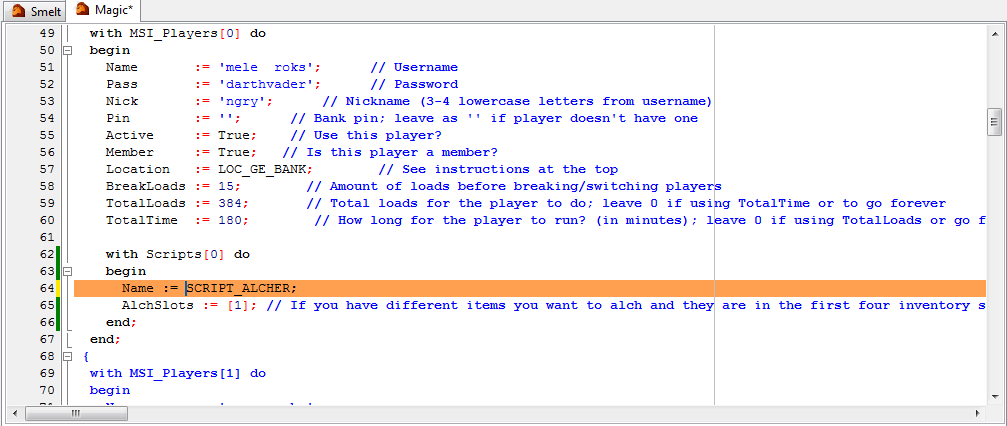
What do I do? :duh:
I'm really not that stupid.. I did update SRL and Reflection and all that.
This may be a little offtopic but I haven't managed to get plugin 10 update.
Anyway, I've done some searching and found out that I'm missing Magic.simba
I've updated and re-updated as much as I can but still manage to get back to this problem. What am I missing?
Coh3n
2010-12-01 03:30:35
What was the error?
Have you tried just deleting MSI and re-downloading?
the smith400
2010-12-01 03:36:21
From: Coh3n
What was the error?
Have you tried just deleting MSI and re-downloading?
I was about to but then I managed to fix it. I went to the MSI folder, right clicked the folder and used SVN Update.
EDIT: I feel like such a noob… I ran into another problem. The script moves my item to slot 16. I really don't understand what the problem is but I'll try my best to explain.
[PHP][0:01:46]: [ *** ] ——– Failed to cast spell: High Level Alchemy
[0:01:55]: [ *** ] —— Ran out of items to alch!
[0:01:55]: [ *** ] —- MSI_AutoObjects: False
[0:01:55]: [ *** ] —— MSI_TimedOut: Suspicion of connection loss[/PHP]
I think it moves my item to slot 16 because it would be easier for it to click back and forth from inventory to spells but the problem is, i've messed up my spells order and i think thats whats causing the problem.. maybe
From: the smith400
I was about to but then I managed to fix it. I went to the MSI folder, right clicked the folder and used SVN Update.
EDIT: I feel like such a noob… I ran into another problem. The script moves my item to slot 16. I really don't understand what the problem is but I'll try my best to explain.
[PHP][0:01:46]: [ *** ] ——– Failed to cast spell: High Level Alchemy
[0:01:55]: [ *** ] —— Ran out of items to alch!
[0:01:55]: [ *** ] —- MSI_AutoObjects: False
[0:01:55]: [ *** ] —— MSI_TimedOut: Suspicion of connection loss[/PHP]
I think it moves my item to slot 16 because it would be easier for it to click back and forth from inventory to spells but the problem is, i've messed up my spells order and i think thats whats causing the problem.. maybe
Currently MSI moves your alch item to slot 16 to alch it, yes. If you would like to change it to work with something your doing differently, open up MSI's Magic.Simba, and right at the very top you will see "ALCH_SLOT_HIGH = 16;" just change it to whatever you need.
grandpajones3
2010-12-01 10:17:32
Was running my script this morning and it kept logging me out so I updated reflection, srl, and msi and out of nowhere I got this error where SMART does not want to initialize. Any help?

Coh3n
2010-12-01 21:46:55
A new version of SMART was released. You have to move the new one from Reflection to you Plugins folder.
blulightning
2010-12-03 19:23:05
im currently powermining
After dropping a load, MSI quits, and gives this in the debug box
[0:15:19]: [ Arso ] ---- MSI_DropAll
[0:15:19]: [ Arso ] -------- There are 0 exceptions
[0:15:55]: [ Arso ] ---- MSI_DropAll: Done
[0:15:59]: [ Arso ] -- MSI_AutoObjects: True
[0:15:59]: [ Arso ] -- MSI_SetSkillLevels
[0:15:59]: [ Arso ] ---- Mining level hasn't changed
[0:15:59]: [ Arso ] -- MSI_SetSkillLevels: Exit
Going to use YoHoJo's PMS for now
From: blulightning
im currently powermining
After dropping a load, MSI quits, and gives this in the debug box
[0:15:19]: [ Arso ] ---- MSI_DropAll
[0:15:19]: [ Arso ] -------- There are 0 exceptions
[0:15:55]: [ Arso ] ---- MSI_DropAll: Done
[0:15:59]: [ Arso ] -- MSI_AutoObjects: True
[0:15:59]: [ Arso ] -- MSI_SetSkillLevels
[0:15:59]: [ Arso ] ---- Mining level hasn't changed
[0:15:59]: [ Arso ] -- MSI_SetSkillLevels: Exit
Going to use YoHoJo's PMS for now
Would you mind giving a bit more info? More debug would help as well.
blulightning
2010-12-03 20:23:33
That's all the debug I have for you. After that, it gives me a proggy, and sets my player to Active: False
From: blulightning
That's all the debug I have for you. After that, it gives me a proggy, and sets my player to Active: False
What is the reason the char is false in the proggy? It didn't drop your pick did it?
blulightning
2010-12-03 20:30:52
The reason section of the Proggy is blank, the pick was equipped.
[ Arso ] ---- MSI_CountItems: Found 28 of Iron ore (980 XP)
[ Arso ] ---- MSI_DropAll
[ Arso ] -------- There are 0 exceptions
[ Arso ] ---- MSI_DropAll: Done
[ Arso ] -- MSI_AutoObjects: True
[ Arso ] -- MSI_SetSkillLevels
[ Arso ] ---- Mining level hasn't changed
[ Arso ] -- MSI_SetSkillLevels: Exit
[ Arso ] -- MSI_UnsetPlayer
[ Arso ] ----
[ Arso ] ---- MSI_SetSkillLevels
[ Arso ] ------ Mining Level: 42
[ Arso ] ---- MSI_SetSkillLevels: Exit


[B]
Proggy:
[/B]

{----------------------------------------------------------------}
{                    MSI Phoenix Player Report                   }
{------------------------- Revision 393 -------------------------}
{     Time Running: 23 Minutes and 45 Seconds                    }
{----------------------------------------------------------------}
{                                                                }
{     Player 0: Warsocks0                                        }
{     Location: The wonderful world of Runescape!                }
{     Time:     15m 03s                                          }
{     Active:   False                                            }
{       Reason:                                                  }
{                                                                }
{     Script: Powerminer                                         }
{       Time:  15m 03s                                           }
{       Skill: Mining                                            }
{       Exp:   2,905                                             }
{       Level: 42                                                }
{       Loads: 3                                                 }
{         Item:   Iron ore                                       }
{         Amount: 83                                             }
{                                                                }
{----------------------------------------------------------------}
{----------------------------------------------------------------}
Does it happen everytime?
Try updating your MSI, your's is back a couple rev's.
Coh3n
2010-12-05 01:49:59
From: NCDS
Does it happen everytime?
Try updating your MSI, your's is back a couple rev's.
Yeah sorry this was my mistake. I'm making a big update tonight with a few bug fixes. For some reason I can't get the breaking to work properly to save my life. :(
E: I think I figured it out. I've committed a ton of bug fixes (I thought I had committed them before, but I guess not). I'm still testing parts of the breaking, but it should be working now. :)
Heavenzeyez1
2010-12-07 06:38:19
[0:36:35]: [ Rik ] -- MSI_HandleBreaking: True
[0:36:35]: [Reflection] Trying to solve: Exam
[0:36:37]: [Mordaut] Setting Mordaut vars..
New fonts available. Current version: 6. Latest version: 7
Succesfully installed the new fonts!
It stopped after that, it was in infinite loop?
It ran like that for 6 hours, doing nothing, exam solving failed, too.
~Eerik.
Coh3n
2010-12-07 10:01:52
From: Heavenzeyez1
[0:36:35]: [ Rik ] -- MSI_HandleBreaking: True
[0:36:35]: [Reflection] Trying to solve: Exam
[0:36:37]: [Mordaut] Setting Mordaut vars..
New fonts available. Current version: 6. Latest version: 7
Succesfully installed the new fonts!
It stopped after that, it was in infinite loop?
It ran like that for 6 hours, doing nothing, exam solving failed, too.
~Eerik.
That's not MSI… Post anything about randoms in either the Reflection or Color randoms forum.
Heavenzeyez1
2010-12-07 12:07:30
From: Coh3n
That's not MSI… Post anything about randoms in either the Reflection or Color randoms forum.
Ooh, sorry. :redface:
~Eerik.
Coh3n
2010-12-07 14:43:56
From: Heavenzeyez1
Ooh, sorry. :redface:
~Eerik.
No problem, just letting you know. ;)
I'm going to add a little thing to the first post directing people to the randoms threads.
Oh Hi Oh
2010-12-10 06:19:53
My first post here and unfortunately, it seems to be regarding a common error.
SMART Window opens, and then debug box states:
[0:00:02]: SRL Compiled in 15 msec
[0:00:02]: SMART Initialized.
Loaded: Server 152, Members: False, Signed: True, Super Detail: False.
[0:00:04]: – MSI_GetDTMInfo: Invalid item constant!
[0:00:04]: – MSI_GetItemColor: Invalid item constant - 0
Error: Out Of Range at line 409
The following DTMs were not freed: [SRL - Lamp bitmap]
The following bitmaps were not freed: [SRL - Mod bitmap, SRL - Admin bitmap]
File[C:\Simba\Includes\SRL/logs/SRL log 10-12-10 5.txt] has not been freed in the script, freeing it now.
Where line 409 of items.simba is highlighted:
"MSI_RUNE_DEATH : Result := 13882333;"
Here is my DeclarePlayers:
with MSI_Players[0] do
begin
Name := 'User'; // Username
Pass := 'Pass'; // Password
Nick := 'ser'; // Nickname (3-4 lowercase letters from username)
Pin := ''; // Bank pin; leave as '' if player doesn't have one
Active := True; // Use this player?
Member := False; // Is this player a member?
Location := LOC_EV_BANK; // See instructions at the top
BreakLoads := 20; // Amount of loads before breaking/switching players; leave 0 to not take breaks
BreakTime := 44; // Amount of time (in minutes) before breaking/witching; leave 0 to not take breaks
TotalLoads := 200; // Total loads for the player to do; leave 0 if using TotalTime or to go forever
TotalTime := 9; // How long for the player to run? (in minutes); leave 0 if using TotalLoads or go forever
with Scripts[0] do
begin
Name := SCRIPT_EV_YEWS; // The script constant
Trees := [TREE_YEW]; // Trees to cut
Priority := [100]; // Priorities (same as before)
DontDrop := []; // For powerchopping only
end;
end;
I am quite the noob at this, so I hope it's an easy fix :S
Halp appreciated :D!
Coh3n
2010-12-10 13:19:14
Try taking out the 'DontDrop' line. ;) DontDrop is an array and can't be declared like you have. I will be sure to mention little things like that when I update some MSI tutorials.
Gu3st...
2010-12-10 13:26:16
From: Coh3n
Try taking out the 'DontDrop' line. ;) DontDrop is an array and can't be declared like you have. I will be sure to mention little things like that when I update some MSI tutorials.
Actually, an array can be declared that way
Try this:
var
  Arr : array of String;
begin
  Arr := [];
  Wait(1000);
end.
Coh3n
2010-12-10 13:51:56
Well then it looks like one of the recent changes messed something up. I can't tell what exactly was changed because it looks like RM replaced the entire file in some cases, so give me some time to figure it out.
E: Fixed. I'm not exactly sure why what RM changed was causing the error, but I'll try to look into it when I have more time. Sorry for the inconvenience.
Oh Hi Oh
2010-12-10 20:16:19
From: Coh3n
Well then it looks like one of the recent changes messed something up. I can't tell what exactly was changed because it looks like RM replaced the entire file in some cases, so give me some time to figure it out.
E: Fixed. I'm not exactly sure why what RM changed was causing the error, but I'll try to look into it when I have more time. Sorry for the inconvenience.
Works 100% now.
Thanks a bunch.
Gu3st...
2010-12-10 20:18:30
Argh.. I have the version that isn't working and I though it was because of my cooking.simba file >_<
If I only were to read this thread a little more often…. :redface:
Coh3n
2010-12-13 00:12:51
From: Zyt3x
Argh.. I have the version that isn't working and I though it was because of my cooking.simba file >_<
If I only were to read this thread a little more often…. :redface:
If you do an SVN update on an edited version it shouldn't matter unless you've changed the file that was updated. If you just changed Cooking.simba, then everything else will still update without issues.
the smith400
2010-12-13 02:41:44
Error: Type Mismatch at line 533
The following DTMs were not freed: [SRL - Lamp bitmap]
The following bitmaps were not freed: [SRL - Mod bitmap, SRL - Admin bitmap]
File[C:\Simba\Includes\SRL/logs/SRL log 13-12-10 4.txt] has not been freed in the script, freeing it now.
        with Defaults do
        begin
          Rocks := [ROCK_COAL, ROCK_MITHRIL, ROCK_ADAMANTITE];

          Items := [
                     TIntegerArray([ORE_COAL]), TIntegerArray([ORE_MITHRIL]), //This gets highlighted
                     TIntegerArray([ORE_ADAMANTITE])   // Sometimes even this
                   ];
        end;
I've updated everything and moved the plugin into the folder.
Coh3n
2010-12-13 11:42:42
From: the smith400
Error: Type Mismatch at line 533
The following DTMs were not freed: [SRL - Lamp bitmap]
The following bitmaps were not freed: [SRL - Mod bitmap, SRL - Admin bitmap]
File[C:\Simba\Includes\SRL/logs/SRL log 13-12-10 4.txt] has not been freed in the script, freeing it now.
        with Defaults do
        begin
          Rocks := [ROCK_COAL, ROCK_MITHRIL, ROCK_ADAMANTITE];

          Items := [
                     TIntegerArray([ORE_COAL]), TIntegerArray([ORE_MITHRIL]), //This gets highlighted
                     TIntegerArray([ORE_ADAMANTITE])   // Sometimes even this
                   ];
        end;
I've updated everything and moved the plugin into the folder.
Does that happen when you compile? Can I see prior debug if there is any, and also your setup. I'm not sure what's wrong. I'm running it now without problems.
Gu3st...
2010-12-13 12:32:21
From: Coh3n
If you do an SVN update on an edited version it shouldn't matter unless you've changed the file that was updated. If you just changed Cooking.simba, then everything else will still update without issues.
I am aware of that, and I did change a lot of other files as well ;)
What I meant was that I though I did something wrong in the SetupCooking, making the rest of the core nonfunctional or something.
Coh3n
2010-12-13 20:31:50
From: Zyt3x
I am aware of that, and I did change a lot of other files as well ;)
What I meant was that I though I did something wrong in the SetupCooking, making the rest of the core nonfunctional or something.
Ohhh, my bad. :p
CadaverCake
2010-12-17 20:04:05
I'm getting this error when I try to start the MSI script:
Exception in Script: Unable to find file 'srl/srl/misc/smart.scar' used from 'C:\Simba\Includes\MSI/MSI/Core/Setup.simba'
I'm a noob at scripts trying to unnoob myself..
Can somebody please give me a hand with this error? :redface:
Coh3n
2010-12-18 01:53:48
From: CadaverCake
I'm getting this error when I try to start the MSI script:
Exception in Script: Unable to find file 'srl/srl/misc/smart.scar' used from 'C:\Simba\Includes\MSI/MSI/Core/Setup.simba'
I'm a noob at scripts trying to unnoob myself..
Can somebody please give me a hand with this error? :redface:
Have you downloaded SRL?
Oh Hi Oh
2010-12-18 05:51:06
After the most recent update, i'm having some issues.
When I try to compile, I get an Error message (to line 35 of Objects.simba).
I am running the Rimmington Power Miner.
[Hint] C:\Simba\Includes\SRL/SRL/core/gametab.scar(1513:3): Variable 'P' never used at line 1512
[Error] C:\Simba\Includes\MSI\./Core/Objects.simba(36:5): Unknown identifier 'TREE_NORMAL' at line 35
Compiling failed.
Coh3n
2010-12-18 13:10:15
From: Oh Hi Oh
After the most recent update, i'm having some issues.
When I try to compile, I get an Error message (to line 35 of Objects.simba).
I am running the Rimmington Power Miner.
[Hint] C:\Simba\Includes\SRL/SRL/core/gametab.scar(1513:3): Variable 'P' never used at line 1512
[Error] C:\Simba\Includes\MSI\./Core/Objects.simba(36:5): Unknown identifier 'TREE_NORMAL' at line 35
Compiling failed.
I'm not sure why that happens. I just downloaded a fresh version of MSI and it's working for me. You may have to redownload for some reason.
CadaverCake
2010-12-18 14:29:10
From: Coh3n
Have you downloaded SRL?
Lol, that was the problem.. :duh: THANK YOU for the help.. It runs excellent and very smoothly!
Coh3n
2010-12-18 14:32:26
From: CadaverCake
Lol, that was the problem.. :duh: THANK YOU for the help.. It runs excellent and very smoothly!
Lol okay good to hear. :)
Oh Hi Oh
2010-12-18 15:42:23
Yepp.
I re-downloaded it. I guess one of the files didn't overwrite properly.
It's working now :)
Thanks.
Mike408
2010-12-19 03:24:28
just updated MSI.
It gives me the error
doesn't exist
Exception in Script: Unable to find file 'MSI/Setup.simba' used from ''
When I try to run 'runme' also, runme has moved from core to just the msi directory?
Try delete MSI and re-downloading. :)
~Home
Gu3st...
2010-12-19 06:51:35
From: Mike408
When I try to run 'runme' also, runme has moved from core to just the msi directory?
It's meant to be like that :)
But try re-downloading MSI, as Home said..
Mike408
2010-12-19 17:39:27
From: Zyt3x
It's meant to be like that :)
But try re-downloading MSI, as Home said..
Same problem. Deleted msi folder and checked out MSI from
[PHP]http://www.villavu.com/repositories/msi/[/PHP]Error
doesn't exist
Exception in Script: Unable to find file 'MSI/MSI/Core/Setup.simba' used from ''
What could be causing this??:confused:
Newest Rev works perfectly fine for me.
Mike, What does the line before the 'doesn't exist' line? Post a few more lines up as well if you can.
Gu3st...
2010-12-19 18:06:16
Where is your MSI folder located? It should be in Simba/Includes/
This should be the path to Setup.simba: Simba/Includes/MSI/MSI/Core/Setup.simba
Mike408
2010-12-19 18:29:22
From: Zyt3x
Where is your MSI folder located? It should be in Simba/Includes/
This should be the path to Setup.simba: Simba/Includes/MSI/MSI/Core/Setup.simba
My Setup.simba is located in C:/Simba/Includes/MSI/Core/setup.simba
From: Mike408
My Setup.simba is located in C:/Simba/Includes/MSI/Core/setup.simba
Should be C:/Simba/Includes/MSI/MSI/Core/setup.simba now.
Delete everything inside /MSI and update to latest Rev.
Mike408
2010-12-19 19:04:48
From: NCDS
Should be C:/Simba/Includes/MSI/MSI/Core/setup.simba now.
Delete everything inside /MSI and update to latest Rev.
But I already did that??
Couldn't I just make a new folder called MSI and add everything for that to fix the path?
From: Mike408
But I already did that??
Couldn't I just make a new folder called MSI and add everything for that to fix the path?
if you want, yes. There was some folders added to MSI for organization purposes, so you pretty much need to re-install it I guess.
Mike408
2010-12-19 21:54:52
Now I have a new problem… this happend before the update too.
// Setup the player
MSI_SetSkillLevels();
with MSI_Players[CurrentPlayer] do
Result := MSI_Scripts[Scripts[CurrentScript].Name].PlayerSetup();
This is highlighted in mainloop.
In colsole it will tell me…
0:01:10]: [ Ftl ] – MSI_UnsetPlayer: Done
[0:01:10]: [ Ftl ] – MSI_SetupPlayer
[0:01:10]: [ Ftl ] —— Scanning for randoms…
[0:01:12]: [ Ftl ] —- MSI_SetSkillLevels
[0:01:12]: [ Ftl ] —- MSI_SetSkillLevels: Exit
Error: Out Of Range at line 68
The following DTMs were not freed: [SRL - Lamp bitmap, 1, 2, 3, 4, 5, 6, 7, 8, 9, 10, 11, 12, 13, 14, 15, 16, 17, 18, 19, 20, 21, 22, 23, 24, 25, 26, 27, 28, 29, 30, 31, 32, 33, 34, 35, 36, 37, 38, 39, 40, 41, 42, 43, 44, 45, 46, 47, 48, 49, 50, 51, 52, 53, 54, 55, 56, 57, 58, 59, 60, 61, 62, 63, 64, 65, 66, 67, 68, 69, 70, 71, 72, 73, 74, 75, 76, 77, 78, 79, 80, 81]
The following bitmaps were not freed: [SRL - Mod bitmap, SRL - Admin bitmap]
File[C:\Simba\Includes\SRL/logs/SRL log 19-12-10 1.txt] has not been freed in the script, freeing it now.
Coh3n
2010-12-19 21:57:54
Can you post your player setup please?
From: Mike408
Now I have a new problem… this happend before the update too.
This is highlighted in mainloop.
In colsole it will tell me…
Post your player setup?
Mike408
2010-12-19 22:54:33
{==============================================================================\

|                         MSI Group Scripting Include                          |

|                                 RunMe.scar                                   |

|==============================================================================|

| For the script user to just simply press play                                |

|                                                                              |

|==============================================================================|

|                         ** Setup Instructions **                             |

|==============================================================================|

|                                                                              |

| -> For a very detailed guide on how to properly setup MSI, please visit:     |

|                                                                              |

|        [url]http://villavu.com/forum/showthread.php?p=745942#post745942[/url]           |

 \_____________________________________________________________________________}


program MSI_Script;


const

  DEBUG_SMART    = True;    // Debugs things onto SMART (may cause lag)

  BREAK_TIME     = 15;      // Single player only - how long to break for (in minutes)

  SAVE_DEBUG     = True;    // Save's the debug box text to a file

  ENABLE_REMOTE  = True;    // Do you want to enable the Player Remote?

  LEVEL_TO_DEBUG = 10;      // The lower the number, the less the script will debug

  HUMAN_BREAKING = True;    // Take more human like breaks

  SWITCH_WORLDS  = False;   // Switch worlds when switching players or after breaks

  ANTIBAN_MIN_WAIT = 14000; // Minimum time to wait between antibans

  RANDOMS_MIN_WAIT = 10000; // Minimum time to wait between randoms checks


  WORLD_SMART = 152;


  STATS_ID   = ''; // Temporary stats ID (2 digit number)

  STATS_PASS = ''; // Temporary stats password


{$i MSI/MSI/Core/Setup.simba}


procedure DeclarePlayers;

var

  i: Integer;

begin

  HowManyPlayers := 2;

  NumberOfPlayers(HowManyPlayers);

  SetLength(MSI_Players, HowManyPlayers);


  for i := 0 to High(MSI_Players) do

    SetLength(MSI_Players[i].Scripts, 100);


  CurrentPlayer := 0;

  CurrentScript := 0;


  with MSI_Players[0] do

  begin

    Name       := '*********';      // Username

    Pass       := '*********';      // Password

    Nick       := '***';      // Nickname (3-4 lowercase letters from username)

    Pin        := '';      // Bank pin; leave as '' if player doesn't have one

    Active     := True;    // Use this player?

    Member     := True;   // Is this player a member?

    Location   := LOC_GE_BANK;        // See instructions at the top

    BreakLoads := 7;        // Amount of loads before breaking/switching players; leave 0 to not take breaks

    BreakTime  := 5;        // Amount of time (in minutes) before breaking/witching; leave 0 to not take breaks

    TotalLoads := 35;        // Total loads for the player to do; leave 0 if using TotalTime or to go forever

    TotalTime  := 0;        // How long for the player to run? (in minutes); leave 0 if using TotalLoads or go forever


    with Scripts[0] do

    begin

       // Woodcutting

    Name     := SCRIPT_GE_YEWS;   // The script constant

    Trees    := [TREE_YEW]; // Trees to cut

    Priority := [10]; // Priorities (same as before)

    DontDrop := []; // For powerchopping only

    end;

  end;


  with MSI_Players[1] do

  begin

    Name       := '********';

    Pass       := '*************';

    Nick       := '***';

    Pin        := '****';

    Active     := True;

    Member     := False;

    Location   := LOC_GE_BANK;

    BreakLoads := 7;

    BreakTime  := 5;

    TotalLoads := 35;

    TotalTime  := 0;


    with Scripts[0] do

    begin

    end;

  end;

     {

  with MSI_Players[2] do

  begin

    Name       := '';

    Pass       := '';

    Nick       := '';

    Pin        := '';

    Active     := True;

    Member     := False;

    Location   := ;

    BreakLoads := ;

    BreakTime  := ;

    TotalLoads := ;

    TotalTime  := ;


    with Scripts[0] do

    begin

    end;

  end;


  with MSI_Players[3] do

  begin

    Name       := '';

    Pass       := '';

    Nick       := '';

    Pin        := '';

    Active     := True;

    Member     := False;

    Location   := ;

    BreakLoads := ;

    BreakTime  := ;

    TotalLoads := ;

    TotalTime  := ;


    with Scripts[0] do

    begin

    end;

  end;


  with MSI_Players[4] do

  begin

    Name       := '';

    Pass       := '';

    Nick       := '';

    Pin        := '';

    Active     := True;

    Member     := False;

    Location   := ;

    BreakLoads := ;

    BreakTime  := ;

    TotalLoads := ;

    TotalTime  := ;


    with Scripts[0] do

    begin

    end;

  end;


  with MSI_Players[5] do

  begin

    Name       := '';

    Pass       := '';

    Nick       := '';

    Pin        := '';

    Active     := True;

    Member     := False;

    Location   := ;

    BreakLoads := ;

    BreakTime  := ;

    TotalLoads := ;

    TotalTime  := ;


    with Scripts[0] do

    begin

    end;

  end;


  with MSI_Players[6] do

  begin

    Name       := '';

    Pass       := '';

    Nick       := '';

    Pin        := '';

    Active     := True;

    Member     := False;

    Location   := ;

    BreakLoads := ;

    BreakTime  := ;

    TotalLoads := ;

    TotalTime  := ;


    with Scripts[0] do

    begin

    end;

  end;


  with MSI_Players[7] do

  begin

    Name       := '';

    Pass       := '';

    Nick       := '';

    Pin        := '';

    Active     := True;

    Member     := False;

    Location   := ;

    BreakLoads := ;

    BreakTime  := ;

    TotalLoads := ;

    TotalTime  := ;


    with Scripts[0] do

    begin

    end;

  end;

}


(**

 * No need to touch anything below here, this is to assign the necessary

 * information so that SRL's Players array works with MSI's

 *)

  for i := 0 to High(Players) do

  begin

    Players[i].Name   := MSI_Players[i].Name;

    Players[i].Pass   := MSI_Players[i].Pass;

    Players[i].Nick   := MSI_Players[i].Nick;

    Players[i].Pin    := MSI_Players[i].Pin;

    Players[i].Active := MSI_Players[i].Active;

    Players[i].Member := MSI_Players[i].Member;


    if (SWITCH_WORLDS) then

      Players[i].WorldInfo := [Players[i].Member, -1, False];


    if (not MSI_Players[i].Active) then

      MSI_Players[i].ReportInfo.FalseReason := 'User set to false';

  end;

end;


var

  i: Integer;

begin

  ClearDebug;


  AddOnTerminate('MSI_ScriptTerminate');

  SetScriptProp(SP_WriteTimeStamp, [True]);


  Smart_Server := WORLD_SMART;

  Smart_Members := False;

  Smart_Signed := True;

  Smart_SuperDetail := False;

  ActivateClient;


  SetupSRL;

  SetupMSI;


  {$IFDEF REFLECTION}

    // So if the hooks are outdated, the script will attempt colour walking if the points exist

    if (not MSI_SetupReflection(False)) then

      ReflectionBroken := True;

  {$ELSE}

    ReflectionBroken := True; // Set to true because it's not even being used

  {$ENDIF}


  {$IFDEF REFLECTION}

    if (ReflectionBroken) then

      ShowMessage('WARNING: Reflection hooks are outdated!');

  {$ENDIF}


  Stats_UserID   := STATS_ID;

  Stats_Password := STATS_PASS;

  Stats_ScriptID := '47';

  CurrDebugLevel := 1;


  DeclarePlayers;

  MSI_Mainloop;

end.
Mike408
2010-12-20 02:49:02
I think I got it to work. I added the script to player 1 that was missing.:duh:
( in the previous versions player 1 would follow script 0 by default?)
Gu3st...
2010-12-20 14:23:44
From: Mike408
( in the previous versions player 1 would follow script 0 by default?)
Nope, the players' script setup is independent of each other. If you don't set a script for one or more of your players you will get a runtime error
Coh3n
2010-12-21 01:12:49
From: Zyt3x
Nope, the players' script setup is independent of each other. If you don't set a script for one or more of your players you will get a runtime error
Hm, I don't think this. Wherever that error is, we should enclose it in a try statement.
try
  // All the stuff here (where the error would normally occur)
except
  ShowMessage('Please properly setup a script for Player: '+PlayerNumberHere);
  TerminateScript;
end;
Sgt Soul
2010-12-22 07:55:22
I think this is the right place to write my error so here goes.
my setup is like this:
[php]begin
Name := '*******'; // Username
Pass := '*********'; // Password
Nick := '****'; // Nickname (3-4 lowercase letters from username)
Pin := ''; // Bank pin; leave as '' if player doesn't have one
Active := True; // Use this player?
Member := False; // Is this player a member?
Location := LOC_POWER_SKILL; // See instructions at the top
BreakLoads := 80; // Amount of loads before breaking/switching players; leave 0 to not take breaks
BreakTime := 0; // Amount of time (in minutes) before breaking/witching; leave 0 to not take breaks
TotalLoads := 600; // Total loads for the player to do; leave 0 if using TotalTime or to go forever
TotalTime := 0; // How long for the player to run? (in minutes); leave 0 if using TotalLoads or go forever
with Scripts[0] do
begin
Name := SCRIPT_POWER_MINE;
Rocks := [ROCK_IRON];
Priority := [100];
DontDrop := [GEM_DIAMOND];
Exceptions := [1, 8, 10];
end;
end; [/php]
and every time I go to run the script I get this message
[php]
[Hint] C:\Program Files\Simba\Includes\SRL/SRL/core/gametab.scar(1514:3): Variable 'P' never used at line 1513
[Hint] C:\Program Files\Simba\Includes\MSI/MSI/Extras/WorldWalker_cstrike.simba(629:5): Variable 'ATPAPOSH' never used at line 628
[Hint] C:\Program Files\Simba\Includes\MSI/MSI/Extras/WorldWalker_cstrike.simba(629:5): Variable 'TPAPOSH' never used at line 628
[Hint] C:\Program Files\Simba\Includes\MSI/MSI/Extras/WorldWalker_cstrike.simba(720:5): Variable 'HIGHWAYTP' never used at line 719
[Hint] C:\Program Files\Simba\Includes\MSI/MSI/Extras/WorldWalker_cstrike.simba(720:5): Variable 'SUBSTREETTP' never used at line 719
[Hint] C:\Program Files\Simba\Includes\MSI/MSI/Extras/WorldWalker_cstrike.simba(720:5): Variable 'CLOSESTTP' never used at line 719
[Hint] C:\Program Files\Simba\Includes\MSI/MSI/Extras/WorldWalker_cstrike.simba(720:5): Variable 'ROOTSUBSTREETTP' never used at line 719
[Hint] C:\Program Files\Simba\Includes\MSI/MSI/Extras/WorldWalker_cstrike.simba(721:5): Variable 'ATPAPOSH' never used at line 720
[Hint] C:\Program Files\Simba\Includes\MSI/MSI/Extras/WorldWalker_cstrike.simba(721:5): Variable 'TPAPOSH' never used at line 720
[Hint] C:\Program Files\Simba\Includes\MSI/MSI/Extras/WorldWalker_cstrike.simba(721:5): Variable 'HIGHTPAHIGHWAY' never used at line 720
[Hint] C:\Program Files\Simba\Includes\MSI/MSI/Extras/WorldWalker_cstrike.simba(722:5): Variable 'FULLWALKINGPATH' never used at line 721
[Hint] C:\Program Files\Simba\Includes\MSI/MSI/Extras/WorldWalker_cstrike.simba(722:5): Variable 'SUBSTREETDESIREDPATH' never used at line 721
[Hint] C:\Program Files\Simba\Includes\MSI/MSI/Extras/WorldWalker_cstrike.simba(722:5): Variable 'SUBSTREETDESIREDPATHTEMP' never used at line 721
[Hint] C:\Program Files\Simba\Includes\MSI/MSI/Extras/WorldWalker_cstrike.simba(724:5): Variable 'CURRENTTILE' never used at line 723
[Hint] C:\Program Files\Simba\Includes\MSI/MSI/Extras/WorldWalker_cstrike.simba(725:5): Variable 'USESUBSTREET' never used at line 724
[Hint] C:\Program Files\Simba\Includes\MSI/MSI/Extras/WorldWalker_cstrike.simba(725:5): Variable 'STARTFROMINDEXZERO' never used at line 724
[Hint] C:\Program Files\Simba\Includes\MSI/MSI/Extras/WorldWalker_cstrike.simba(758:5): Variable 'HIGHWAYTP' never used at line 757
[Hint] C:\Program Files\Simba\Includes\MSI/MSI/Extras/WorldWalker_cstrike.simba(758:5): Variable 'SUBSTREETTP' never used at line 757
[Hint] C:\Program Files\Simba\Includes\MSI/MSI/Extras/WorldWalker_cstrike.simba(760:5): Variable 'TPA' never used at line 759
[Hint] C:\Program Files\Simba\Includes\MSI/MSI/Extras/WorldWalker_cstrike.simba(760:5): Variable 'SUBSTREETDESIREDPATHTEMP' never used at line 759
[Hint] C:\Program Files\Simba\Includes\MSI/MSI/Extras/WorldWalker_cstrike.simba(761:5): Variable 'TTA' never used at line 760
[Hint] C:\Program Files\Simba\Includes\MSI/MSI/Extras/WorldWalker_cstrike.simba(762:5): Variable 'CURRENTTILE' never used at line 761
[Hint] C:\Program Files\Simba\Includes\MSI/MSI/Extras/WorldWalker_cstrike.simba(763:5): Variable 'USESUBSTREET' never used at line 762
[Hint] C:\Program Files\Simba\Includes\MSI/MSI/Extras/WorldWalker_cstrike.simba(799:5): Variable 'CLOSESTTP' never used at line 798
[Hint] C:\Program Files\Simba\Includes\MSI/MSI/Extras/WorldWalker_cstrike.simba(799:5): Variable 'ROOTSUBSTREETTP' never used at line 798
[Hint] C:\Program Files\Simba\Includes\MSI/MSI/Extras/WorldWalker_cstrike.simba(800:5): Variable 'ATPAPOS' never used at line 799
[Hint] C:\Program Files\Simba\Includes\MSI/MSI/Extras/WorldWalker_cstrike.simba(800:5): Variable 'TPAPOS' never used at line 799
[Hint] C:\Program Files\Simba\Includes\MSI/MSI/Extras/WorldWalker_cstrike.simba(800:5): Variable 'ATPAPOSH' never used at line 799
[Hint] C:\Program Files\Simba\Includes\MSI/MSI/Extras/WorldWalker_cstrike.simba(800:5): Variable 'TPAPOSH' never used at line 799
[Hint] C:\Program Files\Simba\Includes\MSI/MSI/Extras/WorldWalker_cstrike.simba(800:5): Variable 'HIGHTPA' never used at line 799
[Hint] C:\Program Files\Simba\Includes\MSI/MSI/Extras/WorldWalker_cstrike.simba(800:5): Variable 'HIGHTPAHIGHWAY' never used at line 799
[Hint] C:\Program Files\Simba\Includes\MSI/MSI/Extras/WorldWalker_cstrike.simba(801:5): Variable 'TPA' never used at line 800
[Hint] C:\Program Files\Simba\Includes\MSI/MSI/Extras/WorldWalker_cstrike.simba(801:5): Variable 'FULLWALKINGPATH' never used at line 800
[Hint] C:\Program Files\Simba\Includes\MSI/MSI/Extras/WorldWalker_cstrike.simba(801:5): Variable 'SUBSTREETDESIREDPATH' never used at line 800
[Hint] C:\Program Files\Simba\Includes\MSI/MSI/Extras/WorldWalker_cstrike.simba(801:5): Variable 'SUBSTREETDESIREDPATHTEMP' never used at line 800
[Hint] C:\Program Files\Simba\Includes\MSI/MSI/Extras/WorldWalker_cstrike.simba(802:5): Variable 'TTA' never used at line 801
[Hint] C:\Program Files\Simba\Includes\MSI/MSI/Extras/WorldWalker_cstrike.simba(803:5): Variable 'TILETOWALKTO' never used at line 802
[Hint] C:\Program Files\Simba\Includes\MSI/MSI/Extras/WorldWalker_cstrike.simba(803:5): Variable 'CURRENTTILE' never used at line 802
[Hint] C:\Program Files\Simba\Includes\MSI/MSI/Extras/WorldWalker_cstrike.simba(804:5): Variable 'USESUBSTREET' never used at line 803
[Hint] C:\Program Files\Simba\Includes\MSI/MSI/Extras/WorldWalker_cstrike.simba(804:5): Variable 'STARTFROMINDEXZERO' never used at line 803
[Hint] C:\Program Files\Simba\Includes\MSI/MSI/Extras/WorldWalker_cstrike.simba(804:198): Variable 'NODENAME' never used at line 803
[Hint] C:\Program Files\Simba\Includes\MSI/MSI/Extras/WorldWalker_cstrike.simba(798:577): Variable 'Result' never used at line 797
[Hint] C:\Program Files\Simba\Includes\MSI/MSI/Extras/BlackLists_Camaro.simba(3:577): Variable 'Result' never used at line 2
[Hint] C:\Program Files\Simba\Includes\MSI/MSI/Extras/BlackLists_Camaro.simba(98:3): Variable 'B' never used at line 97
[Hint] C:\Program Files\Simba\Includes\MSI/MSI/Extras/BlackLists_Camaro.simba(99:3): Variable 'UTBOOL' never used at line 98
[Hint] C:\Program Files\Simba\Includes\MSI/MSI/Extras/BlackLists_Camaro.simba(100:3): Variable 'I' never used at line 99
[Hint] C:\Program Files\Simba\Includes\MSI/MSI/Extras/BlackLists_Camaro.simba(100:3): Variable 'X' never used at line 99
[Hint] C:\Program Files\Simba\Includes\MSI/MSI/Extras/BlackLists_Camaro.simba(100:3): Variable 'Y' never used at line 99
[Hint] C:\Program Files\Simba\Includes\MSI/MSI/Extras/BlackLists_Camaro.simba(96:10): Variable 'Result' never used at line 95
[Hint] C:\Program Files\Simba\Includes\MSI/MSI/Extras/BlackLists_Camaro.simba(116:3): Variable 'I' never used at line 115
[Hint] C:\Program Files\Simba\Includes\MSI/MSI/Extras/BlackLists_Camaro.simba(116:3): Variable 'L' never used at line 115
[Hint] C:\Program Files\Simba\Includes\MSI/MSI/Extras/BlackLists_Camaro.simba(114:10): Variable 'Result' never used at line 113
[Hint] C:\Program Files\Simba\Includes\MSI/MSI/Core/Items.simba(1525:3): Variable 'ISP' never used at line 1524
[Hint] C:\Program Files\Simba\Includes\MSI/MSI/Core/Items.simba(1526:3): Variable 'TP' never used at line 1525
[Hint] C:\Program Files\Simba\Includes\MSI/MSI/Skills/Cooking.simba(106:2): Variable 'INGREDIENTS' never used at line 105
[Hint] C:\Program Files\Simba\Includes\MSI/MSI/Skills/Cooking.simba(130:3): Variable 'H' never used at line 129
[Hint] C:\Program Files\Simba\Includes\MSI/MSI/Skills/Cooking.simba(130:3): Variable 'I' never used at line 129
[Error] (67:17): Unknown identifier 'SCRIPT_POWER_MINE' at line 66
Compiling failed.[/php]
Also sorry that the message is so big :/
any help would be greatly appreciated thank you :)
PS I am totally coming back to SRL <3
Gu3st...
2010-12-22 12:33:24
From: sgt soul
I think this is the right place to write my error so here goes.
my setup is like this:
[php]begin
Name := '*******'; // Username
Pass := '*********'; // Password
Nick := '****'; // Nickname (3-4 lowercase letters from username)
Pin := ''; // Bank pin; leave as '' if player doesn't have one
Active := True; // Use this player?
Member := False; // Is this player a member?
Location := LOC_POWER_SKILL; // See instructions at the top
BreakLoads := 80; // Amount of loads before breaking/switching players; leave 0 to not take breaks
BreakTime := 0; // Amount of time (in minutes) before breaking/witching; leave 0 to not take breaks
TotalLoads := 600; // Total loads for the player to do; leave 0 if using TotalTime or to go forever
TotalTime := 0; // How long for the player to run? (in minutes); leave 0 if using TotalLoads or go forever
with Scripts[0] do
begin
Name := SCRIPT_POWER_MINE;
Rocks := [ROCK_IRON];
Priority := [100];
DontDrop := [GEM_DIAMOND];
Exceptions := [1, 8, 10];
end;
end;[/php]3
You did SCRIPT_POWER_MINE instead of SCRIPT_POWER_MINER :) Changing it to SCRIPT_POWER_MINER would make it work
Dynamite
2010-12-22 14:18:29
I am running this for the first time! Wooo
But i came across a problem..
I run the ve banker and it comes up with a problem in the main loop to do with not freeing dtm or bmp's (i am not at my computer at the moment, i will give more detail later) i think it was something to do with random checking.
Cheers
Gu3st...
2010-12-22 15:11:35
From: The Man
I am running this for the first time! Wooo
But i came across a problem..
I run the ve banker and it comes up with a problem in the main loop to do with not freeing dtm or bmp's (i am not at my computer at the moment, i will give more detail later) i think it was something to do with random checking.
Cheers
If the problem lies in random checking then there is not much we can do to fix the problem.
Sgt Soul
2010-12-22 16:53:08
From: Zyt3x
You did SCRIPT_POWER_MINE instead of SCRIPT_POWER_MINER :) Changing it to SCRIPT_POWER_MINER would make it work
wow what a quick and easy fix :) thank you very much!
edit: NEW PROBLEM
[php] Player 0: ********* }
[0:03:16]: { Location: The wonderful world of Runescape! }
[0:03:16]: { Time: 00s }
[0:03:16]: { Active: False }
[0:03:16]: { Reason: Failed to open bank: }
[0:03:16]: { }
[0:03:16]: { Script: Powerminer }
[0:03:16]: { Time: 00s }
[0:03:16]: { Skill: Mining }
[0:03:16]: { Exp: 980 }
[0:03:16]: { Level: 91 }
[0:03:16]: { Loads: 1 }
[0:03:16]: { Item: Iron ore }
[0:03:16]: { Amount: 28 }
[0:03:16]: { }
[0:03:16]: {—————————————————————-}
[0:03:16]: {—————————————————————-}[/php]
it says the script failed to open the bank after it has dropped a load, when I have stated in the script that it is powermining (the progress report reinforces this)
any help would be appreciated thanks :)
Gu3st...
2010-12-22 17:13:45
From: sgt soul
it says the script failed to open the bank after it has dropped a load, when I have stated in the script that it is powermining (the progress report reinforces this)
any help would be appreciated thanks :)
I might know what the problem is… Hold on a second
EDIT: Please update your MSI and tell me if the problem has been solved or not :)
Sgt Soul
2010-12-22 17:29:30
updated to 444, must have been on 443 :/
well yep all is fixed now, thank you very much! time to mine to lvl 99 from 91 :) <3
Gu3st...
2010-12-22 17:50:43
I committed a fix, that's why you had to update ;)
No problem, btw! It's my pleasure
Sgt Soul
2010-12-22 18:26:58
well I am determined to get back to my rightful place as first in the SMS stats and I am certain this script has the power to push me there :)
King of the Nites
2010-12-22 23:50:50
Error: Out Of Range at line 76
The following DTMs were not freed: [SRL - Lamp bitmap, 1, 2, 3, 4, 5, 6, 7, 8, 9, 10, 11, 12, 13, 14, 15, 16, 17, 18, 19, 20, 21, 22, 23, 24, 25, 26, 27, 28, 29, 30, 31, 32, 33, 34, 35, 36, 37, 38, 39, 40, 41, 42, 43, 44, 45, 46, 47, 48, 49, 50, 51, 52, 53, 54, 55, 56, 57, 58, 59, 60, 61, 62, 63, 64, 65, 66, 67, 68, 69, 70, 71, 72, 73, 74, 75, 76, 77, 78, 79, 80, 81]
The following bitmaps were not freed: [SRL - Mod bitmap, SRL - Admin bitmap]
File[C:\Program Files\Simba\Includes\SRL/logs/SRL log 22-12-10 0.txt] has not been freed in the script, freeing it now.
Hmm help? Heres the code:
procedure DeclarePlayers;
var
  i: Integer;
begin
  HowManyPlayers := 1;
  NumberOfPlayers(HowManyPlayers);
  SetLength(MSI_Players, HowManyPlayers);

  for i := 0 to High(MSI_Players) do
    SetLength(MSI_Players[i].Scripts, 100);

  CurrentPlayer := 0;
  CurrentScript := 0;

  with MSI_Players[0] do
  begin
    Name       := '';      // Username
    Pass       := '';      // Password
    Nick       := '';      // Nickname (3-4 lowercase letters from username)
    Pin        := '';      // Bank pin; leave as '' if player doesn't have one
    Active     := True;    // Use this player?
    Member     := False;   // Is this player a member?
    Location   := LOC_EV_BANK;        // See instructions at the top
    BreakLoads := 13;        // Amount of loads before breaking/switching players; leave 0 to not take breaks
    BreakTime  := 1;        // Amount of time (in minutes) before breaking/witching; leave 0 to not take breaks
    TotalLoads := 500;        // Total loads for the player to do; leave 0 if using TotalTime or to go forever
    TotalTime  := 0;        // How long for the player to run? (in minutes); leave 0 if using TotalLoads or go forever

    with Scripts[0] do
    begin
      Name      := SCRIPT_BBV_FISHER;
      FishSpots := []; // Fishspots to fish
      Priority  := [];
      DontDrop  := []; // For powerfishing only
      Exceptions := [];
    end;
  end;

  with MSI_Players[1] do
  begin
    Name       := '';      // Username  <== LINE 76
    Pass       := '';      // Password
    Nick       := '';      // Nickname (3-4 lowercase letters from username)
    Pin        := '';      // Bank pin; leave as '' if player doesn't have one
    Active     := True;    // Use this player?
    Member     := False;   // Is this player a member?
    Location   := LOC_EV_BANK;        // See instructions at the top
    BreakLoads := 13;        // Amount of loads before breaking/switching players; leave 0 to not take breaks
    BreakTime  := 1;        // Amount of time (in minutes) before breaking/witching; leave 0 to not take breaks
    TotalLoads := 500;        // Total loads for the player to do; leave 0 if using TotalTime or to go forever
    TotalTime  := 0;        // How long for the player to run? (in minutes); leave 0 if using TotalLoads or go forever

    with Scripts[0] do
    begin
      Name      := SCRIPT_BBV_FISHER;
      FishSpots := []; // Fishspots to fish
      Priority  := [];
      DontDrop  := []; // For powerfishing only
      Exceptions := [];
    end;
  end;
KingKong
2010-12-22 23:55:35
add an end; at the end of the bit that you showed, cos i think the procedure has a begin but no end
King of the Nites
2010-12-23 00:01:02
I didnt show all of it because i have like 10 accounts, but there is an end at the bottom.
KingKong
2010-12-23 00:04:11
You only said you were using one player!
Coh3n
2010-12-23 01:34:45
From: kongking
You only said you were using one player!
He's right. ;) Set HowManyPlayers to 10 and you'll be fine.
King of the Nites
2010-12-24 10:41:31
That's how you know it's been a while haha. Thanks guys!
Oh Hi Oh
2010-12-30 02:15:03
[0:00:30]: {----------------------------------------------------------------}
[0:00:30]: {                    MSI Phoenix Short Report                    }
[0:00:30]: {------------------------- Revision 000 -------------------------}
[0:00:30]: {     Time Running: 30 Seconds                                   }
[0:00:30]: {----------------------------------------------------------------}
[0:00:30]: {                                                                }
[0:00:30]: {        Totals:                                                 }
[0:00:30]: {         - Players:         4                                   }
[0:00:30]: [  ] -- Error in printing report!
[0:00:30]: Thank-you for using MSI Phoenix scripts!
[0:00:30]: Successfully executed.
The following DTMs were not freed: [1]
File[C:\Simba\Includes\MSI\Progress Reports\.txt] has not been freed in the script, freeing it now.
Latest version of SRL, Reflection and MSI.
I set USE_FORM to False as the form was causing Simba to crash…
Coh3n
2010-12-30 13:19:10
From: Oh Hi Oh
[0:00:30]: {----------------------------------------------------------------}
[0:00:30]: {                    MSI Phoenix Short Report                    }
[0:00:30]: {------------------------- Revision 000 -------------------------}
[0:00:30]: {     Time Running: 30 Seconds                                   }
[0:00:30]: {----------------------------------------------------------------}
[0:00:30]: {                                                                }
[0:00:30]: {        Totals:                                                 }
[0:00:30]: {         - Players:         4                                   }
[0:00:30]: [  ] -- Error in printing report!
[0:00:30]: Thank-you for using MSI Phoenix scripts!
[0:00:30]: Successfully executed.
The following DTMs were not freed: [1]
File[C:\Simba\Includes\MSI\Progress Reports\.txt] has not been freed in the script, freeing it now.
Latest version of SRL, Reflection and MSI.
I set USE_FORM to False as the form was causing Simba to crash…
What did you do that made it crash?
And that debug doesn't really help. =\ It doesn't give us an error or anything, so I don't know what to say to that. You also didn't tell us an error, so it's hard for us to help you..
Oh Hi Oh
2010-12-30 16:26:36
Whoops.
I kind of realized that after I posted it.
Basically, if I set USE_FORM to False, the script would end instantly after compiling and thats the report I received.
The form is now working for me after around 3 tries. Initially I was getting the same error when I clicked "run" or "save" and then if I clicked of Simba just closed.
(I know this is vague, but I reinstalled Simba and got all the updates and everything seems to be fine. I'll let you know if It's acting up again).
Big Tom
2010-12-30 17:43:47
Breaking problem:
    BreakLoads := 20;        // Amount of loads before breaking/switching players; leave 0 to not take breaks
    BreakTime  := 5;        // Amount of time (in minutes) before breaking/witching; leave 0 to not take breaks
    TotalLoads := 200;        // Total loads for the player to do; leave 0 if using TotalTime or to go forever
    TotalTime  := 500;
Mainly breakloads and break time is whats not working for me. Ive tried setting break loads to 0 and I still end up taking breaks. I first set my break time to 10 and found myself taking 17 minute breaks so then I set it to 5 and now I take 10 minute breaks… Not a huge problem but I just thought i would share.
From: Big Tom
Breaking problem:
    BreakLoads := 20;        // Amount of loads before breaking/switching players; leave 0 to not take breaks
    BreakTime  := 5;        // Amount of time (in minutes) before breaking/witching; leave 0 to not take breaks
    TotalLoads := 200;        // Total loads for the player to do; leave 0 if using TotalTime or to go forever
    TotalTime  := 500;
Mainly breakloads and break time is whats not working for me. Ive tried setting break loads to 0 and I still end up taking breaks. Ive first set my break time to 10 and found myself taking 17 minute breaks so then I set it to 5 and now I take 10 minute breaks… Not a huge problem but I just thought i would share.
I believe both BreakTime and BreakLoads need to be set to '0' to not take breaks. The reason it Breaks a different amount of time than what you tell it to is because it adds randomness to seem more like a human.
Big Tom
2010-12-30 17:50:33
From: NCDS
I believe both BreakTime and BreakLoads need to be set to '0' to not take breaks. The reason it Breaks a different amount of time than what you tell it to is because it adds randomness to seem more like a human.
I understand the randomness part but In my opinion I feel that the range for that is too big. When I had it set for 5 minute breaks I expected like 3-7 minutes breaks. But thanks for the help for setting both to 0 this will help for my short term botting.
From: Big Tom
I understand the randomness part but In my opinion I feel that the range for that is too big. When I had it set for 5 minute breaks I expected like 3-7 minutes breaks. But thanks for the help for setting both to 0 this will help for my short term botting.
I'll see what I can do about making the BreakTime randomness a percentage of the specified BreakTime, instead of a hardcoded value. That should help. :)
Edit: Committed, let me know how it goes. :)
Oh Hi Oh
2010-12-31 02:10:25
[Error] C:\Simba\Includes\SRL/SRL/core/globals.scar(401:1): 'BEGIN' expected at line 400
Compiling failed.
My script won't compile, and this is the error I get.. (Line 400 of globals.scar is just end;)
Coh3n
2010-12-31 02:12:55
Update your SRL, this was fixed in revision 672.
Gu3st...
2011-01-05 17:20:57
- Unless it's a MAJOR bug, post all issues in the Script didn't run thread.
- DO use the search button before reporting a bug, or at least check the first page before posting a new thread about a bug. There might be some other people who has posted about the bug you are having already, and if that's the case, then post in that thread instead of making a new thread.
- DO NOT post about failing RANDOMS or ANYTHING about randoms AT ALL. MSI has NOTHING to with randoms AT ALL. I can't make this any more clear. We have been receiving a ton of messages about failing randoms, but there is not much we can do about it, and it isn't our job either. If you have any problems with the randoms visit the Reflection Randoms or SRL Randoms bugs sections.
- DO NOT post script requests without making sure that the script indeed does not exist. There might be a couple of reasons why you can't find the script. All our scripts are in the Supported Locations thread for each skill.
- DO check that you can re-create the problem. Restart your Simba and try again. If the problem doesn't occur, then don't post.
- DO check this thread before posting anything in this section at all. We are constantly updating this post.
~ The MSI team
Ejjman
2011-01-06 18:54:15
I don't think this is a MSI problem, but more SRL.
So it types in my name and pass, hits login, then it hits the World Select screen and then it gets stuck there. This is while using everything normally. I paused it and it works if I just log in the character myself, so I'm thinking its SRL, but I can't find anything about this error.
Thanks :D
From: Ejjman1
I don't think this is a MSI problem, but more SRL.
So it types in my name and pass, hits login, then it hits the World Select screen and then it gets stuck there. This is while using everything normally. I paused it and it works if I just log in the character myself, so I'm thinking its SRL, but I can't find anything about this error.
Thanks :D
This actually just happened to me as well, but never before this.
I'm updating a few other things right this minute but I'll have a look at this too. If you figure out anything else about it, please post it.
Coh3n
2011-01-07 15:14:16
From: Ejjman1
I don't think this is a MSI problem, but more SRL.
So it types in my name and pass, hits login, then it hits the World Select screen and then it gets stuck there. This is while using everything normally. I paused it and it works if I just log in the character myself, so I'm thinking its SRL, but I can't find anything about this error.
Thanks :D
Yeah sounds like SRL's WorldSwitcher didn't work for some reason. If you just set Switch Worlds to false you should be fine. :)
Oh Hi Oh
2011-01-08 21:52:42
I think there is a bug with form in the latest version of MSI.
If I set USE_FORM to True, I get this error
[0:00:14]: -- MSI_SetupPlayer
[0:00:14]: ---- Player is not logged in
[0:00:14]: 1
[0:00:14]: 2
[0:00:14]: 4
Error: Out Of Range at line 395
The following DTMs were not freed: [0, 1, 2, 3, 4, 5, 6, 7, 8, 9, 10, 11, 12, 13, 14, 15, 16, 17, 18, 19, 20, 21, 22, 23, 24, 25, 26, 27, 28, 29, 30, 31, 32, 33, 34, 35, 36, 37, 38, 39, 40, 41, 42, 43, 44, 45, 46, 47, 48, 49, 50, 51, 52, 53, 54, 55, 56, 57, 58, 59, 60, 61, 62, 63, 64, 65, 66, 67, 68, 69, 70, 71, 72, 73, 74, 75, 76, 77, 78, 79, 80, SRL - Lamp bitmap]
The following bitmaps were not freed: [0, 1, 2, 3, 4, 5, 6, 7, 8, 9, 10, 11, 12, 13, 14, 15, 16, 17, 18, 19, 20, 21, 22, 23, 24, SRL - Mod bitmap, SRL - Admin bitmap]
File[C:\Simba\Includes\SRL/logs/SRL log 08-01-11 5.txt] has not been freed in the script, freeing it now.
The error is in line 395 of login.simba
if (not (Players[CurrentPlayer].Active)) then
As if HowManyPlayers is set incorrectly.
When I set USE_FORM to False and fill in DeclarePlayers, the script works fine.
Also, similarly to Ejjman, I the WorldSwitcher has never actually worked for me in any of the versions of SRL.
Coh3n
2011-01-08 21:58:55
From: Oh Hi Oh
I think there is a bug with form in the latest version of MSI.
If I set USE_FORM to True, I get this error
[0:00:14]: -- MSI_SetupPlayer
[0:00:14]: ---- Player is not logged in
[0:00:14]: 1
[0:00:14]: 2
[0:00:14]: 4
Error: Out Of Range at line 395
The following DTMs were not freed: [0, 1, 2, 3, 4, 5, 6, 7, 8, 9, 10, 11, 12, 13, 14, 15, 16, 17, 18, 19, 20, 21, 22, 23, 24, 25, 26, 27, 28, 29, 30, 31, 32, 33, 34, 35, 36, 37, 38, 39, 40, 41, 42, 43, 44, 45, 46, 47, 48, 49, 50, 51, 52, 53, 54, 55, 56, 57, 58, 59, 60, 61, 62, 63, 64, 65, 66, 67, 68, 69, 70, 71, 72, 73, 74, 75, 76, 77, 78, 79, 80, SRL - Lamp bitmap]
The following bitmaps were not freed: [0, 1, 2, 3, 4, 5, 6, 7, 8, 9, 10, 11, 12, 13, 14, 15, 16, 17, 18, 19, 20, 21, 22, 23, 24, SRL - Mod bitmap, SRL - Admin bitmap]
File[C:\Simba\Includes\SRL/logs/SRL log 08-01-11 5.txt] has not been freed in the script, freeing it now.
The error is in line 395 of login.simba
if (not (Players[CurrentPlayer].Active)) then
As if HowManyPlayers is set incorrectly.
When I set USE_FORM to False and fill in DeclarePlayers, the script works fine.
Also, similarly to Ejjman, I the WorldSwitcher has never actually worked for me in any of the versions of SRL.
Oh that happened because you didn't fill out the Starting Player in the form. It's fixed now. Just wait for the update. :)
Oh Hi Oh
2011-01-08 22:01:23
Oh, whoops. I didn't even notice that. thanks :)
Coh3n
2011-01-08 22:02:29
From: Oh Hi Oh
Oh, whoops. I didn't even notice that. thanks :)
Just to clarify, when your MSI gets updated, you don't actually have to fill it out. I just didn't think to test it when it wasn't filled out. Until your MSI updates, just set it to whichever player you want to start with.
Oh Hi Oh
2011-01-08 22:10:23
Haha, thanks for the clarification. I figured thats what you meant.
:D
Coh3n
2011-01-08 22:11:27
From: Oh Hi Oh
Haha, thanks for the clarification. I figured thats what you meant.
:D
Yeah I was just making sure. :p
XRaye
2011-01-08 22:15:00
In the form for the alcher there is a high alch option but not low alch. Of course you could just fill the attributes out but what fun would that be =p
EDIT:
Also when the magic tab is open, quite often it randomly moves the mouse below all the spells before going back and clicking the alch spell?
Coh3n
2011-01-08 22:52:09
From: XRaye
In the form for the alcher there is a high alch option but not low alch. Of course you could just fill the attributes out but what fun would that be =p
EDIT:
Also when the magic tab is open, quite often it randomly moves the mouse below all the spells before going back and clicking the alch spell?
Any issues you're having with the form should be posted
here. No need to repost this time, I'll take care of it. :) E: Done, it should now be on the list.
And MSI uses SRL's cast functions so your mouse moving bug should be posted
here.
Thanks. :)
epic risk
2011-01-09 00:17:31
yea i got a problem with Harry's Lesser Slinger SMART, opens but never logs in and yea i have my login details filled out correctly
Coh3n
2011-01-09 00:46:03
From: epic risk
yea i got a problem with Harry's Lesser Slinger SMART, opens but never logs in and yea i have my login details filled out correctly
So why are you posting here? This is for MSI. If you're having a problem with Harry's script, wouldn't it be better to post on that thread? :rolleyes:
epic risk
2011-01-09 00:56:39
From: epic risk
yea i got a problem with Harry's Lesser Slinger SMART, opens but never logs in and yea i have my login details filled out correctly
never mind i figured it out it was the detail i had it set to
XRaye
2011-01-09 02:13:53
From: Coh3n
Any issues you're having with the form should be posted here. No need to repost this time, I'll take care of it. :) E: Done, it should now be on the list.
And MSI uses SRL's cast functions so your mouse moving bug should be posted here.
Thanks. :)
Oh sorry about that, and thanks for fixing it =)
Btw looking at some of your other posts, you're so patient with retards like us xD thanks for that too
Coh3n
2011-01-09 02:15:29
From: XRaye
Oh sorry about that, and thanks for fixing it =)
Btw looking at some of your other posts, you're so patient with retards like us xD thanks for that too
Lol no problem. :p I'm not gonna lie, I do get frustrated sometimes, but getting pissed off over little things don't help the situation. I just think about when I first started. I asked the same questions and had the same problems. ;)
Sgt Soul
2011-01-11 04:29:21
Fishing
barbarian Village - Lure fishing
whenever you are stuck with a mystery box within your inventory the script can't seem to understand that your inventory is full even though the screen pops up saying that the inventory is full. I don't know what would cause the script to find that the inventory isn't full but I am 100% sure it has something to do with the mystery box.
many thanks,
Sgt Soul
From: sgt soul
Fishing
barbarian Village - Lure fishing
whenever you are stuck with a mystery box within your inventory the script can't seem to understand that your inventory is full even though the screen pops up saying that the inventory is full. I don't know what would cause the script to find that the inventory isn't full but I am 100% sure it has something to do with the mystery box.
many thanks,
Sgt Soul
Very interesting. Do you possibly still have the MysteryBox on any accounts? I'm awfully curious about something now.
Sgt Soul
2011-01-11 06:01:57
From: NCDS
Very interesting. Do you possibly still have the MysteryBox on any accounts? I'm awfully curious about something now.
I am only using the one account, but I will PM you instantly the account details as soon as I get another one for you :) <3
Coh3n
2011-01-11 10:12:28
From: sgt soul
I am only using the one account, but I will PM you instantly the account details as soon as I get another one for you :) <3
Was it even on the inventory tab? Or friends or something like that?
Sgt Soul
2011-01-11 17:55:27
From: Coh3n
Was it even on the inventory tab? Or friends or something like that?
I am fairly certain it was on the friends tab :/ I know it definitely wasn't on the inventory tab.
Coh3n
2011-01-11 18:15:46
From: sgt soul
I am fairly certain it was on the friends tab :/ I know it definitely wasn't on the inventory tab.
Yep. Same thing happened to me (and I'm sure several others). I'm going to add a GameTab(tab_Inv) to WaitWhileFishing, so I'm hoping that will solve the problem.
Nava2
2011-01-12 07:40:37
[Error] C:\Users\Kevin\Documents\Simba\Includes\MSI/MSI/Core/Antiban.simba(41:7): Unknown identifier 'LeaveDangerZone' at line 40
Compiling failed.
:)
Not sure why, just updated using the msi.sex, checked for more updates and nothing is available.
Coh3n
2011-01-12 14:13:39
From: Nava2
[Error] C:\Users\Kevin\Documents\Simba\Includes\MSI/MSI/Core/Antiban.simba(41:7): Unknown identifier 'LeaveDangerZone' at line 40
Compiling failed.
:)
Not sure why, just updated using the msi.sex, checked for more updates and nothing is available.
If anyone else is getting the same thing, update SRL. :) I added LeaveDangerZone yesterday.
XRaye
2011-01-13 21:54:18
Was cutting and banking draynor logs and ran into two problems:
When it right clicks to chop the tree it just moves the mouse away once the menu is open, but it does left click too and that always works.
Also when a character is in this exact spot (
pic) after chopping that tree, simba starts spamming those messages and the yellow boxes start spazzing out going back and forth between those two spots (used paint to show about where) needed to move the guy to fix it. Seems to only happen when that tree (the one with the box that isn't chopped down) is there.
Coh3n
2011-01-13 22:34:38
From: XRaye
Was cutting and banking draynor logs and ran into two problems:
When it right clicks to chop the tree it just moves the mouse away once the menu is open, but it does left click too and that always works.
Sounds like something is wrong with ChooseOption, you should report this in the Public SVN section.
From: XRaye
Also when a character is in this exact spot (pic) after chopping that tree, simba starts spamming those messages and the yellow boxes start spazzing out going back and forth between those two spots (used paint to show about where) needed to move the guy to fix it. Seems to only happen when that tree (the one with the box that isn't chopped down) is there.
I honestly have no idea. =\ NCDS said he was going to take a look at TrackObject this weekend so that may help.
XRaye
2011-01-13 22:44:59
From: Coh3n
Sounds like something is wrong with ChooseOption, you should report this in the Public SVN section.
I honestly have no idea. =\ NCDS said he was going to take a look at TrackObject this weekend so that may help.
Alrighty thanks. Btw do the SVN devs still use MML for bugs?
Coh3n
2011-01-13 22:57:00
From: XRaye
Alrighty thanks. Btw do the SVN devs still use MML for bugs?
Huh? MML is a library as far as I know. And what dev's are you talking about? There's an SRL, MSI and Reflection SVN. :p
XRaye
2011-01-13 23:15:01
From: Coh3n
Huh? MML is a library as far as I know. And what dev's are you talking about? There's an SRL, MSI and Reflection SVN. :p
Lol idk i'm just trying to figure out if i should use
http://villavu.com/forum/showthread.php?t=56531
Coh3n
2011-01-13 23:17:09
From: XRaye
Lol idk i'm just trying to figure out if i should use http://villavu.com/forum/showthread.php?t=56531
Oh, they use Mantis Bug Tracker to report bugs
in MML. :p
That's easy, you just create an account and choose the right options.
XRaye
2011-01-14 18:02:08
Oh alright, thanks =)
And sorry but I found another bug xD
When I'm IN the draynor bank it thinks I'm far away from it? A problem with the tile number or reflection?
[ Ryad ] ---- Error setting revision number
[ Ryad ] -- Created Debug file
[ Ryad ] -- Gathering report info, please wait...
[ Ryad ] -- Cleared file: C:\Simba\Includes\MSI\Remote.txt
[ Ryad ] -- MSI_SetupPlayer
[ Ryad ] ---- Player is not logged in
[ Ryad ] ------ Current GameTab: 37
[ Ryad ] ------ Scanning for randoms...
[ Ryad ] ---- MSI_SetSkillLevels
[ Ryad ] ------ Woodcutting Level: 38
[ Ryad ] ---- MSI_SetSkillLevels: Finished
[ Ryad ] ---- MSI_SetupWoodcutting
[ Ryad ] ------ Best tool for Woodcutting is Adamant Hatchet
[ Ryad ] ------ MSI_FindTool
[ Ryad ] -------- Searching Equipment Tab
[ Ryad ] -------- Found DTM of Adamant Hatchet
[ Ryad ] ------ MSI_FindTool: True
[ Ryad ] ---- MSI_SetupWoodcutting: True
[ Ryad ] -- MSI_SetupPlayer: True
[ Ryad ] ---- Distance from player to location: 20
[ Ryad ] ---- Player NOT at Draynor Village bank
[ Ryad ] -- MSI_Walk
[ Ryad ] ------ MSI_WaitWhileResting
[ Ryad ] ---- Player's Location = Draynor Village willows
[ Ryad ] ------ Distance from player to location: 49
[ Ryad ] -- MSI_Walk: False
[ Ryad ] -- MSI_UnsetPlayer
[ Ryad ] ---- Failed to walk to location
[ Ryad ] ---- MSI_SetSkillLevels
[ Ryad ] ------ Woodcutting level hasn't changed
[ Ryad ] ---- MSI_SetSkillLevels: Finished
From: XRaye
Oh alright, thanks =)
And sorry but I found another bug xD
When I'm IN the draynor bank it thinks I'm far away from it? A problem with the tile number or reflection?
[ Ryad ] ---- Error setting revision number
[ Ryad ] -- Created Debug file
[ Ryad ] -- Gathering report info, please wait...
[ Ryad ] -- Cleared file: C:\Simba\Includes\MSI\Remote.txt
[ Ryad ] -- MSI_SetupPlayer
[ Ryad ] ---- Player is not logged in
[ Ryad ] ------ Current GameTab: 37
[ Ryad ] ------ Scanning for randoms...
[ Ryad ] ---- MSI_SetSkillLevels
[ Ryad ] ------ Woodcutting Level: 38
[ Ryad ] ---- MSI_SetSkillLevels: Finished
[ Ryad ] ---- MSI_SetupWoodcutting
[ Ryad ] ------ Best tool for Woodcutting is Adamant Hatchet
[ Ryad ] ------ MSI_FindTool
[ Ryad ] -------- Searching Equipment Tab
[ Ryad ] -------- Found DTM of Adamant Hatchet
[ Ryad ] ------ MSI_FindTool: True
[ Ryad ] ---- MSI_SetupWoodcutting: True
[ Ryad ] -- MSI_SetupPlayer: True
[ Ryad ] ---- Distance from player to location: 20
[ Ryad ] ---- Player NOT at Draynor Village bank
[ Ryad ] -- MSI_Walk
[ Ryad ] ------ MSI_WaitWhileResting
[ Ryad ] ---- Player's Location = Draynor Village willows
[ Ryad ] ------ Distance from player to location: 49
[ Ryad ] -- MSI_Walk: False
[ Ryad ] -- MSI_UnsetPlayer
[ Ryad ] ---- Failed to walk to location
[ Ryad ] ---- MSI_SetSkillLevels
[ Ryad ] ------ Woodcutting level hasn't changed
[ Ryad ] ---- MSI_SetSkillLevels: Finished
Is your MSI and Reflection up to date? I was running this last night and just earlier and it worked perfect as always.
Coh3n
2011-01-14 19:12:20
Sorry, I changed a small thing in AtLocation, I guess I didn't make the distance large enough to work for every location. Try the newest version. I think now may be a good time to add Bounds to TLocation and it will be a box around the location. Right now we just use the player's tile with a tolerance, which isn't as accurate in my opinion.
From: Coh3n
Sorry, I changed a small thing in AtLocation, I guess I didn't make the distance large enough to work for every location. Try the newest version. I think now may be a good time to add Bounds to TLocation and it will be a box around the location. Right now we just use the player's tile with a tolerance, which isn't as accurate in my opinion.
Wouldn't it pretty much be the same though? Using a tolerance of 10 would have the same Result of having a 20 tile box around the location point, no? Though, it may be beneficial to be able to set separate distances horizontally(width) and vertically(height) on the MM.
Coh3n
2011-01-14 19:46:01
From: NCDS
Wouldn't it pretty much be the same though? Using a tolerance of 10 would have the same Result of having a 20 tile box around the location point, no? Though, it may be beneficial to be able to set separate distances horizontally(width) and vertically(height) on the MM.
Not necessarily. Right now it's a 30 pixel tolerance and the relocation point of that location. Sometimes that point isn't exactly in the middle of the location. With a box, we can do PointInBox(PlayersTile, TLocation.Bounds).
From: Coh3n
Not necessarily. Right now it's a 30 pixel tolerance and the relocation point of that location. Sometimes that point isn't exactly in the middle of the location. With a box, we can do PointInBox(PlayersTile, TLocation.Bounds).
Yeah, I see. That looks fine to me.
XRaye
2011-01-14 22:23:04
From: Coh3n
Sorry, I changed a small thing in AtLocation, I guess I didn't make the distance large enough to work for every location. Try the newest version. I think now may be a good time to add Bounds to TLocation and it will be a box around the location. Right now we just use the player's tile with a tolerance, which isn't as accurate in my opinion.
That fixed it =) Thanks
Carlito
2011-01-15 13:39:13
Was running Draynor willows last night and when it went to the bank it successfully got into the bank but it was a little far from the actually bank spots (it was between the bottom bank booths) so it didn't reach to find the bank spots.
possible way to fix this is… if it cannot locate the bank maybe have it click again on the minimap for better positioning?
Gu3st...
2011-01-15 18:24:06
From: carlito
Was running Draynor willows last night and when it went to the bank it successfully got into the bank but it was a little far from the actually bank spots (it was between the bottom bank booths) so it didn't reach to find the bank spots.
possible way to fix this is… if it cannot locate the bank maybe have it click again on the minimap for better positioning?
Do you have the debug information?
XRaye
2011-01-15 18:50:07
hmm I seem to be having the same problem as carlito (
debug)
Ury is on the far side of the bank and the script only searches the bank booth colors that are nearest to it (even though it knows the further, real ones are there)
this doesn't happen every time banking, just when the char is on the opposite side from the booths.
Gu3st...
2011-01-15 18:56:16
I am guessing both of you are using reflection?
There might be a problem with AtLocation or the bank tiles
XRaye
2011-01-15 19:16:07
So would it be a reflection problem then?
Also another thing I'm having a little trouble with (i'm not using the form).
When the first player's activity is set to false so he isn't ran in the script (Ryad), the second player tries to setup before logged on (Unt), so it turns his status false; but the third player (Ury) sets up just fine (
debug). This only happens when the first player isn't set to be active.
Though when the first player is set to be active everyone sets up just fine (
debug)
EDIT:
A minor thing: it detects a rune hatchet when addy is being used.
From: carlito
possible way to fix this is… if it cannot locate the bank maybe have it click again on the minimap for better positioning?
Already is supposed to do that. I'm going to try and get it to walk closer to the booths to begin with so hopefully that will fix any problems. I'll edit this when I've committed it.
From: XRaye
So would it be a reflection problem then?
Also another thing I'm having a little trouble with (i'm not using the form).
When the first player's activity is set to false so he isn't ran in the script (Ryad), the second player tries to setup before logged on (Unt), so it turns his status false; but the third player (Ury) sets up just fine (debug). This only happens when the first player isn't set to be active.
Though when the first player is set to be active everyone sets up just fine (debug)
I noticed this last night actually, I just haven't been able to look at it yet. Sitting down now to do some thing's though. :)
From: XRaye
EDIT:
A minor thing: it detects a rune hatchet when addy is being used.
This should be a quick fix as well.
Edit: Ok, should walk a little closer to the booths now. Let me know if it still ever happens, I'm going to bring something up to the other SL's that will be a more effective fix.
XRaye
2011-01-17 23:39:42
From: NCDS
This should be a quick fix as well.
Edit: Ok, should walk a little closer to the booths now. Let me know if it still ever happens, I'm going to bring something up to the other SL's that will be a more effective fix.
The addy axe thing is fixed :) but the bank thing is still happening (
debug). Just when it is on the opposite side of the bank, next to those two desk things (it thinks that is the booth, and doesn't bother to search further out even though the debug has the booths colored)
E:
Also the lumby west miner (mining coal) starts spamming
[*]—- MSI_FindObjectsIn
[*]—- MSI_FindObjectsIn: False
[*]—- MSI_FindObjectsIn
[*]—- MSI_FindObjectsIn: False
once it reaches the mine, and doesn't stop (seems to have started at the last update,
debug) has happened all 3 times I tried mining there (2 of them starting at the bank, 1 at the mine)
Coh3n
2011-01-18 00:52:30
From: XRaye
E:
Also the lumby west miner (mining coal) starts spamming
[*]—- MSI_FindObjectsIn
[*]—- MSI_FindObjectsIn: False
[*]—- MSI_FindObjectsIn
[*]—- MSI_FindObjectsIn: False
once it reaches the mine, and doesn't stop (seems to have started at the last update, debug) has happened all 3 times I tried mining there (2 of them starting at the bank, 1 at the mine)
I have no idea why that would happen. Nothing was changed in the object finding. I've added a small change to the object debugging, so if you could run it again and post the debug that would be great. :) Thanks.
XRaye
2011-01-18 01:39:56
From: Coh3n
I have no idea why that would happen. Nothing was changed in the object finding. I've added a small change to the object debugging, so if you could run it again and post the debug that would be great. :) Thanks.
Hmm debug was exactly the same, I don't think there was a MSI update either though?
Coh3n
2011-01-18 01:56:52
From: XRaye
Hmm debug was exactly the same, I don't think there was a MSI update either though?
If you're using msi.sex, it will update within the hour.
From: XRaye
The addy axe thing is fixed :) but the bank thing is still happening (debug). Just when it is on the opposite side of the bank, next to those two desk things (it thinks that is the booth, and doesn't bother to search further out even though the debug has the booths colored)
I will have something implemented when I get home from work today to ensure this
can't happen again.
From: XRaye
E:
Also the lumby west miner (mining coal) starts spamming
[*]—- MSI_FindObjectsIn
[*]—- MSI_FindObjectsIn: False
[*]—- MSI_FindObjectsIn
[*]—- MSI_FindObjectsIn: False
once it reaches the mine, and doesn't stop (seems to have started at the last update, debug) has happened all 3 times I tried mining there (2 of them starting at the bank, 1 at the mine)
Started LWS Miner before I went to bed last night, still running smooth…
bolshak25
2011-01-20 21:58:09
with the west swamp miner, walking issue ive noticed.
[ Shs ] ---- Player's Location = Draynor Village bank
[ Shs ] ---- MSI_PerfomWalk
[ Shs ] ------ MSI_ReflectionWalk
[ Shs ] -------- Tile(3148, 3147) is not on the minimap
[ Shs ] -------- Tile(3148, 3155) is not on the minimap
[ Shs ] -------- Tile(3144, 3165) is not on the minimap
[ Shs ] -------- Tile(3141, 3175) is not on the minimap
[ Shs ] -------- Tile(3140, 3186) is not on the minimap
[ Shs ] -------- Tile(3138, 3197) is not on the minimap
[ Shs ] -------- Tile(3132, 3205) is not on the minimap
[ Shs ] -------- Tile(3124, 3211) is not on the minimap
[ Shs ] -------- Tile(3115, 3217) is not on the minimap
[ Shs ] -------- Tile(3108, 3225) is not on the minimap
[ Shs ] -------- Tile(3101, 3234) is on the minimap
[ Shs ] ---------- Scanning for randoms...
[ Shs ] ---------- Flag distance: 60
[ Shs ] ---------- Flag distance: 54
[ Shs ] ---------- MSI_AntiBan
[ Shs ] -------- Cleared file: C:\Simba\Includes\MSI\Remote.txt
it has done it twice in a row. its after i finish a load and bank it. it stops in the same area both times. if you need ill post a pic of it.
From: bolshak25
with the west swamp miner, walking issue ive noticed.
[ Shs ] ---- Player's Location = Draynor Village bank
[ Shs ] ---- MSI_PerfomWalk
[ Shs ] ------ MSI_ReflectionWalk
[ Shs ] -------- Tile(3148, 3147) is not on the minimap
[ Shs ] -------- Tile(3148, 3155) is not on the minimap
[ Shs ] -------- Tile(3144, 3165) is not on the minimap
[ Shs ] -------- Tile(3141, 3175) is not on the minimap
[ Shs ] -------- Tile(3140, 3186) is not on the minimap
[ Shs ] -------- Tile(3138, 3197) is not on the minimap
[ Shs ] -------- Tile(3132, 3205) is not on the minimap
[ Shs ] -------- Tile(3124, 3211) is not on the minimap
[ Shs ] -------- Tile(3115, 3217) is not on the minimap
[ Shs ] -------- Tile(3108, 3225) is not on the minimap
[ Shs ] -------- Tile(3101, 3234) is on the minimap
[ Shs ] ---------- Scanning for randoms...
[ Shs ] ---------- Flag distance: 60
[ Shs ] ---------- Flag distance: 54
[ Shs ] ---------- MSI_AntiBan
[ Shs ] -------- Cleared file: C:\Simba\Includes\MSI\Remote.txt
it has done it twice in a row. its after i finish a load and bank it. it stops in the same area both times. if you need ill post a pic of it.
Please do post a pic, and more debug too if you can.
bolshak25
2011-01-20 22:12:19
[ Shs ] ---- Player's Location = Lumbridge swamp west mine
[ Shs ] ---- MSI_PerfomWalk
[ Shs ] ------ MSI_ReflectionWalk
[ Shs ] -------- Tile(3091, 3242) is not on the minimap
[ Shs ] -------- Tile(3101, 3234) is not on the minimap
[ Shs ] -------- Tile(3108, 3225) is not on the minimap
[ Shs ] -------- Tile(3115, 3217) is not on the minimap
[ Shs ] -------- Tile(3124, 3211) is not on the minimap
[ Shs ] -------- Tile(3132, 3205) is not on the minimap
[ Shs ] -------- Tile(3138, 3197) is not on the minimap
[ Shs ] -------- Tile(3140, 3186) is not on the minimap
[ Shs ] -------- Tile(3141, 3175) is not on the minimap
[ Shs ] -------- Tile(3144, 3165) is on the minimap
[ Shs ] ---------- Scanning for randoms...
[ Shs ] ---------- MSI_AntiBan
[ Shs ] ---------- Flag distance: 62
[ Shs ] ---------- Flag distance: 52
[ Shs ] ---------- Flag distance: 40
[ Shs ] ---------- Flag distance: 27
[ Shs ] -------- Tile(3091, 3242) is not on the minimap
[ Shs ] -------- Tile(3101, 3234) is not on the minimap
[ Shs ] -------- Tile(3108, 3225) is not on the minimap
[ Shs ] -------- Tile(3115, 3217) is not on the minimap
[ Shs ] -------- Tile(3124, 3211) is not on the minimap
[ Shs ] -------- Tile(3132, 3205) is not on the minimap
[ Shs ] -------- Tile(3138, 3197) is not on the minimap
[ Shs ] -------- Tile(3140, 3186) is not on the minimap
[ Shs ] -------- Tile(3141, 3175) is on the minimap
[ Shs ] ---------- Flag distance: 44
[ Shs ] ---------- Flag distance: 34
[ Shs ] ---------- Flag distance: 25
[ Shs ] -------- Tile(3091, 3242) is not on the minimap
[ Shs ] -------- Tile(3101, 3234) is not on the minimap
[ Shs ] -------- Tile(3108, 3225) is not on the minimap
[ Shs ] -------- Tile(3115, 3217) is not on the minimap
[ Shs ] -------- Tile(3124, 3211) is not on the minimap
[ Shs ] -------- Tile(3132, 3205) is not on the minimap
[ Shs ] -------- Tile(3138, 3197) is not on the minimap
[ Shs ] -------- Tile(3140, 3186) is on the minimap
[ Shs ] ---------- Flag distance: 29
[ Shs ] -------- Tile(3091, 3242) is not on the minimap
[ Shs ] -------- Tile(3101, 3234) is not on the minimap
[ Shs ] -------- Tile(3108, 3225) is not on the minimap
[ Shs ] -------- Tile(3115, 3217) is not on the minimap
[ Shs ] -------- Tile(3124, 3211) is not on the minimap
[ Shs ] -------- Tile(3132, 3205) is not on the minimap
[ Shs ] -------- Tile(3138, 3197) is on the minimap
[ Shs ] ---------- Flag distance: 51
[ Shs ] ---------- Flag distance: 40
[ Shs ] ---------- MSI_AntiBan
[ Shs ] ---------- Flag distance: 19
[ Shs ] -------- Tile(3091, 3242) is not on the minimap
[ Shs ] -------- Tile(3101, 3234) is not on the minimap
[ Shs ] -------- Tile(3108, 3225) is not on the minimap
[ Shs ] -------- Tile(3115, 3217) is not on the minimap
[ Shs ] -------- Tile(3124, 3211) is not on the minimap
[ Shs ] -------- Tile(3132, 3205) is on the minimap
[ Shs ] -------- Tile(3091, 3242) is not on the minimap
[ Shs ] -------- Tile(3101, 3234) is not on the minimap
[ Shs ] -------- Tile(3108, 3225) is not on the minimap
[ Shs ] -------- Tile(3115, 3217) is not on the minimap
[ Shs ] -------- Tile(3124, 3211) is not on the minimap
[ Shs ] -------- Tile(3132, 3205) is on the minimap
[ Shs ] ---------- Scanning for randoms...
[ Shs ] ---------- Flag distance: 21
[ Shs ] -------- Tile(3091, 3242) is not on the minimap
[ Shs ] -------- Tile(3101, 3234) is not on the minimap
[ Shs ] -------- Tile(3108, 3225) is not on the minimap
[ Shs ] -------- Tile(3115, 3217) is not on the minimap
[ Shs ] -------- Tile(3124, 3211) is on the minimap
[ Shs ] ---------- Flag distance: 45
[ Shs ] ---------- Flag distance: 29
[ Shs ] -------- Tile(3091, 3242) is not on the minimap
[ Shs ] -------- Tile(3101, 3234) is not on the minimap
[ Shs ] -------- Tile(3108, 3225) is not on the minimap
[ Shs ] -------- Tile(3115, 3217) is not on the minimap
[ Shs ] -------- Tile(3124, 3211) is on the minimap
[ Shs ] -------- Tile(3091, 3242) is not on the minimap
[ Shs ] -------- Tile(3101, 3234) is not on the minimap
[ Shs ] -------- Tile(3108, 3225) is not on the minimap
[ Shs ] -------- Tile(3115, 3217) is on the minimap
[ Shs ] ---------- Flag distance: 46
[ Shs ] ---------- Flag distance: 31
[ Shs ] ---------- Flag distance: 18
[ Shs ] -------- Tile(3091, 3242) is not on the minimap
[ Shs ] -------- Tile(3101, 3234) is not on the minimap
[ Shs ] -------- Tile(3108, 3225) is on the minimap
[ Shs ] ---------- Flag distance: 34
[ Shs ] ---------- Flag distance: 23
[ Shs ] -------- Tile(3091, 3242) is not on the minimap
[ Shs ] -------- Tile(3101, 3234) is on the minimap
[ Shs ] ---------- Flag distance: 49
[ Shs ] ---------- Flag distance: 44
[ Shs ] ---------- Flag distance: 38
[ Shs ] ---------- Scanning for randoms...
[ Shs ] ---------- Flag distance: 18
[ Shs ] -------- Tile(3091, 3242) is on the minimap
[ Shs ] ---------- Flag distance: 55
[ Shs ] ---------- Flag distance: 46
[ Shs ] ---------- Flag distance: 35
[ Shs ] ---------- Flag distance: 31
[ Shs ] ---------- Flag distance: 29
[ Shs ] ---------- Flag distance: 27
[ Shs ] ---------- MSI_AntiBan
[ Shs ] ---------- Flag distance: 27
[ Shs ] ---------- Flag distance: 22
[ Shs ] ---------- Flag distance: 16
[ Shs ] ---------- Flag distance: 11
[ Shs ] ---------- Flag distance: 8
[ Shs ] ---------- Flag distance: 3
[ Shs ] ---------- Distance from player to location: 20
[ Shs ] ---------- Player is at Draynor Village bank
[ Shs ] -------- Player's Location = Draynor Village bank
[ Shs ] ------ MSI_ReflectionWalk: True
[ Shs ] ---- MSI_PerformWalk: True
[ Shs ] -- MSI_Walk: True
[ Shs ] -- MSI_BankMaterials
[ Shs ] ---- stats_IncVariable('Coal Ore (Mined)', 27);
[ Shs ] ---- MSI_CountItems: Found 27 of Coal ore (1350 XP)
[ Shs ] ---- MSI_OpenBank
[ Shs ] ------ MSI_FindObjectsIn[32]
[ Shs ] -------- 21 objects found!
[ Shs ] ------ MSI_FindObjectsIn: True
[ Shs ] ---- MSI_OpenBank: True(Draynor bank)
[ Shs ] ---- MSI_Deposit
[ Shs ] ------ Exceptions: [28]
[ Shs ] ------ MSI_FindItemSlots: Found 27 Coal ore in inventory slot(s) [1, 2, 3, 4, 5, 6, 7, 8, 9, 10, 11, 12, 13, 14, 15, 16, 17, 18, 19, 20, 21, 22, 23, 24, 25, 26, 27]
[ Shs ] -------- MSI_ClickItemSlot: Succesfully clicked item slot
[ Shs ] ------ Deposited Coal Ore
[ Shs ] ---- MSI_Deposit: True
[ Shs ] -- MSI_BankMaterials: True
[ Shs ] -- MSI_SetSkillLevels
[ Shs ] ---- Mining level hasn't changed
[ Shs ] -- MSI_SetSkillLevels: Finished
[ Shs ] -- Cleared file: C:\Simba\Includes\MSI\Remote.txt
[ Shs ] ---- Temp playing time: 652412
[ Shs ] ---- Total loads done: 1
[ Shs ] ---- Temp loads done: 1
[ Shs ] -- Committed to SRL stats
[ Shs ] ---- Distance from player to location: 20
[ Shs ] ---- Player is at Draynor Village bank
[ Shs ] -- MSI_Walk
[ Shs ] ------ MSI_WaitWhileResting
[ Shs ] ---- Player's Location = Draynor Village bank
[ Shs ] ---- MSI_PerfomWalk
[ Shs ] ------ MSI_ReflectionWalk
[ Shs ] -------- Tile(3148, 3147) is not on the minimap
[ Shs ] -------- Tile(3148, 3155) is not on the minimap
[ Shs ] -------- Tile(3144, 3165) is not on the minimap
[ Shs ] -------- Tile(3141, 3175) is not on the minimap
[ Shs ] -------- Tile(3140, 3186) is not on the minimap
[ Shs ] -------- Tile(3138, 3197) is not on the minimap
[ Shs ] -------- Tile(3132, 3205) is not on the minimap
[ Shs ] -------- Tile(3124, 3211) is not on the minimap
[ Shs ] -------- Tile(3115, 3217) is not on the minimap
[ Shs ] -------- Tile(3108, 3225) is not on the minimap
[ Shs ] -------- Tile(3101, 3234) is on the minimap
[ Shs ] ---------- Scanning for randoms...
[ Shs ] ---------- Flag distance: 60
[ Shs ] ---------- Flag distance: 54
[ Shs ] ---------- MSI_AntiBan
[ Shs ] -------- Cleared file: C:\Simba\Includes\MSI\Remote.txt
theres a longer debug. its the entire walking to bank/banking/walking back.
ill add a pic to this post if it happens a third time. its running right now.
e:
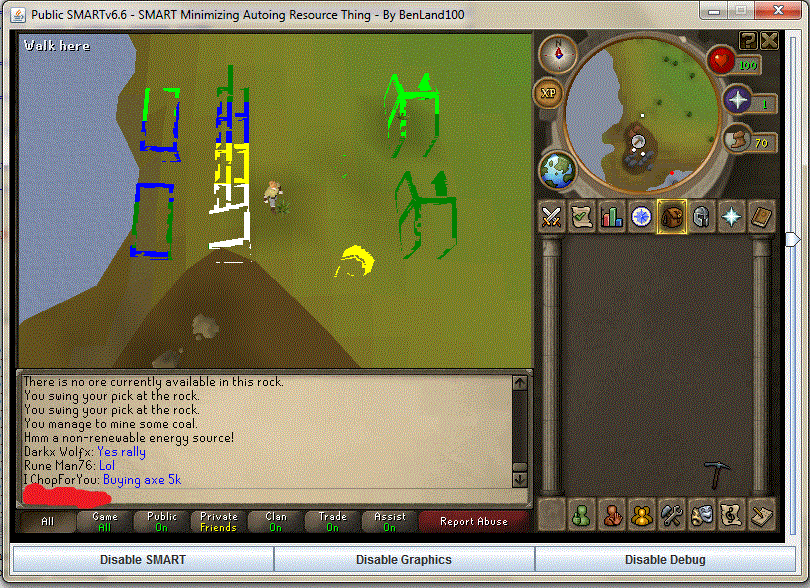
the pic is the new spot he stopped at. it seems to be different each time.
[ Shs ] -- MSI_SetSkillLevels
[ Shs ] ---- Mining level hasn't changed
[ Shs ] -- MSI_SetSkillLevels: Finished
{----------------------------------------------------------------}
{                    MSI Phoenix Short Report                    }
{------------------------- Revision 000 -------------------------}
{     Time Running: 13 Minutes and 11 Seconds                    }
{----------------------------------------------------------------}
{                                                                }
{        Totals:                                                 }
{         - Players:         2                                   }
{         - Player Time:     11m 36s                             }
{         - Randoms Solved:  0                                   }
{         - Randoms Failed:  0                                   }
{         - Loads:           1                                   }
{         - Experience:      1,350                               }
{         - Rocks Mined:     27                                  }
{                                                                }
{----------------------------------------------------------------}
{----------------------------------------------------------------}

{----------------------------------------------------------------}
{                    MSI Phoenix Player Report                   }
{------------------------- Revision 000 -------------------------}
{     Time Running: 13 Minutes and 11 Seconds                    }
{----------------------------------------------------------------}
{                                                                }
{     Player 0: **********                                      }
{     Location: Draynor Village bank                             }
{     Time:     11m 36s                                          }
{     Active:   True                                             }
{                                                                }
{     Script: Lumby Swamp West Miner                             }
{       Time:  11m 36s                                           }
{       Skill: Mining                                            }
{       Exp:   1,350                                             }
{       Level: 50                                                }
{       Loads: 1                                                 }
{         Item:   Coal ore                                       }
{         Amount: 27                                             }
{                                                                }
{----------------------------------------------------------------}
{----------------------------------------------------------------}
[0:13:11]: [ Shs ] -- Cleared file: C:\Simba\Includes\MSI\Remote.txt
[0:13:11]: [ Shs ] ---- Temp playing time: 721348
[0:13:11]: [ Shs ] ---- Temp loads done: 1
[0:13:12]: [ Shs ] -- Committed to SRL stats
[0:13:12]: [ Shs ] ---- Distance from player to location: 8
[0:13:12]: [ Shs ] ---- Player is at Draynor Village bank
[0:13:12]: [ Shs ] -- MSI_Walk
[0:13:12]: [ Shs ] ------ MSI_WaitWhileResting
[0:13:12]: [ Shs ] ---- Player's Location = Draynor Village bank
[0:13:12]: [ Shs ] ---- MSI_PerfomWalk
[0:13:17]: [ Shs ] ------ MSI_ReflectionWalk
[0:13:17]: [ Shs ] -------- Tile(3148, 3147) is not on the minimap
[0:13:17]: [ Shs ] -------- Tile(3148, 3155) is not on the minimap
[0:13:17]: [ Shs ] -------- Tile(3144, 3165) is not on the minimap
[0:13:17]: [ Shs ] -------- Tile(3141, 3175) is not on the minimap
[0:13:17]: [ Shs ] -------- Tile(3140, 3186) is not on the minimap
[0:13:17]: [ Shs ] -------- Tile(3138, 3197) is not on the minimap
[0:13:17]: [ Shs ] -------- Tile(3132, 3205) is not on the minimap
[0:13:17]: [ Shs ] -------- Tile(3124, 3211) is not on the minimap
[0:13:17]: [ Shs ] -------- Tile(3115, 3217) is not on the minimap
[0:13:17]: [ Shs ] -------- Tile(3108, 3225) is not on the minimap
[0:13:17]: [ Shs ] -------- Tile(3101, 3234) is on the minimap
[0:13:19]: [ Shs ] ---------- Scanning for randoms...
[0:13:19]: [ Shs ] ---------- MSI_AntiBan
[0:13:19]: [ Shs ] ---------- Flag distance: 57
[0:13:20]: [ Shs ] ---------- Flag distance: 61
[0:13:21]: [ Shs ] ---------- Flag distance: 56
[0:13:22]: [ Shs ] ---------- Flag distance: 50
[0:13:23]: [ Shs ] ---------- Flag distance: 41
[0:13:24]: [ Shs ] ---------- Flag distance: 29
[0:13:25]: [ Shs ] ---------- Flag distance: 18
[0:13:27]: [ Shs ] -------- Tile(3148, 3147) is not on the minimap
[0:13:27]: [ Shs ] -------- Tile(3148, 3155) is not on the minimap
[0:13:27]: [ Shs ] -------- Tile(3144, 3165) is not on the minimap
[0:13:27]: [ Shs ] -------- Tile(3141, 3175) is not on the minimap
[0:13:27]: [ Shs ] -------- Tile(3140, 3186) is not on the minimap
[0:13:27]: [ Shs ] -------- Tile(3138, 3197) is not on the minimap
[0:13:27]: [ Shs ] -------- Tile(3132, 3205) is not on the minimap
[0:13:27]: [ Shs ] -------- Tile(3124, 3211) is not on the minimap
[0:13:27]: [ Shs ] -------- Tile(3115, 3217) is not on the minimap
[0:13:27]: [ Shs ] -------- Tile(3108, 3225) is on the minimap
[0:13:28]: [ Shs ] ---------- Flag distance: 43
[0:13:29]: [ Shs ] ---------- Flag distance: 40
[0:13:30]: [ Shs ] ---------- Flag distance: 36
[0:13:31]: [ Shs ] ---------- Flag distance: 32
[0:13:32]: [ Shs ] ---------- Flag distance: 27
[0:13:32]: [ Shs ] -------- Tile(3148, 3147) is not on the minimap
[0:13:32]: [ Shs ] -------- Tile(3148, 3155) is not on the minimap
[0:13:32]: [ Shs ] -------- Tile(3144, 3165) is not on the minimap
[0:13:32]: [ Shs ] -------- Tile(3141, 3175) is not on the minimap
[0:13:32]: [ Shs ] -------- Tile(3140, 3186) is not on the minimap
[0:13:32]: [ Shs ] -------- Tile(3138, 3197) is not on the minimap
[0:13:32]: [ Shs ] -------- Tile(3132, 3205) is not on the minimap
[0:13:32]: [ Shs ] -------- Tile(3124, 3211) is not on the minimap
[0:13:32]: [ Shs ] -------- Tile(3115, 3217) is not on the minimap
[0:13:32]: [ Shs ] -------- Tile(3108, 3225) is on the minimap
[0:13:33]: [ Shs ] -------- Tile(3148, 3147) is not on the minimap
[0:13:33]: [ Shs ] -------- Tile(3148, 3155) is not on the minimap
[0:13:33]: [ Shs ] -------- Tile(3144, 3165) is not on the minimap
[0:13:33]: [ Shs ] -------- Tile(3141, 3175) is not on the minimap
[0:13:33]: [ Shs ] -------- Tile(3140, 3186) is not on the minimap
[0:13:33]: [ Shs ] -------- Tile(3138, 3197) is not on the minimap
[0:13:33]: [ Shs ] -------- Tile(3132, 3205) is not on the minimap
[0:13:33]: [ Shs ] -------- Tile(3124, 3211) is not on the minimap
[0:13:33]: [ Shs ] -------- Tile(3115, 3217) is on the minimap
[0:13:34]: [ Shs ] ---------- Scanning for randoms...
[0:13:35]: [ Shs ] ---------- Flag distance: 51
[0:13:35]: [ Shs ] ---------- Flag distance: 45
[0:13:36]: [ Shs ] ---------- Flag distance: 41
[0:13:37]: [ Shs ] ---------- Flag distance: 32
[0:13:38]: [ Shs ] ---------- Flag distance: 22
[0:13:39]: [ Shs ] -------- Tile(3148, 3147) is not on the minimap
[0:13:39]: [ Shs ] -------- Tile(3148, 3155) is not on the minimap
[0:13:39]: [ Shs ] -------- Tile(3144, 3165) is not on the minimap
[0:13:39]: [ Shs ] -------- Tile(3141, 3175) is not on the minimap
[0:13:39]: [ Shs ] -------- Tile(3140, 3186) is not on the minimap
[0:13:39]: [ Shs ] -------- Tile(3138, 3197) is not on the minimap
[0:13:39]: [ Shs ] -------- Tile(3132, 3205) is not on the minimap
[0:13:39]: [ Shs ] -------- Tile(3124, 3211) is on the minimap
[0:13:40]: [ Shs ] ---------- Flag distance: 58
[0:13:41]: [ Shs ] ---------- Flag distance: 50
[0:13:42]: [ Shs ] ---------- Flag distance: 43
[0:13:43]: [ Shs ] ---------- Flag distance: 36
[0:13:44]: [ Shs ] ---------- Flag distance: 28
[0:13:44]: [ Shs ] -------- Tile(3148, 3147) is not on the minimap
[0:13:44]: [ Shs ] -------- Tile(3148, 3155) is not on the minimap
[0:13:44]: [ Shs ] -------- Tile(3144, 3165) is not on the minimap
[0:13:44]: [ Shs ] -------- Tile(3141, 3175) is not on the minimap
[0:13:44]: [ Shs ] -------- Tile(3140, 3186) is not on the minimap
[0:13:44]: [ Shs ] -------- Tile(3138, 3197) is not on the minimap
[0:13:44]: [ Shs ] -------- Tile(3132, 3205) is on the minimap
[0:13:45]: [ Shs ] ---------- Flag distance: 46
[0:13:46]: [ Shs ] ---------- MSI_AntiBan
[0:13:49]: [ Shs ] ---------- Flag distance: 25
[0:13:49]: [ Shs ] -------- Tile(3148, 3147) is not on the minimap
[0:13:49]: [ Shs ] -------- Tile(3148, 3155) is not on the minimap
[0:13:49]: [ Shs ] -------- Tile(3144, 3165) is not on the minimap
[0:13:49]: [ Shs ] -------- Tile(3141, 3175) is not on the minimap
[0:13:49]: [ Shs ] -------- Tile(3140, 3186) is not on the minimap
[0:13:49]: [ Shs ] -------- Tile(3138, 3197) is on the minimap
[0:13:51]: [ Shs ] ---------- Scanning for randoms...
[0:13:51]: [ Shs ] ---------- Flag distance: 53
[0:13:52]: [ Shs ] ---------- Flag distance: 49
[0:13:52]: [ Shs ] ---------- Flag distance: 42
[0:13:53]: [ Shs ] ---------- Flag distance: 37
[0:13:54]: [ Shs ] ---------- Flag distance: 32
[0:13:55]: [ Shs ] ---------- Flag distance: 23
[0:13:56]: [ Shs ] -------- Tile(3148, 3147) is not on the minimap
[0:13:56]: [ Shs ] -------- Tile(3148, 3155) is not on the minimap
[0:13:56]: [ Shs ] -------- Tile(3144, 3165) is not on the minimap
[0:13:56]: [ Shs ] -------- Tile(3141, 3175) is not on the minimap
[0:13:56]: [ Shs ] -------- Tile(3140, 3186) is not on the minimap
[0:13:56]: [ Shs ] -------- Tile(3138, 3197) is on the minimap
[0:13:57]: [ Shs ] -------- Tile(3148, 3147) is not on the minimap
[0:13:57]: [ Shs ] -------- Tile(3148, 3155) is not on the minimap
[0:13:57]: [ Shs ] -------- Tile(3144, 3165) is not on the minimap
[0:13:57]: [ Shs ] -------- Tile(3141, 3175) is not on the minimap
[0:13:57]: [ Shs ] -------- Tile(3140, 3186) is on the minimap
[0:13:58]: [ Shs ] ---------- Flag distance: 59
[0:13:59]: [ Shs ] ---------- Flag distance: 52
[0:14:00]: [ Shs ] ---------- Flag distance: 45
[0:14:01]: [ Shs ] ---------- Flag distance: 38
[0:14:02]: [ Shs ] ---------- Flag distance: 35
[0:14:03]: [ Shs ] ---------- MSI_AntiBan
[0:14:03]: [ Shs ] ---------- Flag distance: 26
[0:14:04]: [ Shs ] -------- Tile(3148, 3147) is not on the minimap
[0:14:04]: [ Shs ] -------- Tile(3148, 3155) is not on the minimap
[0:14:04]: [ Shs ] -------- Tile(3144, 3165) is not on the minimap
[0:14:04]: [ Shs ] -------- Tile(3141, 3175) is on the minimap
[0:14:05]: [ Shs ] ---------- Flag distance: 50
[0:14:06]: [ Shs ] ---------- Scanning for randoms...
[0:14:06]: [ Shs ] ---------- Flag distance: 42
[0:14:07]: [ Shs ] ---------- Flag distance: 37
[0:14:08]: [ Shs ] ---------- Flag distance: 30
[0:14:09]: [ Shs ] ---------- Flag distance: 23
[0:14:09]: [ Shs ] -------- Tile(3148, 3147) is not on the minimap
[0:14:09]: [ Shs ] -------- Tile(3148, 3155) is not on the minimap
[0:14:09]: [ Shs ] -------- Tile(3144, 3165) is on the minimap
[0:14:11]: [ Shs ] ---------- Flag distance: 62
[0:14:11]: [ Shs ] ---------- Flag distance: 55
[0:14:12]: [ Shs ] ---------- Flag distance: 50
[0:14:13]: [ Shs ] ---------- Flag distance: 44
[0:14:14]: [ Shs ] ---------- Flag distance: 39
[0:14:15]: [ Shs ] ---------- Flag distance: 33
[0:14:16]: [ Shs ] ---------- Flag distance: 28
[0:14:17]: [ Shs ] -------- Tile(3148, 3147) is not on the minimap
[0:14:17]: [ Shs ] -------- Tile(3148, 3155) is on the minimap
[0:14:18]: [ Shs ] ---------- Flag distance: 48
[0:14:19]: [ Shs ] ---------- Flag distance: 40
[0:14:20]: [ Shs ] ---------- Flag distance: 34
[0:14:21]: [ Shs ] ---------- Flag distance: 28
[0:14:21]: [ Shs ] ---------- Scanning for randoms...
[0:14:22]: [ Shs ] ---------- MSI_AntiBan
Coh3n
2011-01-21 00:24:10
I don't understand. There's nothing wrong with the debug. So it just stops? What goes in the debug after it stops?
From: Coh3n
I don't understand. There's nothing wrong with the debug. So it just stops? What goes in the debug after it stops?
Also, when this happens, is it always close to the mine like that?
Sgt Soul
2011-01-21 20:22:21
hmm I have another problem, it all relates back to the mystery box problem :/ I woke up this morning looking at how my accounts progressed overnight and I had a 15 hour proggy (with 9 hours of the account just sitting in the bank trying to bank the mystery box) it didn't give up on banking it and as soon as the script noticed it was still in the inventory it would click back on the bank trying to make it bank it again. Is there anyway to solve this whole mystery box problem? :s
bolshak25
2011-01-21 23:02:37
the debug stops just like that. thats what happens. the spot where it stops differs. this one was at mine, and other 2 were by bank moving toward mine right next to the road.
Coh3n
2011-01-22 00:57:45
From: bolshak25
the debug stops just like that. thats what happens. the spot where it stops differs. this one was at mine, and other 2 were by bank moving toward mine right next to the road.
Hm, Markus also had a problem like that once or twice. I'll be working on the walking when I get home in a couple days so hopfully I can find and fix it.
From: sgt soul
hmm I have another problem, it all relates back to the mystery box problem :/ I woke up this morning looking at how my accounts progressed overnight and I had a 15 hour proggy (with 9 hours of the account just sitting in the bank trying to bank the mystery box) it didn't give up on banking it and as soon as the script noticed it was still in the inventory it would click back on the bank trying to make it bank it again. Is there anyway to solve this whole mystery box problem? :s
Has anyone reported this is the SRL SVN section? I'm also not sure why it repeatedly tries to bank, when this happened to me, it just continued on with the script.
XRaye
2011-02-04 15:36:44
Remember that problem I had with the miner awhile back? How when it got to the mine it just spammed the MSI_FindObjectIn stuff? I gave up on the mining scripts since. But today I thought I'd try it out at a different spot (Varrock East instead of Lumby Swamp) and it still did the same thing :( (
debug)
Coh3n
2011-02-04 17:36:06
From: XRaye
Remember that problem I had with the miner awhile back? How when it got to the mine it just spammed the MSI_FindObjectIn stuff? I gave up on the mining scripts since. But today I thought I'd try it out at a different spot (Varrock East instead of Lumby Swamp) and it still did the same thing :( (debug)
Something's wrong with your setup. It says it's looking for objects 41 and 42. If you look in Globals.simba, there are no such objects so it would make sense that they're not found. :p
I'm not sure how your player's got set to that, though. Can you post your DeclarePlayers? Or Player.txt if you used the form?
@Bolshack25: Have you tried after the last few updates?
XRaye
2011-02-04 21:49:58
  with MSI_Players[0] do
  begin
    Name       := '***';      // Username
    Pass       := '***';      // Password
    Nick       := '***';      // Nickname (3-4 lowercase letters from username)
    Pin        := '';      // Bank pin; leave as '' if player doesn't have one
    Active     := True;    // Use this player?
    Member     := False;   // Is this player a member?
    Location   := LOC_VE_BANK;       // See instructions at the top LOC_LSW_MINE
    BreakLoads := 0;       // Amount of loads before breaking/switching players; leave 0 to not take breaks
    BreakTime  := 30;       // Amount of time (in minutes) before breaking/witching; leave 0 to not take breaks
    TotalLoads := 0;       // Total loads for the player to do; leave 0 if using TotalTime or to go forever
    TotalTime  := 0;       // How long for the player to run? (in minutes); leave 0 if using TotalLoads or go forever

    with Scripts[0] do
    begin
      Name     := SCRIPT_VE_MINER;   // The script constant
      Rocks    := [ORE_COPPER, ORE_TIN]; // Rocks to mine
      Priority := [];
      DontDrop := []; // For powermining only
    end;
  end;
Coh3n
2011-02-05 00:55:28
Well there's your problem. ;) ORE_ referes to the TItem record (the ore in the inventory). What you want is ROCK_TIN and ROCK_COPPER. Make that change and you should be fine. :)
XRaye
2011-02-05 04:23:47
From: Coh3n
Well there's your problem. ;) ORE_ referes to the TItem record (the ore in the inventory). What you want is ROCK_TIN and ROCK_COPPER. Make that change and you should be fine. :)
Ahh awesome thanks so much :D
E:
The alcher is really slow, right before it alches every time it hovers over (or clicks maybe?) the different filters and sorts at the bottom, so it takes over 5 seconds per alch.
EE:
Oh it's having trouble finding the spell, it also goes back and forth from the inventory to the magic tab sometimes (
debug)
quipeace
2011-02-06 14:38:03
Setting up MSI took 858 ms.
 Cleared file: C:\Program Files\Simba\Includes\MSI\Player.txt
SRL Compiled in 16 msec
SMART Initialized.
Loaded: Server 152, Members: False, Signed: True, Super Detail: False.

LONG PAUSE HERE

{----------------------------------------------------------------}
{                    MSI Phoenix Short Report                    }
{------------------------- Revision 000 -------------------------}
{     Time Running: 2 Minutes and 29 Seconds                     }
{----------------------------------------------------------------}
{                                                                }
{        Totals:                                                 }
{         - Players:         1                                   }
{         - Player Time:     00s                                 }
[Reflection] Randoms var set!
{         - Randoms Solved:  0                                   }
{         - Randoms Failed:  0                                   }
{                                                                }
{----------------------------------------------------------------}
{----------------------------------------------------------------}

{----------------------------------------------------------------}
{                    MSI Phoenix Player Report                   }
{------------------------- Revision 000 -------------------------}
{     Time Running: 2 Minutes and 29 Seconds                     }
{----------------------------------------------------------------}
{                                                                }
{     Player 0: XXXXXXXX                                       }
{     Location: Port Sarim deposit box                           }
{     Time:     00s                                              }
{     Active:   True                                             }
{                                                                }
{     Script: Rimmington Iron Miner 1                            }
{       Time:  00s                                               }
{       Skill: Mining                                            }
{       Exp:   0                                                 }
{       Level: Not yet defined                                   }
{       Loads: 0                                                 }
{         Item:   Iron ore                                       }
{         Amount: 0                                              }
{                                                                }
{----------------------------------------------------------------}
{----------------------------------------------------------------}
[0:02:30]: [ Itt ] -- Cleared file: C:\Program Files\Simba\Includes\MSI\Remote.txt
[0:02:30]: [ Itt ] -- MSI_SetupPlayer
[0:02:30]: [ Itt ] ---- Player is not logged in

TRIED CHECKING FOR UPDATES

No Plugins update available.
No SRL update available.
No Reflection update available.
I tried logging myself in, and then running the script, but that results in the same thing. Any ideas?
And yeah, I'm planning to get back into the scripting thing (again :P), looks like alot has changed though o.0
Coh3n
2011-02-06 17:29:27
From: XRaye
Ahh awesome thanks so much :D
E:
The alcher is really slow, right before it alches every time it hovers over (or clicks maybe?) the different filters and sorts at the bottom, so it takes over 5 seconds per alch.
EE:
Oh it's having trouble finding the spell, it also goes back and forth from the inventory to the magic tab sometimes (debug)
Yeah we know, we just haven't had the time to properly fix the alcher yet. Sorry.
From: quipeace
Setting up MSI took 858 ms.
 Cleared file: C:\Program Files\Simba\Includes\MSI\Player.txt
SRL Compiled in 16 msec
SMART Initialized.
Loaded: Server 152, Members: False, Signed: True, Super Detail: False.

LONG PAUSE HERE

{----------------------------------------------------------------}
{                    MSI Phoenix Short Report                    }
{------------------------- Revision 000 -------------------------}
{     Time Running: 2 Minutes and 29 Seconds                     }
{----------------------------------------------------------------}
{                                                                }
{        Totals:                                                 }
{         - Players:         1                                   }
{         - Player Time:     00s                                 }
[Reflection] Randoms var set!
{         - Randoms Solved:  0                                   }
{         - Randoms Failed:  0                                   }
{                                                                }
{----------------------------------------------------------------}
{----------------------------------------------------------------}

{----------------------------------------------------------------}
{                    MSI Phoenix Player Report                   }
{------------------------- Revision 000 -------------------------}
{     Time Running: 2 Minutes and 29 Seconds                     }
{----------------------------------------------------------------}
{                                                                }
{     Player 0: XXXXXXXX                                       }
{     Location: Port Sarim deposit box                           }
{     Time:     00s                                              }
{     Active:   True                                             }
{                                                                }
{     Script: Rimmington Iron Miner 1                            }
{       Time:  00s                                               }
{       Skill: Mining                                            }
{       Exp:   0                                                 }
{       Level: Not yet defined                                   }
{       Loads: 0                                                 }
{         Item:   Iron ore                                       }
{         Amount: 0                                              }
{                                                                }
{----------------------------------------------------------------}
{----------------------------------------------------------------}
[0:02:30]: [ Itt ] -- Cleared file: C:\Program Files\Simba\Includes\MSI\Remote.txt
[0:02:30]: [ Itt ] -- MSI_SetupPlayer
[0:02:30]: [ Itt ] ---- Player is not logged in

TRIED CHECKING FOR UPDATES

No Plugins update available.
No SRL update available.
No Reflection update available.
I tried logging myself in, and then running the script, but that results in the same thing. Any ideas?
And yeah, I'm planning to get back into the scripting thing (again :P), looks like alot has changed though o.0
Was SMART enabled?
quipeace
2011-02-08 09:48:28
From: Coh3n
Yeah we know, we just haven't had the time to properly fix the alcher yet. Sorry.
Was SMART enabled?
Yes, SMART was running, enabled and on the login screen. I tried again today, updated all libs, but nothing has changed.
EDIT: Just completely reinstalled Simba, and enabled SRL + MSI, updated them + Reflection and then ran MSI, filled in the form and pressed run.
Smart then start, and loads Runescape, I finally get the message the player isn't logged in about a minute after everything is finished loading. After a total time of 6 minutes and 43 seconds the script completely stops, thanking me for using MSI ^^
I'm running Simba on Windows 7 Ultimate x64, updated and all.
Coh3n
2011-02-08 11:41:17
From: quipeace
Yes, SMART was running, enabled and on the login screen. I tried again today, updated all libs, but nothing has changed.
EDIT: Just completely reinstalled Simba, and enabled SRL + MSI, updated them + Reflection and then ran MSI, filled in the form and pressed run.
Smart then start, and loads Runescape, I finally get the message the player isn't logged in about a minute after everything is finished loading. After a total time of 6 minutes and 43 seconds the script completely stops, thanking me for using MSI ^^
I'm running Simba on Windows 7 Ultimate x64, updated and all.
Have you set your graphics settings to highest brightness, fixed screen, and the rest as low as they can go?
On another note, the alcher should work much better now. :)
quipeace
2011-02-08 12:04:01
From: Coh3n
Have you set your graphics settings to highest brightness, fixed screen, and the rest as low as they can go?
On another note, the alcher should work much better now. :)
Yep, I just checked that. It's running in safemode, brightness set as high as it will go. It's stuck on the login screen. the final line I see is:
SMART Initialized.Loaded: Server 152, Members: False, Signed: True, Super Detail: False.
Gu3st...
2011-02-08 12:28:39
Does this happen in with other scripts as well?
quipeace
2011-02-08 13:07:36
From: Zyt3x
Does this happen in with other scripts as well?
You might want to hit me in the face for not trying that before, but yes, it does look like other scripts won't login either.
Any suggestions on where I can get some help on this?
**BANNED The Man
2011-02-08 13:41:20
From: quipeace
You might want to hit me in the face for not trying that before, but yes, it does look like other scripts won't login either.
Any suggestions on where I can get some help on this?
You definitely have the rs screen set to fixed not resizeable?
-Boom
quipeace
2011-02-08 13:49:25
From: Dynamite
You definitely have the rs screen set to fixed not resizeable?
-Boom
Now you should definitely hit me in the face XD. I haven't played Runescape for quite a while, so I missed many of the changes. I just assumed that safe mode would just run with the most basic settings (meaning fixed as well).
Obviously I was wrong :P.
Sorry for that, I'll check twice next time ;)
Gu3st...
2011-02-08 14:14:31
So there is no problem anymore, then? :)
quipeace
2011-02-08 14:39:29
From: Zyt3x
So there is no problem anymore, then? :)
Nope :), it's running quite well actually, although there's a lot of debug messages. Time to see if I can still script now, quite different from Java :P
Coh3n
2011-02-08 18:25:29
From: quipeace
Nope :), it's running quite well actually, although there's a lot of debug messages. Time to see if I can still script now, quite different from Java :P
You can lower the amount of debugging by setting "Debug Level" to a smaller number. Debug Level is one of the options in the first tab of the form.
XRaye
2011-02-13 02:21:58
Haven't used this script in awhile because after one update the Rimmington yew chopping got messed up (gets lost walking or deposits axe frequently). It's been awhile and the same thing still happens, lucky to get 2 loads in. Just wondering if you guys are aware of this? Or should I get some debug.
Coh3n
2011-02-13 02:27:14
From: XRaye
Haven't used this script in awhile because after one update the Rimmington yew chopping got messed up (gets lost walking or deposits axe frequently). It's been awhile and the same thing still happens, lucky to get 2 loads in. Just wondering if you guys are aware of this? Or should I get some debug.
I've been using the Rimmington Yews for the last two weeks and it works perfect with Reflection Walking (there's a bug in hybrid that I'm still trying to find), and not once has it deposited my hatchet, and all 8 characters have it in their inventory. Are you using a Rune Hatchet?
XRaye
2011-02-13 20:41:03
From: Coh3n
I've been using the Rimmington Yews for the last two weeks and it works perfect with Reflection Walking (there's a bug in hybrid that I'm still trying to find), and not once has it deposited my hatchet, and all 8 characters have it in their inventory. Are you using a Rune Hatchet?
The walking isn't a problem anymore, but every 2-3 loads an axe is still deposited, and yep it's rune.
Coh3n
2011-02-13 20:44:35
From: XRaye
The walking isn't a problem anymore, but every 2-3 loads an axe is still deposited, and yep it's rune.
That's odd. Are your graphics set as low as they can go, including maximum brightness? Like I said, this hasn't happened to me once on 8 characters; they all have Rune hatchets in inventory and I've been running them as much as possible the last couple weeks. :unsure:
XRaye
2011-02-13 21:36:16
From: Coh3n
That's odd. Are your graphics set as low as they can go, including maximum brightness? Like I said, this hasn't happened to me once on 8 characters; they all have Rune hatchets in inventory and I've been running them as much as possible the last couple weeks. :unsure:
Hmm that is strange, and yep graphics are 100% correct. Well they all have about 35 attack so I could just get that up a few levels, because I was planning on training their combat more anyways.
Coh3n
2011-02-13 22:44:46
From: XRaye
Hmm that is strange, and yep graphics are 100% correct. Well they all have about 35 attack so I could just get that up a few levels, because I was planning on training their combat more anyways.
It shouldn't matter, but is the hatchet in the first inventory slot?
XRaye
2011-02-13 23:17:14
From: Coh3n
It shouldn't matter, but is the hatchet in the first inventory slot?
Yep. It's probably some kind of hardware/java problem on my part, don't worry about since I'm the only one having the problem :p
Coh3n
2011-02-28 21:06:47
From: XRaye
Yep. It's probably some kind of hardware/java problem on my part, don't worry about since I'm the only one having the problem :p
Does this still happen for you? YoHoJo reported that it would sometimes deposit his pickaxe, but again, I've been running with 8 characters all with pickaxes in the inventory and no problems here.
I just thought of this also. If you enter a '1' in the Exceptions slot in the form for that player, it should NEVER deposit it (1 being the inventory slot the hatchet is in). If this works, we know it's something with our automatically set exceptions array.
On another note, I added to the common problems - make sure your graphics are set properly.
fyodor
2011-03-02 03:12:58
Eh well, I took a break from MSI, but then tried to use it again today after reflection update.
And MSI just straight up crashes after I start it … could it be that im running 8 things of simba and it doesnt like it?
for some reason it crashes before login on LSW miner but when i try other scripts like VEM or Edgeville Yews works fine :<
Coh3n
2011-03-02 03:37:25
From: fyodor
Eh well, I took a break from MSI, but then tried to use it again today after reflection update.
And MSI just straight up crashes after I start it … could it be that im running 8 things of simba and it doesnt like it?
for some reason it crashes before login on LSW miner but when i try other scripts like VEM or Edgeville Yews works fine :<
I'm sure 8 Simba's isn't helping, but that shouldn't matter as long as your computer can handle it. Have you tried running it more than once?
fyodor
2011-03-02 14:27:44
yea i tried running it 3 times, sometimes itl crash before smart opens, and sometimes it crashes after smart applet is fully loaded @ login.
im running an i7 870 @ 4ghz with 8 gigs of ram running @ 1800 mhz, so my comps not exactly sweating atm.
Im just wondering why its only with LSW that its not working :Z
Coh3n
2011-03-02 14:30:17
From: fyodor
yea i tried running it 3 times, sometimes itl crash before smart opens, and sometimes it crashes after smart applet is fully loaded @ login.
im running an i7 870 @ 4ghz with 8 gigs of ram running @ 1800 mhz, so my comps not exactly sweating atm.
Im just wondering why its only with LSW that its not working :Z
That doesn't make sense. No matter the script or skill, MSI calls the exact same procedures up until it actually starts mining/woodcutting/whatever.
Maybe your setup is messed up somehow; although I don't see what would cause a crash.
fyodor
2011-03-02 14:31:54
well i restarted, and tried after todays update and it seems to be started we'll see how it runs and proggy time!
E: well it just straight up crashed, and gave me like these boxes that were "yes no" popping up, and then i would press OK and it would bring them up, its just that the text was all symbols…
and now it wont run and will only crash lul
EE: so if i dont minimize it, it doesnt crash, but as soon as i do….BOOM.
rdc24
2011-03-04 06:58:15
Did you fix what bolshak was saying earlier in this thread?
As I'm getting the exact same thing..
YAY for first post ever. >.>
Coh3n
2011-03-04 13:13:40
From: rdc24
Did you fix what bolshak was saying earlier in this thread?
As I'm getting the exact same thing..
YAY for first post ever. >.>
Are you talking about
this? If so, then none of us was able to recreate the issue, and I know a few people that run that script without problems.
rdc24
2011-03-04 13:45:20
Yea, I've been messing about with the position of the hatchet/pickaxe, seems to work fine now.
Coh3n
2011-03-04 13:59:06
From: rdc24
Yea, I've been messing about with the position of the hatchet/pickaxe, seems to work fine now.
I have absolutely not idea how that would make a difference..
rdc24
2011-03-04 14:08:32
I haven't either, but it's working o.O
Ok another problem I've been experiencing for a while now. After filling in the user, pass, script, and location … when i press run i get the error in this picture I attached.

Edit: Also been getting this too:
Error starting Smart, ensure the target page has an applet declaration…
cycrosism
2011-03-04 17:23:10
When I click Run MSI I get this
Running MSI...
[Error] C:\Simba\Includes\SRL/SRL/core/simba.simba(345:14): Unknown identifier '' at line 344
Compiling failed.
Edit: Fixed that error but now, no matter what world I try to run SMART on I get an error. Oh and it doesn't even login to the world I set if it actually works.
Coh3n
2011-03-04 19:47:06
From: yago
Ok another problem I've been experiencing for a while now. After filling in the user, pass, script, and location … when i press run i get the error in this picture I attached.
I've gotten that a few times also. I'm not sure why. I just try it again and it works. We are working on a new form, though, so that will eventually be resolved.
From: yago
Edit: Also been getting this too:
Error starting Smart, ensure the target page has an applet declaration…
AFAIK that only happens when you don't load RS in your web browser after an update. I don't know what else would cause it.
From: cycrosism
When I click Run MSI I get this
Running MSI...
[Error] C:\Simba\Includes\SRL/SRL/core/simba.simba(345:14): Unknown identifier '' at line 344
Compiling failed.
I don't see how that is MSI related.
From: cycrosism
Edit: Fixed that error but now, no matter what world I try to run SMART on I get an error. Oh and it doesn't even login to the world I set if it actually works.
Same as yago's error? And where do you set the world? I'm pretty sure you have to set the players Players
.WorldInfo for SRL to login to the world you want (i.e. SMART_SERVER doesn't login to that server).
cycrosism
2011-03-04 21:12:42
From: Coh3n
And where do you set the world? I'm pretty sure you have to set the players Players.WorldInfo for SRL to login to the world you want (i.e. SMART_SERVER doesn't login to that server).
I set it to be a random world every time and every time I get a smart error and simba + smart both crash
Coh3n
2011-03-04 23:58:20
From: cycrosism
I set it to be a random world every time and every time I get a smart error and simba + smart both crash
That's not what I was asking/meant to ask.
I mean what are you doing to set a random world? Are you simple setting MSI's "Switch Worlds" setting to True, or are you setting each player's WorldInfo like this:
with Players[i] do
  WorldInfo := [Whatever goes here];
William
2011-03-13 23:07:57
EDIT: NVM i fixed it.
Luski14
2011-03-24 01:05:44
Good morning :)
Was running the MSI Log Chopper out of Varrock East right after I installed it to make sure everything worked correctly, and it worked fine for two loads.
The script died when it was walking from the trees back to the bank on the second load. When I pulled it up (it was minimized) it stopped walking, and tried to re-setup the player. It then said it fail and ended the script.
Here is the proggy where it says it failed to setup player:
{----------------------------------------------------------------}
{                    MSI Phoenix Player Report                   }
{----------------------------------------------------------------}
{     Time Running: 14 Minutes and 53 Seconds                    }
{----------------------------------------------------------------}
{                                                                }
{     Player 0: USERNAME                            }
{     Location: Lost                                             }
{     Time:     06m 49s                                          }
{     Active:   False                                            }
{       Reason: Failed to setup player                           }
{                                                                }
{     Script: Varrock East Trees                                 }
{       Time:  06m 49s                                           }
{       Skill: Woodcutting                                       }
{       Exp:   700                                               }
{       Level: 11                                                }
{       Loads: 1                                                 }
{         Item:   Normal logs                                    }
{         Amount: 28                                             }
{                                                                }
{----------------------------------------------------------------}
{----------------------------------------------------------------}
From: Luski14
Good morning :)
Was running the MSI Log Chopper out of Varrock East right after I installed it to make sure everything worked correctly, and it worked fine for two loads.
The script died when it was walking from the trees back to the bank on the second load. When I pulled it up (it was minimized) it stopped walking, and tried to re-setup the player. It then said it fail and ended the script.
Here is the proggy where it says it failed to setup player:
{----------------------------------------------------------------}
{                    MSI Phoenix Player Report                   }
{----------------------------------------------------------------}
{     Time Running: 14 Minutes and 53 Seconds                    }
{----------------------------------------------------------------}
{                                                                }
{     Player 0: USERNAME                            }
{     Location: Lost                                             }
{     Time:     06m 49s                                          }
{     Active:   False                                            }
{       Reason: Failed to setup player                           }
{                                                                }
{     Script: Varrock East Trees                                 }
{       Time:  06m 49s                                           }
{       Skill: Woodcutting                                       }
{       Exp:   700                                               }
{       Level: 11                                                }
{       Loads: 1                                                 }
{         Item:   Normal logs                                    }
{         Amount: 28                                             }
{                                                                }
{----------------------------------------------------------------}
{----------------------------------------------------------------}
Can you post the debug from before the proggy?
Coh3n
2011-03-24 01:56:53
It'll probably be saved in your MSI/Debug Logs folder. Also, you should try to avoid minimizing SMART. It sometimes causes it to lose focus when it's maximized again.
Luski14
2011-03-24 02:03:00
From: NCDS
Can you post the debug from before the proggy?
This is the debug from right when it finished the load. What it seems like it did is got lost on the path, or this "suspicious connection" thing caused it to lose where it was in the script and restart maybe?
[ USERNAME ] ---- MSI_WaitWhileChopping: Finished
[ USERNAME ] -- MSI_AutoObjects: True
[ USERNAME ] -- MSI_Walk
[ USERNAME ] ------ MSI_WaitWhileResting
[ USERNAME ] ---- Player's Location = Varrock east trees
[ USERNAME ] ---- MSI_AtLocation
[ USERNAME ] ------ Checking Point: (3253, 3421)
[ USERNAME ] -------- MSI_PointOnMM(3253, 3421): False
[ USERNAME ] ------ Player not at Varrock east bank
[ USERNAME ] ---- MSI_AtLocation: False
[ USERNAME ] ------ Scanning for randoms...
[ USERNAME ] ---- MSI_WalkPath
[ USERNAME ] -------- MSI_MirrorATPA: New ATPA [[(3276, 3450), (3280, 3439), (3275, 3429), (3265, 3428), (3253, 3421)]]
[ USERNAME ] -------- Loaded Path (Reflection): [[(3276, 3450), (3280, 3439), (3275, 3429), (3265, 3428), (3253, 3421)]]
[ USERNAME ] ------ Tile(3253, 3421) is not on the minimap
[ USERNAME ] ------ Tile(3265, 3428) is not on the minimap
[ USERNAME ] ------ Tile(3275, 3429) is not on the minimap
[ USERNAME ] ------ Tile(3280, 3439) is on the minimap
[ USERNAME ] ------ Failed to walk leg 0 of script: Varrock East Trees
[ USERNAME ] ---- MSI_WalkPath: False
[ USERNAME ] -- MSI_Walk: False
[ USERNAME ] ---- MSI_TimedOut: Suspicion of connection loss
[ USERNAME ] -- MSI_SetupPlayer
[ USERNAME ] ------ Scanning for randoms...
[ USERNAME ] ------ Scanning for randoms...
[ USERNAME ] ---- MSI_SetSkillLevels
[ USERNAME ] ------ Woodcutting Level: 11
[ USERNAME ] ---- MSI_SetSkillLevels: Finished
[ USERNAME ] ---- MSI_SetupWoodcutting
[ USERNAME ] ------ Best tool for Woodcutting is Steel Hatchet
[ USERNAME ] ------ MSI_FindTool
[ USERNAME ] -------- Searching Inventory Tab
[ USERNAME ] -------- Failed to find DTM of Steel Hatchet
[ USERNAME ] ------ MSI_FindTool: False
[ USERNAME ] ------ MSI_FindTool
[ USERNAME ] -------- Searching Inventory Tab
[ USERNAME ] -------- Failed to find DTM of Iron Hatchet
[ USERNAME ] ------ MSI_FindTool: False
[ USERNAME ] ------ MSI_FindTool
[ USERNAME ] -------- Searching Inventory Tab
[ USERNAME ] -------- Failed to find DTM of Bronze Hatchet
[ USERNAME ] ------ MSI_FindTool: False
[ USERNAME ] ------ Best tool for Woodcutting is Steel Hatchet
[ USERNAME ] ------ MSI_FindTool
[ USERNAME ] -------- Searching Equipment Tab
[ USERNAME ] -------- Failed to find DTM of Steel Hatchet
[ USERNAME ] ------ MSI_FindTool: False
[ USERNAME ] ------ MSI_FindTool
[ USERNAME ] -------- Searching Equipment Tab
[ USERNAME ] -------- Failed to find DTM of Iron Hatchet
[ USERNAME ] ------ MSI_FindTool: False
[ USERNAME ] ------ MSI_FindTool
[ USERNAME ] -------- Searching Equipment Tab
[ USERNAME ] -------- Failed to find DTM of Bronze Hatchet
[ USERNAME ] ------ MSI_FindTool: False
[ USERNAME ] ---- MSI_SetupWoodcutting: False
[ USERNAME ] -- MSI_SetupPlayer: False
[ USERNAME ] -- MSI_UnsetPlayer
[ USERNAME ] ---- Failed to setup player
[ USERNAME ] ---- MSI_SetSkillLevels
[ USERNAME ] ------ Woodcutting level hasn't changed
[ USERNAME ] ---- MSI_SetSkillLevels: Finished
[ USERNAME ] ------ All players inactive
From: Coh3n
It'll probably be saved in your MSI/Debug Logs folder. Also, you should try to avoid minimizing SMART. It sometimes causes it to lose focus when it's maximized again.
So as long as I don't minimize it I should be okay? In the sense that I can stack windows above it (like music/browser/word), and how well does leaving it open but opening up other full screen things such as games work with SMART?
Coh3n
2011-03-24 02:10:11
Yeah it looks like SMART lost focus. However, when you maximized it again, it still should have been able to setup the player. I am guessing you had the same problem that was reported
here, which is next on my list of things to do.
To answer your second question, yes, you can do whatever you want over top of SMART, just don't physically hit the
minimize button. What causes SMART to lose focus is when it's maximized again. So, you can minimize it, but if you do, you should leave it minimized (which I don't recommend because then you can't see how it's doing ;)).
Hope that helps,
Cohen
Luski14
2011-03-24 02:14:48
From: Coh3n
Yeah it looks like SMART lost focus. However, when you maximized it again, it still should have been able to setup the player. I am guessing you had the same problem that was reported here, which is next on my list of things to do.
Okay I understand the part that it lost focus because I minimized and maximized, but what is the reason that it caused to try and re-setup the player? I understand if failed to see the equipped axe, but sure that happens, but the script was in the middle of the road running back to the bank when this occurred. I'm just trying to figure out if losing focus caused it to jump part of the script?
From: Luski14
Okay I understand the part that it lost focus because I minimized and maximized, but what is the reason that it caused to try and re-setup the player? I understand if failed to see the equipped axe, but sure that happens, but the script was in the middle of the road running back to the bank when this occurred. I'm just trying to figure out if losing focus caused it to jump part of the script?
Even if it did it should have still detected that you were in the middle of the run, and continued accordingly. Not really sure what happened with that.
Luski14
2011-03-24 11:26:48
From: NCDS
Even if it did it should have still detected that you were in the middle of the run, and continued accordingly. Not really sure what happened with that.
Well no problem :) I'm glad to be of help.
Coh3n
2011-03-24 15:14:42
It went to that part because it thought you lost connection (when SMART lost focus). When MSI thinks you lose connection, it begins at the start of the loop again (i.e. starts by trying to setup your player).
whitewidovv
2011-04-13 20:02:54
i've been running msi for a couple weeks now i think, and seem to have a couple of the same problems over and over. it seems to be a very fragile program; if i click inside simba while it is running, it crashes with a "serious error".
As for the scripts themselves, they randomly cut off. i was sitting around the computer and set it up to mine in rimmington. it ran for 13 minutes and 46 seconds, and "failed to make it back to the rocks". it was standing like 6 squares away from them. this has happened several times. it then ends the script saying location is lost, and player is set to inactive.
Another problem that i've had is with randoms; it SOLVES most randoms beautifully. some even better/faster than i can do myself(evil twin random). however, turning in at the end (evil bob fishing island), and using lamps at the end fails frequently. it opens the box, selects a lamp, opens the lamp, scrolls up and down a few times, and doesn't pick anything. then it will just sit there with that menu up for hours at a time. i'm surprised i haven't been banned yet with how suspicious that must look. lol
{—————————————————————-}
{ MSI Phoenix Player Report }
{—————————————————————-}
{ Time Running: 28 Minutes and 33 Seconds }
{—————————————————————-}
{ }
{ Player 0: player }
{ Location: Rimmington iron rocks 1 }
{ Time: 25m 09s }
{ Active: False }
{ Reason: Failed to use script: Rimmington Iron Miner 1 }
{ }
{ Script: Rimmington Iron Miner 1 }
{ Time: 25m 09s }
{ Skill: Mining }
{ Exp: 5,845 }
{ Level: 73 }
{ Loads: 6 }
{ Item: Iron ore }
{ Amount: 167 }
{ }
{—————————————————————-}
{—————————————————————-}
[0:28:37]: [ player] —— All players inactive
Error: Out Of Range at line 2448
IPwnz
2011-04-13 21:47:16
From: whitewidovv
if i click inside simba while it is running, it crashes with a "serious error".
That's unrelated (or at least I should hope it is), generally if simba is crashing because of something like a random click then it is the fault of simba itself, not MSI in particular. I've had that happen to me occasionally, it seems to be a fairly random issue as far as I can tell.
From: whitewidovv
As for the scripts themselves, they randomly cut off. i was sitting around the computer and set it up to mine in rimmington. it ran for 13 minutes and 46 seconds, and "failed to make it back to the rocks". it was standing like 6 squares away from them. this has happened several times. it then ends the script saying location is lost, and player is set to inactive.
I ran a couple hundred hours at Rim Iron 1 without ever having MSI die with that error, if you wouldn't mind could you look find the log (located here: \Simba\Includes\msi\Debug Logs) and find the one that died with that error (and post it)? Hopefully it's either something crazy (like your computer lagged) or something that can be fixed. :)
From: whitewidovv
Another problem that i've had is with randoms; it SOLVES most randoms beautifully. some even better/faster than i can do myself(evil twin random). however, turning in at the end (evil bob fishing island), and using lamps at the end fails frequently. it opens the box, selects a lamp, opens the lamp, scrolls up and down a few times, and doesn't pick anything. then it will just sit there with that menu up for hours at a time. i'm surprised i haven't been banned yet with how suspicious that must look. lol
Random solving is completely up to SRL, which is what MSI and every other script here use to handle a load of different tasks in Runescape, like random solving, logging players in, etc. Here's a
thread that deals specifically with any bugs SRL has with random solving, and
another one that discusses the box solving. :)
Coh3n
2011-04-14 00:19:53
To add to IPwnz, try not using the form and see if the crashing goes away. Also, your graphics settings may not be set properly which could cause the failing.
towinthiswar
2011-04-14 02:10:51
Tried MSI alcher for the first time tonight. Only issue is that it isn't able to find the high alch spell. It always clicks on a spell in a particular spot (some air offensive spell). Am I supposed to hide some of the spell categories or something?
Coh3n
2011-04-14 19:23:29
From: towinthiswar
Tried MSI alcher for the first time tonight. Only issue is that it isn't able to find the high alch spell. It always clicks on a spell in a particular spot (some air offensive spell). Am I supposed to hide some of the spell categories or something?
Hm, make sure they're sorted by level order. If that's the problem, we'll have to add a small procedure that sets the order automatically.
From: Coh3n
Hm, make sure they're sorted by level order. If that's the problem, we'll have to add a small procedure that sets the order automatically.
I just really need to finish cooking so I can commit my alching changes. I run it every day it seems and I never have a problem.
towinthiswar
2011-04-14 23:50:06
From: Coh3n
Hm, make sure they're sorted by level order. If that's the problem, we'll have to add a small procedure that sets the order automatically.
Still doing the same thing. It logs in, checks equip for the fire staff, puts the noted items in inv spot 16 and then always clicks the spell in the same place as that inv spot. I've tried all combinations of hiding and sorting the spells, but nothing puts high alch in the same location as inv spot 16.
Coh3n
2011-04-15 10:55:48
From: towinthiswar
Still doing the same thing. It logs in, checks equip for the fire staff, puts the noted items in inv spot 16 and then always clicks the spell in the same place as that inv spot. I've tried all combinations of hiding and sorting the spells, but nothing puts high alch in the same location as inv spot 16.
Pretty sure it does. Unless that was changed recently, or if you're a member. Make sure you've set your player up properly it it's a member.
towinthiswar
2011-04-15 11:44:33
From: Coh3n
Pretty sure it does. Unless that was changed recently, or if you're a member. Make sure you've set your player up properly it it's a member.
wow im an idiot. still had my character settings as f2p from before i was mem. running great now. thanks so much for the help!
Coh3n
2011-04-15 18:12:06
From: towinthiswar
wow im an idiot. still had my character settings as f2p from before i was mem. running great now. thanks so much for the help!
No problem. :)
I can't get SCRIPT_DB_CLAY to work.
Here's my setup:
program MSI_Script;
//{$DEFINE EXTRA_CHARACTER_STATS} // Saves each players stats to a file viewable in HTML format

{$DEFINE SPS} // Uncomment + select color walking to use SPS
{$i MSI/MSI/Core/Setup.simba}

const
  USE_FORM = False;

procedure DeclareSettings();
begin
  MSI_SetupVars[SETUP_DEBUG_SMART]   := True;         // Debugs things onto SMART (may cause lag)
  MSI_SetupVars[SETUP_SAVE_DEBUG]    := True;         // Save's the debug box text to a file
  MSI_SetupVars[SETUP_SAVE_REPORT]   := True;         // Save's the progress report to a file
  MSI_SetupVars[SETUP_HUMAN_BREAK]   := True;         // Take more human like breaks
  MSI_SetupVars[SETUP_SWITCH_WORLDS] := True;         // Switch worlds when switching players or after breaks
  MSI_SetupVars[SETUP_BREAK_TIME]    := 10;           // Single player only - how long to break for (in minutes)
  MSI_SetupVars[SETUP_DEBUG_LEVEL]   := 10;           // The lower the number, the less the script will debug
  MSI_SetupVars[SETUP_ANTIBAN_WAIT]  := 15000;        // Minimum time to wait between antibans (in milliseconds 1000ms = 1s)
  MSI_SetupVars[SETUP_RANDOMS_WAIT]  := 10000;        // Minimum time to wait between randoms checks
  MSI_SetupVars[SETUP_STATS_ID]      := 'LolL';           // Stats ID
  MSI_SetupVars[SETUP_STATS_PASS]    := '****'            // Stats password
  MSI_SetupVars[SETUP_WALKING]       := 'Color'; // 'Reflection' or 'Color'
end;

procedure DeclarePlayers;
var
  i: Integer;
begin
  HowManyPlayers := 1;
  NumberOfPlayers(HowManyPlayers);
  SetLength(MSI_Players, HowManyPlayers);

  for i := 0 to High(MSI_Players) do
    SetLength(MSI_Players[i].Scripts, 100);

  CurrentPlayer := 0;
  CurrentScript := 0;

  with MSI_Players[0] do
  begin
    Name       := '****';      // Username
    Pass       := '****';      // Password
    Nick       := '****';      // Nickname (3-4 lowercase letters from username)
    Pin        := '';      // Bank pin; leave as '' if player doesn't have one
    Active     := True;    // Use this player?
    Member     := False;   // Is this player a member?
    Location   := LOC_DB_CLAY;       // See instructions at the top
    BreakLoads := 0;       // Amount of loads before breaking/switching players; leave 0 to not take breaks
    BreakTime  := 50;       // Amount of time (in minutes) before breaking/witching; leave 0 to not take breaks
    TotalLoads := 0;       // Total loads for the player to do; leave 0 if using TotalTime or to go forever
    TotalTime  := 0;       // How long for the player to run? (in minutes); leave 0 if using TotalLoads or go forever

    with Scripts[0] do
    begin
      Name := SCRIPT_DB_CLAY;
      Rocks := [ ORE_CLAY ];
      Priority := [ 100 ];
    end;
  end;
end;
Yes, my player was at the D clay mine.
Here's the log:
SMART Initialized.
Loaded: Server **, Members: False, Signed: True, Super Detail: False.
[0:00:13]: [ **** ] -- MSI_SetupPlayer
[0:00:13]: [ **** ] ---- Player is not logged in
[0:00:15]: Welcome to Runescape.
[0:00:16]: ****
[0:00:28]: Failed to find World 96!
[0:00:34]: [ **** ] ------ Scanning for randoms...
[0:00:41]: [ **** ] ---- MSI_SetSkillLevels
[0:00:42]: [ **** ] ------ Mining Level: 9
[0:00:42]: [ **** ] ---- MSI_SetSkillLevels: Finished
[0:00:42]: [ **** ] ---- MSI_SetupWC/Mining
[0:00:42]: [ **** ] ------ Best tool for Mining is Steel pickaxe
[0:00:43]: [ **** ] ------ MSI_FindTool
[0:00:43]: [ **** ] -------- Searching Equipment tab
[0:00:43]: [ **** ] -------- Found DTM of Steel pickaxe
[0:00:43]: [ **** ] ------ MSI_FindTool: True
[0:00:43]: [ **** ] ---- MSI_SetupWC/Mining: True
[0:00:43]: [ **** ] -- MSI_SetupPlayer: True
[0:00:43]: [ **** ] ---- Player's SPS_Areas: ['9_5', '10_4']
[0:00:44]: [ **** ] -- MSI_Walk
[0:00:44]: [ **** ] ------ MSI_WaitWhileResting
[0:00:48]: [ **** ] ---- Player's Location = Draynor Village bank
[0:00:48]: [ **** ] ---- MSI_AtLocation
[0:00:48]: [ **** ] ------ Checking Point: (4190, 1832)
[0:00:49]: [ **** ] -------- MSI_PointOnMM(4190, 1832): True
[0:00:49]: [ **** ] ------ Distance from player to Draynor Village Clay Mine: 2
[0:00:49]: [ **** ] ------ Player is at Draynor Village Clay Mine
[0:00:49]: [ **** ] ---- MSI_AtLocation: True
[0:00:49]: [ **** ] -- MSI_Walk: True
[0:00:49]: [ **** ] -- MSI_AutoObjects
[0:00:49]: [ **** ] ---- MSI_FindObjectsIn [40]
[0:00:49]: [ **** ] -------- Own character!
[0:00:49]: [ **** ] -------- Not enough points: 17
[0:00:49]: [ **** ] ---- MSI_FindObjectsIn: False
[0:00:49]: [ **** ] ------ Scanning for randoms...
[0:00:49]: [ **** ] ------ MSI_AntiBan
[0:00:55]: [ **** ] ---- MSI_Relocate
[0:00:56]: [ **** ] -------- MSI_PointOnMM(4190, 1832): True
[0:00:56]: [ **** ] ------ Already at Draynor Village Clay Mine Point(0)
[0:00:56]: [ **** ] ---- MSI_Relocate: True
[0:00:56]: [ **** ] ------ Waiting 66121 ms before relocating again
[0:00:57]: [ **** ] ---- MSI_FindObjectsIn [40]
[0:00:57]: [ **** ] -------- Own character!
[0:00:57]: [ **** ] -------- Not enough points: 1
[0:00:57]: [ **** ] ---- MSI_FindObjectsIn: False
[0:00:57]: [ **** ] ------ Scanning for randoms...
[0:00:58]: [ **** ] ---- MSI_FindObjectsIn [40]
[0:00:58]: [ **** ] -------- Point in bad box
[0:00:58]: [ **** ] -------- Point in bad box
[0:00:58]: [ **** ] ---- MSI_FindObjectsIn: False
[0:00:58]: [ **** ] ------ Scanning for randoms...
[0:00:58]: [ **** ] ---- MSI_FindObjectsIn [40]
[0:00:58]: [ **** ] -------- Point in bad box
[0:00:58]: [ **** ] -------- Point in bad box
[0:00:58]: [ **** ] ---- MSI_FindObjectsIn: False
[0:00:58]: [ **** ] ------ Scanning for randoms...
[0:00:58]: [ **** ] ---- MSI_FindObjectsIn [40]
[0:00:58]: [ **** ] -------- Point in bad box
[0:00:58]: [ **** ] -------- Point in bad box
[0:00:58]: [ **** ] ---- MSI_FindObjectsIn: False
[0:00:58]: [ **** ] ------ Scanning for randoms...
[0:00:58]: [ **** ] ---- MSI_FindObjectsIn [40]
[0:00:58]: [ **** ] -------- Point in bad box
[0:00:58]: [ **** ] -------- Point in bad box
[0:00:58]: [ **** ] ---- MSI_FindObjectsIn: False
[0:00:58]: [ **** ] ------ Scanning for randoms...
It kept printing this very rapidly until I stopped the script:
[0:01:12]: [ **** ] ---- MSI_FindObjectsIn [40]
[0:01:12]: [ **** ] -------- Point in bad box
[0:01:12]: [ **** ] ---- MSI_FindObjectsIn: False
[0:01:12]: [ **** ] ------ Scanning for randoms...
I have my steel pickaxe equipped and my player's clothes are all pink.
Coh3n
2011-05-16 17:10:24
Rocks := [ROCK_CLAY];
ORE_CLAY refers to the Clay item constant, not the main screen object.
I'm running the Edgeville clay softener and there's no failsafe for checking if the clay is being softened or not. So, if the script accidentally clicks somewhere (such as a tile and walks away) while the clay is being softened, it will sit there doing nothing until logout.
From: LolL
I'm running the Edgeville clay softener and there's no failsafe for checking if the clay is being softened or not. So, if the script accidentally clicks somewhere (such as a tile and walks away) while the clay is being softened, it will sit there doing nothing until logout.
It shouldn't do that because it checks if the clay has all been softened in MSI_ConvertMaterial.
Coh3n
2011-06-05 19:39:04
From: LolL
I'm running the Edgeville clay softener and there's no failsafe for checking if the clay is being softened or not. So, if the script accidentally clicks somewhere (such as a tile and walks away) while the clay is being softened, it will sit there doing nothing until logout.
It shouldn't click anywhere else to begin with? There is a failsafe there, but it's a timer to break out of the function after 5 minutes. I'll decrease it to 3 minutes for the next update.
Choroid
2011-06-25 13:40:18
I've noticed that the VE woodcutter isn't automatically swapping back to the Inventory tab and it doesn't notice when the inventory is full. MSI spent 5 hours last night clicking on oaks and getting inventory is full messages in game chat, but the tab was set to the player armor so it didn't notice.
From: Choroid
I've noticed that the VE woodcutter isn't automatically swapping back to the Inventory tab and it doesn't notice when the inventory is full. MSI spent 5 hours last night clicking on oaks and getting inventory is full messages in game chat, but the tab was set to the player armor so it didn't notice.
This issue has come up a couple times and been 'fixed' a couple times. Assuming all your files are up to date, could you please post your debug logs.
Coh3n
2011-06-25 18:21:58
From: Choroid
I've noticed that the VE woodcutter isn't automatically swapping back to the Inventory tab and it doesn't notice when the inventory is full. MSI spent 5 hours last night clicking on oaks and getting inventory is full messages in game chat, but the tab was set to the player armor so it didn't notice.
You don't know how mad you just made me.
I thought I had fixed this once and for all with the CTS resetting. Apparently not. Maybe have missed one, I'll have to go through MSI/SRL files when I'm done working in the next couple days. Someone could run this script on all MSI and SRL files searching for CTS/ColorToleranceSpeed/Tolerance and make sure the CTS is being reset back to 1 ALL the time.
//Credits to Zyt3x
const
  DEBUG     = FALSE;

  DIR       = IncludePath + 'SRL\';
  SearchStr = 'plugin';
  EXT       = 'scar';  // Extension. (CompileSRL.scar, Setup.simba)

var
  Directories, S, S2, Files, AllFiles : TStringArray;
  H, Hi, I, Int, F : Integer;

begin
  ClearDebug;
  Directories := GetDirectories(DIR);
  H := High(Directories);
  SetArrayLength(Directories, H+2);
  WriteLn(DIR);
  for I := 0 to H+1 do
  begin
    if Length(Directories[I]) <> 0 then
      if Directories[I][Length(Directories[I])] <> '\' then Directories[I] := Directories[I] + '\';
    if DEBUG then
      WriteLn(DIR + Directories[I]);
    Files := GetFiles(DIR + Directories[I], EXT);
    Hi := High(Files);
    for Int := 0 to Hi do
    begin
      if DEBUG then
        WriteLn(' - ' + DIR + Directories[I] + Files[Int]);
      if FileExists(DIR + Directories[I] + Files[Int]) then
      begin
        F := OpenFile(DIR + Directories[I] + Files[Int], False);
        SetArrayLength(S, Length(S)+1);
        SetArrayLength(AllFiles, Length(AllFiles)+1);
        ReadFileString(F, S[High(S)], FileSize(F));
        AllFiles[High(AllFiles)] := DIR + Directories[I] + Files[Int];
        CloseFile(F);
      end;
    end;
  end;
  H := High(S);
  WriteLn('');
  WriteLn(SearchStr + ' found in:');
  for I := 0 to H do
  begin
    if Pos(LowerCase(SearchStr), LowerCase(S[I])) <> 0 then
      WriteLn(' +  ' + AllFiles[I]);
  end;
end.
AFAIK in MSI/Core its only used in objects and the only way it would be messed up is if it was not correct before calling MSI/Objects
Coh3n
2011-06-25 18:43:30
From: Yago
AFAIK in MSI/Core its only used in objects and the only way it would be messed up is if it was not correct before calling MSI/Objects
Well since it was fixed, Objects and Fishing are the only things that have been changed, so I suppose I could have made an error somewhere in there, but I was sure I double and triple checked. Plus he was Woodcutting, so that rules out fishing.
I'm actually so mad about this it took FOREVER to actually figure out what was the problem and recreate it. Now, it doesn't look like there's a way to recreate it again.
@Choroid, does this happen all the time? Can you recreate it?
Choroid
2011-06-25 19:10:35
From: Coh3n
@Choroid, does this happen all the time? Can you recreate it?
Yea, it's happened every time I've run it. I didn't care to start MSI over again to let it swap to my other players so I just home teleported that account in order to turn it off.
http://paste.villavu.com/show/799/That's the Proggy of the worst one and the debug. The WC starts at line 7412.
Oh, by the way I WAS fishing too. Just on another account before it.
Coh3n
2011-06-25 21:52:23
From: Choroid
Yea, it's happened every time I've run it. I didn't care to start MSI over again to let it swap to my other players so I just home teleported that account in order to turn it off.
http://paste.villavu.com/show/799/
That's the Proggy of the worst one and the debug. The WC starts at line 7412.
Oh, by the way I WAS fishing too. Just on another account before it.
Thanks that should help. Couple more questions though. Is your SRL up to date? Does it only happen on that one character using that specific Woodcutting script? I ask because I went from 70-80 Woodcutting in two runs the last couple days (first one stopped manually), and Fishing was still going for 8 hours after I left for work. I wonder if the Reflection randoms use color somewhere?
Thanks for your cooperation and sorry for the inconvenience.
Choroid
2011-06-25 22:37:48
Oh! No problem. I just ran it solo for two hours straight and it hasn't glitched. I'm thinking maybe it had to do with the Fishing script being run at the same time, although I don't know. I'll try and run it with the fishers an see what happens. My SRL should be up to date, however I wouldn't doubt it being user error.
Coh3n
2011-06-25 23:15:12
From: Choroid
Oh! No problem. I just ran it solo for two hours straight and it hasn't glitched. I'm thinking maybe it had to do with the Fishing script being run at the same time, although I don't know. I'll try and run it with the fishers an see what happens. My SRL should be up to date, however I wouldn't doubt it being user error.
I doubt it's a user error. MSI has a very basic setup (as in there's really nothing that could effect the gametabs). We'll find out for sure if it's the fishing when I get home in the morning. I left the Karamja Noter on over night.
Choroid
2011-06-26 00:39:12
Oh, I think it has something to do with the fisher. Or at the very least having multiple users. Running Draynor Village Fisher and the Varrock East Oak cutter causes that error from what I can tell.
Progress Report for fishing and woodcutting
http://paste.villavu.com/show/801/Progress Report Solo
http://paste.villavu.com/show/802/Debug Log for fishing and woodcutting
http://paste.villavu.com/show/803/Debug Solo
http://paste.villavu.com/show/804/
Coh3n
2011-06-26 02:28:07
Okay awesome, that should narrow down the search significantly. The last person that could recreate it also had an issue with multiple players. I'm going to add a failsafe to gameTab regardless, but I'd like to find this issue also. Did the error ever happen when running single player fishing?
Smidqe
2011-06-26 03:33:36
Could the problem be on WaitWhileFishing? On lines 231-232, it sets hue and sat but never set those values to default. I'm not absolutely sure if it works, but it's a good guess. I couldn't find any other spot where the script sets CTS.
On lines 314-315 it says exactly the same thing:
  setColorToleranceSpeed(2);
  setToleranceSpeed2Modifiers(fishSpot.hue, fishSpot.sat);
It should be this:
  setColorToleranceSpeed(2);
  setToleranceSpeed2Modifiers(0.2, 0.2);
Coh3n
2011-06-26 04:44:43
Nice find; although I'm not sure if that would make a difference since the CTS is still being reset. If someone could change their Fishing file and text it out that would be awesome (I'm at work right now).
Gu3st...
2011-06-26 06:39:14
Actually, it should do
CTS := getColorToleranceSpeed;
in the beginning and then
setColorToleranceSpeed(CTS);
setToleranceSpeed2Modifiers(0.2, 0.2);
at the end
Coh3n
2011-06-26 07:48:14
From: Smidqe
Could the problem be on WaitWhileFishing? On lines 231-232, it sets hue and sat but never set those values to default. I'm not absolutely sure if it works, but it's a good guess. I couldn't find any other spot where the script sets CTS.
On lines 314-315 it says exactly the same thing:
  setColorToleranceSpeed(2);
  setToleranceSpeed2Modifiers(fishSpot.hue, fishSpot.sat);
It should be this:
  setColorToleranceSpeed(2);
  setToleranceSpeed2Modifiers(0.2, 0.2);
Oh wow I didn't even realize it stays at 2 when I first looked at it. That'll be the problem, I'm 99% sure of it.
From: Zyt3x
Actually, it should do
CTS := getColorToleranceSpeed;
in the beginning and then
setColorToleranceSpeed(CTS);
setToleranceSpeed2Modifiers(0.2, 0.2);
at the end
I don't think it matters honestly, but it is good practice. The CTS should always be 1 unless set otherwise, so when you call getToleranceSpeed, it should always be 1 anyway.
E: Also, here's my run with the Fisher, still going.
{----------------------------------------------------------------}
{                    MSI Phoenix Player Report                   }
{----------------------------------------------------------------}
{     Time Running: 22 Hours, 52 Minutes and 15 Seconds          }
{----------------------------------------------------------------}
{                                                                }
{     Player 0:                                                  }
{     Location: Stiles on Karamja                                }
{     Time:     18h 26m 20s                                      }
{     Active:   True                                             }
{                                                                }
{     Script: Karamja Stiles Noter                               }
{       Time:  18h 26m 20s                                       }
{       Skill: Fishing                                           }
{       Exp:   304,500                                           }
{       Level: 73                                                }
{       Loads: 138                                               }
{         Item:   Raw lobster                                    }
{         Amount: 2,106                                          }
{         Item:   Raw tuna                                       }
{         Amount: 782                                            }
{         Item:   Raw swordfish                                  }
{         Amount: 524                                            }
{                                                                }
{----------------------------------------------------------------}
{----------------------------------------------------------------}
I wonder why the fisher doesn't mess up on the inventory?
E: @Choroid, please try the latest version of MSI, and let me know if you still get the error.
Choroid
2011-06-26 13:35:55
Just overrode the update and went from 779 to 780. I'm going to try running the woodcutter/fishing combo now. I moved my people from Draynor to Karamja and ran the two fishers all night without a problem. It seems to be just woodcutting just when I have the fishers on.
RawringDragon
2011-06-27 02:38:43
Hey guys,
Probably just a minor bug. When I'm running Varrock East Container Filler for jugs, he does the load of jugs great. Except once the jugs are done, the character just stands there and runs MSI_Antiban and scans for randoms over and over again. Any idea how this is?
Coh3n
2011-06-27 19:19:27
Choroid, let me know how it goes :)
RawringDragon, I would say it's still finding the jug DTM. I'm guessing that whoever made the DTM didn't use where the water shows as the main point so empty/full jugs have the same DTM. I'm not 100% sure about that, I'd have to look. I'm at work now but I'll have time to check it out tomorrow. :)
From: RawringDragon
Hey guys,
Probably just a minor bug. When I'm running Varrock East Container Filler for jugs, he does the load of jugs great. Except once the jugs are done, the character just stands there and runs MSI_Antiban and scans for randoms over and over again. Any idea how this is?
I tested and fixed the DTMs. It was finding the empty jug DTM even when the jug was full. Everything should be good now. :)
RawringDragon
2011-06-27 19:39:16
From: coh3n
i tested and fixed the dtms. It was finding the empty jug dtm even when the jug was full. Everything should be good now. :)
:d :d
Choroid
2011-07-13 19:02:11
I've been away from home so I haven't been able to macro in a while. I don't know whether or not that's been resolved but now I'm trying to cook all of the fish I've caught and everytime I load the Al Kharid cooker up it will load SMART all the way to the login screen and then it fails saying that there's some out of range error.
Setting up MSI took 734 ms.
SRL Compiled in 16 msec
SMART Initialized.
Loaded: Server 152, Members: False, Signed: True, Super Detail: False.
Error: Out Of Range at line 852
The following DTMs were not freed: [Bronze Pickaxe, Iron Pickaxe, Steel Pickaxe, Mithril Pickaxe, Adamant Pickaxe, Rune Pickaxe, Dragon Pickaxe, Bronze Hatchet, Iron Hatchet, Steel Hatchet, Mithril Hatchet, Adamant Hatchet, Rune Hatchet, Dragon Hatchet, Normal Logs, Oak Logs, Willow Logs, Maple Logs, Yew Logs, Magic Logs, Clay Ore, Copper Ore, Tin Ore, Iron Ore, Silver Ore, Coal Ore, Gold Ore, Mithril Ore, Adamantite Ore, Runite Ore, Small Fishing Net, Crayfish Cage, Fishing Rod, Fishing Bait, Fly Fishing Ro
d, Harpoon, Lobster Pot, Raw Shrimps, Raw Crayfish, Raw Sardines, Raw Anchovies, Raw Herring, Raw Trout, Raw Pike, Raw Salmon, Raw Tuna, Raw Lobster, Raw Swordfish, Cooked Shrimps, Cooked Crayfish, Cooked Sardines, Cooked Anchovies, Cooked Herring, Cooked Trout, Cooked Pike, Cooked Salmon, Cooked Tuna, Cooked Lobster, Cooked Swordfish, Uncut Sapphire, Uncut Emerald, Uncut Ruby, Uncut Diamond, Bird'S Nest, Feather, Staff Of Air, Staff Of Water, Staff Of Earth, Staff Of Fire, Air Rune, Body Rune, Mind Rune, Earth Rune, Fire Rune, Water Rune, Chaos Rune, Law Rune, Cosmic Rune, Death Rune, Nature Rune, Soft Clay, Vial, Vial Of Water, Jug, Jug Of Water, Bowl, Bowl Of Water, Bucket, Bucket Of Water, Bronze Bar, Iron Bar, Silver Bar, Steel Bar, Gold Bar, Mithril Bar, Adamant Bar, Rune Bar, SRL - Lamp bitmap, 98]
The following bitmaps were not freed: [SRL - Mod bitmap, SRL - Admin bitmap]
File[C:\Simba\Includes\MSI\Debug Logs\13-07-11 at 06 55 22 PM.txt] has not been freed in the script, freeing it now.
It then opens MainLoop and takes me to this,
SKILL_COOKING:
begin
MSI_SetReportInfo(i, j, Scripts[j].CookingSpot, MSI_Scripts[Scripts[j].Name].Defaults.CookingSpot, newObjs);
Scripts[j].CookingSpot := newObjs;
if (Length(Scripts.Materials) <= 0) then
Scripts[j].Materials := MSI_Scripts[Scripts[j].Name].Defaults.Materials;
end;
Coh3n
2011-07-15 08:20:18
Which line was highlighted? Did you use the form or DeclarePlayers? If you used DeclarePlayers, you may not have set HowManyPlayers properly. Both DeclarePlayers and the form are working for me.
Also, post your setup if using DeclarePlayers.
E: This has been reported
here, and will be fixed as soon as possible. The fix is in that thread if you want to take a look.
B o l t o n
2011-11-10 17:44:14
Hey guys, I'm currently using the Alcher on MSI, when it runs it is flawless, don't have a problem with it apart from it log's out randomly, I have marked all other players as inactive yet it logs out and try's to log in on one, this is one of my proggies and probably my longest one:
Status: /~~~~~~~~~~~~~~~~~~~~~~~~~~~~~~\
Status: | SRL Randoms Report |
Status: |
www.villavu.com |
Status: |~~~~~~~~~~~~~~~~~~~~~~~~~~~~~~|
Status: \~~~~~~~~~~~~~~~~~~~~~~~~~~~~~~/
{—————————————————————-}
{ MSI Phoenix Short Report }
{—————————————————————-}
{ Time Running: 35 Minutes and 8 Seconds }
{—————————————————————-}
{ }
{ Totals: }
{ - Players: 1 }
{ - Player Time: 31m 15s }
{ - Experience: 804,830 }
{ - Spells Cast: 12,382 }
{ }
{—————————————————————-}
{—————————————————————-}
{—————————————————————-}
{ MSI Phoenix Player Report }
{—————————————————————-}
{ Time Running: 35 Minutes and 8 Seconds }
{—————————————————————-}
{ }
{ Player 0: ******* }
{ Location: Powerskilling }
{ Time: 31m 15s }
{ Active: False }
{ Reason: Cast maximum (High Level Alchemy) }
{ }
{ Script: Alcher }
{ Time: 31m 15s }
{ Skill: Magic }
{ Exp: 804,830 }
{ Level: 82 }
{ Casts: 12382 }
{ Spell: High Level Alchemy }
{ Casts: 12382 }
{ }
{—————————————————————-}
{—————————————————————-}
[00:35:12]: [ ********* ] —— All players inactive
[00:35:12]: Thank-you for using MSI Phoenix scripts!
[00:35:12]: Successfully executed.
nickrules
2011-11-10 19:29:38
From: B o l t o n
Hey guys, I'm currently using the Alcher on MSI, when it runs it is flawless, don't have a problem with it apart from it log's out randomly, I have marked all other players as inactive yet it logs out and try's to log in on one, this is one of my proggies and probably my longest one:
Status: /~~~~~~~~~~~~~~~~~~~~~~~~~~~~~~\
Status: |     SRL Randoms Report       |
Status: |       [url]www.villavu.com[/url]        |
Status: |~~~~~~~~~~~~~~~~~~~~~~~~~~~~~~|
Status: \~~~~~~~~~~~~~~~~~~~~~~~~~~~~~~/
{----------------------------------------------------------------}
{                    MSI Phoenix Short Report                    }
{----------------------------------------------------------------}
{     Time Running: 35 Minutes and 8 Seconds                     }
{----------------------------------------------------------------}
{                                                                }
{        Totals:                                                 }
{         - Players:           1                                 }
{         - Player Time:       31m 15s                           }
{         - Experience:        804,830                           }
{         - Spells Cast:       12,382                            }
{                                                                }
{----------------------------------------------------------------}
{----------------------------------------------------------------}

{----------------------------------------------------------------}
{                    MSI Phoenix Player Report                   }
{----------------------------------------------------------------}
{     Time Running: 35 Minutes and 8 Seconds                     }
{----------------------------------------------------------------}
{                                                                }
{     Player 0: *******                                      }
{     Location: Powerskilling                                    }
{     Time:     31m 15s                                          }
{     Active:   False                                            }
{       Reason: Cast maximum (High Level Alchemy)                }
{                                                                }
{     Script: Alcher                                             }
{       Time:  31m 15s                                           }
{       Skill: Magic                                             }
{       Exp:   804,830                                           }
{       Level: 82                                                }
{       Casts: 12382                                             }
{         Spell: High Level Alchemy                              }
{         Casts: 12382                                           }
{                                                                }
{----------------------------------------------------------------}
{----------------------------------------------------------------}
[00:35:12]: [ ********* ] ------ All players inactive
[00:35:12]: Thank-you for using MSI Phoenix scripts!
[00:35:12]: Successfully executed.
Can you paste more debug? were you out of runes or items in that slot?
B o l t o n
2011-11-10 19:45:46
non, I had all the bits I needed, just logged out randomly like that.
I'll try to get the lead up to it but it keeps deleting it and putting the proggy there so I can't back track
Coh3n
2011-11-10 20:19:13
Debug is automatically saved in MSI/Debug Logs.
Someone else had this issue as well and we'll be working on it in the next couple days. The debug will help. I'm also really concerned about the time on the progress report. I mean, 31 minutes for 12k alchs? Lol. Something's up.
Oh, when it stops do you notice a message in the RS chat box that says "Runes" or something?
B o l t o n
2011-11-10 22:38:57
Glad to know it's not just me having problems, thought I had missed something out or was looking going to look like an idiot not filling in one thing.
Well this is one of the logs and they all end the same with; magic level not changing, finished, all players inactive :S anyway, report is below, I've cut most of it out, If you want a bigger one or what not just pm me and i'll send you the files
[ ******** ] ---- MSI_WalkingDefines: Walking not required
[ ******** ] -- Invalid SPS Areas and/or Surfaces in MSI_Mainloop
[ ******** ] -- MSI_SetupPlayer
[ ******** ] ---- Player is not logged in
[ ******** ] ------ Players Found: 0
[ ******** ] ------ Scanning for randoms...
[ ******** ] ---- MSI_SetPlayerLoc
[ ******** ] ------ MSI_AtLocation
[ ******** ] -------- Powerskilling, no defined location
[ ******** ] ------ MSI_AtLocation: True
[ ******** ] ------ Player's location: Powerskilling
[ ******** ] ---- MSI_SetPlayerLoc: True
[ ******** ] ---- MSI_SetSkillLevels
[ ******** ] ------ [HOOKED] CharacterStats_FunctionCall: CharacterStats
[ ****************] ---------- Bobzilla_GetData: Getting skill levels
[ ****************] ---------- Player Found in XML, Updating
[ ********] ------ [HOOKED] CharacterStats_FunctionCall: CharacterStats: 1
[******** ] ------ Magic Level: 82
[ ******** ] ---- MSI_SetSkillLevels: Finished
[ ******** ] ---- MSI_SetupMagic
[******** ] ------ MSI_CalculateCasts
[******** ] -------- MSI_LeastRunesStaffs
[ ******** ] ---------- MSI_FindStaffs
[********] -------------- Possible Staffs: [153]
[ ******** ] ------------ MSI_FindTool
[ ******** ] -------------- Searching Inventory tab
[ ******** ] -------------- Failed to find DTM of Staff of Fire
[******** ] ------------ MSI_FindTool: False
[ ******** ] ------------ MSI_FindTool
[ ******** ] -------------- Searching Equipment tab
[ ******** ] -------------- Found DTM of Staff of Fire
[ ******** ] ------------ MSI_FindTool: True
[ ******** ] ---------- MSI_FindStaffs: [153]
[******** ] ---------- Using Staff of Fire for High Level Alchemy
[ ******** ] -------- MSI_LeastRunesStaffs: [153]
[ ******** ] ---------- Fire rune not needed, we have a staff
[ ******** ] ---------- Nature Rune found: 9816
[ ******** ] -------- Enough Nature runes to cast 9816 High Level Alchemys
[ ******** ] -------- Player can cast 9816 High Level Alchemys
[ ********] -------- Nature runes left: 0
[ ******** ] ------ MSI_CalculateCasts: [9816]
[********] ---- MSI_SetupMagic: True
[********] -- MSI_SetupPlayer: True
[ ******** ] -- MSI_AutoObjects
[ ******** ] ------ Ideal slot for High Level Alchemy: 17
[******** ] ---- No alching slots specified, using default
[******** ] ---- MSI_CastInvSlot
[ ******** ] -------- Clicked spell: High Level Alchemy
[ ******** ] -------- Players Found: 17
[******** ] ------ MSI_CalculateCasts
[ ******** ] ---------- Staff types already set in DeclarePlayers
[ ******** ] ---------- Fire rune not needed, we have a staff
[ ******** ] ---------- Nature Rune found: 9816
[ ******** ] -------- Enough Nature runes to cast 9816 High Level Alchemys
[******** ] -------- Player can cast 9816 High Level Alchemys
[ ******** ] -------- Nature runes left: 0
[ ******** ] ------ MSI_CalculateCasts: [9816]
[ ******** ] ------ Cast High Level Alchemy on slot 17
[ ******** ] ---- MSI_CastInvSlot: True
[ ******** ] ------ MSI_AntiBan
[ ******** ] ------ Average pixel shift: 0
[ ******** ] ------ Casts: 1
[ ******** ] ------ Max: 9816
[ ******** ] ------ Scanning for randoms...
[ ******** ] ---- MSI_CastInvSlot
[ ******** ] -------- Clicked spell: High Level Alchemy
[******** ] -------- Players Found: 17
[ ******** ] ------ MSI_CalculateCasts
[ ******** ] ---------- Staff types already set in DeclarePlayers
[ ******** ] ---------- Fire rune not needed, we have a staff
[ ******** ] -------- Enough Nature runes to cast 0 High Level Alchemys
[ ******** ] -------- Player can cast 0 High Level Alchemys
[ ******** ] -------- Nature runes left: 0
[ ******** ] ------ MSI_CalculateCasts: [0]
[ ******** ] ------ Cast High Level Alchemy on slot 17
[ ******** ] ---- MSI_CastInvSlot: True
[ ******** ] ------ Average pixel shift: 0
[******** ] ------ Casts: 9817
[ ******** ] ------ Max: 9816
[ ********] ------ Cast maximum (High Level Alchemy)
[ ******** ] -- MSI_AutoObjects: False
[ ******** ] -- MSI_UnsetPlayer
[ ******** ] ---- Failed to use script: Alcher
[ ******** ] ---- MSI_SetSkillLevels
[******** ] ------ [HOOKED] CharacterStats_FunctionCall: CharacterStats
[ ******** ] ---------- Bobzilla_GetData: Getting skill levels
[ ******** ] ---------- Player Found in XML, Updating
[ ********] ------ [HOOKED] CharacterStats_FunctionCall: CharacterStats: 1
[********] ------ Magic level hasn't changed
[ ********] ---- MSI_SetSkillLevels: Finished
[ ********] ------ All players inactive
Kyle Undefined
2011-11-10 22:46:25
Please put code tags around your post, it helps clean it up.
Coh3n
2011-11-11 01:31:51
dislocated
2011-11-11 13:51:35
hey having a problem just starting up MSI.
Exception in Script: Plugin(sps32) has not been found
Anyone help me out?
Coh3n
2011-11-11 14:27:41
From: dislocated
hey having a problem just starting up MSI.
Exception in Script: Plugin(sps32) has not been found
Anyone help me out?
You missed part of the setup guide. You need to move the SPS plugin. Refer to the first post for a fix (I just added it).
dislocated
2011-11-11 15:02:46
Oh Ok, Thanks a lot!
Gruntzer
2011-11-12 07:54:54
i have an issue
i am using rimmy power miner and instead of power mining iron it does powermine anything :(
how can i make it do irons only
Coh3n
2011-11-12 20:06:38
From: G R E E N
i have an issue
i am using rimmy power miner and instead of power mining iron it does powermine anything :(
how can i make it do irons only
Last tab on the form, select Powerminer and check off only Iron.
Fog856
2011-11-15 06:52:13
Okay.
This is Barbarian Miner.
It thinks the Stronghold of Security is a Coal Rock
Coh3n
2011-11-15 13:35:14
From: Fog856
Okay.
This is Barbarian Miner.
It thinks the Stronghold of Security is a Coal Rock
I need to see some debug to see what the uptext returns. That's the only way the hole would get clicked.
Sriro
2011-11-24 23:48:16
From: Sriro
I just tried to run MSI. The following appears in the Debugger:
Opening MSI...
[Hint] C:\Simba\Includes\MSI/MSI/Core/Locations.simba(1576:3): Variable 'AREATPA' never used at line 1575
[Error] C:\Simba\Includes\MSI/MSI/Core/Scripts.simba(1560:46): Unknown identifier 'RUNECRAFTING_ALTARS' at line 1559
Compiling failed.
This is the code around that area:
   with pathInfo do
        begin
          name     := 'LOC_VW_BANK to LOC_ALTAR_AIR';
          startLoc := LOC_VW_BANK;
          endLoc   := LOC_ALTAR_AIR;

          spsPath := [
            TPointArray([Point(4579, 2906), Point(4353, 3020)]),
            TPointArray([])
          ];

          spsAreas   := [
            TStringArray(['11_7', '10_7']), TStringArray(['0_0'])
          ];

          spsSurfaces := [RUNESCAPE_SURFACE, RUNECRAFTING_ALTARS];

          obstacles[OBS_LOC_TO] := [OBS_RUINS_AIR];
          obstacles[OBS_LOC_FROM] := [OBS_PORTAL_AIR];
        end;
      end;

    SCRIPT_RC_EARTH:
      with MSI_Scripts[whichScript] do
      begin
        name         := 'Earth Runecrafter';
        constant     := whichScript;
        skillName    := 'Runecrafting';
        skillConst   := SKILL_RUNECRAFTING;
        bankType     := Bank;
        whichBank    := MSI_BANK_VE;
        getMaterials := True;
        autoObjects  := @MSI_CraftRunes;
        bankObjects  := @MSI_BankWithdraw;
        playerSetup  := @MSI_SetupRunecrafting;
What should I do?
Edit:
I tried running the scripts script from MSI to see if it would compile (knowing that it shouldn't since the last error is in it, but just curious) and the following appeared:
[Error] (42:5): Unknown identifier 'SCRIPT_POWER_CHOP' at line 41
Compiling failed.
I checked for updates on all extensions and restarted simba thrice.
I wrote it in a thread where it seemed someone else was having a similar problem, but I feel it belongs here a bit better. If you look at that thread, I wrote a post after explaining the different things I'm trying to do to fix it.
So far deleting and replacing MSI.SEX and re-updating MSI have not worked. I'll keep trying things and adding them to this list as I go along.
Edit:
I have uninstalled Simba and reinstalled it and all of the components. Still gets the same error. For a more detailed explanation, please feel free the other thread where my quoted post is at. I've detailed all the things I've attempted.
Coh3n
2011-11-25 00:27:23
You just need the latest version of SPS. Is should update automatically.
fryt0l
2011-11-25 08:20:10
You just need the latest version of SPS. Is should update automatically.
same proble but simba says "No SPS update available."
Wizzup?
2011-11-25 08:26:18
From: Coh3n
You just need the latest version of SPS. Is should update automatically.
It doesn't yet…!
fryt0l
2011-11-25 08:57:05
It doesn't yet…!
so its impossible to fix this now?
Wizzup?
2011-11-25 16:20:44
From: fryt0l
so its impossible to fix this now?
It's already done.
magernub573
2011-11-25 18:21:01
what happened to the script didnt run thread? the link in the first post leads back to this thread, please dont kill/flame me :X
now where else to post this, but the guild miner has a few walking bugs. one one occasion i checked the script and it logged me out, saying it failed to walk to the bank, i logged in and i was standing in the north part of the mine with nothing in my inventory. i have no idea what was up with that. on another occasion, it was walking to the bank and stopped just short of the bankers being visible and said failed to bank, here is where i was:
http://i122.photobucket.com/albums/o276/DJB94/adg.png
Coh3n
2011-11-25 20:55:29
From: magernub573
what happened to the script didnt run thread? the link in the first post leads back to this thread, please dont kill/flame me :X
This is the script didn't run thread, it was just renamed a while ago. The link in the first post was quoted from a different thread, I didn't realize it was there when I added it to this thread. It's fixed now, thanks. :)
From: magernub573
now where else to post this, but the guild miner has a few walking bugs. one one occasion i checked the script and it logged me out, saying it failed to walk to the bank, i logged in and i was standing in the north part of the mine with nothing in my inventory.
I've had that happen a couple times as well. Unfortunately, there's no much I can do right now. I'm working to tweak it, but all you can do is keep trying. Sometimes it'll work for 1 load, sometimes 30.
From: magernub573
i have no idea what was up with that. on another occasion, it was walking to the bank and stopped just short of the bankers being visible and said failed to bank, here is where i was:
I can edit the Falador bank location box in the next version. Make sure you have the latest version of MSI and SPS, also.
AMGmoarBOTs
2011-11-26 13:48:37
SMART Initialized.
Loaded: Server 10, Members: False, Signed: True, Super Detail: False.
comes up now.. it worked last night ive changed nothing.. now it wont log into smart
From: AMGmoarBOTs
SMART Initialized.
Loaded: Server 10, Members: False, Signed: True, Super Detail: False.
comes up now.. it worked last night ive changed nothing.. now it wont log into smart
Graphics settings—
Read this thread:
http://villavu.com/forum/showthread.php?t=60510Either the graphics settings are incorrect or you have not entered your player info.
magernub573
2011-11-27 13:24:13
if it helps, i made a video of the mining guild miner running along side the debug. heres the vid:
http://s122.photobucket.com/albums/o276/DJB94/?action=view¤t=MyMovie.mp4view the vid fullscreen to see the debug more clearly.
Coh3n
2011-11-28 17:02:55
From: magernub573
if it helps, i made a video of the mining guild miner running along side the debug. heres the vid:
http://s122.photobucket.com/albums/o276/DJB94/?action=view¤t=MyMovie.mp4
view the vid fullscreen to see the debug more clearly.
Thanks, and yeah the dwarven mines have been having some walking issues, and I still don't know why. I'm going to try a few things to hopefully get it working again.
Fog856
2011-11-29 05:14:41
Solved. Sorry!
I get this error message.
Exception in Script: Plugin(libsmart32) has not been found
Coh3n
2011-12-05 21:53:06
From: Jugg
I get this error message.
Exception in Script: Plugin(libsmart32) has not been found
Override your SRL or update. See
http://villavu.com/forum/forumdisplay.php?f=448 for details on how to do that.
99 Doors
2011-12-06 17:34:54
From: Coh3n
Override your SRL or update. See http://villavu.com/forum/forumdisplay.php?f=448 for details on how to do that.
I was actually getting the same error and I override-updated my SRL but I'm still getting the same error.
Coh3n
2011-12-06 17:39:48
From: 99 Doors
I was actually getting the same error and I override-updated my SRL but I'm still getting the same error.
Extract the
SMART plugins to Simba/Plugins/. Restart Simba.
i_liek2feesh
2011-12-08 23:52:32
I get
[Error] (43:13): Unknown identifier 'MSI_SetupWoodcutting' at line 42
Compiling failed.
when trying to run the MSI mining script. I'm running version 977 of Simba if that's any help.
Edit: Changed 'MSI_SetupWoodcutting' to 'MSI_SetupMining' (dunno if I should have done that) and now I get:
[Error] (70:37): Unknown type 'TMSObject' at line 69
Compiling failed.
Coh3n
2011-12-09 00:56:50
Don't change any of the code… and you're running the wrong file. You need to run RunMe.simba, not Mining.simba. Just go to MSI > Run in Simba.
i_liek2feesh
2011-12-09 02:05:38
Well don't I feel terribly dumb…
austin2162
2011-12-09 15:39:02
i just downloaded simba again today i tried to run i have no sps folder and i get plugin(irokiplugin32) has not been found
Coh3n
2011-12-09 15:39:52
From: i_liek2feesh
Well don't I feel terribly dumb…
You haven't been the first. ;)
catbat78
2011-12-13 01:45:09
After the script log's into a world it says this:
Error: Out Of Range at line 1514
The following DTMs were not freed: [Bronze Pickaxe, Iron Pickaxe, Steel Pickaxe, Mithril Pickaxe, Adamant Pickaxe, Rune Pickaxe, Dragon Pickaxe, Bronze Hatchet, Iron Hatchet, Steel Hatchet, Mithril Hatchet, Adamant Hatchet, Rune Hatchet, Dragon Hatchet, Normal Logs, Oak Logs, Willow Logs, Maple Logs, Yew Logs, Magic Logs, Clay Ore, Copper Ore, Tin Ore, Iron Ore, Silver Ore, Coal Ore, Gold Ore, Mithril Ore, Adamantite Ore, Runite Ore, Small Fishing Net, Crayfish Cage, Fishing Rod, Fishing Bait, Fly Fishing Rod, Harpoon, Barb-Tail Harpoon, Lobster Pot, Raw Shrimps, Raw Crayfish, Raw Sardines, Raw Anchovies, Raw Herring, Raw Trout, Raw Pike, Raw Salmon, Raw Tuna, Raw Lobster, Raw Swordfish, Raw Monkfish, Raw Shark, Cooked Shrimps, Cooked Crayfish, Cooked Sardines, Cooked Anchovies, Cooked Herring, Cooked Trout, Cooked Pike, Cooked Salmon, Cooked Tuna, Cooked Lobster, Cooked Swordfish, Cooked Monkfish, Cooked Shark, Uncut Sapphire, Uncut Emerald, Uncut Ruby, Uncut Diamond, Bird'S Nest, Feather, Staff Of Air, Staff Of Water, Staff Of Earth, Staff Of Fire, Air Rune, Body Rune, Mind Rune, Earth Rune, Fire Rune, Water Rune, Chaos Rune, Law Rune, Cosmic Rune, Death Rune, Nature Rune, Rune Essence, Pure Essence, Soft Clay, Vial, Vial Of Water, Jug, Jug Of Water, Bowl, Bowl Of Water, Bucket, Bucket Of Water, Air Tiara, Body Tiara, Mind Tiara, Earth Tiara, Fire Tiara, Water Tiara, Dwarven Army Axe, SRL - Lamp bitmap, 104]
The following bitmaps were not freed: [SRL - Mod bitmap, SRL - Admin bitmap]
File[C:\Simba\Includes\MSI\Debug Logs\12-12-11 at 11 39 14 PM.txt] has not been freed in the script, freeing it now.
I hounestly have no idea what went wrong….. :confused:
Coh3n
2011-12-13 01:55:13
catbat78
2011-12-13 01:58:18
Oh I was being a retard and didn't fill out all the tabs….. Embarrassing.
chevysmile
2011-12-15 05:11:46
I'm not quite sure what is wrong with mine but it does not like to focus on 1 tree for very long or it clicks a lot on one tree. I wasn't sure where to post this but i hope someone can help me here. Thanks in advance.
Elitezer0
2011-12-24 20:58:49
I keep getting logged out due to mining requirements not met? like 61/70, only runs for like a hour then logs me out. Any way to change it around?
Kyle Undefined
2011-12-27 02:45:30
Maybe you need to setup the form correctly.
noway123
2011-12-29 12:50:29
i get this error when i click "run" at the MSI screen.
Error: Exception: Access violation at line 86
Line 84: function GetColor(x, y: Integer): Integer;
Line 85: begin
Line 86: result:= SmartGetColor(x, y); // errorline
Line 87: end;
any solutions ?
edit: the "reinstall java solution" does not work for me
Coh3n
2011-12-30 21:56:53
From: noway123
i get this error when i click "run" at the MSI screen.
Error: Exception: Access violation at line 86
Line 84: function GetColor(x, y: Integer): Integer;
Line 85: begin
Line 86: result:= SmartGetColor(x, y); // errorline
Line 87: end;
any solutions ?
edit: the "reinstall java solution" does not work for me
Tried reinstalling Simba?
armandoow
2012-01-09 10:46:02
Can some one help me?
If i try to start a script it says this:
Exception in Script: Unable to find file 'SRL\SRL.scar' used from ''
What can I do to fix this?
Find the FAQ, that should work.
armandoow
2012-01-09 11:18:58
Key,
Thanks for you advise but the FAQ doesn't found any matches
From: armandoow
Key,
Thanks for you advise but the FAQ doesn't found any matches
search for frequently asked questions … F.A.Q.
Coh3n
2012-01-09 22:30:23
From: armandoow
Can some one help me?
If i try to start a script it says this:
What can I do to fix this?
The script you're using isn't updated for SRL5. Change .scar to .simba and it should work.
SuperPhayze
2012-01-14 07:58:10
Hi guys, I seem to be having the problem that when i use it to mine clay at draynor, it mines and banks fine the first time but the second time it runs back to the site where i mine and then can't seem to find the mine and start clicking around it, and when it doesn't find it it teleports back to lumbridge and starts again from there, and logs me out when it can't find the mine again…
I don't know what the problem could be seeing i've checked my screen settings over and over… so if someone could help i'd very much appreciate it
edit: the error seems to be
Out Of Range at line 2731
123adnan4
2012-01-15 05:01:10
when i run msi it says MSI: Couldn't find MSI! plz help someone
I get the error:
[Error] C:\Simba\Includes\sps/sps.simba(37:17): Unknown type 'T4DIntegerArray' at line 36
Compiling failed.
When trying to run MSI after I've updated SPS.
livy167
2012-01-30 17:19:07
Hey. when i start up, and do everything right all graphics, im doing woodcutting at yews in G.E and it just stands there and doesent chop anything, it will just look around in my inventory, can u PM me back cause im new and dont know how to check if u have replyed or anything? :) <3
mikey603
2012-01-31 17:06:11
Exception in Script: Unable to find file 'ObjectDTM\ObjDTMInclude.simba' used from ''
I have it on just dont know what to do i guess:spot::spot:
Kyle Undefined
2012-01-31 17:51:24
You didn't read the script thread good enough, you need the ObjDTMInclude, re-read where you downloaded from.
goodyou
2012-02-13 04:17:12
I want to eat you talk

injustice
2012-02-14 08:56:13
Error: Out Of Range at line 468
The following DTMs were not freed: [Bronze Pickaxe, Iron Pickaxe, Steel Pickaxe, Mithril Pickaxe, Adamant Pickaxe, Rune Pickaxe, Dragon Pickaxe, Bronze Hatchet, Iron Hatchet, Steel Hatchet, Mithril Hatchet, Adamant Hatchet, Rune Hatchet, Dragon Hatchet, Normal Logs, Oak Logs, Willow Logs, Maple Logs, Yew Logs, Magic Logs, Clay Ore, Copper Ore, Tin Ore, Iron Ore, Silver Ore, Coal Ore, Gold Ore, Mithril Ore, Adamantite Ore, Runite Ore, Small Fishing Net, Crayfish Cage, Fishing Rod, Fishing Bait, Fly Fishing Rod, Harpoon, Barb-Tail Harpoon, Lobster Pot, Raw Shrimps, Raw Crayfish, Raw Sardines, Raw Anchovies, Raw Herring, Raw Trout, Raw Pike, Raw Salmon, Raw Tuna, Raw Lobster, Raw Swordfish, Raw Monkfish, Raw Shark, Cooked Shrimps, Cooked Crayfish, Cooked Sardines, Cooked Anchovies, Cooked Herring, Cooked Trout, Cooked Pike, Cooked Salmon, Cooked Tuna, Cooked Lobster, Cooked Swordfish, Cooked Monkfish, Cooked Shark, Uncut Sapphire, Uncut Emerald, Uncut Ruby, Uncut Diamond, Bird'S Nest, Feather, Staff Of Air, Staff Of Water, Staff Of Earth, Staff Of Fire, Air Rune, Body Rune, Mind Rune, Earth Rune, Fire Rune, Water Rune, Chaos Rune, Law Rune, Cosmic Rune, Death Rune, Nature Rune, Rune Essence, Pure Essence, Soft Clay, Vial, Vial Of Water, Jug, Jug Of Water, Bowl, Bowl Of Water, Bucket, Bucket Of Water, Air Tiara, Body Tiara, Mind Tiara, Earth Tiara, Fire Tiara, Water Tiara, Dwarven Army Axe, SRL - Lamp bitmap, 104]
The following bitmaps were not freed: [SRL - Mod bitmap, SRL - Admin bitmap, SRL - Flag bitmap]
File[Includes\MSI\Debug Logs\14-02-12 at 01 50 36 PM.txt] has not been freed in the script, freeing it now.
This is on the Manipulation File. Help?
psychobotter
2012-02-19 04:29:40
associate.sex wont stay enabled when i restart simba its disabled again and when i try to update srl it fails to extract tar. it has full permissions like u said to do above still dont work help please?
iloveheather
2012-02-22 01:52:41
From: Coh3n
Extract the SMART plugins to Simba/Plugins/. Restart Simba.
any help plz?
Maakos
2012-02-23 09:32:30
I get this error when trying to run the MSI

Shmobsky
2012-02-25 00:35:44
i cannot open the msi, it just wont open up it just says opening msi the whole time
Shmobsky
2012-02-25 00:37:12
i cannot open it because it just wont load up it just says opening msi
Sytherix
2012-02-25 05:27:29
Shmobsky have you tried running simba in elevated mode? I.E Run it as Administrator?
luke skywalker
2012-02-25 18:58:51
When i try to run a script i get the error: Exception in Script: Plugin(libsmart32) has not been found
Can someone please help me out with this?
nickrules
2012-02-25 21:03:09
From: luke skywalker
When i try to run a script i get the error: Exception in Script: Plugin(libsmart32) has not been found
Can someone please help me out with this?
Follow the instructions in the first post. Extract the SMART plugins into the plugins folder.
planb
2012-03-16 10:40:10
whats problem?
Opening MSI…
[Error] C:\Simba\Includes\SRL/SRL/misc/smart.simba(104:1): Semicolon (';') expected at line 103
Compiling failed.
and
function GetColor(x, y: Integer): Integer;
just trying to powermining….
hawkeye69
2012-03-16 23:07:21
i have a problem with the guildfisher, im trying to fish sharks, filled out the form, checked it dozens of times, should work, i've used other scripts that werent in msi and can use them just fine, but this one is screwy and idk how to look at it, anyways the problem is that it is constantly hopping worlds. i set the change world option to false but as soon as it is actually logged in it searches for spots and just decides to hop worlds, gets into a new world and does the same exact thing, it actually DID begin to fish at one time but decided it still wanted to hop. i was using guildfisher and trying to do fish_shark. had problems tried to do fish_shark and fish_harpoon both together, same problem. tried just fish_harpoon and still same problem. even when it does begin to fish it still logs out and hops to another world.
Coh3n
2012-03-17 20:03:14
From: hawkeye69
i have a problem with the guildfisher, im trying to fish sharks, filled out the form, checked it dozens of times, should work, i've used other scripts that werent in msi and can use them just fine, but this one is screwy and idk how to look at it, anyways the problem is that it is constantly hopping worlds. i set the change world option to false but as soon as it is actually logged in it searches for spots and just decides to hop worlds, gets into a new world and does the same exact thing, it actually DID begin to fish at one time but decided it still wanted to hop. i was using guildfisher and trying to do fish_shark. had problems tried to do fish_shark and fish_harpoon both together, same problem. tried just fish_harpoon and still same problem. even when it does begin to fish it still logs out and hops to another world.
You have to set Max Players to 0, otherwise it will switch worlds if there are "Max Players" found around you.
MarcoCampo
2012-04-09 02:52:59
just updated the MSI and im getting this when i try to run.
Compiling failed and then the code highlights this
"SPSSurfaces := [RUNESCAPE_SURFACE,RUNESCAPE_OTHER];"
apamedvapen
2012-04-09 03:37:43
From: MarcoCampo
just updated the MSI and im getting this when i try to run.
Compiling failed and then the code highlights this
"SPSSurfaces := [RUNESCAPE_SURFACE,RUNESCAPE_OTHER];"
Same here.
MSI was running fine, script suddenly stopped, tried restarting and this happened. Updated everything but still same issue.
rzeetry
2012-04-10 15:25:20
[Hint] D:\Simba\Includes\SRL/SRL/core/mapwalk.simba(1353:3): Variable 'BOX' never used at line 1352
[Error] D:\Simba\Includes\MSI/MSI/Core/Scripts.simba(960:46): Unknown identifier 'RUNESCAPE_OTHER' at line 959
Compiling failed.
SOMEONE HELP??
Coh3n
2012-04-10 19:21:56
You guys should try searching the forums.
vikings09876
2012-04-11 19:04:30
[Hint] C:\Simba\Includes\SRL/SRL/core/mapwalk.simba(1353:3): Variable 'BOX' never used at line 1352
[Error] C:\Simba\Includes\MSI/MSI/Core/Scripts.simba(960:46): Unknown identifier 'RUNESCAPE_OTHER' at line 959
Compiling failed.
what is this????
vikings09876
2012-04-11 19:08:12
From: apamedvapen
Same here.
MSI was running fine, script suddenly stopped, tried restarting and this happened. Updated everything but still same issue.
the same this happens to me plus this
[Hint] C:\Simba\Includes\SRL/SRL/core/mapwalk.simba(1353:3): Variable 'BOX' never used at line 1352
[Error] C:\Simba\Includes\MSI/MSI/Core/Scripts.simba(960:46): Unknown identifier 'RUNESCAPE_OTHER' at line 959
Compiling failed.
Kyle Undefined
2012-04-11 19:41:06
Please search the forums, it has been answered numerous times.
kinghoho
2012-04-30 20:49:25
I have windows xp and im getting the error when updating ERROR: Couldn't extract the tar archive. how would i fix it?
I Am Jesus
2012-05-03 00:18:48
Im new and don't know what this means
The following DTMs were not freed: [SRL - Lamp bitmap, 1]
The following bitmaps were not freed: [SRL - Mod bitmap, SRL - Admin bitmap, SRL - Flag bitmap]
From: kinghoho
I have windows xp and im getting the error when updating ERROR: Couldn't extract the tar archive. how would i fix it?
Re - start Simba and try updating again.
Disable and then re-enable all your plugins and then try updating again.
If this fails, re-install simba
From: I Am Jesus
Im new and don't know what this means
The following DTMs were not freed: [SRL - Lamp bitmap, 1]
The following bitmaps were not freed: [SRL - Mod bitmap, SRL - Admin bitmap, SRL - Flag bitmap]
No need to worry about that :)
gtsoul
2012-05-07 23:12:40
Hey everyone! I'm relatively new here and have some problems with setting up Simba. I'm following Coh3n's quick-setup guide.
I've enabled srl.sex and associate.sex, and checked for updates on SRL, MSI, and SPS files. I go to MSI>Open and hit run. Then I get this error message:
[Error] (41:3): Unknown identifier 'SmartSetDebug' at line 40
Compiling failed.
I've been searching around the forums for awhile and can't seem to be able find a solution. I've already uninstalled (and deleted the Simba folder) and reinstalling multiple times.
remco1337
2012-05-09 16:07:30
I tried multiple times rimington yew cutter but he keeps deposit my axe no skiller support ;s ?
Steiner
2012-05-15 21:10:05
Hey, whenever I try to setup an account, I go to click what script to use in msi ( the preset ones ) but they are all grayed out and i cannot click any. Please help :/
From: gtsoul
Hey everyone! I'm relatively new here and have some problems with setting up Simba. I'm following Coh3n's quick-setup guide.
I've enabled srl.sex and associate.sex, and checked for updates on SRL, MSI, and SPS files. I go to MSI>Open and hit run. Then I get this error message:
[Error] (41:3): Unknown identifier 'SmartSetDebug' at line 40
Compiling failed.
I've been searching around the forums for awhile and can't seem to be able find a solution. I've already uninstalled (and deleted the Simba folder) and reinstalling multiple times.
You need to update all your extensions.
Go to
MSI -> Check for Update and repeat that for SRL, SPS and any other extensions you have enabled.
From: remco1337
I tried multiple times rimington yew cutter but he keeps deposit my axe no skiller support ;s ?
That is a problem with script performance, if the script does not support skiller then it does not support skiller. There is no error here.
If you want skiller support to be added, suggest it here:
http://villavu.com/forum/forumdisplay.php?f=445
From: Steiner
Hey, whenever I try to setup an account, I go to click what script to use in msi ( the preset ones ) but they are all grayed out and i cannot click any. Please help :/
Try loading MSI without the form? There is a guide somewhere on the forums but I can't seem to find it.
If you need any help with this send me a pm.
Solkarin
2012-05-16 14:51:25
Thanks helped alot!
aznhalf90
2012-06-20 23:05:34
From: Coh3n
Extract the SMART plugins to Simba/Plugins/. Restart Simba.
that doesnt make any sense where do you extract the plugin to and where is simba/plugins/ because it not any where on my computer
Jointz
2012-06-21 05:49:05
From: Coh3n
Extract the SMART plugins to Simba/Plugins/. Restart Simba.
I save the link you have there, and put it into the plugin file in simba. Restart simba an still get the same error? I know Im doing it wrong how do I do it correctly I did not see an extract option for the file you provided.
putonajonny
2012-06-21 05:50:32
From: Jointz
I save the link you have there, and put it into the plugin file in simba. Restart simba an still get the same error? I know Im doing it wrong how do I do it correctly I did not see an extract option for the file you provided.
Are you extracting it before you move it?
spark2217
2012-07-21 22:27:52
it wont log me in, and if i disable smart and log in, it types my username and pass in chat, weird stuff
FrankFurter
2012-09-02 04:48:00

This is a walking issue within MSI? The Miners Guild script will go down the ladder if started topside right next to them. Then continues to "search for randoms". Noticed it keeps searching afterwards for 'own Ladder'. The PowerMining script works, so graphic settings should be ok, and every-things updated/ up to date I believe..
This is the sps/walking issue?
litoris
2012-09-02 05:07:40
From: FrankFurter
This is a walking issue within MSI? The Miners Guild script will go down the ladder if started topside right next to them. Then continues to "search for randoms". Noticed it keeps searching afterwards for 'own Ladder'. The PowerMining script works, so graphic settings should be ok, and every-things updated/ up to date I believe..
This is the sps/walking issue?
It doesn't recognize that it went down, needs some failsafe there. I have had the same problem with the guild miner, devs didn't look into it. It also messes up when you use a coal bag. It sometimes doesn't use it at all, sometimes fills it up and goes back up without mining more, and at rare times, uses it the right way.
uw0tm8
2013-05-26 07:16:09
Exception in Script: Unable to find file 'SRL-OSR/SRL.simba' used from 'C:\Users\my laptop\Downloads\ShatterGuilder_v1.1 (2).simba'
help please :(
Unregistered
2013-12-06 22:30:52
Unable to find file 'srl/srl.simba' used from ''
help please :(
LelandRar
2023-01-30 08:34:21
dohabb com/index php?page=user&action=pub_profile&id=2230964 centros para el dolor de rodilla de la artritis derekalwg tinyblogging com/Artritis-qu-es-Y-qu-Tipos-De-Artritis-Existen-58339298 medicamentos para la artritis reumatoide dgtss gouv sn/fr/content/tanto-la-terapia-de-calor-como-la-de-fr%C3%ADo-pueden-ayudar-aliviar-los-s%C3%ADntomas-de-la-artritis qu?© causa la artritis reumatoide