Ubuntu
2012-12-09 22:02:48
Ok, this section of the forums seems kind of dead and I want to make something of a contribution to these forums somehow so here is my guide on installing the Runescape client on Ubuntu (a Linux distro). Since Jagex doesn't feel like making their client available for Linux, this is a decent alternative for Ubuntu users who don't like playing Runescape on their browsers and prefer using a dedicated client. Also, yes I know that this guide exists already online but Id like to bring it to attention of people who are unaware of this.
Source: http://www.webupd8.org/2012/07/how-to-install-runescape-linux-game.html
Step 1
Open the Terminal (Very simple, no explanation needed me think).
Step 2
Use the following commands in order:
[BANANA]sudo apt-add-repository ppa:hikariknight/unix-runescape-client
sudo apt-get update
sudo apt-get install unix-runescape-client[/BANANA]
This is really easy and you shouldn't run into any problems.
Step 3
After the installation completes, run RuneScape from the menu / Dash. The first time you run the RuneScape launcher, a terminal window will be displayed which lets you select the official (.jar) client you want to use and once the download finishes, you can launch RuneScape.
Step 4
Enjoy!
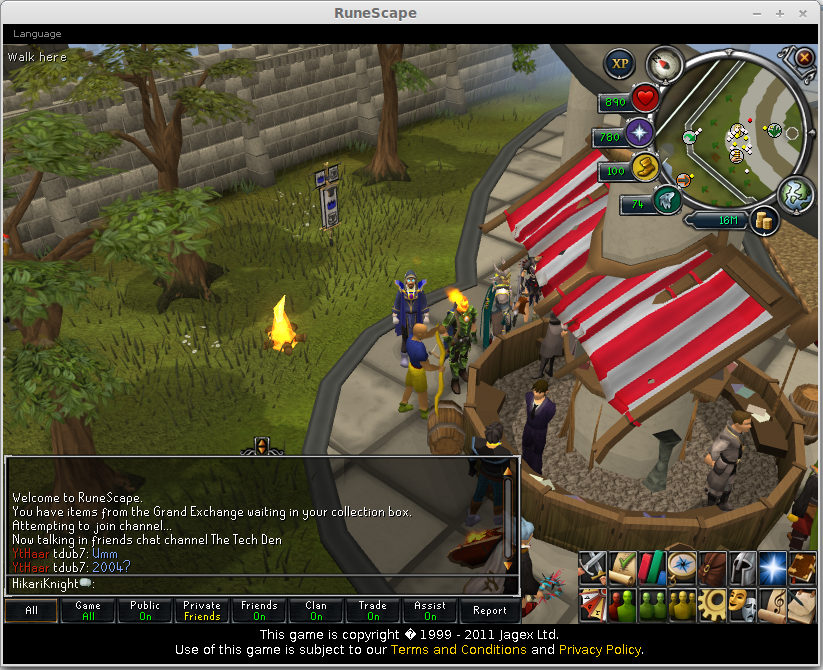
My personal experience with this client
The client itself does the job of running Runescape albeit with some caveats (Most of which are also present in the Linux browser Runescape). I'll summarize them into three main issues I have with this client.
1)Low fps rates when in medium/high resolutions. This is more of a software/drivers thing for Linux as I am running an i7-3610QM laptop with GeForce GT 650M + 8 GB RAM. Runescape works fine in low/ minimum graphics mode. This is obviously bad but I guess some people could overlook this.
2)Cursors are messed up. :duh: This may be my own driver issue so results may vary.
3)No anti-aliasing as far as I am concerned.
And that is it for my first ever guide here on this forum. Feel free to leave comments, questions, e.t.c. :D
Source: http://www.webupd8.org/2012/07/how-to-install-runescape-linux-game.html
Step 1
Open the Terminal (Very simple, no explanation needed me think).
Step 2
Use the following commands in order:
[BANANA]sudo apt-add-repository ppa:hikariknight/unix-runescape-client
sudo apt-get update
sudo apt-get install unix-runescape-client[/BANANA]
This is really easy and you shouldn't run into any problems.
Step 3
After the installation completes, run RuneScape from the menu / Dash. The first time you run the RuneScape launcher, a terminal window will be displayed which lets you select the official (.jar) client you want to use and once the download finishes, you can launch RuneScape.
Step 4
Enjoy!
My personal experience with this client
The client itself does the job of running Runescape albeit with some caveats (Most of which are also present in the Linux browser Runescape). I'll summarize them into three main issues I have with this client.
1)Low fps rates when in medium/high resolutions. This is more of a software/drivers thing for Linux as I am running an i7-3610QM laptop with GeForce GT 650M + 8 GB RAM. Runescape works fine in low/ minimum graphics mode. This is obviously bad but I guess some people could overlook this.
2)Cursors are messed up. :duh: This may be my own driver issue so results may vary.
3)No anti-aliasing as far as I am concerned.
And that is it for my first ever guide here on this forum. Feel free to leave comments, questions, e.t.c. :D