YoHoJo
2011-11-20 22:53:20
I want this image
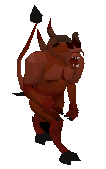
http://www.tip.it/runescape/img2/Lesser_Demon_Champion.gifBut when I paste it into Paint.net there are white/grey square patterns all around it, I just want the lesser image and nothing else.
This one too
http://www.tip.it/runescape/mon2/Lesser_demon.gif
Flight
2011-11-20 22:57:14
I thought the 'white/grey square patterns' indicated a transparent area. So… that should be right?
YoHoJo
2011-11-20 22:59:27
Yeah it does… yet when I paste it onto another picture, the boxes are still there too…. and not just the demon. So WTF
YoHoJo
2011-11-20 23:00:18
Hmm got it working when I 'Pasted into new layer' still wondering wtf why it wasn't working before though…
Kyle Undefined
2011-11-21 02:56:16
Paint.Net doesn't handle those really well.
Flight
2011-11-21 04:07:38
Infact, I don't think Paint handles transparent at all. I agree with luffs, I use Gimp for all my graphics, handles transparency/layers with ease. Tis free as well.
YoHoJo
2011-11-21 04:41:15
It's not paint (that comes with windows) it's called paint.net much more powerful and I got it working but I've heard Of gimp and will give it a shot.
Invalid Gold
2011-11-21 15:30:29
Paint.net is actually great, All you have to do is have a layer for background, a layer for Characters and one for text. atleast the simple images. i myself have around 20.