almost
2010-12-01 15:12:50
This script generates a fractal image that can be zoomed into infinitely without losing detail.
Version 2 is now up!
Simba version is now up!
What is a fractal?
There are many ways to define fractal, but my own perception would be something like… An object with infinite complexity that is self repeating. Each piece of a fractal, no matter how small, is a part of the whole.
Fractals have only just recently discovered a new form of math called "fractal geometry"
I would recommend watching this documentary on fractals to be able to understand what they are - http://www.youtube.com/watch?v=qB8m85p7GsU It changed the way I think of everything.
Or this documentary that has more to do with how fractals are found in nature - http://www.streaming-madness.net/watch-online/documentary/fractals-hunting-the-hidden-dimension/
How do I use the plugin?
Download the Coloration.rar and open up your plugins folder for SCAR.
It should be something like "C:\Program Files\SCAR\Plugins" for scar and something like "C:\Simba\Plugins" for simba.
Paste or drag the Coloration.dll into this folder and you're done.
Using the form
Zooming
Clicking on the image will zoom in by the number in "Zoom Amount"
Right clicking will zoom out by the same amount.
Changing the "Size" box is also a form of zooming in. Increasing the size will not show a larger area of the fractal, but will show a much more up close view and more detail.
Navigating
Pressing one of the four arrow buttons will move the fractal in that direction.
The "Shift Amount" box tells how much to move the fractal when an arrow is clicked.
If the checkbox beside it is checked, it will shift by a percent instead of a number of pixels.
The x and y box contain the center point of the rendering (starting out at the origin, (0, 0))
Detail tab
The minimum, average, and maximum boxes are read only and show you the range of iterations found in the fractal.
These numbers can be used to know what to set other settings at to get the best detail in your picture.
The "Max Iterations" box is how many "iterations" or loops are done for each pixel (at max). The max number may never be met though, for example if you set the max iterations to 10,000 but the highest needed iteration found was only 1000 then you could have set the max iterations to only 1000 and had the same result. And in this case if you were to increase the max iterations all the way up to a million it still wouldn't take any longer to render.
To know if you need to raise the "max iterations", look at the maximum box. If this number is close to the "max iterations" then you will most likely need to raise it to show the image's full detail.
The "Pixel Size" box tells how big to draw each pixel. It is recommended to leave at 1, unless you are just cruising around the fractal looking for an interesting spot. Increasing the pixel size makes it render more quickly at the cost of some detail.
The "Stretch" box will stretch the image by x amount of pixels. This should only be used for viewing a certain area of a fractal on a larger scale, but not for navigating around because it offsets the center points.
Basically this is a way to make the fractal larger but not increase the rendering time, although it does not increase the detail either.
Color Tab
(For the time being, the two buttons on the color tab only work in the scar version)
The colors used are in a color palette that is created based on the "Colors" box and the "Starting Color" box.
The palette goes through every hue from 0-100 and for each hue the luminance goes from 0-100.
The "Colors" box tells how many colors are in the palette.
The "Color Start" box is what color the palette starts at.
The "Change Zero Color" button will change the color of pixels that are not in the "set". The default color is black.
The "Change Form Color" button simply changes the background color.
Detail vs Speed
If you are looking for the best detail (this is how the amazing images are found) here are the settings you need -
Set the size to as big as you can, the larger the more wait though.
I like to set it around 500 once I've found something interesting.
Max iterations needs to be just above the maximum found iteration of the image (you have to figure this part)
Pixel size - 1, Stretch - 0, Fast mode off
Color start and amount don't change detail.
Anti aliasing set to all is a lot of times the best option but it depends on the fractal you are rendering.
If you are just trying to navigate around and explore here are some fast rendering options -
Size - 100, Max Iterations - 1000, Pixel Size - 2 or 3ish, Stretch - 0, fast mode on, anti alias off
Extras
(For the time being most of the extras only work in the scar version)
The box that contains the 3 tabs and also the box that has the "draw" button on it can be moved by holding down the mouse.
Each of the 3 tabs can be dragged from the main box and dropped anywhere you want and you will have a separate box for that tab.
If you drag a tab off the main box and want it to go back, simply drag it back onto the main box and it will attach itself again.
So that's about it. If you have any questions about it ask away.
I've had a lot of fun with this program just exploring the never ending possibilities. And it has been one of my longest/hardest projects ever so I hope you all enjoy :D
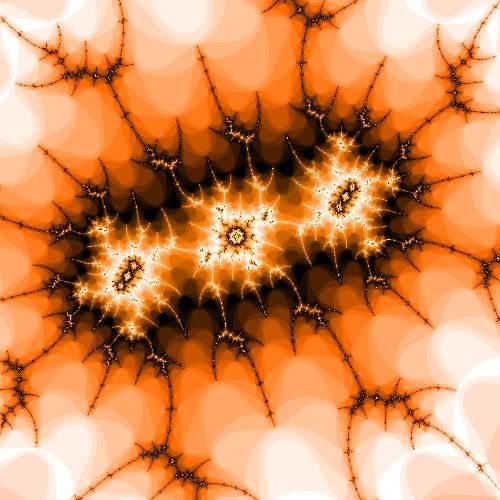
Here are a couple of interesting pics I found in the process of making this -
These first 2 are the same with a different "Color Start" to show how that changes the fractal-
http://i200.photobucket.com/albums/aa143/kronikel/12.jpg
http://i200.photobucket.com/albums/aa143/kronikel/11.jpg
http://i200.photobucket.com/albums/aa143/kronikel/13.jpg
http://i200.photobucket.com/albums/aa143/kronikel/14.jpg
http://i200.photobucket.com/albums/aa143/kronikel/10.jpg
And here is the source for the plugin, if you don't feel like downloading the plugin you can paste this function in (but it will take a LOT longer to draw)
Version 2 is now up!
Simba version is now up!
What is a fractal?
There are many ways to define fractal, but my own perception would be something like… An object with infinite complexity that is self repeating. Each piece of a fractal, no matter how small, is a part of the whole.
Fractals have only just recently discovered a new form of math called "fractal geometry"
I would recommend watching this documentary on fractals to be able to understand what they are - http://www.youtube.com/watch?v=qB8m85p7GsU It changed the way I think of everything.
Or this documentary that has more to do with how fractals are found in nature - http://www.streaming-madness.net/watch-online/documentary/fractals-hunting-the-hidden-dimension/
How do I use the plugin?
Download the Coloration.rar and open up your plugins folder for SCAR.
It should be something like "C:\Program Files\SCAR\Plugins" for scar and something like "C:\Simba\Plugins" for simba.
Paste or drag the Coloration.dll into this folder and you're done.
Using the form
Zooming
Clicking on the image will zoom in by the number in "Zoom Amount"
Right clicking will zoom out by the same amount.
Changing the "Size" box is also a form of zooming in. Increasing the size will not show a larger area of the fractal, but will show a much more up close view and more detail.
Navigating
Pressing one of the four arrow buttons will move the fractal in that direction.
The "Shift Amount" box tells how much to move the fractal when an arrow is clicked.
If the checkbox beside it is checked, it will shift by a percent instead of a number of pixels.
The x and y box contain the center point of the rendering (starting out at the origin, (0, 0))
Detail tab
The minimum, average, and maximum boxes are read only and show you the range of iterations found in the fractal.
These numbers can be used to know what to set other settings at to get the best detail in your picture.
The "Max Iterations" box is how many "iterations" or loops are done for each pixel (at max). The max number may never be met though, for example if you set the max iterations to 10,000 but the highest needed iteration found was only 1000 then you could have set the max iterations to only 1000 and had the same result. And in this case if you were to increase the max iterations all the way up to a million it still wouldn't take any longer to render.
To know if you need to raise the "max iterations", look at the maximum box. If this number is close to the "max iterations" then you will most likely need to raise it to show the image's full detail.
The "Pixel Size" box tells how big to draw each pixel. It is recommended to leave at 1, unless you are just cruising around the fractal looking for an interesting spot. Increasing the pixel size makes it render more quickly at the cost of some detail.
The "Stretch" box will stretch the image by x amount of pixels. This should only be used for viewing a certain area of a fractal on a larger scale, but not for navigating around because it offsets the center points.
Basically this is a way to make the fractal larger but not increase the rendering time, although it does not increase the detail either.
Color Tab
(For the time being, the two buttons on the color tab only work in the scar version)
The colors used are in a color palette that is created based on the "Colors" box and the "Starting Color" box.
The palette goes through every hue from 0-100 and for each hue the luminance goes from 0-100.
The "Colors" box tells how many colors are in the palette.
The "Color Start" box is what color the palette starts at.
The "Change Zero Color" button will change the color of pixels that are not in the "set". The default color is black.
The "Change Form Color" button simply changes the background color.
Detail vs Speed
If you are looking for the best detail (this is how the amazing images are found) here are the settings you need -
Set the size to as big as you can, the larger the more wait though.
I like to set it around 500 once I've found something interesting.
Max iterations needs to be just above the maximum found iteration of the image (you have to figure this part)
Pixel size - 1, Stretch - 0, Fast mode off
Color start and amount don't change detail.
Anti aliasing set to all is a lot of times the best option but it depends on the fractal you are rendering.
If you are just trying to navigate around and explore here are some fast rendering options -
Size - 100, Max Iterations - 1000, Pixel Size - 2 or 3ish, Stretch - 0, fast mode on, anti alias off
Extras
(For the time being most of the extras only work in the scar version)
The box that contains the 3 tabs and also the box that has the "draw" button on it can be moved by holding down the mouse.
Each of the 3 tabs can be dragged from the main box and dropped anywhere you want and you will have a separate box for that tab.
If you drag a tab off the main box and want it to go back, simply drag it back onto the main box and it will attach itself again.
So that's about it. If you have any questions about it ask away.
I've had a lot of fun with this program just exploring the never ending possibilities. And it has been one of my longest/hardest projects ever so I hope you all enjoy :D
Here are a couple of interesting pics I found in the process of making this -
These first 2 are the same with a different "Color Start" to show how that changes the fractal-
http://i200.photobucket.com/albums/aa143/kronikel/12.jpg
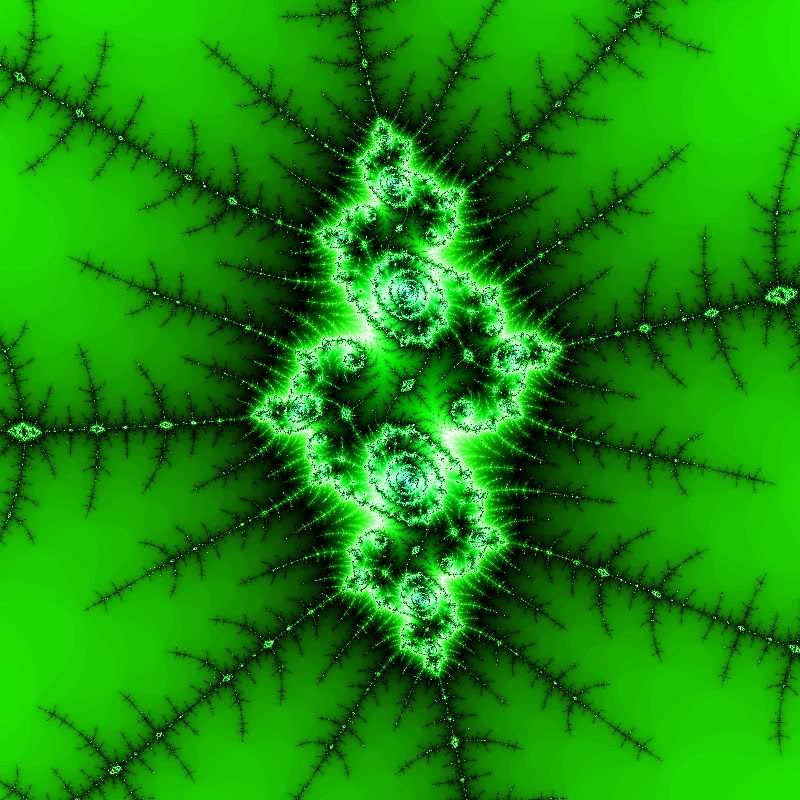
http://i200.photobucket.com/albums/aa143/kronikel/11.jpg
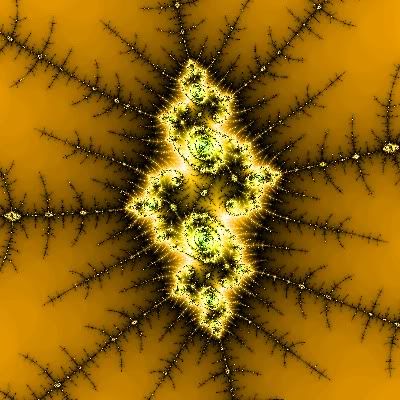
http://i200.photobucket.com/albums/aa143/kronikel/13.jpg
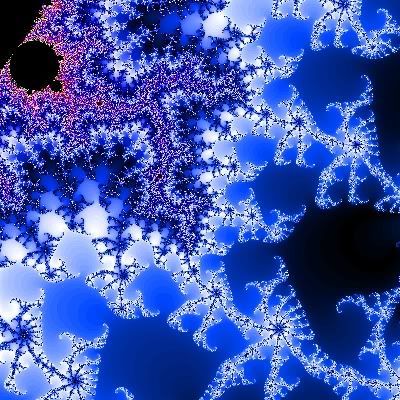
http://i200.photobucket.com/albums/aa143/kronikel/14.jpg
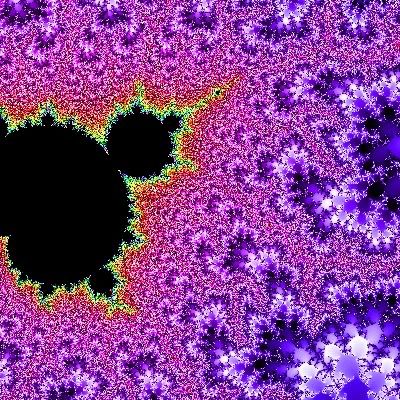
http://i200.photobucket.com/albums/aa143/kronikel/10.jpg
And here is the source for the plugin, if you don't feel like downloading the plugin you can paste this function in (but it will take a LOT longer to draw)
function ColorPoint(px, py: extended; MaxIteration: integer): integer; stdcall;
var
  x, y, xtemp: extended;
begin
  x:= px;
  y:= py;
  repeat
    xtemp:= x*x - y*y + px;
    y:= 2*x*y + py;
    x:= xtemp;
    Result:= Result + 1;
  until((x*x + y*y >= 4) or (Result > MaxIteration));
  if (Result = MaxIteration) then
  Result:= 0;
end;