Rick
2009-10-24 22:27:45
Beginners Photoshop - Abstract Art
Okay, you are going to learn to make a simple piece of abstract art in Photoshop. Personally, I have always done this since I started using Photoshop :) Each time will produce different results.
Final Product: See Here for Final Results
To start, open up Photoshop and make a new file. (File -> New, or, Ctrl - N).
You are presented with this:

Stick with the default Photoshop size.
Next, you want to use your Pencil Tool. This can be accessed by right clicking the Brush Tool and selecting the Pencil Tool. (Or, Press - B, until the Pencil Tool is selected.)

Now change the diameter of the pencil to - 2 pixels

Now for some fun. Scribble all over the document :D
You should now have something like this:

Now select your Paint Bucket Tool. Right click the Gradient Tool and select the Paint Bucket Tool. (Or, Press - G, until the Paint Bucket Tool is selected.)

Now use the Paint Bucket Tool to fill in random sections of your scribbles.
Should have something like so:

Now lets add some Radial Blur (Filter -> Blur -> Radial Blur)

Match your options to these: (60, Zoom, Best)

Should result in something like:

Now we will use another filter under the stylize category. "Find Edges" (Filter -> Stylize -> Find Edges)

Results in:

Kinda cool huh ? One extra step you can take is to Invert the image. (Image -> Adjustments -> Invert, or, Ctrl - I)

Final Result:

And there you have it. A nice and easy to produce Photoshop [abstract] art.
Some things to try:
- Colours
- Organised Lines Instead of Scribbles
- Different Blurs
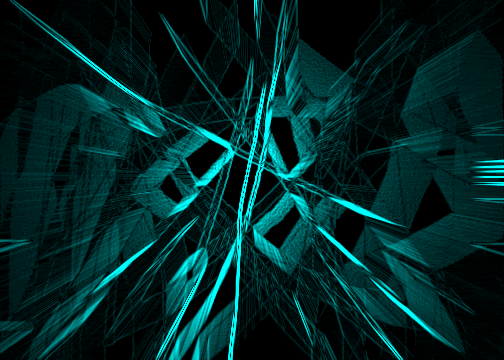
Here's an example with some colour:

Thanks for reading. Please provide feedback/comments :D
And post your results !