SRL Archive - Graphics and Multimedia

My best signature so far ~Dr D.D


Dervish

2009-10-13 14:48:25

Here it is, for once I am happy with the outcome, and I await Newbiezkid and ToF and NiCbaZ's comments alot…:blushing:

I smudged a bit better I believe :closedeyes:.

Fixed the text :


Original :


Nope, this isn't project "life" as described in the atrocity thread :).

Rate please ! And post (constructive) critiscism.

Edit : ok, first of all, I noticed the text is sort of hard to read.

Torrent of Flame

2009-10-13 14:50:15

i like it. one tip though, when blending a render and using smudge, smudge the render into the background, like copy the render layer and smudge the top one around the edges to blend it.

3Garrett3

2009-10-13 14:54:57

From: Dr D. Dervish
I smudged a bit better I believe :closedeyes:.

Rate please ! And post (constructive) critiscism.

Edit : ok, first of all, I noticed the text is sort of hard to read.


I think you did a better job smudging it, but it seems that you took less risks maybe. It isn't as bodly smudged this time, maybe you were going for that effect.

I dont really rate, because I dont think I have enough knowledge to properly rate ;)

I didn't even notice text until you said it was there.

I'm not going to bother mentioning the positives, since there are obviously lots of them.

I'll point of the things I don't really like..

The border isn't really solid and just makes a weird effect on the render, which I don't really like.
I don't think that the c4d underneath really goes well with the render, where one is purpleish/pinkish (hair) and the other is red.
Where the c4d ends on the left, it is kinda square-y, and I think it should fade out more instead of just being that abrupt end.
The facial features are pretty smudged out, I don't know if it is on purpose, but it really brings the attention to the little power symbol and the hair. Which is good, but I would prefer having the facial detail there.

Just my two cents. I know I'm not a professional critic, but regular people have opinions too :)

Overall, I agree that it is much better than the other iron man one that you made. :)

Dervish

2009-10-13 15:02:06

Yay ToF actually liked one of my signatures !!!


The red squared layers are the ones with what you described :).

Either you didn't notice it, either I didn't do it enough, either I missunderstood what you meant, ToF.

Thanks alot Garret ! Fixed the text.

You are right, the c4d doesn't fit with the render, but its better than it was without my color fixings !

The power symbol is on purpose :).

Thanks alot for your comments !

Dervish

2009-10-13 15:53:25

From: 3Garrett3
I think you did a better job smudging it, but it seems that you took less risks maybe. It isn't as bodly smudged this time, maybe you were going for that effect.

I dont really rate, because I dont think I have enough knowledge to properly rate ;)

I didn't even notice text until you said it was there.

I'm not going to bother mentioning the positives, since there are obviously lots of them.

I'll point of the things I don't really like..

The border isn't really solid and just makes a weird effect on the render, which I don't really like.
I don't think that the c4d underneath really goes well with the render, where one is purpleish/pinkish (hair) and the other is red.
Where the c4d ends on the left, it is kinda square-y, and I think it should fade out more instead of just being that abrupt end.
The facial features are pretty smudged out, I don't know if it is on purpose, but it really brings the attention to the little power symbol and the hair. Which is good, but I would prefer having the facial detail there.

Just my two cents. I know I'm not a professional critic, but regular people have opinions too :)

Overall, I agree that it is much better than the other iron man one that you made. :)


"You don't have enough knowledge to rate". That is Bullxxxx. You can rate if you like it ! If you find it to be good ! Doesn't always have to be the way its made :).

Edit : Double Post, sorry, please merge my posts if you can.

3Garrett3

2009-10-13 15:58:59

From: Dr D. Dervish
"You don't have enough knowledge to rate". That is Bullxxxx. You can rate if you like it ! If you find it to be good ! Doesn't always have to be the way its made :).

Edit : Double Post, sorry, please merge my posts if you can.


Hehe. Double poster.

I meant I don't think that I'm good enough to rate it with numbers. I hate it when people just ballpark numbers. I'd rather have a scale to rate stuff on, with specifics. Like a rubric.

Or I can just offer advice, which is what I decided on ;)

XRaye

2009-10-13 16:04:40

10/10 Awesomeness

Dervish

2009-10-13 16:14:29

From: XRaye
10/10 Awesomeness


Thanks, do you have any recommendations though ? :huh: How to improve it, what looks bad….

NiCbaZ

2009-10-13 16:55:43

Looks nice dont really like that text that much, but nice. What ToF ment was layer 2 copy 8 has not been smudged at as it it looks like the render is just sitting on top of it all. Try to play around with the layer options as well.

rogeruk

2009-10-13 17:00:57

Text is horrible to be honest cant really see it. Otherwise looks 'mint' :P

XRaye

2009-10-13 17:17:03

From: Dr D. Dervish
Thanks, do you have any recommendations though ? :huh: How to improve it, what looks bad….


I tried to find something, but I decided the only problem is that it isn't really my personal style :p

Gu3st...

2009-10-13 17:22:13

Hmm I did not like this as much as I liked the last one :/
What I see is a c4d and a render.. :/

Do some signatures without c4d's in them just to test :) I rarely use c4ds in the signatures I make

Orbital

2009-10-13 18:49:48

From: Dr D. Dervish
Yay ToF actually liked one of my signatures !!!


Looks fairly nice… Better than your previous sigs for sure…

http://i34.tinypic.com/4hpqu1.png <– my siggy…

Dervish

2009-10-14 01:55:18

From: newbiezkid
Looks fairly nice… Better than your previous sigs for sure…

http://i34.tinypic.com/4hpqu1.png <– my siggy…


Hahah! Thats huge xD.

Thanks for liking it :).

Zyt3x I wouldn't know what to put if the c4d wasn't there, it'd look really empty I think. And smudging the render in the background over the place then burning made it look bad :(.

Orbital

2009-10-14 03:24:01

From: Dr D. Dervish
Hahah! Thats huge xD.

Thanks for liking it :).

Zyt3x I wouldn't know what to put if the c4d wasn't there, it'd look really empty I think. And smudging the render in the background over the place then burning made it look bad :(.


you can't just leave the smudge background how it is… You can do millions of things to it! you just have to constantly rape it…

Also I dislike how you just download a render from planetrenders and just slip it into your bg… C4D's and other renders like the one you have used there are not made to be planted into a sig and left there… Thats kinda my only criticism really. =]

Dervish

2009-10-14 08:18:31

From: newbiezkid
you can't just leave the smudge background how it is… You can do millions of things to it! you just have to constantly rape it…

Also I dislike how you just download a render from planetrenders and just slip it into your bg… C4D's and other renders like the one you have used there are not made to be planted into a sig and left there… Thats kinda my only criticism really. =]


:S I tried to do what I could, I smudged the render's copy layers alot, set them to different blending settings etc…

The c4d was changed and smudged, but not worked very much.

I need a tutorial on c4d's, can't find any >.<

Gu3st...

2009-10-14 09:31:46

One way to make a nice looking background is to simply go crazy with the new layer-button and gradients (with transparency and the sphere) and then setting the layers to color, overlay and screen (one of them) and then just play around with it :)
another way is to make some lines like this: http://www.designyourway.net/teme/Resultabstractlines.jpg

Dervish

2009-10-14 09:34:33

From: Zyt3x
One way to make a nice looking background is to simply go crazy with the new layer-button and gradients (with transparency and the sphere) and then setting the layers to color, overlay and screen (one of them) and then just play around with it :)
another way is to make some lines like this: http://www.designyourway.net/teme/Resultabstractlines.jpg


Lol :), I will try with a new sig… Thanks ! Working on it now.

Torrent of Flame

2009-10-14 11:41:24


Dervish

2009-10-14 11:43:42

From: Torrent of Flame


Wow, thats alot of layers…

Thought you were a linux fanatic ? :o

Torrent of Flame

2009-10-14 11:45:35

From: Dr D. Dervish
Wow, thats alot of layers…

Thought you were a linux fanatic ? :o


Hell no. I cant get on with that OS. XD

And not really. Thats very few compared to a lot of signatures.

Dervish

2009-10-14 12:32:16

I say, the amount of layers shouldn't count, you might aswell just merge the shit in one layer. You might aswell do each little detail on a separate layer, that'll make alot of them…

Torrent of Flame

2009-10-14 12:39:15

From: Dr D. Dervish
I say, the amount of layers shouldn't count, you might aswell just merge the shit in one layer. You might aswell do each little detail on a separate layer, that'll make alot of them…


You wha?

Gu3st...

2009-10-14 15:02:39

I usually make two separate .psd files:
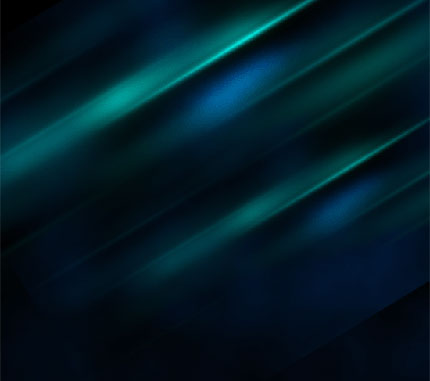
EDIT: DDD: Take a look how I made the background (It's made with over 10 layers and then merged) :)

Dervish

2009-10-14 15:29:13

From: Zyt3x
I usually make two separate .psd files:
EDIT: DDD: Take a look how I made the background (It's made with over 10 layers and then merged) :)


Tha…that's so awesome !

Hmm I definately want to do something now, just to find a render…

NiCbaZ

2009-10-14 15:57:09

From: Dr D. Dervish
I say, the amount of layers shouldn't count, you might aswell just merge the shit in one layer. You might aswell do each little detail on a separate layer, that'll make alot of them…


Well that is the point so you can change things when you need to easily.

Orbital

2009-10-14 18:08:24

From: Dr D. Dervish
I say, the amount of layers shouldn't count, you might aswell just merge the shit in one layer. You might aswell do each little detail on a separate layer, that'll make alot of them…


Thats is impossible! :)

I created a vector that had over 600 layers once… As for sigs, my record would be around 120-130 layers… Just couldn't get enough of those clipping masks…

Dervish

2009-10-15 10:52:53

From: newbiezkid
Thats is impossible! :)

I created a vector that had over 600 layers once… As for sigs, my record would be around 120-130 layers… Just couldn't get enough of those clipping masks…


Hahah !

Well, I don't understand why make details on separate layers ? Why not make alot of small details on a same layer? :closedeyes:

3Garrett3

2009-10-15 13:45:41

From: Dr D. Dervish
Hahah !

Well, I don't understand why make details on separate layers ? Why not make alot of small details on a same layer? :closedeyes:


I think the point he was getting at was so that you can mess up one detail and not potentially mess the whole layer up.