SRL Archive - General

Javascriptbank


JavaScriptBank

2009-09-28 18:55:05

Simple game where you keep the ball from going by your paddle…. detail


Demo: Pong


How to setup

Step 1: Copy & Paste CSS code below in your HEAD section
CSS
<style type="text/css">

body{
background-color:white;
font-size:10pt;
font-family:sans-serif;
color:#00436e;
}

</style>
<!--
This script downloaded from www.JavaScriptBank.com
Come to view and download over 2000+ free javascript at www.JavaScriptBank.com
-->

Step 2: Copy & Paste HTML code below in your BODY section
HTML
<script language="javascript">
var xincr=17; // PIXELS STEPS ACROSS
var yincr=13; // PIXEL STEPS VERTICAL
var yoffset=65; // OFFSET FROM THE TOP OF THE PAGE. WILL BE AUTO CENTERED HORIZONTALLY.

var w3c=(document.getElementById)?true:false;
var ns4=(document.layers)?true:false;
var ie4=(document.all && !w3c)?true:false;
var ie5=(document.all && w3c)?true:false;
var ns6=(w3c && navigator.appName.indexOf("Netscape")>=0)?true:false;

var paddley, x, y, w_x, w_y, id1, py=0, missed=1, xdir=false, ydir=true, started=false;
var outer, paddle, field, pc, ball;

function getid(id){
if(ns4) return findlayer(id,document);
else if(ie4)return document.all[id];
else return document.getElementById(id);
}

// FUNCTION TO FIND NESTED LAYERS IN NS4 BY MIKE HALL
function findlayer(name,doc){
var i,layer;
for(i=0;i<doc.layers.length;i++){
layer=doc.layers[i];
if(layer.name==name)return layer;
if(layer.document.layers.length>0)if((layer=findlayer(name,layer.document))!=null)return layer;
}
return null;
}

function moveidto(id,x,y){
if(ns4)id.moveTo(x,y);
else{
id.style.left=x+'px';
id.style.top=y+'px';
}}

function showid(id){
if(ns4)id.visibility="show";
else id.style.visibility="visible";
}

function youmissed(){
x+=xincr;
(ydir)? y+=yincr: y-=yincr;
moveball();
clearInterval(id1);
alert('You missed!\n\nTotal misses so far: '+(missed++)+'\n\nPress Ok to continue..');
id1=setInterval('animate()',100);
x=200;
y=100;
xdir=false;
ydir=true;
moveball();
}

function startpause(){
if(started){
started=false;
clearInterval(id1);
if(!ns4)document.f.sp.value=" Game Paused... ";
}else{
started=true;
if(!ns4)document.f.sp.value=" Press to Pause ";
id1=setInterval('animate()',100);
}}

function animate(){
if(ns4){
x=ball.left;
y=ball.top;
paddley=paddle.top;
}else{
y=parseInt(ball.style.top);
x=parseInt(ball.style.left);
paddley=parseInt(paddle.style.top);
}
if(( ( (y<paddley-7)&&(x>=370) ) || ( (y>paddley+37)&&(x>=370) ) )) youmissed();
else{
if(ydir){
if(y+yincr > 190){y=190; ydir=false; }else{y+=yincr}
}else{
if(y-yincr < 0){y=0; ydir=true; }else{y-=yincr}
}
if(xdir){
if(x+xincr > 370){x=370; xdir=false}else{x+=xincr}
}else{
if(x-xincr < 20){x=20; xdir=true;}else{x-=xincr}
}
moveball();
}}

function moveball(){
if((y-20<=160)&&(y-20>=0))moveidto(pc,0,y-20);
moveidto(ball,x,y);
}

function movepaddle(evnt){
py=((ie4||ie5)?event.clientY:evnt.pageY)-40-yoffset;
if((py>=0)&&(py<=160))moveidto(paddle,380,py);
return false;
}

window.onresize=function(){
if(ns4)setTimeout('history.go(0)',400);
else resize();
}

function resize(){
var ww=(ie4||ie5)?document.body.clientWidth:window.innerWidth;
moveidto(outer,(ww-400)/2, yoffset);
}

window.onload=function(){
paddle=getid('paddle');
field=getid('field');
pc=getid('pc');
ball=getid('ball');
outer=getid('outer');
resize();
moveidto(paddle,380,0);
moveidto(pc,0,0);
moveidto(ball,200,100)
x=200;
y=100;
showid(ball);
showid(pc);
showid(field);
showid(paddle);
if(ns4)document.captureEvents(Event.MOUSEMOVE);
document.onmousemove=movepaddle;
alert('INSTRUCTIONS\n\n- Use the paddle and try to keep the ball from hitting the wall.\n- Use the mouse to move the paddle. You do not need to click the paddle to move it.\n- Press the "Start" button to start/pause the game.\n- The game will keep track of your misses.');
}

var txt=(ns4)?'<layer name="outer" visibility="visible" width="400" height="300">':'<div id="outer" style="position:absolute; width:400px; height:300px">';
txt+=(ns4)?'<layer name="ball" visibility="hidden" z-index="4"><img src="ball.gif"></layer>':'<div id="ball" style="position:absolute; visibility:hidden; z-index:10"><img src="ball.gif"></div>';
txt+=(ns4)?'<layer name="paddle" visibility="hidden" z-index="2"><img src="paddle.gif"></layer>':'<div id="paddle" style="position:absolute; visibility:hidden; z-index:5"><img src="paddle.gif"></div>';
txt+=(ns4)?'<layer name="pc" visibility="hidden" z-index="3"><img src="paddle.gif"></layer>':'<div id="pc" style="position:absolute; visibility:hidden; z-index:5"><img src="paddle.gif"></div>';
txt+=(ns4)?'<layer name="field" left="0" top="0" left="0" visibility="hidden" bgcolor="black" z-index="1" width="400" height="200"></layer>':'<div id="field" style="position:absolute; top:0px; left:0px; visibility:hidden; width:400px; height:200px; z-index:2; background-color:black;"></div>';
txt+=(ns4)?'<layer name="text" top="220" left="0">':'<div id="text" style="position:absolute; top:220px; width:400px;">';
txt+='<table border="0" width="400"><tr><td align="center"><form name="f"><input type="button" name="sp" value=" Start / Pause " onClick="startpause()"></form></td></tr></table>';
txt+=(ns4)?'</layer>':'</div>';
document.write(txt);
</script>
<!--
This script downloaded from www.JavaScriptBank.com
Come to view and download over 2000+ free javascript at www.JavaScriptBank.com
-->

Step 3: must download files below
Files
ball.gif
paddle.gif


AJAX news ticker - JavaScript Refresh Page - JavaScript Unclosable Window

Gu3st...

2009-09-28 20:31:57

Impossible to score :S

JavaScriptBank

2009-09-30 13:34:50

oh, really? but I did :D

senrath

2009-09-30 13:51:37

From: JavaScriptBank
oh, really? but I did :D


I doubt that. There is no code for you scoring, only you missing. That, and the computer's paddle perfectly tracks the ball, so it can't miss.

JavaScriptBank

2009-10-05 19:23:03

This simple JavaScript creates a drop-down JavaScript menu that opens pages on a single click and buttondetail


Demo: Dynamic Combo Box


How to setup

Step 1: Place JavaScript below in your HEAD section
JavaScript
<script>
<!--
//DEFINE the group of links for display in the combo
//EXTEND each array and its elements as needed
//BE sure to follow the pattern revealed below
var combo1=new Array()
combo1[0]=new Option("Game.TrucTuyen.org","http://Game.TrucTuyen.org")
combo1[1]=new Option("JavaScriptBank.com","http://JavaScriptBank.com")
combo1[2]=new Option("Freewarejava.com","http://www.freewarejava.com")
combo1[3]=new Option("Free Web Templates","http://www.freewebtemplates.com")
combo1[4]=new Option("Web Monkey","http://www.webmonkey.com")

var combo2=new Array()
combo2[0]=new Option("CNN","http://www.cnn.com")
combo2[1]=new Option("MSNBC","http://www.msnbc.com")
combo2[2]=new Option("BBC News","http://news.bbc.co.uk")
combo2[3]=new Option("ABC News","http://www.abcnews.com")

var combo3=new Array()
combo3[0]=new Option("Hollywood.com","http://www.hollywood.com")
combo3[1]=new Option("MTV","http://www.mtv.com")
combo3[2]=new Option("ETOnline","http://etonline.com")


var cacheobj=document.dynamiccombo.stage2

function populate(x){
for (m=cacheobj.options.length-1;m>0;m--)
cacheobj.options[m]=null
selectedarray=eval(x)
for (i=0;i<selectedarray.length;i++)
cacheobj.options[i]=new Option(selectedarray[i].text,selectedarray[i].value)
cacheobj.options[0].selected=true
}

function gothere(){
location=cacheobj.options[cacheobj.selectedIndex].value
}

//SHOW first combo by default
populate(combo1)

//-->
</script>
<!--
This script downloaded from www.JavaScriptBank.com
Come to view and download over 2000+ free javascript at www.JavaScriptBank.com
-->

Step 2: Place HTML below in your BODY section
HTML
<form name="dynamiccombo">

<select name="stage2" size="1">
<option value="#">This is a Place Holder</option>
</select>
<input type="button" name="test" value="Go!"
onClick="gothere()">
</form>
<!--SET up your links, and pass in the name of the group (ie: combo1) you wish to display for the link in question-->
<a href="javascript:populate(combo1)">Webmaster sites</a> | <a href="javascript:populate(combo2)">
News sites</a> | <a href="javascript:populate(combo3)">Entertainment</a>
<!--
This script downloaded from www.JavaScriptBank.com
Come to view and download over 2000+ free javascript at www.JavaScriptBank.com
-->


Javascript Music Player - Random Text Generator - Floating Image Script

Kyle Undefined

2009-10-10 00:31:16

Not to be mean, but your JS is written horribly. Looks like it should work, just needs to be cleaned up.

~Camo

Blender

2009-10-11 23:29:59

Lol.
Agreed on the formatting part.

So, what's the point of this post?

Also, I like PHP better for this job.
It is supported MUCH more than JavaScript (yes, and you oldies using IE6 can visit PHP sites).

Just saying…

JavaScriptBank

2009-10-12 11:14:41

This JavaScript displays a countdown timer and alerts the user when the timer reaches zero. It then redirects to another Web … detail


Demo: JavaScript Countdown Timer


How to setup

Step 1: Place CSS below in your HEAD section
CSS
<style type="text/css">
#txt {
border:none;
font-family:verdana;
font-size:16pt;
font-weight:bold;
border-right-color:#FFFFFF
}

</style>
<!--
This script downloaded from [URL="http://www.JavaScriptBank.com"]www.JavaScriptBank.com[/URL]
Come to view and download over 2000+ free javascript at [URL="http://www.JavaScriptBank.com"]www.JavaScriptBank.com[/URL]
-->
Step 2: Copy & Paste JavaScript code below in your HEAD section
JavaScript
<script language="javascript">
// Created by: Neill Broderick :: [url]http://www.bespoke-software-solutions.co.uk/downloads/downjs.php[/url]

var mins
var secs;

function cd() {
mins = 1 * m("10"); // change minutes here
secs = 0 + s(":01"); // change seconds here (always add an additional second to your total)
redo();
}

function m(obj) {
for(var i = 0; i < obj.length; i++) {
if(obj.substring(i, i + 1) == ":")
break;
}
return(obj.substring(0, i));
}

function s(obj) {
for(var i = 0; i < obj.length; i++) {
if(obj.substring(i, i + 1) == ":")
break;
}
return(obj.substring(i + 1, obj.length));
}

function dis(mins,secs) {
var disp;
if(mins <= 9) {
disp = " 0";
} else {
disp = " ";
}
disp += mins + ":";
if(secs <= 9) {
disp += "0" + secs;
} else {
disp += secs;
}
return(disp);
}

function redo() {
secs--;
if(secs == -1) {
secs = 59;
mins--;
}
document.cd.disp.value = dis(mins,secs); // setup additional displays here.
if((mins == 0) && (secs == 0)) {
window.alert("Time is up. Press OK to continue."); // change timeout message as required
// window.location = "yourpage.htm" // redirects to specified page once timer ends and ok button is pressed
} else {
cd = setTimeout("redo()",1000);
}
}

function init() {
cd();
}
window.onload = init;
</script>
<!--
This script downloaded from [url]www.JavaScriptBank.com[/url]
Come to view and download over 2000+ free javascript at [url]www.JavaScriptBank.com[/url]
-->
Step 3: Place HTML below in your BODY section
HTML
<form name="cd">
<input id="txt" readonly="true" type="text" value="10:00" border="0" name="disp">
</form>
<!--
This script downloaded from [url]www.JavaScriptBank.com[/url]
Come to view and download over 2000+ free javascript at [url]www.JavaScriptBank.com[/url]
-->
JavaScript Spotlight - JavaScript Validate E-Mail - AJAX Page Content Loader

rogeruk

2009-10-12 11:20:03

Wouldnt it just be easier to have Javascript Tutorials and link it to http://www.javascriptbank.com/javascript/ ? Rather than copying and pasting from the site?

Kyle Undefined

2009-10-13 01:22:40

Again, work on your JS formatting :/ Here is a countdown that I wrote a couple of months back, you can pause and start and reset.


<html>
<head>
<title>24 hour Timer</title>
<link href="style.css" rel="stylesheet" type="text/css" >
<script type="text/javascript">
// designed by JavaScript Archive, (c)1999
// Get more free javascripts at http://jsarchive.8m.com

var aySound = new Array();
// Below: source for sound files to be preloaded
aySound[0] = "explosion.wav";
aySound[1] = "machinegun.mp3";

// DO NOT edit below this line
document.write('<BGSOUND ID="auIEContainer">')
IE = (navigator.appVersion.indexOf("MSIE")!=-1 && document.all)? 1:0;
NS = (navigator.appName=="Netscape" && navigator.plugins["LiveAudio"])? 1:0;
ver4 = IE||NS? 1:0;
onload=auPreload;

function auPreload() {
if (!ver4) return;
if (NS) auEmb = new Layer(0,window);
else {
Str = "<DIV ID='auEmb' STYLE='position:absolute;'></DIV>";
document.body.insertAdjacentHTML("BeforeEnd",Str);
}
var Str = '';
for (i=0;i<aySound.length;i++)
Str += "<EMBED SRC='"+aySound[i]+"' AUTOSTART='FALSE' HIDDEN='TRUE'>"
if (IE) auEmb.innerHTML = Str;
else {
auEmb.document.open();
auEmb.document.write(Str);
auEmb.document.close();
}
auCon = IE? document.all.auIEContainer:auEmb;
auCon.control = auCtrl;
}

function auCtrl(whSound,play) {
if (IE) this.src = play? aySound[whSound]:'';
else eval("this.document.embeds[whSound]." + (play? "play()":"stop()"))
}

function playSound(whSound) { if (window.auCon) auCon.control(whSound,true); }
function stopSound(whSound) { if (window.auCon) auCon.control(whSound,false); }

//END OF SOUND FUNCTIONS (borrowed script)

var seconds = 0;
var minutes = 0;
var hours = 0;
var totalSeconds = 0;
var t

function setTime(a, b, c) {
hours = parseInt(c) * (60 * 60);
minutes = parseInt(b) * 60;
seconds = parseInt(a);

totalSeconds = parseInt(seconds+minutes+hours);

document.getElementById("secondOutput").innerHTML = totalSeconds;
frmSetTime.reset;

return seconds;
}

function startTimer() {
if(document.getElementById("secondOutput").innerHTML> 0) {
document.getElementById("secondOutput").innerHTML-=1;
t = window.setTimeout(function(){startTimer()}, 1000);
//seconds=seconds-1;
}
else {
playSound(1);
}
}

function pauseTimer() {
clearTimeout(t);
}

function resetForm() {
frmSetTime.hours.value = 0;
frmSetTime.minutes.value = 0;
frmSetTime.seconds.value = 0;
}
</script>
</head>
<body>
<div id="gadgetContent">
<div id="secondOutput">0</div>
<table style="width: 100%">
<tr>
<td>Hrs</td>
<td>Min</td>
<td>Sec</td>
</tr>
<form name="frmSetTime" style="font-family: Arial, Helvetica, sans-serif; font-size: .1em;" action="#">
<tr>
<td width="33%">
<select name="hours">
<option value="0">0</option>
<option value="1">1</option>
<option value="2">2</option>
<option value="3">3</option>
<option value="4">4</option>
<option value="5">5</option>
</select>
</td>
<td width="33%">
<select name="minutes">
<option value="0">0</option>
<option value="1">1</option>
<option value="2">2</option>
<option value="3">3</option>
<option value="4">4</option>
<option value="5">5</option>
</select>
</td>
<td>
<select name="seconds">
<option value="0">0</option>
<option value="1">1</option>
<option value="2">2</option>
<option value="3">3</option>
<option value="4">4</option>
<option value="5">5</option>
</select>
</td>
</tr>
</form>
</table>
<input type="button" value="Set" onclick="setTime(frmSetTime.seconds.value, frmSetTime.minutes.value, frmSetTime.hours.value);" >
<input type="reset" value="Reset" onclick="setTime(0, 0, 0); resetForm();">
<input type="button" value="Start" onclick="startTimer();">
<input type="button" value="Pause" onclick="pauseTimer();">
</div>
</body>
</html>

~Camo

Wizzup?

2009-10-13 07:18:33

Isn't this some bot?

Markus

2009-10-13 10:58:17

I took the liberty to use the highlight tags to let your code be highlighted properly :)

JavaScriptBank

2009-10-13 21:55:33

no, I'm not bot, I'm real human

@Camo Developer: can you submit your JavaScript code (+ a little description) to my library for everyone?

Java Lava

2009-10-19 04:22:49

Your host has been suspended … bad luck dude.

rogeruk

2009-10-19 04:58:30

This Account Has Been Suspended

Lawl.

JavaScriptBank

2009-10-21 11:05:31

This JavaScript creates slideshow effect with one of transitions…. detail


Demo: Image slideshow transition


How to setup

Step 1: Place JavaScript below in your HEAD section
JavaScript
<script LANGUAGE="JavaScript1.1">
<!-- Beginning of JavaScript -

messages = new Array()
//anh dung de tao hieu ung
messages[0] = "<img src=logojs.gif>"
messages[1] = "<img src=photo1.jpg>"
messages[2] = "<img src=photo2.jpg>"
messages[3] = "<img src=photo3.jpg>"
messages[4] = "<img src=photo4.jpg>"

var i_messages = 0
var timer

function dotransition() {
if (document.all) {
content.filters[0].apply()
content.innerHTML = messages[i_messages]
content.filters[0].play()
if (i_messages >= messages.length-1) {
i_messages = 0
}
else {
i_messages++
}
}

if (document.layers) {
document.nn.document.write("<table cellspacing=2 cellpadding=2 border=0><tr><td align=left>"+messages[i_messages]+"</td></tr></table>")
document.close()
if (i_messages >= messages.length-1) {
i_messages = 0
}
else {
i_messages++
}
}
timer = setTimeout("dotransition()",5000)
}
// - End of JavaScript - -->
</script>
<!--
This script downloaded from www.JavaScriptBank.com
Come to view and download over 2000+ free javascript at www.JavaScriptBank.com
-->

Step 2: Copy & Paste HTML code below in your BODY section
HTML
<BODY onload="dotransition()">
<DIV id=content style="position: relative; width:160px; height:240px; text-align:center; filter: revealTrans(Transition=12, Duration=3)"></DIV>
</BODY>
<!--
This script downloaded from www.JavaScriptBank.com
Come to view and download over 2000+ free javascript at www.JavaScriptBank.com
-->


Javascript Music Player - Random Text Generator - Floating Image Script

JavaScriptBank

2009-11-01 20:12:25

Use this simple JavaScript to make all links on your web pages open in new tab/window. Script is easy to setup, you should save them into a f… detail


Demo: Make link open in new tab/window


How to setup

Step 1: Place JavaScript below in your HEAD section
JavaScript
<script language=javascript>
/*
Kevin Yank
http://www.sitepoint.com/authorcontact/48
*/
function externalLinks()
{
if (!document.getElementsByTagName) return;
var anchors = document.getElementsByTagName("a");
for (var i=0; i<anchors.length; i++)
{
var anchor = anchors[i];
if(anchor.getAttribute("href"))
anchor.target = "_blank";
}
}
window.onload = externalLinks;

</script>
<!--
This script downloaded from www.JavaScriptBank.com
Come to view and download over 2000+ free javascript at www.JavaScriptBank.com
-->

Step 2: Place HTML below in your BODY section
HTML
<a href="http://javascriptbank.com/">Home</a> | 
<a href="http://javascriptbank.com/4rum/">Forum</a> |
<a href="http://javascriptbank.com/javascript/">JavaScript</a> |
<a href="http://javascriptbank.com/service/">Services</a> |
<a href="http://javascriptbank.com/javascript/submit-javascript-bank.html">Submit script</a> |
<a href="http://javascriptbank.com/thietkeweb/javascriptmall/">Documentary</a> |
<a href="http://javascriptbank.com/javascript/contact-javascript-bank.html">Contact us</a> |
<a href="http://javascriptbank.com/javascript/aboutus-javascript-bank.html">About us</a>
<!--
This script downloaded from www.JavaScriptBank.com
Come to view and download over 2000+ free javascript at www.JavaScriptBank.com
-->


JavaScript Spotlight - JavaScript Validate E-Mail - AJAX Page Content Loader

Sex

2009-11-01 21:08:55

It's better to do it selectively by just putting:
target="_blank"
in the anchor of the link..

code841

2009-11-02 19:53:46

From: Sex
It's better to do it selectively by just putting:
target="_blank"
in the anchor of the link..


^That and:
You should never really rely on javascript when making a website.

Sex

2009-11-02 20:42:56

True, because it might not work in some browsers (as some may have it turned off in the options).

Anyways, I think this is a bot or something.

senrath

2009-11-02 21:01:51

From: Sex
True, because it might not work in some browsers (as some may have it turned off in the options).

Anyways, I think this is a bot or something.


He's posted before saying that he's not a bot.

code841

2009-11-02 22:14:32

From: Sex
True, because it might not work in some browsers (as some may have it turned off in the options).

Anyways, I think this is a bot or something.


Yeh I use the firefox addon "NoScript" to prevent malicious scripts which in turn causes many sites that rely on javascript to not operate/show as they should.

JavaScriptBank

2009-11-09 11:03:50

AJAX - a very great web development technology nowaday. Use this AJAX in order to load XML and HTML files on the same website with XMLHttpRequest. And in the <code>body… detail at JavaScriptBank.com - 2.000+ free JavaScript codes


Demo: AJAX Page Content Loader


How to setup

Step 1: CSS below for styling thescript, place it into HEAD section
CSS
<style type="text/css">
<!--
#contentLYR {
position:relative;/*
width:200px;
height:115px;
left: 200px;
top: 200px;*/
z-index:1;
}
-->
</style>

Step 2: Place JavaScript below in your HEAD section
JavaScript
<script type="text/javascript">
<!-- Begin
/*
This script downloaded from www.JavaScriptBank.com
Come to view and download over 2000+ free javascript at www.JavaScriptBank.com
*/

// Created by: Eddie Traversa (2005) :: http://dhtmlnirvana.com/
function ajaxLoader(url,id) {
if (document.getElementById) {
var x = (window.ActiveXObject) ? new ActiveXObject("Microsoft.XMLHTTP") : new XMLHttpRequest();
}
if (x) {
x.onreadystatechange = function() {
if (x.readyState == 4 && x.status == 200) {
el = document.getElementById(id);
el.innerHTML = '<JavaScriptBank>This is content of demo.xml file</JavaScriptBank>';//x.responseText;
}
}
x.open("GET", url, true);
x.send(null);
}
}
//-->
</script>

Step 3: Copy & Paste HTML code below in your BODY section
HTML
<div id="contentLYR"></div>
<script>window.onload = function(){ajaxLoader('demo.xml','contentLYR');}</script>

Step 4: downloads
Files
demo.xml


Command to print web page in javascript - Javascript Time Picker - JavaScript Go To URL Box

mastaraymond

2009-11-09 11:22:13

Bot ^

Markus

2009-11-09 12:45:33

From: mastaraymond
Bot ^


Semi-bot, he made two actual replies to something.

Floor66

2009-11-09 12:55:18

Yup. He made a few threads before, I believe he actually stated that he's not a bot in a certain reply :P

Kyle Undefined

2009-11-09 23:41:28

He responded to my timer I posted, he wanted me to add it to his website. Lol.

~Camo

mastaraymond

2009-11-10 11:22:22

Google his posts, it's on several forums around the interwebs.

Floor66

2009-11-10 11:58:06

Bot -> makes thread
Person -> replies in the name of bot when asked ;P

JavaScriptBank

2009-11-16 01:11:55

JavaScript - an indispensable part for developing websites and web pages, whether that is simple pages or professional website, and whether you are senior or junior. Nowadays, JavaScript frameworks be… detail at JavaScriptBank.com - 2.000+ free JavaScript codes


Demo: Top 10 JavaScript Frameworks by Google, Yahoo, Bing


How to setup


JavaScript Vertical Marquee - JavaScript DHTML analog clock - JavaScript Backwards Text

JavaScriptBank

2009-11-19 20:47:09

This JavaScript code - date picker helps you choose a time through a popup window. Perhaps this feature is not new on J... detail at JavaScriptBank.com - 2.000+ free JavaScript codes


Demo: Time Picker with child window


How to setup

Step 1: Place JavaScript below in your HEAD section
JavaScript
<script language="JavaScript" type="text/javascript" src="timePicker.js">
/*
Bassem R. Zohdy | bassem.zohdy@gmail.com
*/
</script>

Step 2: Copy & Paste HTML code below in your BODY section
HTML
<form name="form1">
<input id="field" onkeydown="time(this.id)"/>
</form>

Step 3: downloads
Files
down.jpg
time.html
timePicker.js
up.jpg


JavaScript Spotlight - JavaScript Validate E-Mail - AJAX Page Content Loader

Floor66

2009-11-21 14:33:12

I'd very much appreciate if you'd stop posting on and on, and just make one thread about your "JavaScriptBank". I don't know how many people here from SRL use it, my guess is about zero :)

Markus

2009-11-21 19:11:51

Merged all threads into one.
Next time you create a thread it'll be threated like spam, you can just post your stuff in here ok?

JavaScriptBank

2009-11-22 21:16:28

Displays images continuously in a slideshow presentation format, with a fade effect on image transitions. (Fade in Internet Explorer 4+ only)…. detail at JavaScriptBank.com - 2.000+ free JavaScript codes


Demo: Fading Slide Show


How to setup

Step 1: Copy & Paste JavaScript code below in your HEAD section
JavaScript
<script>
/*
Original: CodeLifter.com (support@codelifter.com)
Web Site: http://www.codelifter.com
*/

// set the following variables
// Set slideShowSpeed (milliseconds)
var slideShowSpeed = 5000

// Duration of crossfade (seconds)
var crossFadeDuration = 3

// Specify the image files
var Pic = new Array() // don't touch this
// to add more images, just continue
// the pattern, adding to the array below
Pic[0] = 'logojs.gif'
Pic[1] = 'photo3.jpg'
Pic[2] = 'logojs.gif'
Pic[3] = 'photo5.jpg'
Pic[4] = 'photo2.jpg'

// do not edit anything below this line

var t
var j = 0
var p = Pic.length
var preLoad = new Array()
for (i = 0; i < p; i++){
preLoad[i] = new Image()
preLoad[i].src = Pic[i]
}

function runSlideShow(){
if (document.all){
document.images.SlideShow.style.filter="blendTrans(duration=2)"
document.images.SlideShow.style.filter="blendTrans(duration=crossFadeDuration)"
document.images.SlideShow.filters.blendTrans.Apply()
}
document.images.SlideShow.src = preLoad[j].src
if (document.all){
document.images.SlideShow.filters.blendTrans.Play()
}
j = j + 1
if (j > (p-1)) j=0
t = setTimeout('runSlideShow()', slideShowSpeed)
}
</script>
<!--
This script downloaded from www.JavaScriptBank.com
Come to view and download over 2000+ free javascript at www.JavaScriptBank.com
-->

Step 2: Copy & Paste HTML code below in your BODY section
HTML
<body onLoad="runSlideShow()">
<img id="VU" src="logojs.gif" name='SlideShow'>
</body>
<!--
This script downloaded from www.JavaScriptBank.com
Come to view and download over 2000+ free javascript at www.JavaScriptBank.com
-->


JavaScript Make link open in new tab/window - JavaScript World clock - circumference calculator

noidea

2009-11-22 21:24:33

Didn't exactly do what Markus told you to do, bot ^.^

YoHoJo

2009-11-22 21:41:34

Merged threads. PLEASE listen to the staff JavaScriptBank and keep all of your posts about JavaSutff in THIS THREAD

JavaScriptBank

2009-11-22 22:53:30

thank you for moving my thread :)

JavaScriptBank

2009-11-29 20:18:57

This JavaScript integrates complete virtual keyboard solution to the any web page. It does support mouse input, as well as keyboard input translation. Plain text and rich te… detail at JavaScriptBank.com - 2.000+ free JavaScript codes


Demo: Virtual Keyboard


How to setup

Step 1: Use JavaScript code below to setup the script
JavaScript
<script type="text/javascript" src="vk_loader.js" ></script>
<!--
This script downloaded from www.JavaScriptBank.com
Come to view and download over 2000+ free javascript at www.JavaScriptBank.com
-->

Step 2: Copy & Paste HTML code below in your BODY section
HTML
<form action="no.cgi" method="get">
<div>
Subject:<br />

<input name="testa" id="testa" type="text" onfocus="VirtualKeyboard.attachInput(this)" /><br />
Password (has keyboard animation disabled):<br />
<input name="test_pwd" id="test_pwd" type="password" class="VK_no_animate" onfocus="VirtualKeyboard.attachInput(this)" /><br />
Text:<br />
<textarea name="testb" id="testb" type="text" cols="55" rows="10" wrap="soft" onfocus="VirtualKeyboard.attachInput(this)"></textarea>
<br />
<br />

<div id="td"></div>
<br />
<input id="showkb" type="button" value="Keyboard" onclick="VirtualKeyboard.toggle('testb','td'); return false;" />
</div>
<div id="dbg">
</div>
</form>
<script type="text/javascript">
EM.addEventListener(window,'domload',function(){
/*
* open the keyboard
*/
VirtualKeyboard.toggle('testb','td');
var el = document.getElementById('sul')
,lt = VirtualKeyboard.getLayouts()
,dl = window.location.href.replace(/[?#].+/,"")
for (var i=0,lL=lt.length; i<lL; i++) {
var cl = lt[i];
cl = cl[0]+" "+cl[1];
lt[i] = "<a href=\""+dl+"?vk_layout="+cl+"\" onclick=\"VirtualKeyboard.switchLayout(this.title);return false;\" title=\""+cl+"\" alt=\""+cl+"\" >"+cl+"</a>"
}
el.innerHTML += "<li>"+lt.join("</li><li>")+"</li>";
});
</script>
<!--
This script downloaded from www.JavaScriptBank.com
Come to view and download over 2000+ free javascript at www.JavaScriptBank.com
-->

Step 3: Download files below
Files
Virtual_Keyboard.zip


Javascript floating message - Javascript multi level drop down menu - JavaScript in_array()

JavaScriptBank

2009-12-02 23:40:48

Keep your content fresh. Use this JavaScript to automatically reload a fresh copy of your Web page from the server. You determine the time de… detail at JavaScriptBank.com - 2.000+ free JavaScript codes


Demo: Refresh Page - Automatic


How to setup

Step 1: Copy & Paste JavaScript code below in your HEAD section
JavaScript
<script type="text/javascript">
<!-- Begin
// Created by: Lee Underwood
function reFresh() {
window.open(location.reload(true))
}
/* Set the number below to the amount of delay, in milliseconds,
you want between page reloads: 1 minute = 60000 milliseconds. */
window.setInterval("reFresh()",300000);
// End -->
</script>
<!--
This script downloaded from www.JavaScriptBank.com
Come to view and download over 2000+ free javascript at www.JavaScriptBank.com
-->


Command to print web page in javascript - Javascript Time Picker - JavaScript Go To URL Box

Kyle Undefined

2009-12-05 14:26:59

All the code you're posting is pointless. It's either not useful or can be done in a much better code.

~Camo

JavaScriptBank

2009-12-07 21:35:16

This JavaScript verifies that a string looks like a real e-mail address…. detail at JavaScriptBank.com - 2.000+ free JavaScript codes


Demo: JavaScript Validate E-Mail


How to setup

Step 1: Use JavaScript code below to setup the script
JavaScript
<script language="javascript">
// Created by: Francis Cocharrua :: http://scripts.franciscocharrua.com/

function Validate_String(string, return_invalid_chars) {
valid_chars = '1234567890-_.^~abcdefghijklmnopqrstuvwxyzABCDEFGHIJKLMNOPQRSTUVWXYZ';
invalid_chars = '';
if(string == null || string == '')
return(true);

//For every character on the string.
for(index = 0; index < string.length; index++) {
char = string.substr(index, 1);

//Is it a valid character?
if(valid_chars.indexOf(char) == -1) {
//If not, is it already on the list of invalid characters?
if(invalid_chars.indexOf(char) == -1) {
//If it's not, add it.
if(invalid_chars == '')
invalid_chars += char;
else
invalid_chars += ', ' + char;
}
}
}

//If the string does not contain invalid characters, the function will return true.
//If it does, it will either return false or a list of the invalid characters used
//in the string, depending on the value of the second parameter.
if(return_invalid_chars == true && invalid_chars != '') {
last_comma = invalid_chars.lastIndexOf(',');
if(last_comma != -1)
invalid_chars = invalid_chars.substr(0, $last_comma) +
' and ' + invalid_chars.substr(last_comma + 1, invalid_chars.length);
return(invalid_chars);
}
else
return(invalid_chars == '');
}


function Validate_Email_Address(email_address){
// Modified and tested by Thai Cao Phong, JavaScriptBank.com
//Assumes that valid email addresses consist of user_name@domain.tld

at = email_address.indexOf('@');
dot = email_address.indexOf('.');

if(at == -1 ||
dot == -1 ||
dot <= at + 1 ||
dot == 0 ||
dot == email_address.length - 1)
{
alert("Invalid email");
return(false);
}

user_name = email_address.substr(0, at);
domain_name = email_address.substr(at + 1, email_address.length);

if(Validate_String(user_name) === false || Validate_String(domain_name) === false)
{
alert("Invalid email");
return(false);
}

alert("Valid email");//return(true);
}
</script>
<!--
This script downloaded from www.JavaScriptBank.com
Come to view and download over 2000+ free javascript at www.JavaScriptBank.com
-->

Step 2: Copy & Paste HTML code below in your BODY section
HTML
<form name=f>
<input type=text name=mail value="">
<input type=button value=Check onclick="Validate_Email_Address(document.f.mail.value)">
</form>
<!--
This script downloaded from www.JavaScriptBank.com
Come to view and download over 2000+ free javascript at www.JavaScriptBank.com
-->


JavaScript Vertical Marquee - JavaScript DHTML analog clock - JavaScript Backwards Text

Kyle Undefined

2009-12-07 22:47:49

Why use Javascript to validate an email? You can just use a regex on a text box and that's that.

~Camo

JavaScriptBank

2009-12-09 20:54:25

Only a fews of days then Christmas will come. And if you are looking for one beautiful countdown timer for waiting <i>Christmas Day</i> on your website, then I hope this post will satisfy your needs; … detail at JavaScriptBank.com - 2.000+ free JavaScript codes


Demo: JavaScript Top 10 Beautiful Christmas Countdown Timers


How to setup


Javascript floating message - Javascript multi level drop down menu - JavaScript in_array()

JavaScriptBank

2009-12-13 20:04:58

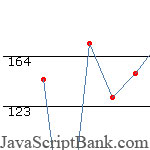
This is a purely DHTML/ CSS based Line Graph script. It loads fast and blends in with the rest of the page. You can even use a transparent detail at JavaScriptBank.com - 2.000+ free JavaScript codes


Demo: JavaScript Line Graph script


How to setup

Step 1: Use JavaScript code below to setup the script
JavaScript
<script type="text/javascript" src="wz_jsgraphics.js"></script>
<script type="text/javascript" src="line.js"></script>
<!--
This script downloaded from www.JavaScriptBank.com
Come to view and download over 2000+ free javascript at www.JavaScriptBank.com
-->

Step 2: Place HTML below in your BODY section
HTML
<div id="lineCanvas" style="overflow: auto; position:relative;height:300px;width:400px;"></div>

<script type="text/javascript">
var g = new line_graph();
g.add('1', 145);
g.add('2', 0);
g.add('3', 175);
g.add('4', 130);
g.add('5', 150);
g.add('6', 175);
g.add('7', 205);
g.add('8', 125);
g.add('9', 125);
g.add('10', 135);
g.add('11', 125);

g.render("lineCanvas", "Line Graph");
</script>
<!--
This script downloaded from www.JavaScriptBank.com
Come to view and download over 2000+ free javascript at www.JavaScriptBank.com
-->

Step 3: Download files below
Files
line.js
wz_jsgraphics.js


JavaScript Bookmark Page script - JavaScript Color Wheel - JavaScript Image slideshow

WT-Fakawi

2009-12-14 06:41:47

What's all this then? Smells like a bot to me….

Sex

2009-12-14 06:48:25

From: WT-Fakawi
What's all this then? Smells like a bot to me….

Yeah, that has been brought up before.

However, he has replied to people before so it seems only to be a semi-bot to me :p.

JavaScriptBank

2009-12-16 20:00:56

Decorate your webpage with this great animated document effect! Watch as snow fall gently trickles down the page, then disappear. The image of snow flakes used is changeable, so snow definitely isn't … detail at JavaScriptBank.com - 2.000+ free JavaScript codes


Demo: JavaScript Falling Snowflakes with images


How to setup

Step 1: Use JavaScript code below to setup the script
JavaScript
<script type="text/javascript">

/******************************************
* Snow Effect Script- By Altan d.o.o. (http://www.altan.hr/snow/index.html)
******************************************/

//Configure below to change URL path to the snow image
var snowsrc="snow3.gif"
// Configure below to change number of snow to render
var no = 10;
// Configure whether snow should disappear after x seconds (0=never):
var hidesnowtime = 0;
// Configure how much snow should drop down before fading ("windowheight" or "pageheight")
var snowdistance = "pageheight";

///////////Stop Config//////////////////////////////////

var ie4up = (document.all) ? 1 : 0;
var ns6up = (document.getElementById&&!document.all) ? 1 : 0;

function iecompattest(){
return (document.compatMode && document.compatMode!="BackCompat")? document.documentElement : document.body
}

var dx, xp, yp; // coordinate and position variables
var am, stx, sty; // amplitude and step variables
var i, doc_width = 800, doc_height = 600;

if (ns6up) {
doc_width = self.innerWidth;
doc_height = self.innerHeight;
} else if (ie4up) {
doc_width = iecompattest().clientWidth;
doc_height = iecompattest().clientHeight;
}

dx = new Array();
xp = new Array();
yp = new Array();
am = new Array();
stx = new Array();
sty = new Array();
snowsrc=(snowsrc.indexOf("dynamicdrive.com")!=-1)? "snow.gif" : snowsrc
for (i = 0; i < no; ++ i) {
dx[i] = 0; // set coordinate variables
xp[i] = Math.random()*(doc_width-50); // set position variables
yp[i] = Math.random()*doc_height;
am[i] = Math.random()*20; // set amplitude variables
stx[i] = 0.02 + Math.random()/10; // set step variables
sty[i] = 0.7 + Math.random(); // set step variables
if (ie4up||ns6up) {
if (i == 0) {
document.write("<div id="dot"+ i +"" style="POSITION: absolute; Z-INDEX: "+ i +"; VISIBILITY: visible; TOP: 15px; LEFT: 15px;"><a href="http://dynamicdrive.com"><img src='"+snowsrc+"' border="0"></a></div>");
} else {
document.write("<div id="dot"+ i +"" style="POSITION: absolute; Z-INDEX: "+ i +"; VISIBILITY: visible; TOP: 15px; LEFT: 15px;"><img src='"+snowsrc+"' border="0"></div>");
}
}
}

function snowIE_NS6() { // IE and NS6 main animation function
doc_width = ns6up?window.innerWidth-10 : iecompattest().clientWidth-10;
doc_height=(window.innerHeight && snowdistance=="windowheight")? window.innerHeight : (ie4up && snowdistance=="windowheight")? iecompattest().clientHeight : (ie4up && !window.opera && snowdistance=="pageheight")? iecompattest().scrollHeight : iecompattest().offsetHeight;
for (i = 0; i < no; ++ i) { // iterate for every dot
yp[i] += sty[i];
if (yp[i] > doc_height-50) {
xp[i] = Math.random()*(doc_width-am[i]-30);
yp[i] = 0;
stx[i] = 0.02 + Math.random()/10;
sty[i] = 0.7 + Math.random();
}
dx[i] += stx[i];
document.getElementById("dot"+i).style.top=yp[i]+"px";
document.getElementById("dot"+i).style.left=xp[i] + am[i]*Math.sin(dx[i])+"px";
}
snowtimer=setTimeout("snowIE_NS6()", 10);
}

function hidesnow(){
if (window.snowtimer) clearTimeout(snowtimer)
for (i=0; i<no; i++) document.getElementById("dot"+i).style.visibility="hidden"
}


if (ie4up||ns6up){
snowIE_NS6();
if (hidesnowtime>0)
setTimeout("hidesnow()", hidesnowtime*1000)
}

</script>

Step 2: Download files below
Files
snow3.gif


AJAX news ticker - JavaScript Refresh Page - JavaScript Unclosable Window

JavaScriptBank

2009-12-19 11:06:44

In the environment of Internet in any country, beside the web promotion - one of…


EDIT WT: Stop promoting your site or you will be banned.

JavaScriptBank

2009-12-23 19:53:42

World clock script with unusual design. Cross-browser (IE4 contains additional visual effects). World clock<... detail at JavaScriptBank.com - 2.000+ free JavaScript codes


Demo: JavaScript World clock with unique display


How to setup

Step 1: Copy & Paste CSS code below in your HEAD section
CSS
<STYLE>
.topcoverlay {
BACKGROUND-COLOR: #ffffff; FILTER: alpha(opacity=85); HEIGHT: 240px; LEFT: 0px; POSITION: absolute; TOP: 0px; WIDTH: 1000px
}
.bottomcoverlay {
BACKGROUND-COLOR: #ffffff; FILTER: alpha(opacity=85); HEIGHT: 1000px; LEFT: 0px; POSITION: absolute; TOP: 253px; WIDTH: 1000px
}
</STYLE>
<!--
This script downloaded from www.JavaScriptBank.com
Come to view and download over 2000+ free javascript at www.JavaScriptBank.com
-->

Step 2: Use JavaScript code below to setup the script
JavaScript
<SCRIPT language=JavaScript>
<!-- Beginning of JavaScript -


var startpos=240
var bildhoehe=720
var step=3
var makepause=200
var difference=0
var local=1
var timer

function showtimelocal() {
if (local==1) {
var thistime= new Date()
var seconds=thistime.getSeconds()
var minutes=thistime.getMinutes()
var hours=thistime.getHours()
if (hours>=24) {hours=hours-24}
var secondspos=Math.floor(bildhoehe/60*seconds)
var minutespos=Math.floor(bildhoehe/60*minutes)
var hourspos=Math.floor(bildhoehe/60*hours)

if(document.all) {
document.all.secondsdiv.style.posTop=startpos-secondspos
document.all.minutesdiv.style.posTop=startpos-minutespos
document.all.hoursdiv.style.posTop=startpos-hourspos
}

if(document.layers) {
document.secondsdiv.top=startpos-secondspos
document.minutesdiv.top=startpos-minutespos
document.hoursdiv.top=startpos-hourspos
}
var timer=setTimeout("showtimelocal()",makepause)
}
else {
clearTimeout(timer)
}
}

function preUTC(thisdifference) {
clearTimeout(timer)
difference=eval(thisdifference)
local=0
showtimeUTC()
}

function inititate() {
if (document.layers) {
document.markernetscape1.visibility="VISIBLE"
document.markernetscape2.visibility="VISIBLE"
}
showtimelocal()
}

function prelocal() {
if (document.layers) {document.markernetscape.visibility="VISIBLE"}
clearTimeout(timer)
local=1
showtimelocal()
}

function showtimeUTC() {
if (local==0) {
var thistime= new Date()
var seconds=thistime.getSeconds()
var minutes=thistime.getMinutes()
var hours=thistime.getUTCHours()
hours+=difference
if (hours>=24) {hours=hours-24}
var secondspos=Math.floor(bildhoehe/60*seconds)
var minutespos=Math.floor(bildhoehe/60*minutes)
var hourspos=Math.floor(bildhoehe/60*hours)

if(document.all) {
document.all.secondsdiv.style.posTop=startpos-secondspos
document.all.minutesdiv.style.posTop=startpos-minutespos
document.all.hoursdiv.style.posTop=startpos-hourspos
}

if(document.layers) {
document.secondsdiv.top=startpos-secondspos
document.minutesdiv.top=startpos-minutespos
document.hoursdiv.top=startpos-hourspos
}
var timer=setTimeout("showtimeUTC()",makepause)
}
else {
clearTimeout(timer)
}
}

window.onload=inititate
// - End of JavaScript - -->
</SCRIPT>
<!--
This script downloaded from www.JavaScriptBank.com
Come to view and download over 2000+ free javascript at www.JavaScriptBank.com
-->

Step 3: Copy & Paste HTML code below in your BODY section
HTML
<DIV id=secondsdiv style="LEFT: 200px; POSITION: absolute; TOP: 240px">
<IMG
src="rotaclock2930.gif" width="14" height="720"></DIV>
<DIV id=minutesdiv style="LEFT: 180px; POSITION: absolute">
<IMG
src="rotaclock2930.gif" width="14" height="720"></DIV>
<DIV id=hoursdiv style="LEFT: 160px; POSITION: absolute; TOP: 240px">
<IMG
src="rotaclock2930.gif" width="14" height="720"></DIV>
<DIV class=topcoverlay id=topcover></DIV>
<DIV class=bottomcoverlay id=bottomcover></DIV>
<DIV id=limiter1
style="COLOR: #ff0000; FONT-FAMILY: Arial; FONT-SIZE: 8pt; FONT-WEIGHT: bold; LEFT: 176px; POSITION: absolute; TOP: 241px">
:</DIV>
<DIV id=limiter2
style="COLOR: #ff0000; FONT-FAMILY: Arial; FONT-SIZE: 8pt; FONT-WEIGHT: bold; LEFT: 196px; POSITION: absolute; TOP: 241px">
:</DIV>
<DIV id=markernetscape1
style="COLOR: #ff0000; FONT-FAMILY: Arial; FONT-SIZE: 12pt; FONT-WEIGHT: bold; LEFT: 122px; POSITION: absolute; TOP: 248px; VISIBILITY: hidden"><IMG
height=1 src="line2930.gif" width=20></DIV>
<DIV id=markernetscape2
style="COLOR: #ff0000; FONT-FAMILY: Arial; FONT-SIZE: 12pt; FONT-WEIGHT: bold; LEFT: 230px; POSITION: absolute; TOP: 248px; VISIBILITY: hidden"><IMG
height=1 src="js 46_files/line2930.gif" width=20></DIV>
<DIV id=timezones
style="COLOR: #ff0000; FONT-FAMILY: Arial; FONT-SIZE: 8pt; LEFT: 10px; POSITION: absolute; TOP: 5px"><A
href="#"
onmouseover=prelocal()>&gt;&gt; local time</A><BR><A
href="#"
onmouseover="preUTC('-8')">Anchorage</A><BR><A
href="#"
onmouseover="preUTC('-11')">Auckland</A><BR><A
href="#"
onmouseover="preUTC('3')">Baghdad</A><BR><A
href="#"
onmouseover="preUTC('8')">Bejing</A><BR><A
href="#"
onmouseover="preUTC('-3')">Buenos Aires</A><BR><A
href="#"
onmouseover="preUTC('-6')">Denver</A><BR><A
href="#"
onmouseover="preUTC('8')">Hongkong</A><BR><A
href="#"
onmouseover="preUTC('-9')">Honolulu</A><BR><A
href="#"
onmouseover="preUTC('8')">Jakarta</A><BR><A
href="#"
onmouseover="preUTC('2')">Johannesburg</A><BR><A
href="#"
onmouseover="preUTC('2')">Kairo</A><BR><A
href="#"
onmouseover="preUTC('-5')">Lima</A><BR><A
href="#"
onmouseover="preUTC('1')">London</A><BR><A
href="#"
onmouseover="preUTC('-7')">Los Angeles</A><BR><A
href="#"
onmouseover="preUTC('4')">Moscow</A><BR><A
href="#"
onmouseover="preUTC('3')">Nairobi</A><BR><A
href="#"
onmouseover="preUTC('-4')">New York</A><BR><A
href="#"
onmouseover="preUTC('2')">Paris</A><BR><A
href="#"
onmouseover="preUTC('-2')">Rio</A><BR><A
href="#"
onmouseover="preUTC('10')">Sydney</A><BR><A
href="#"
onmouseover="preUTC('9')">Tokyo</A><BR></DIV>
<!--
This script downloaded from www.JavaScriptBank.com
Come to view and download over 2000+ free javascript at www.JavaScriptBank.com
-->

Step 4: must download files below
Files
rotaclock2930.gif


JavaScript Line Graph script - JavaScript Virtual Keyboard - JavaScript Horizontal Slider

Wanted

2009-12-23 20:03:25

Lulz stupid bot bad useless code.

Sex

2009-12-23 20:08:43

Ban him.
He continued to advertise his website after WT edited it.

WT-Fakawi

2009-12-24 03:15:42

Banned.

nielsie95

2009-12-24 06:44:09

He's no bot. He kept making separate threads, so we told him to post it in one.

mastaraymond

2009-12-24 07:33:09

From: nielsie95
He's no bot. He kept making separate threads, so we told him to post it in one.

It's not like he is seriously adding something to this community though. The sole reason for him being here is Ad Revenue, so yeah couldn't care less if he is banned.