Mystic
2009-05-03 23:30:05
Setting up SRL with Snapshots.
by Penguin
This thread is for everyone who can not set up SRL/Scar no matter what they do. Hopefully this will help you out!
(If this helped you then please rep and/or rate :) )
(If this helped you then please rep and/or rate :) )
1. Make sure you have the latest Scar Installed. You can find it Here

2. Make sure you have the latest WinRAR Installed. You can find it Here

3. Now Download the latest SRL Snapshot ".Zip" Here
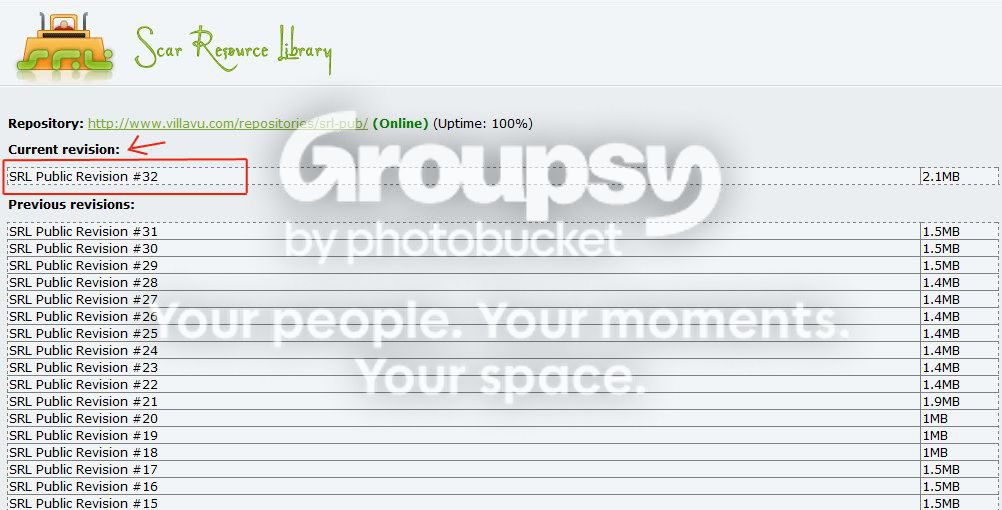
4. Put the ".Zip" file into your SCAR Includes Folder. Depends on where you installed scar but the 3 main places to look are C:\Program Files\SCAR 3.15\Includes , C:\Program Files (x86)\SCAR 3.15\Includes or C:\SCAR 3.15\Includes
a.
 b.
b.
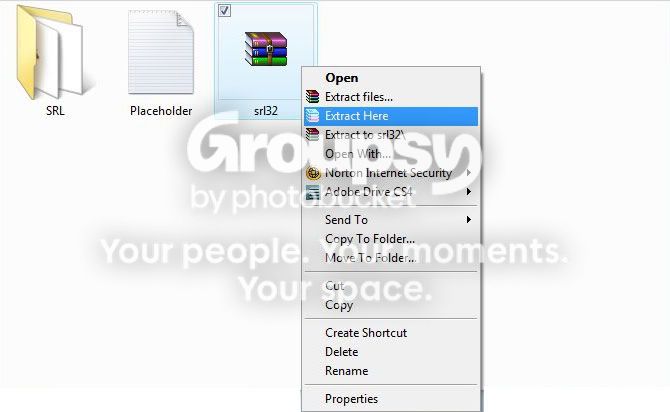
5. Right Click on the WinRAR File and click "Extract Here"
a.
 b.
b.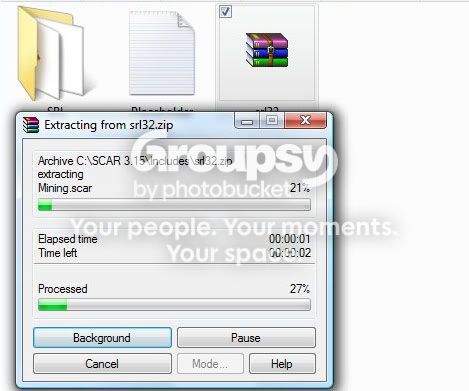
6. Now to move Plugins.. Open on the newly-created SRL Folder.
a.

7. Now Click on the "place inside plugins folder"
a.

8. You should get some files similar to picture "a".

9. Highlight them all and right click and press "Copy".

10. Hit the back arrow two times and go back to the main scar folder. The folder you are in should be similar to.. C:\Program Files\SCAR 3.15 , C:\Program Files (x86)\SCAR 3.15 or C:\SCAR 3.15
11. In that folder click on the folder "Plugins"

12. It should look similar to this.

13. Now right click and click "Paste". If you already have similar files in there, let them get replaced with the new files you are pasting.

14. Done! This method is usually used for people who have vista and can't get it to work, who can't move plugins, or can't get Subversion or TortoiseSvn to work on their computer. Hope this helps! :)
~Penguin
Credits:
SRL Wiki
Freddy1990