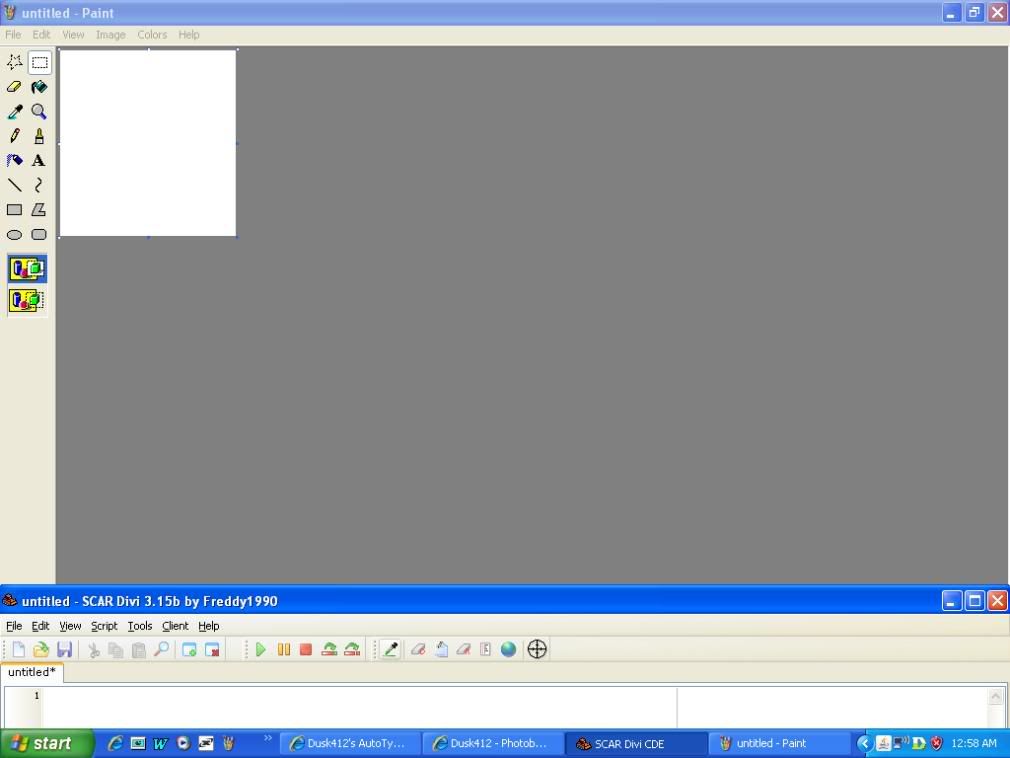
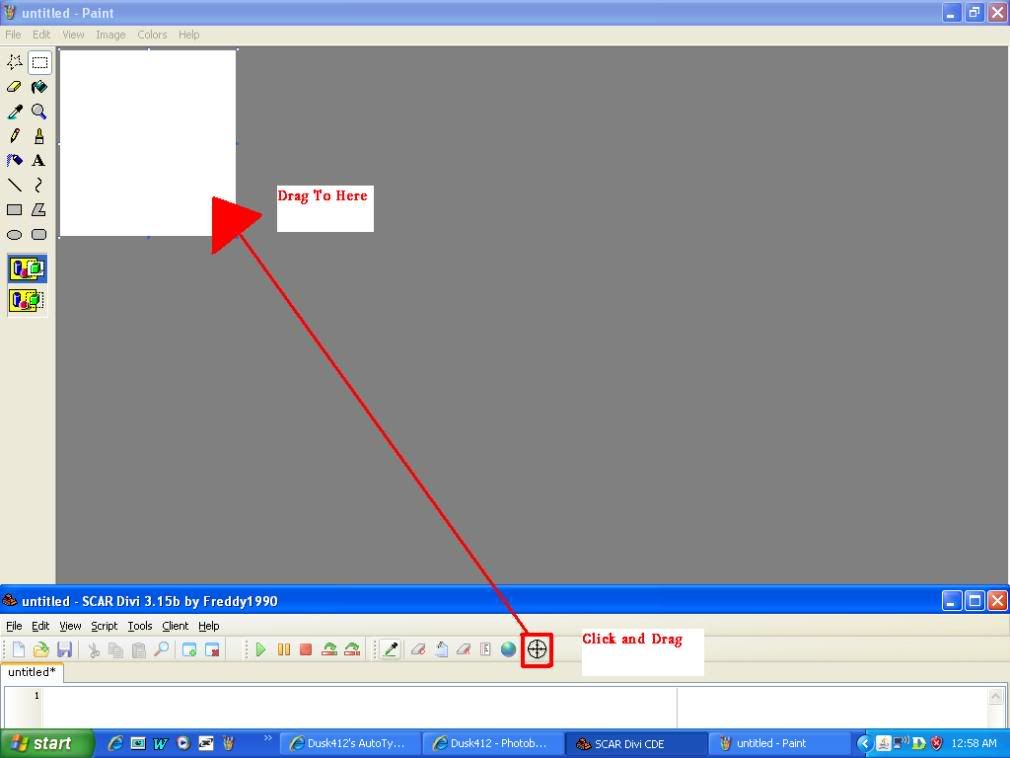
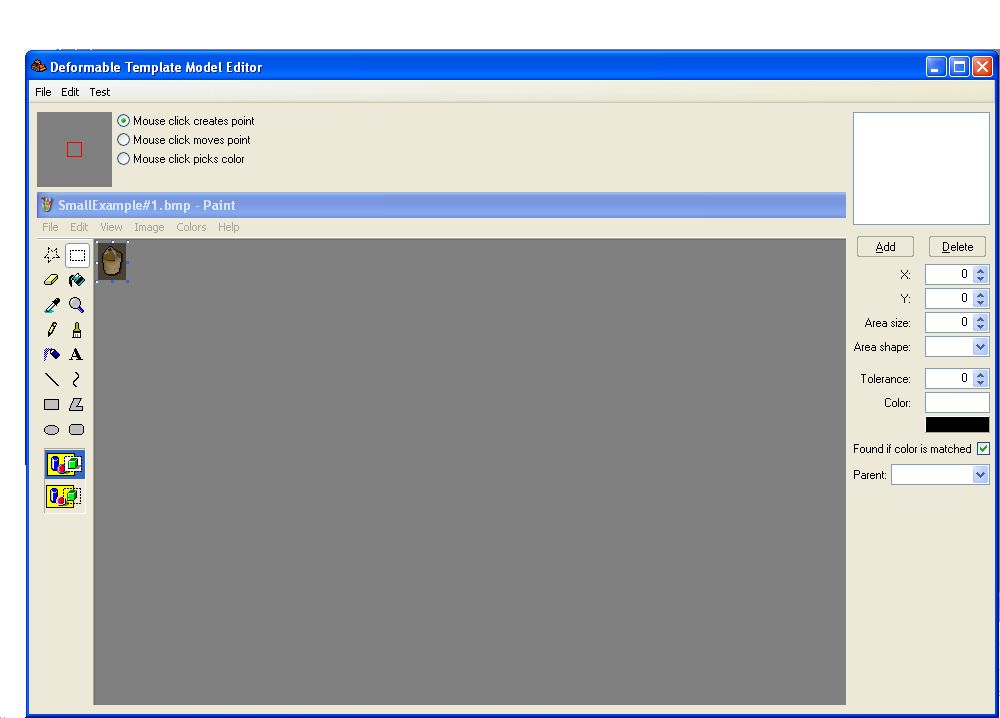
How To Use DTMs:I am only going to do this with my first example because the basic method is the same in any case. There are several ways to use DTMS and here is what I will cover:
- The Basics
- FindDTM
- FindDTMRotated
- DTMRotated
The Basics:
program FindingTheBucket; // The Title Of Our Sample Program
{.include SRL/SRL.scar}   // I Always Include SRL First Thing!

var
  x, y : Integer;         // Almost Every Script You Will Ever Make Uses x And y To Click On A Location
  BucketDTM : Integer;

procedure ClickBucket;    // The Name Of Our Procedure That Will Click The Bucket
begin
  BucketDTM := DTMFromString('78DA63F462606070664001C93E52609A11CA6' +
       '70C01128E0C688011554D1090F027A0C6134804115003724B0001' +
       '3520B7B8E05703004EAA0451');
  // Our Procedure
  FreeDTM(BucketDTM);
end;

begin
SetupSRL;                 // Always Important That You Setup SRL
ActivateClient;           // I Always Activate My Client :D
ClickBucket;              // Then We Run Our Procedure To Click Our Bucket
end.
Okay I explained a few basic things in the comments, but the important stuff I will right here. First thing is that we need to declare our DTM as an integer under variables (var). I used "BucketDTM : Integer;" Then beneath it we give our DTM a value using that long bit of text that we copied as the last step when we created our DTM. Then right away, so you NEVER forget, do FreeDTM(WhateverYourDTMIs) because otherwise your script will end up lagging alot. This is an important technique here at SRL Forums.
FindDTM:The first method for finding a DTM that I will discuss is FindDTM.
function FindDTM(DTM: Integer; var x, y: Integer; x1, y1, x2, y2: Integer): Boolean;
DTM: Integer –> The DTM we declared (For me it is BucketDTM)
var x, y: Integer –> If it finds our DTM, it will save its coordinates here
x1, y1, x2, y2: Integer –> The box in which it will look for our DTM (I will use MIx1, MIy1, MIx2, MIy2 which are Main Inventory coordinates built into SRL. If you were doing something in the bankscreen you would use MSx1, MSy1, MSx2, MSy2 which are Main Screen coordinates. If you were finding a bank on a minimap you would use MMx1, MMy1, MMx2, MMy2 which are MiniMap coordinates).
Boolean –> This means that if it finds our DTM this whole function will equal True, if it doesn't find the DTM this whole function will equal False.
 program FindingTheBucket; // The Title Of Our Sample Program
{.include SRL/SRL.scar}
// I Always Include SRL First Thing!

var
  x, y : Integer;         // Almost Every Script You Will Ever Make Uses x And y To Click On A Location
  BucketDTM : Integer;

procedure ClickBucket;    // The Name Of Our Procedure That Will Click The Bucket
begin
  BucketDTM := DTMFromString('78DA63F462606070664001C93E52609A11CA6' +
       '70C01128E0C688011554D1090F027A0C6134804115003724B0001' +
       '3520B7B8E05703004EAA0451');
  if (FindDTM(BucketDTM, x, y, MIx1, MIy1, MIx2, MIy2) then
  begin
    // Our Procedure
  end;
  FreeDTM(BucketDTM);
end;

begin
SetupSRL;                 // Always Important That You Setup SRL
ActivateClient;           // I Always Activate My Client :D
ClickBucket;              // Then We Run Our Procedure To Click Our Bucket
end.
What I have now added is the if-then statement. This means that
if FindDTM returns True as its value (meaning we found our DTM)
then we will run our procedure.
program FindingTheBucket; // The Title Of Our Sample Program
{.include SRL/SRL.scar}
// I Always Include SRL First Thing!

var
  x, y : Integer;         // Almost Every Script You Will Ever Make Uses x And y To Click On A Location
  BucketDTM : Integer;

procedure ClickBucket;    // The Name Of Our Procedure That Will Click The Bucket
begin
  BucketDTM := DTMFromString('78DA63F462606070664001C93E52609A11CA6' +
       '70C01128E0C688011554D1090F027A0C6134804115003724B0001' +
       '3520B7B8E05703004EAA0451');
  if (FindDTM(BucketDTM, x, y, MIX1, MIy1, MIx2, MIy2) then
  begin
    Wait(500+random(150));
    Mouse(x, y, 3, 3, False);
  end;
  FreeDTM(BucketDTM);
end;

begin
SetupSRL;                 // Always Important That You Setup SRL
ActivateClient;           // I Always Activate My Client :D
ClickBucket;              // Then We Run Our Procedure To Click Our Bucket
end.
I have now added two things. First is Wait(500+random(150)). This will wait 500 milliseconds plus a random number of milliseconds between 0 and 150. This is really useful for antiban and just allowing for a little lag as the script runs because no person can really move that fast and efficiently. Then next line is Mouse(x, y, 3, 3, False). This means it will move the mouse to coordinates x, y (which remember is our DTM coordinates thanks to FindDTM) but it will move the mouse with a random 3 pixels in any direction because no human hits perfectly accurately in the center of a DTM every time. True means that the mouse will left click (False would be right click).
FindDTMRotated:This next method looks something like this:
function FindDTMRotated(DTM: Integer; var x, y: Integer; x1, y1, x2, y1: Integer; StartAngle, EndAngle, AngleStep: Extended; var Angle: Extended): Boolean;
There are four new things to learn here, but this starts using geometry and perhaps a little trigonometry.
Here is a chart to help you:
                 0 degrees or 0 radians
               360 degrees or 2*Pi radians
                            |
                            |
270 degrees or 3*Pi/2 ______|______ 90 degrees or Pi/2 radians
                            |
                            |
                            |
               180 degrees or Pi radians
Now onto the new terms:
StartAngle –> The angle in
radians where it starts rotating the DTM from. Make this negative so that it starts looking from a little counterclockwise of north.
EndAngle –> The angle in
radians where it stops rotating the DTM. Make this positive so that it ends looking a little clockwise from north.
AngleStep –> How much the function increments the angle by every time it searches. The smaller the number, the more times it must increment the angle in order to reach the EndAngle thus the more times it must search for the DTM therefore the more accurate but also the more lag. (Thanks ZephyrsFury :D)
Angle –> A variable in which the angle at which the DTM was found is stored. Pretty much useless but is required for the function to work. (Thanks again ZephyrsFury :D)
Okay. So now you see a function that is way more complicated but seems to have no practical application. Well, when you log in to runescape, Jagex rotates the minimap slightly so that North no longer points directly north because Jagex does not like us to cheat lol. So this function is mainly for use on the Minimap. So here is what we have:
program FindingTheBank; // The Title Of Our Sample Program
{.include SRL/SRL.scar}

var
  x, y : Integer;         // Almost Every Script You Will Ever Make Uses x And y To Click On A Location
  BankDTM : Integer;
  DTMAngle : Extended;

procedure ClickBank;    // The Name Of Our Procedure That Will Click The Bank
begin
  BankDTM := DTMFromString('78DA63F462606070664001C93E52609A11CA6' +
       '70C01128E0C688011554D1090F027A0C6134804115003724B0001' +
       '3520B7B8E05703004EAA0451');
  MakeCompass('N');
  if (FindDTMRotated(BankDTM, x, y, MMx1, MMy1, MMx2, MMy1, -(1/36)*Pi, (1/36)*Pi, (1/360)*Pi, DTMAngle)) then
  begin
    Wait(500+random(150));
    Mouse(x, y, 3, 3, True);
  end;
  FreeDTM(BankDTM);
end;

begin
SetupSRL;                 // Always Important That You Setup SRL
ActivateClient;           // I Always Activate My Client :D
ClickBank;                // Then We Run Our Procedure To Click Our Bank
end.
I changed the word Bucket to Bank because now we are looking for something on the minimap. Then I added MakeCompass('N') so that the minimap is facing as close to exact north as possible. The next thing you must do is add a variable to your script to go in for Angle. I called mine DTMAngle. Then I made StartAngle = -(1/36)*Pi and EndAngle = (1/36)*Pi (or -5 degrees and 5 degress). I then made AngleStep = (1/360)*Pi (or 0.1 degrees).
DTMRotated:Now that you know FindDTMRotated, I can teach you this next function, which performs basically the same task but requires fewer parameters because it does most of the work for you. In almost every scenario, you can use this function rather than the more complex FindDTMRotated function. I would like to pause here to thank Yakman, the creator of the DTMRotated function, because I love it :D.
function DTMRotated(DTM: LongInt; var x: LongInt; var y: LongInt; x1: LongInt; y1: LongInt; x2: LongInt; y2: LongInt): Boolean;[SCAR]

There are no new terms to learn for this function. It is pretty basic in its use. I shall explain them all again just so you don’t have to scroll up so much.

DTM: Integer --> The DTM we declared (For me it is BucketDTM)
var x, y: Integer --> If it finds our DTM, it will save its coordinates here
x1, y1, x2, y2: Integer --> The box in which it will look for our DTM (I will use MIx1, MIy1, MIx2, MIy2 which are Main Inventory coordinates built into SRL. If you were doing something in the bankscreen you would use MSx1, MSy1, MSx2, MSy2 which are Main Screen coordinates. If you were finding a bank on a minimap you would use MMx1, MMy1, MMx2, MMy2 which are MiniMap coordinates).
Boolean --> This means that if it finds our DTM this whole function will equal True, if it doesn't find the DTM this whole function will equal False.

I am now going to explain exactly how this function works in comparison to FindDTMRotated because I believe it is important to understand why all of a sudden we have this much simpler function and why FindDTMRotated was created at all. This new function is not just a better function, it instead just uses the FindDTMRotated function and fills in all the angle details for you. What the function does is slowly increases the angle to check through (to a certain point) and repeats the FindDTMRotated function a couple times. I am not going to bore you and go into detail, I just wanted you to know a little bit about how it works.

[SCAR]program FindingTheBank; // The Title Of Our Sample Program
{.include SRL/SRL.scar}

var
  x, y : Integer;         // Almost Every Script You Will Ever Make Uses x And y To Click On A Location
  BankDTM : Integer;

procedure ClickBank;    // The Name Of Our Procedure That Will Click The Bank
begin
  BankDTM := DTMFromString('78DA63F462606070664001C93E52609A11CA6' +
       '70C01128E0C688011554D1090F027A0C6134804115003724B0001' +
       '3520B7B8E05703004EAA0451');
  MakeCompass('N');
  if (DTMRotated(BankDTM, x, y, MMx1, MMy1, MMx2, MMy1)) then
  begin
    Wait(500+random(150));
    Mouse(x, y, 3, 3, True);
  end;
  FreeDTM(BankDTM);
end;

begin
SetupSRL;                 // Always Important That You Setup SRL
ActivateClient;           // I Always Activate My Client :D
ClickBank;                // Then We Run Our Procedure To Click Our Bank
end.
As you can see it is much simpler to use and understand. All I did was take the FindDTMRotated function and delete some excess stuff about angles and radians and such.
Conclusion:That is all, and I mean ALL, you need to know for DTMs! If you have mastered this and are looking for the next step I recommend finding a tutorial on DDTMs or RadialWalking. If you find any mistakes (even a grammar error) PM or post here and I will fix it. I made this to be the most comprehensive DTM tutorial and I hope I succeeded. If I helped you in anyway please post. And if you REALLY love me or my tutorial feel free to rep me :D.