The Legendary
2015-05-06 15:27:20
I want to load SMART to RSPS but I don't have the knowledge to proceed that myself. I got everything I needed to bot such as color/bitmap/dtm etc, just need SMART to move the mouse and keyboard like on RS so it won't take over my mouse and keyboard. I had searched all over villavu and found no guide for loading rsps on smart. I found a post from Brandon on https://villavu.com/forum/showthread.php?t=110634. I tried to do as being said in his post but no success. I changed the Website to the rsps that I want smart to load and I don't know what to do with the rest.
Any help would be very grateful.
- Here is the webclient that I want to load: https://emps-world.net/play.php
- I currently use SRL-5 not 6
Any help would be very grateful.
From: Brandon
Open Simba/Includes/SRL-6/lib/misc/Smart.Simba..
Change the line to match below:
__smartCurrentTarget := smartSpawnClient(path, stringReplace(PluginPath, '\', '/', [rfReplaceAll]), 'http://cs042.soulsplit.com/', '?height=667&width=1349', 765, 557, smartInitSeq, '', '', plugins);
Open Smart's ClientStub.java and change to match the following:
    @Override
    public void appletResize(int i, int i1) {

    }
Open Smart's Client.java and change to match the following:
Matcher matcher = Pattern.compile("<param name\\=([^ ]*) [^>]*value\\=([^>]*?)/?>", Pattern.CASE_INSENSITIVE).matcher(jsInfoPage);

//and

Matcher matcher = Pattern.compile(regex, Pattern.CASE_INSENSITIVE).matcher(what);
Compile the source into Smart.jar. Place Smart.jar into Simba's plugin folder. Run the following script:
{$DEFINE SMART}
{$I SRL-6/SRL.Simba}


begin
  setupsrl;
end.
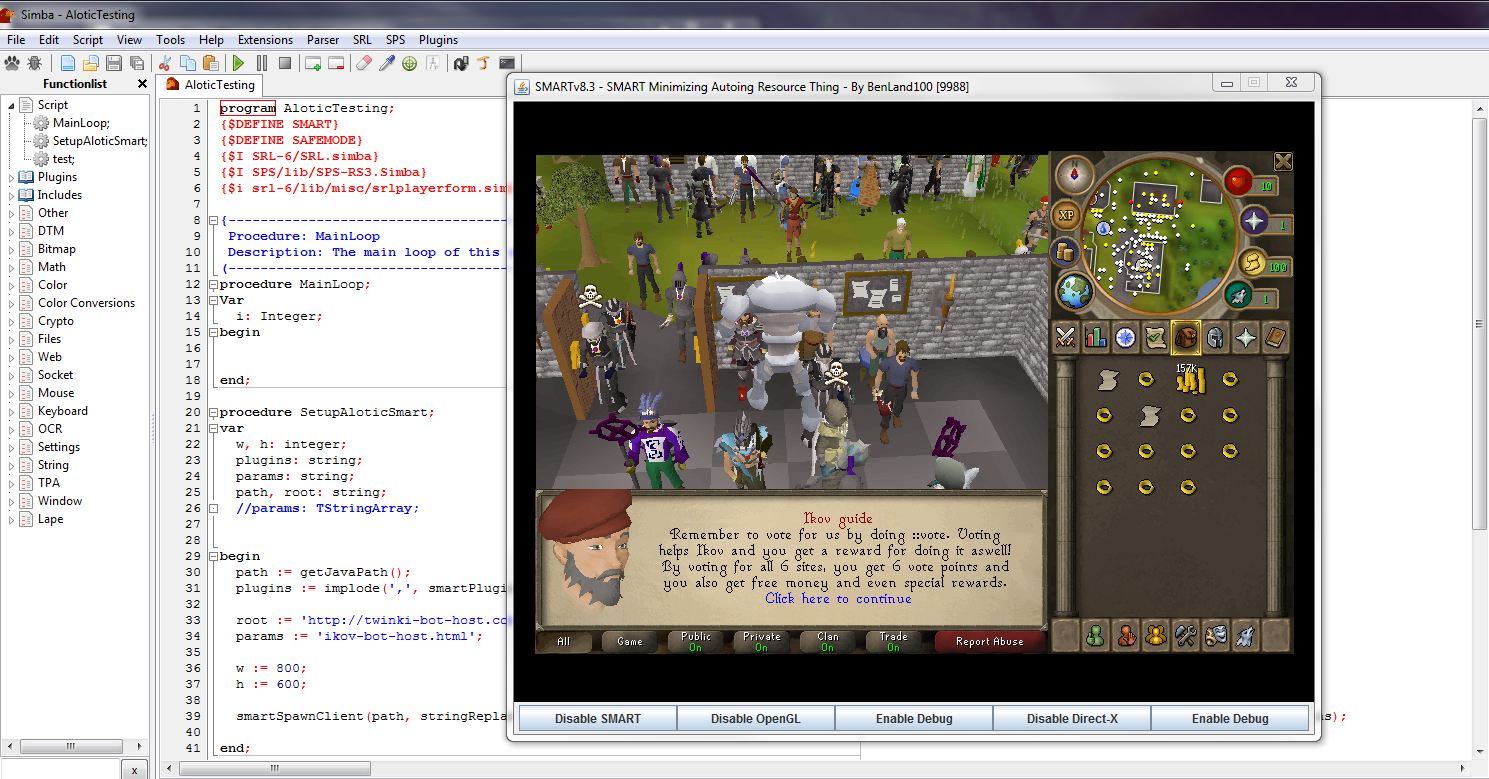
Should look like:
Not sure what game properties it needs to load..