SRL Archive - General

The Big "Write a Portal Finder" competition!


Markus

2014-09-23 16:37:12

The Big "Write a Portal Finder" competition!

Hiya!

It's been a while since the last competition and it is time for a small one methinks. This competition is not official, meaning there is probably not an official cup, but maybe I can will bribe an admin to give you one. Can't promise anything though :garfield:.

The Challenge
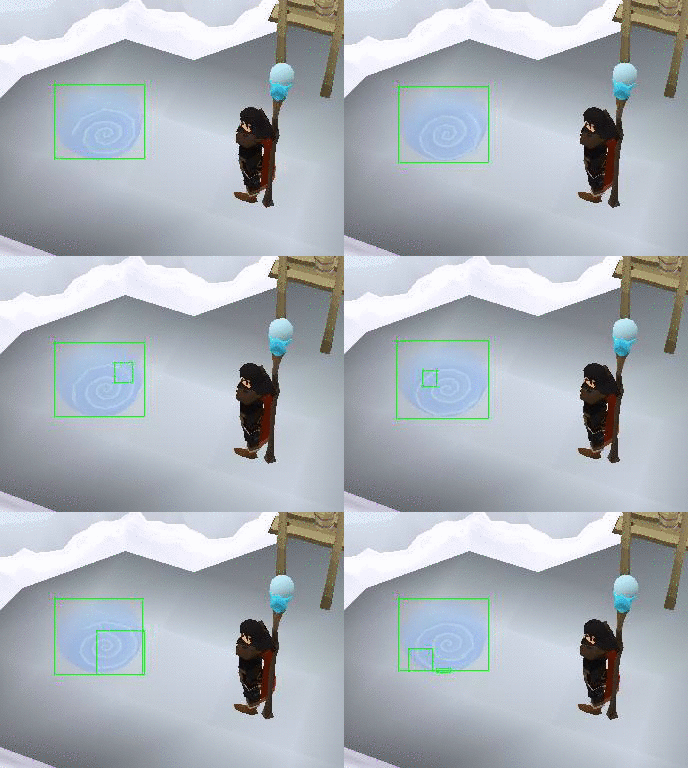
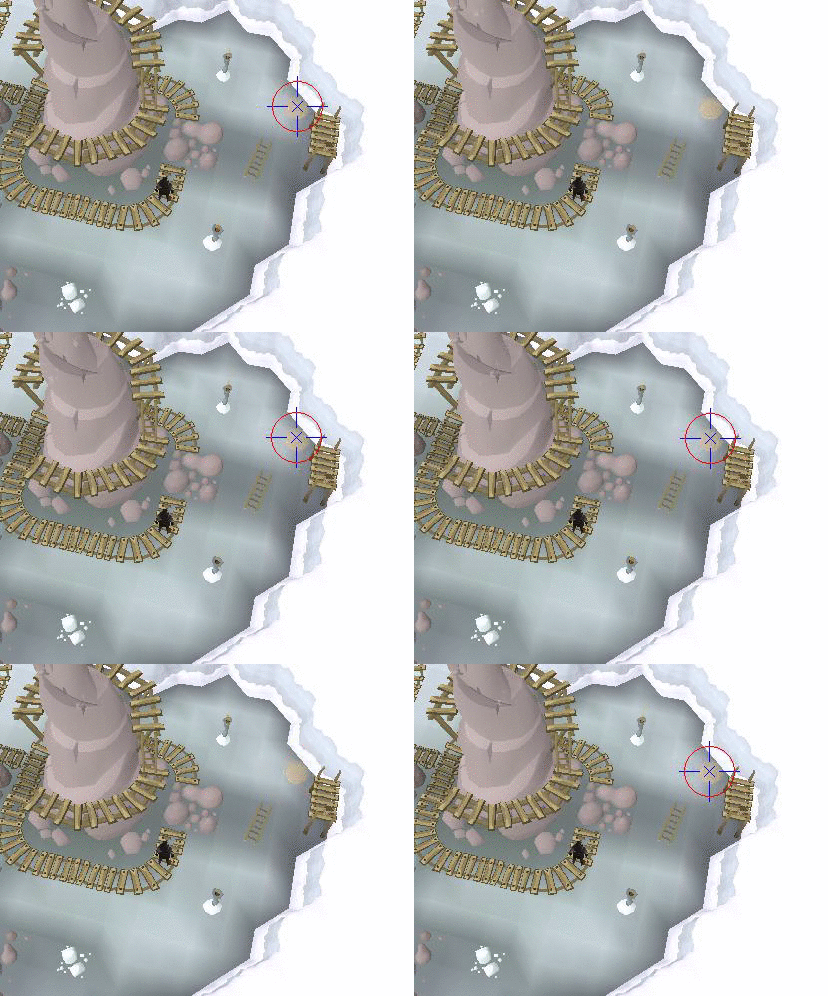
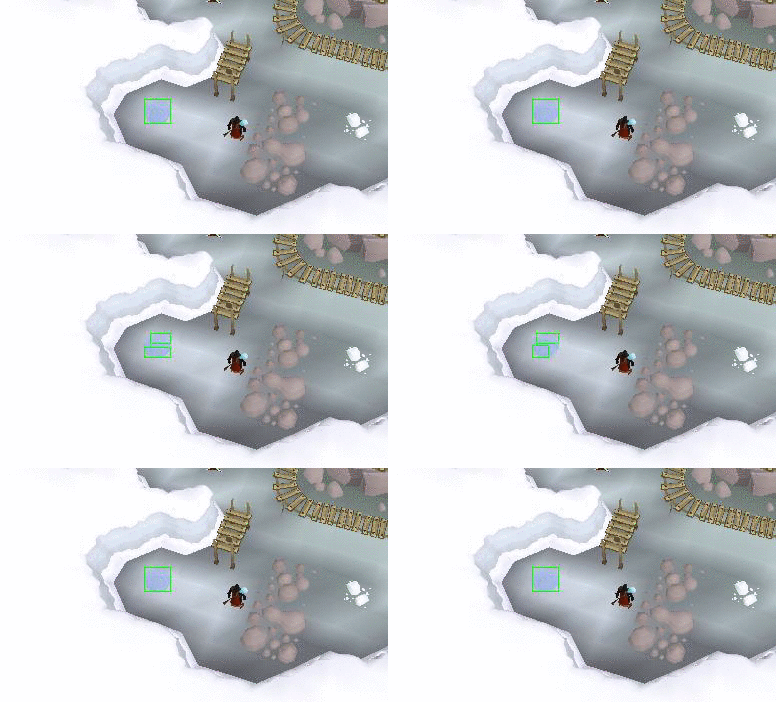
The challenge is easy yet hard: write a portal finder for in the essence mine! It's a fun object because it's pretty transparent, changes colors randomly when switching worlds, it is small and it has movement.

The Rules
  • Collaboration allowed
  • 100% colour
  • No custom plugins! Pure simba code only
  • It's for use in RS3
  • Must work in both DirectX, OpenGL and maybe safe mode?
  • Using other's work is allowed (with permission), plagiarism is NOT.
  • Competition is open for anyone, from registered user to SRL Senior Developer Administrator

The Marking criteria
You will be marked both quantitatively and qualitatively. I had the following marks in mind:
  • Success rate
  • Accuracy (wacky mouse-movements)
  • Speed
  • Maintainability (can I understand your function and update it if necessary? Is it commented well?)
  • Cool techniques
  • Sexy debug output (a few plots on the (SMART) debug screen are fine, don't overdo it)


The Testing
A function which isn't working in a script is quite a useless function. Therefore, your function will be tested live during some trial runs in my essminer!
Your function will be modified to keep track of the following:
  • Times function called
  • Time spent processing
  • Mouse movements made
  • Success/Failure
After that, yours and all other functions will be added to the script. As all portal finders are in the script, they will all be used. Using a simple random(), it is determined which portal finder is to be tested. If the first one fails, a new random one is drawn until once succeeds. If all portal finders fail, a screenshot will be taken and the failure won't be counted against you, the script probably messed up.
After sufficient trials (I'm aiming for at least 25 tries per function, so that'll mean a lot of rune ess for me) the results will be analysed and the winner announced!

The Prize
The top portal finders will find a nice place in my updated essence miner. The top 3 will be included because redundancy is good.
Of course there will also be a bit of gp's. Thanks to generous donations of @The Mayor; and @Harrier;, the prize fund include the following:

RS3 GP
  • 30M for the winner
  • 15M for the runner-up
  • 8M for the third place

OSR GP
  • 3M for the winner
  • 2M for the runner-up
  • 1M for the third place

As you can see, it is nothing special but fun nevertheless! hint, all donations for in the prize fund are welcome =D
Of course, my eternal thanks, everlasting fame and a place in the most popular script of all time is also part of the deal.

The Deadline
The deadline will be October 7th, so I can start grading the functions. The winners will be announced within a month from then (got exams going around that period).

The FAQ
How can we submit stuff?
You are free to post it here, if you want it secret, PM me. Please note that by participating, you are allowing me to use your function in a public script.

What is the deadline?
The deadline is after I got a couple of working submissions, lets just say it's October 7th

Will the prize have to be shared if we collaborate?
If you aren't something ridiculous like a 10-person team, I might be able to reward you all.

What should the function look like?
The function should require no parameters and only return a boolean true or false. The function will click the portal itself.
You will not have to perform any walking or location detection, the portal will be visible on the mainscreen. This match is 100% about the object finding!

Can I use that portal finder I wrote 5 years ago?
You can use anything priorly written, as long as it works! No original work required.

Are multiple entries allowed?
Yes! But you can only win one prize to keep it fair.

Is legacy mode allowed?
The function will have to support the default SRL graphics settings. As SRL doesn't support legacy mode, your function should be able to function without it.
I've been told it's only the interface which is different, so you shouldn't have any problems with this.

Can I bribe you?
I drink my coffee with milk & sugar or black depending on my mood, my favourite beer is Duvel. You can find me in the 040 and 0118 area, occasionally in 013, 020 and 030. Don't understand these numbers? Don't even bother then, they are Dutch

No but still, how can I win?
Besides by scoring high on the scoring criteria, I love transformations! If you use a Gabor, LaPlace, Fourier or maybe even wavelets, you will get a LOT of bonus points and I'll ignore all other rules.

When will the competition start?
Right now, you lazy fool! ;)


Any questions? Feel free to post/PM/email/IRC/text/call them :)

Good luck!

Markus

2014-09-23 16:48:47

Here are three portal finders by @J J; and @euphemism; They are currently broken but used to present state-of-the-art techniques on finding it! They are currently broken, but you might be able to fix them :)

This first one is by J J, it uses a traditional approach to find the portal by using the colours. It used to be very reliable but it is not toooo original.

function FindPortal3(var x, y : integer) : boolean; //By J J, thanks!
var
PortalColors: TPointArray;
Splitted: T2DPointArray;
P: TPoint;
i, smallestX, smallestY, biggestX, biggestY, xSize, ySize: Integer;

begin
// Attempts to find the portal colors
//ColorToleranceSpeed(2);
//SetColorSpeed2Modifiers(4.71, 2.55);
if FindColorsSpiralTolerance(MainScreen.CX, MainScreen.CY, PortalColors, 13489057, mainscreen.getbounds(), 20, colorSetting(2, 4.71, 2.55)) then
begin
(* Colors have been found, they will be drawn on SMART in the color red
After that it will get splitted into an ATPA with a distance of 3 *)
{$IFDEF SMARTDRAW} try
SMART_DrawDotsEx(True, PortalColors, clRed); except end;
{$ENDIF}
Splitted := SplitTPA(PortalColors, 3);
SortATPASize(Splitted, True);

(* ATPA has been sorted on size, large to small. The biggest one will get
drawn on SMART in the color cyan. A box around will also be drawn. *)
{$IFDEF SMARTDRAW} try
SMART_DrawDotsEx(False, Splitted[0], clAqua);
SMART_DrawBoxEx(False, False, GetTPABounds(Splitted[0]), clGreen); except end;
{$ENDIF}

// Calculating the X and Y size of our best TPA
smallestX := MainScreen.X2;
smallestY := MainScreen.Y2;
for i:=0 to high(Splitted[0]) do
begin
// Check if the X is bigger or smaller than our extreme values
if Splitted[0][i].x < smallestX then
smallestX := Splitted[0][i].x
else
if Splitted[0][i].x > biggestX then
biggestX := Splitted[0][i].x;

// Check if the Y is bigger or smaller than our extreme values
if Splitted[0][i].y < smallestY then
smallestY := Splitted[0][i].y
else
if Splitted[0][i].y > biggestY then
biggestY := Splitted[0][i].y;
end;

(* Calculating the actual size. We take 40% of the size because the outline
of a circle is two times the radius. To be sure we click on a clickable
part we take 40% instead of 50%. *)

//writeln('bigggestX : ' + IntToStr(biggestX) + ' en smallestX: ' + IntToStr(smallestX));
//writeln('bigggestY : ' + IntToStr(biggestY) + ' en smallestY: ' + IntToStr(smallestY));
xSize := ((biggestX - smallestX) * 4) div 10;
ySize := ((biggestY - smallestY) * 4) div 10;

(* The middle of the biggest TPA will get calculated and we will move the
mouse to a spot around the middle. We draw this oval on SMART. *)
P := MiddleTPA(Splitted[0]);
{$IFDEF SMARTDRAW} try
SMART_DrawEllipse(False, P, xSize, ySize, False, clYellow); except end;
{$ENDIF}
MouseOval(P.x, P.y, xSize, ySize, 2);

// Checking if the uptext is correct
if isMouseOverText(['nter', 'ortal', 'Enter', 'Portal', 'tal', 'ter'], 500) then //WaitUptextMulti -> isMouseOverText?
begin
(* The uptext is correct, the portal has been detected! We perform a
left mouse click and wait until we have stopped moving. Result = true *)
//ClickMouse2(1);
//FFlag(0);
//while IsMoving do
// Wait(RandomRange(100, 200));
Result := True;
x := P.x; //Small modification to account for the rest of the script
y := P.y;
m_Debug('Portal found with FindPortal3!');
end;

end;
end;

The second one is by our fello euphemism. It uses a different approach: look for everything that is not a portal, then the portal will be left! It's pretty effective, but slow, and it'll also see other players as a portal. That's why it was second choice.

// Half-broken
function FindPortal2(var cx, cy: Integer; force : boolean): Boolean; //by euphemism, thanks!
var
Area, ColorSpeed, EdgeColor, EdgeTol, GroundColor, GroundTol, I, Match,
WallColor, WallTol: Integer;
TestPoint: TPoint;
EdgeHue, EdgeSat, GroundHue, GroundSat, WallHue, WallSat: Extended;
CharBox, AreaBox, SearchBox: TBox;
CharTPA, ColorsTPA, NewTPA, EdgeTPA, SearchTPA: TPointArray;
ResultsATPA, NewATPA: T2DPointArray;
begin

//ColorSpeed := GetColorToleranceSpeed;
//ColorToleranceSpeed(2);
//SetToleranceSpeed2Modifiers(0.37, 1.57);
Match := 0;
Result := False;

CharBox := IntToBox(MainSCreen.CX - 14, MainScreen.CY - 21, MainSCreen.CX + 12, MainSCreen.CY + 16);
CharTPA := TPAFromBox(CharBox);

//SearchBox := IntToBox(MSX1, MSY1, MSX2, MSY2);
//SearchBox := IntToBox(201, 123, 320, 231); //FASTER, BUT THIS ONLY WORKS IF YOU ARE ADJACENT TO THE PORTAL
SearchBox := IntToBox(MainSCreen.CX - 80, MainSCreen.CY - 80, MainSCreen.CX + 80, MainSCreen.CY + 80);
SearchTPA := TPAFromBox(SearchBox);

GroundColor := 7047023; GroundHue := 0.72; GroundSat := 0.22; GroundTol := 43;
WallColor := 16180721; WallHue := 3.42; WallSat := 7.34; WallTol := 4;
EdgeColor := 10391949; EdgeHue := 0.16; EdgeSat := 0.23; EdgeTol := 28;

//Find ground colours
//SetToleranceSpeed2Modifiers(GroundHue, GroundSat);
if not FindColorsTolerance(NewTPA, GroundColor, searchbox, GroundTol, colorSetting(2, GroundHue, GroundSat)) then
Exit;

//Find wall colours
SetToleranceSpeed2Modifiers(WallHue, WallSat);
FindColorsTolerance(ColorsTPA, WallColor, SearchBox.x1, SearchBox.y1,
SearchBox.x2, SearchBox.y2, WallTol);

//Finds wall colours
ColorsTPA := CombineTPA(ColorsTPA, NewTPA);

//Add edge colours, too
SetToleranceSpeed2Modifiers(EdgeHue, EdgeSat);
FindColorsTolerance(EdgeTPA, EdgeColor, SearchBox.x1, SearchBox.y1,
SearchBox.x2, SearchBox.y2, EdgeTol);

//SearchTPA is the entire box we are searching in,
//We remove our own character and all other points from it
AppendTPA(ColorsTPA, EdgeTPA);
NewTPA := ClearTPAFromTPA(SearchTPA, ColorsTPA);
ColorsTPA := ClearTPAFromTPA(NewTPA, CharTPA);

ResultsATPA := SplitTPA(ColorsTPA, 1);
SetLength(NewATPA, 0);

//This thing is still a miracle to me (Markus)
for I := 0 to High(ResultsATPA) do
begin

AreaBox := GetTPABounds(ResultsATPA[i]);
Area := ((AreaBox.X2 - AreaBox.X1) * (AreaBox.Y2 - AreaBox.Y1));

//Probably filters based on not being too small/large, portals arent big
if (InRange(Area, 500, 1500) and (InRange(Length(ResultsATPA[i]), 250,
1200))) then
begin

SetLength(NewATPA, Length(NewATPA) + 1);
NewATPA[Match] := ResultsATPA[i];
Inc(Match);
end;
end;

//When no points left, no point to contine
if Length(NewATPA) = 0 then
Exit;

SortATPAFromMidPoint(NewATPA, MainScreen.getcenterpoint);

//Regular (A)TPA iteration
for I := 0 to High(NewATPA) do
begin

TestPoint := MiddleTPA(NewATPA[i]);
{$IfDef SMARTDRAW} try
//Flashes the points, though noone watches it.
Smart_DrawDotsEx(True, NewATPA[i], clFuchsia);
m_DrawSmartLines;
except end;
{$EndIf}
MMouse(TestPoint.x, TestPoint.y, 5, 5);
writeln('P2: '+GetUpText);
if WaitUpTextMulti(['Enter', 'Portal', 'nter', 'ortal', 'er P'], 500) then
begin
Result := True;
m_debug('Portal found with FindPortal2!');
cx := TestPoint.x;
cy := TestPoint.y;
Break;
end else
if force then
begin
ClickMouse2(false);
if WaitOptionEx('eleport', 'all', clickLeft, 500) then
begin
cx := TestPoint.x;
cy := TestPoint.y;
result := true;
break;
end
end;
end;
end;

The third portal finder is also by euphemism. It uses some of Simba's bitmap manipulating tricks to isolate the portal from the background and then search that image. It worked around 2012 but not that effectively. That's why it was the 3rd portal finder in a row in the script. It could, however, function on a couple of edge cases where the others failed horribily.

//No idea
//by euphemism, try #2
function FindPortal(var X, Y: Integer; force : boolean): Boolean;
var
x1, y1, x2, y2, W, H: Integer;
CTS, ClientBitmap, I, Len: Integer;
GrabBox: TBox;
TPA: TPointArray;
ATPA: T2DPointArray;
ITarget, KMTarget: Integer;
begin

Result := False;
// CTS := GetColorToleranceSpeed;
//SetColorToleranceSpeed(2);

//Grabs rectangle around player, something like 7x6 tiles
ClientBitmap := BitmapFromClient(125, 65, 380, 265);
SetBitmapName(ClientBitmap, 'ClientGrab');

//Changes Simba's target to the bitmap we just made
KMTarget := GetKeyMouseTarget;
ITarget := GetImageTarget;
SetTargetBitmap(ClientBitmap);

//Applies bitmap filters to make it easier to single out portal
{$IfDef LAPE} //defines could be removed, but this just works.
InvertBitmap(ClientBitmap);
PosterizeBitmap(ClientBitmap, 15);
ContrastBitmap(ClientBitmap, 1);
BrightnessBitmap(ClientBitmap, 15);
{$Else}
GetMufasaBitmap(ClientBitmap).Invert(GetMufasaBitmap(ClientBitmap));
GetMufasaBitmap(ClientBitmap).Posterize(GetMufasaBitmap(ClientBitmap), 15);
GetMufasaBitmap(ClientBitmap).Contrast(GetMufasaBitmap(ClientBitmap), 1);
GetMufasaBitmap(ClientBitmap).Brightness(GetMufasaBitmap(ClientBitmap), 15);
{$EndIf}

GetClientDimensions(W, H);

x1 := 0; y1 := 0; x2 := W - 1; y2 := H - 1;

//Filters out most of the ground, painting it white on bitmap
//SetColorSpeed2Modifiers(0.30, 0.58);

FindColorsTolerance(TPA, 5135981, IntToBox(x1, y1, x2, y2), 29, colorSetting(2, 0.30, 0.58));
Len := Length(TPA);
for I := 0 to (Len - 1) do
FastSetPixel(ClientBitmap, TPA[i].x, TPA[i].y, clWhite);

//Filters out most of rocks and trees, painting them white on bitmap
//SetColorSpeed2Modifiers(1.25, 0.21);
FindColorsTolerance(TPA, 9344658, x1, y1, x2, y2, 20, colorSetting(2, 1.25, 0.21));
Len := Length(TPA);
for I := 0 to (Len - 1) do
FastSetPixel(ClientBitmap, TPA[i].x, TPA[i].y, clWhite);

//Turns bitmap to greyscale and ups contrast, making portal more or less black, and most everything left a lighter grey
{$IfDef LAPE}
GreyScaleBitmap(ClientBitmap);
ContrastBitmap(ClientBitmap, 4);
{$Else}
GetMufasaBitmap(ClientBitmap).GreyScale(GetMufasaBitmap(ClientBitmap));
GetMufasaBitmap(ClientBitmap).Contrast(GetMufasaBitmap(ClientBitmap), 4);
{$EndIf}

//Finds the black of the portal
SetColorToleranceSpeed(0);
if not FindColorsTolerance(TPA, 2236962, x1, y1, x2, y2, 34) then
Exit;

SplitTPAWrap(TPA, 5, ATPA);
SortATPASize(ATPA, True);
Len := Length(ATPA);

//Loops through black groups to find one with correct dimensions
for I := 0 to (Len - 1) do
begin

GrabBox := GetTPABounds(ATPA[i]);

W := (GrabBox.x2 - GrabBox.x1);
H := (GrabBox.y2 - GrabBox.y1);

if (not (InRange(W, 25, 38) and InRange(H, 15, 38))) then
Continue;

TPA[0] := MiddleTPA(ATPA[i]);
OffSetTPA(TPA, IntToPoint(125, 65));

X := TPA[0].x;
Y := TPA[0].y;

//Debug image--------------------
// note by Markus: replace by Smart Graphics
if ((result)) then
begin
Len := Length(ATPA[i]);
for W := 0 to (Len - 1) do
FastSetPixel(ClientBitmap, ATPA[i][W].x, ATPA[i][W].y, clFuchsia);
{$IfDef SMARTDRAW}
SMART_DrawBitmap(true, ClientBitmap, IntToPoint(GrabBox.x1, GrabBox.Y1));
{$EndIf}
// DisplayDebugImgWindow(0,0);
// DisplayDebugImgWindow(255,200);
// DrawBitmapDebugImg(ClientBitmap);
end;

MMouse(x, y, 5, 5);
writeln('P1: '+GetUpText);
if (not(WaitUpTextMulti(['nter', 'ortal', 'Ent', 'Port', 'er P'], 500))) then
if force then
begin
ClickMouse2(false);
if not WaitOptionEx('eleport', 'all', clickLeft, 500) then
continue;
end;
Result := True;
m_debug('Portal found with FindPortal!');
Break;
end;


//-------------------------------

//Sets Simba's target back to SMART
FreeTarget(GetImageTarget);
SetKeyMouseTarget(KMTarget);
SetImageTarget(ITarget);

SetColorToleranceSpeed(CTS);
FreeBitmap(ClientBitmap);
end;
rj

2014-09-23 16:49:01

I think I have found a reason to come back and make a rs3 script


Question: So does the script just have to find a way out of the essence mine essentially?

Markus

2014-09-23 16:49:56

It only has to find the portal on the mainscreen! No walking or other difficult things required as the rest of the script is already finished x)

Edit: you will already be standing close to the portal. It will be visible and only a few tiles from your character.

rj

2014-09-23 16:53:13

From: Markus
It only has to find the portal on the mainscreen! No walking or other difficult things required as the rest of the script is already finished x)

Edit: you will already be standing close to the portal. It will be visible and only a few tiles from your character.


Can I use legacy mode?

NKN

2014-09-23 17:05:27

I guess I can give it a go…

Markus

2014-09-23 17:06:13

As SRL is not compatible with legacy mode, you are not allowed to use legacy mode.

The Mayor

2014-09-23 17:09:02

@Markus I'll put up (in rs3) 25m first, 10m second, 5m third ;)

Ian

2014-09-23 17:10:40

From: Robert
Can I use legacy mode?


Legacy mode has only interface differences so if it can find it in legacy mode it can find it in RS3 mode.

Clarity

2014-09-23 17:40:56


@bonsai
@slacky

I only added a few lines myself for the specific situation, 99% their work.

NKN

2014-09-23 17:49:27

From: Clarity


@bonsai
@slacky

I only added a few lines myself for the specific situation, 99% their work.

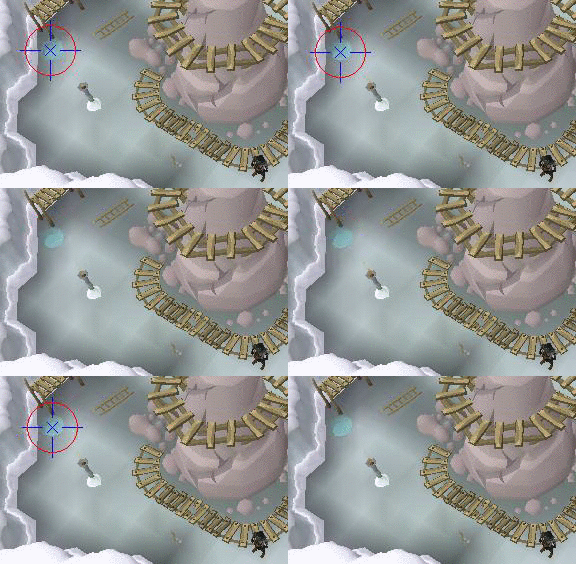
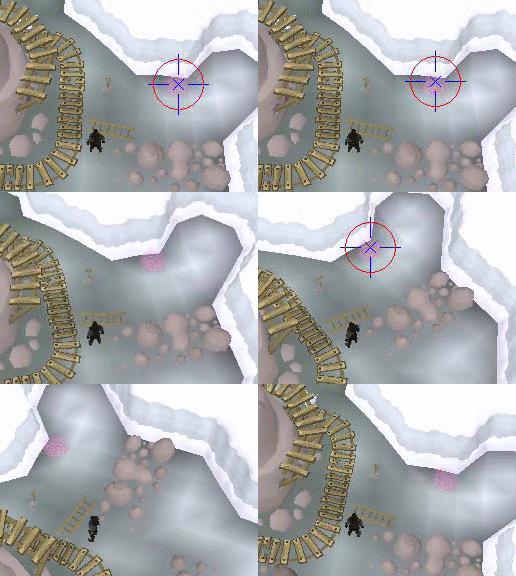
Nice use of the movement detection!

What happens when someone walks near you, though?

Clarity

2014-09-23 17:56:34

From: NKN
Nice use of the movement detection!

What happens when someone walks near you, though?


A similar procedure for how I blocked out the motion detected around the player.

One can expect that the portal will be of certain dimensions that will vary slightly due to camera angle/position, but not by a lot.
One can also expect the general color range the portal will be. So if motion detection finds an awkwardly large box, or a box with weird/random colors in it, those other checks will disregard it and remove it from possible portal matches.

Those checks would fail miserably without the limiting scope of the motion detection. Combining the detection and the color/size checks makes it flawless.

In the rare case a player walks onto the portal while looking for it, the presence of mouseOverText would confirm its existence there.

NKN

2014-09-23 18:31:22


-- Beginning portal detection
---- Symbol position at: {X = 683, Y = 109}
---- Player position at: {X = 687, Y = 106}
---- Distance between the two points is: 5
-- Finished finding the portal in: 16ms

I'll post it once I get back from dinner.


Edit:

It automatically walks to the portal if you're too far away from it.
Otherwise, it'll go ahead and detect where you are.

Gonna add comments then I'll post the full code.

31 ms though, if near the portal. c:


{
SetSymbol is the lower portion of the minimap symbol. Looks like a down arrow, the very bottom tip of it.
This simply sets a ddtm.
}
function SetSymbol: Integer;
var
dtmMainPoint: TSDTMPointDef;
dtmSubPoints: TSDTMPointDefArray;
TempTDTM: TSDTM;
begin
SetArraylength(dtmSubPoints,5);
dtmMainPoint.x := 2803;
dtmMainPoint.y := 375;
dtmMainPoint.AreaSize := 0;
dtmMainPoint.AreaShape := 0;
dtmMainPoint.Color := 12552820;
dtmMainPoint.Tolerance := 40;

dtmSubPoints[0].x := 2803;
dtmSubPoints[0].y := 375;
dtmSubPoints[0].AreaSize := 0;
dtmSubPoints[0].AreaShape := 0;
dtmSubPoints[0].Color := 12552820;
dtmSubPoints[0].Tolerance := 40;

dtmSubPoints[1].x := 2796;
dtmSubPoints[1].y := 368;
dtmSubPoints[1].AreaSize := 0;
dtmSubPoints[1].AreaShape := 0;
dtmSubPoints[1].Color := 14461071;
dtmSubPoints[1].Tolerance := 40;

dtmSubPoints[2].x := 2809;
dtmSubPoints[2].y := 367;
dtmSubPoints[2].AreaSize := 0;
dtmSubPoints[2].AreaShape := 0;
dtmSubPoints[2].Color := 14724755;
dtmSubPoints[2].Tolerance := 40;

dtmSubPoints[3].x := 2804;
dtmSubPoints[3].y := 365;
dtmSubPoints[3].AreaSize := 0;
dtmSubPoints[3].AreaShape := 0;
dtmSubPoints[3].Color := 1805019;
dtmSubPoints[3].Tolerance := 40;

dtmSubPoints[4].x := 2802;
dtmSubPoints[4].y := 358;
dtmSubPoints[4].AreaSize := 0;
dtmSubPoints[4].AreaShape := 0;
dtmSubPoints[4].Color := 15254443;
dtmSubPoints[4].Tolerance := 40;

TempTDTM.MainPoint := dtmMainPoint;
TempTDTM.SubPoints := dtmSubPoints;
Result := AddSDTM(TempTDTM);
end;
{
It was a pain writing multiple SimilarColor statements in a if statement, so this checks multiple.
}

function SimilarColorMulti(color,tolerance:integer; colors:TIntegerArray):boolean;
var
i:integer;
begin
for i := 0 to high(colors) do
begin
if(similarColors(color,colors[i],tolerance)) then
exit(1);
end;
end;


{
Returns the point it finds the portal at.
}
function enterPortal(var pnt:TPoint):boolean;
var
tpa,final:TpointArray;
mmLocation, symbolPoint:TPoint;
symbol,x,y,dist,i:integer;
colors,clear:TIntegerArray;
marker:TTimeMarker;
box:TBox;
angle:extended;
begin
try
marker.start;
print('Beginning portal detection',TDebug.HEADER);
symbol := setSymbol; //Sets the DDTM;
if(FindDTMRotated(symbol,x,y,Minimap.getBounds,-Pi,Pi,Pi/60,Angle)) then
begin
SymbolPoint := Point(x,y+5); //We want to detect under the point, as the portal is a few pixels below it.
print('Symbol position at: '+ToStr(symbolPoint),TDebug.DEBUG);
print('Player position at: ' + ToStr(minimap.getCenterPoint),TDebug.DEBUG);
dist := Distance(symbolPoint,minimap.getCenterPoint); //Calculate the distance between the portal and you.
print('Distance between the two points is: ' + ToStr(dist), TDebug.DEBUG);
if(dist > 25) then //If you're too far away, you'll move.
begin
Mouse(x,y,4,4,MOUSE_LEFT);
minimap.waitFlag();
minimap.waitPlayerMoving(250);
if(FindDTMRotated(symbol,x,y,Minimap.getBounds,-Pi,Pi,Pi/60,Angle)) then //Have to reset the position of the point to calculate a mainscreen point.
begin
print('Corrected player position',TDebug.DEBUG);
symbolPoint := Point(x,y+5);
end else
begin
print('Moved onto DTM. Using center point.',TDebug.Warning); //If you cover the tip and the DTM won't work, this'll work instead.
symbolPoint := Point(minimap.getCenterPoint.x,minimap.getCenterPoint.y+5);
end;
end;
mmLocation := minimap.pointToMainscreen(symbolPoint); //Convert the point to a mainscreen point.
box := IntToBox(mmLocation.x - 35, mmLocation.y - 35, mmLocation.x + 35, mmLocation.y+25); //Make a small box surrounding it.
smartImage.drawBox(box,false,clPurple);
tpa := box.createTPA; //Creates a TPA from every point in the box
for i := 0 to high(tpa) do
if(not(similarColorMulti(GetColor(tpa[i]),18,[10722453,9604741,12105129,8091505,14735566,12564912,13353915,16777215,12498100,16248301,7565161]))) then //In the array are the colors of the floor/walls around it. Add more if it becomes unreliable.
Insert(tpa[i],final);
pnt := MiddleTPA(final); //Middle of the tpa is our return point.
result := true;
smartImage.debugTPA(final);
smartImage.drawCross(pnt,5,clRed);
print('Finished finding the portal in: '+ToStr(marker.getTime)+'ms',TDebug.Footer);
end;
finally
FreeDTM(symbol);
end;

end;


Brandon

2014-09-23 20:20:05

My first thought was to use a BitmapMask. It used to work in Scar but Simba's masks are weird for me :S.. In fact, it still does work in Scar. Just not Simba. So.. I did something else for Simba..

I got this working (SOMETIMES).. It doesn't work all time (because I don't have enough TPA's) but the idea is simple.. The portal changes colours right? But everything around it is still the same or roughly the same.

Gather TPA's of everything (snow, thing in the middle, floor around the portal, wood walk-way, etc..) Everything except the portal. Combine them all into one TPA. Now you have a single TPA of everything except the portal (and except your character of course).

Then invert the TPA or get the points that are NOT in it and then split by 40x40 to an ATPA. Go through that and voila.. Portal found.

I only have 5 TPA's below but more might be needed (maybe less.. I don't know). It might seem computationally expensive but it isn't.. Not by a long shot. It's actually faster than it looks..

My total TPA size was 176000 points. After inverting it, I ended up with just a TPA of the portal only.. I just split it and went through it and clicked it. Took a couple ms. I tried to write it without SRL-6 but I needed the debugTPA function to check what it was actually finding :l


{$I SRL-6/SRL.Simba}

procedure show(img: Integer);
var
Bmp: TMufasaBitmap;
begin
Bmp := GetMufasaBitmap(Img);
DisplayDebugImgWindow(Bmp.getWidth, Bmp.getHeight);
DrawBitmapDebugImg(Bmp.getIndex());
end;


Function FindPortal(MSBox: TBox): TBox;
var
TPA, TPA2, TPA3, TPA4: TPointArray;
ATPA: T2DPointArray;
CTS, I: Integer;
P: TPoint;
Begin
CTS := GetToleranceSpeed;
SetColorToleranceSpeed(2);
SetToleranceSpeed2Modifiers(1.59, 0.22);

FindColorsTolerance(TPA, 8228993, MSBox.X1, MSBox.Y1, MSBox.X2, MSBox.Y2, 19);

SetToleranceSpeed2Modifiers(0.08, 0.24);
FindColorsTolerance(TPA2, 8422037, MSBox.X1, MSBox.Y1, MSBox.X2, MSBox.Y2, 22);

SetToleranceSpeed2Modifiers(3.34, 5.11);
FindColorsTolerance(TPA3, 14349274, MSBox.X1, MSBox.Y1, MSBox.X2, MSBox.Y2, 10);

SetToleranceSpeed2Modifiers(0.07, 0.61);
FindColorsTolerance(TPA4, 12563629, MSBox.X1, MSBox.Y1, MSBox.X2, MSBox.Y2, 10);


TPA := CombineTPA(CombineTPA(TPA, TPA2), CombineTPA(TPA3, TPA4));
TPA := ReturnPointsNotInTPA(TPA, MSBox); //not sure the difference between this and InvertTPA(TPA);
ATPA := TPAToATPAEx(TPA, 38, 38);

SortATPAFromFirstPoint(ATPA, MiddleBox(MSBox));
Result := IntToBox(-1, -1, -1, -1);

For I := 0 To High(ATPA) Do
Begin
P := MiddleTPA(ATPA[I]);
Mouse(P, MOUSE_MOVE);
if (isMouseOverText(['rtal'], 50, true)) Then
begin
Result := GetTPABounds(ATPA[I]);
break;
end;
End;

DebugATPA(ATPA);

SetColorToleranceSpeed(CTS);
SetToleranceSpeed2Modifiers(0.2, 0.2);
End;

var
MSBox: TBox;
begin
ActivateClient;
MSBox := IntToBox(0, 0, 575, 330);
FindPortal(MSBox);
end.

Olly

2014-09-23 20:37:33

From: Brandon

TPA := ReturnPointsNotInTPA(TPA, MSBox); //not sure the difference between this and InvertTPA(TPA);


An awful name, ReturnPointsNotInTPA is indeed what you want.. InvertTPA reverses the TPA order.

TylerT

2014-09-23 22:15:17

I wish I had time to take a stab! University is a birch…..

Goodluck to everyone!

bonsai

2014-09-24 03:07:28

From: Clarity

@bonsai
@slacky

I only added a few lines myself for the specific situation, 99% their work.


You touched it, you own it. The only functions I published were basically getPixelshift returning tpa instead of count.

Finish it up this is probably a contender for slow but highly accurate. That's the problem with motion, you need to wait for it to happen. It may be interesting to see what motion you see if you take faster snaps. I had to wait like 75ms to get a good batch of info but smaller waits did get data as it painted.

From: NKN

-- Beginning portal detection
---- Symbol position at: {X = 683, Y = 109}
---- Player position at: {X = 687, Y = 106}
---- Distance between the two points is: 5
-- Finished finding the portal in: 16ms


I like this one. You've basically found it before you find it.

From: Brandon
I got this working (SOMETIMES).. It doesn't work all time (because I don't have enough TPA's) but the idea is simple.. The portal changes colours right? But everything around it is still the same or roughly the same.

Gather TPA's of everything (snow, thing in the middle, floor around the portal, wood walk-way, etc..) Everything except the portal. Combine them all into one TPA. Now you have a single TPA of everything except the portal (and except your character of course).

Then invert the TPA or get the points that are NOT in it and then split by 40x40 to an ATPA. Go through that and voila.. Portal found.


In theory this should be the same as clarity's motion based find. Once you've removed all the static things you should both be left with about the same data to work with.

I'm curious why it's so fast. I had serious issues with my autocoloring if I asked simba to findcolor a background color like black in a black place. It would hang for over a minute sometimes. I had to write my own hack finder for the first time so it wouldn't bog out.

Markus

2014-09-24 03:15:50

Wow, what an overwhelming response guys. Glad to see so many young and old faces participating in this challenge!
I've clarified the rules a bit: custom plugins are not allowed, the function will have to work with the SRL default graphics settings and the deadline is now official.
There's also a new challenge added. If you use use any transformations to go to another domain (Fourier, Gabor, Wavelets, LaPlace) you will get instant bonus points ;) I doubt anyone using them though but just in case..

slacky

2014-09-24 03:23:09

From: Markus
Wow, what an overwhelming response guys. Glad to see so many young and old faces participating in this challenge!
I've clarified the rules a bit: custom plugins are not allowed, the function will have to work with the SRL default graphics settings and the deadline is now official.
There's also a new challenge added. If you use use any transformations to go to another domain (Fourier, Gabor, Wavelets, LaPlace) you will get instant bonus points ;) I doubt anyone using them though but just in case..

lol, transformation to any other domain such as transforming it to EG frequency domain takes a lot of time in Lape, so you might give bonus for it, but you will then substract that bonus by looking at the time-consumption. So without plugins, that is useless.

No custom plugins = no slacky = no fancy shit from me :p

Markus

2014-09-24 03:24:49

From: bonsai
…


You took the words out of my mouth. Great feedback!
Are you participating yourself too?

Markus

2014-09-24 03:26:38

From: slacky
lol, transformation to any other domain such as transforming it to EG frequency domain takes a lot of time Lape, so you might give bonus for it, but you will then substract that bonus by looking at the time-consumption. So without plugins, that is useless.

No custom plugins = no slacky = no fancy shit from me


You can use them for the challenge, but as I can't include it in the script, you will only be contending for the bonus prize (all RSGP's I have left, around 35M). I'd really love to see the transformations so I'll ignore the time-constraint if you also supply a plugin-less version.
highlightmeAs I still got some kind of access to SRL development, your plugin might just randomly end up in SRL making it official ^_^

The Mayor

2014-09-24 03:27:47

You should only have to walk to the portal as a failsafe. If the compass can be rotated so the portal is on screen then that should be the first option (as you can single click to exit).

slacky

2014-09-24 03:31:09

From: bonsai
I'm curious why it's so fast. I had serious issues with my autocoloring if I asked simba to findcolor a background color like black in a black place. It would hang for over a minute sometimes. I had to write my own hack finder for the first time so it wouldn't bog out.

It sounds as if you have been splitting the background up as well with SplitTPA, or SplitTPAEx I may add, then it will use for ever: if you are splitting such a large TPA as "the background". This is a case where ClusterTPA shines.

bonsai

2014-09-24 06:38:56

From: Markus
You took the words out of my mouth. Great feedback!
Are you participating yourself too?


Just gotta see how much free time this week has to offer.

I'll probably run it through the autocoloring process to see if I can scam up some truly unique colors. I was also wondering what that scene looked like in blue but I don't know of any efficient ways of doing that yet.

Great thread, BTW. Looks like it's going to generate some good discussion and learning material.

From: slacky
It sounds as if you have been splitting the background up as well with SplitTPA, or SplitTPAEx I may add, then it will use for ever: if you are splitting such a large TPA as "the background". This is a case where ClusterTPA shines.


I'm going to re-test. I thought it was purely findcolorstolerance but I see the calling function is doing a x.split() afterwards. Perhaps I blamed the wrong culprit. I did take note of you mentioning to use clustertpa previously but didn't code review yet.

Most of my results will be small but some could be huge. Is it worth the prices of a length check? If len<xx then split else cluster?

NKN

2014-09-24 06:40:49

From: Markus
Wow, what an overwhelming response guys. Glad to see so many young and old faces participating in this challenge!
I've clarified the rules a bit: custom plugins are not allowed, the function will have to work with the SRL default graphics settings and the deadline is now official.
There's also a new challenge added. If you use use any transformations to go to another domain (Fourier, Gabor, Wavelets, LaPlace) you will get instant bonus points ;) I doubt anyone using them though but just in case..


if only I knew what those transforms were, I could give it a stab. :')

Markus

2014-09-25 09:37:21

Added some information about how the testing will go to the OP ;) The function will be tested live i.e. implemented in the script! There is no better way to see how it works than that, right?

Clarity

2014-09-25 19:58:31

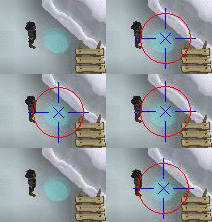
You should incorporate the fact that the portal colors change every log in. For instance, looking at my .gif and NKN's .gif, the portal is blue in mine, but purple in his.

So within those 25 trials maybe 5 trials per log in?

Markus

2014-09-27 13:09:27

I'll use around five accounts, switch every 4-7 loads as usual. Should take most random factors into account as I can't run it for more than three hours straight.

J J

2014-09-28 22:54:16

Wow, this thread grew pretty quickly. Good to see my old code has been used as an example :) I might give this competition a try later this week. I might have an old school trick up my sleeves :stirthepot:

euphemism

2014-09-29 22:51:09

Same, and same. @Markus, apologies in advance if I end up embarrassing myself.

Markus

2014-10-01 13:41:01

No need to, I'd love you all to participate.
The currently submitted finders weren't perfect so you still have a good chance of winning!

The Mayor

2014-10-06 04:33:41

Everybody get your portal finders in! Quite a bit of GP up for grabs!

Harrier

2014-10-06 14:36:21

Fyi: My account got permed so my prize might be delayed in getting to you :/

Home

2014-10-07 17:36:51

Hello people, (Long time no post :))

I just couldn't resist taking a part of this competition.

Bear with me, it has been like 1, 5 years since I touched Simba :)

function FindPortal() :Boolean;
var
Le, I, X, Y, W, H, Bmp, Bmp2: Integer;
TPA: TPointArray;
TIA, TIA2 :TIntegerArray;
ATPA :T2DPointArray;
TBA :TBoxArray;
PortalPoint :TPoint;
begin
Result := False;
Bmp := bitmapFromClient(mainScreen.getBounds);
Wait(52);
Bmp2 := bitmapFromClient(mainScreen.getBounds);
GetBitmapSize(Bmp, W, H);

If (W < 100) or (H < 100) then
begin
FreeBitmap(Bmp);
FreeBitmap(Bmp2);
Exit;
end;

for Y := 1 to H - 1 do
for X := 1 to W - 1 do
If FastGetPixel(Bmp, X, Y) <> FastGetPixel(Bmp2, X, Y) then
TPA.Append(Point(X, Y));

ATPA := TPA.cluster(5);
TBA := ATPA.getEachBounds;
Bmp := ContrastBitmap(Bmp, 100);

Le := Length(TBA);

If (Le = 0) then
begin
FreeBitmap(Bmp);
FreeBitmap(Bmp2);
Exit;
end;

SetLength(TIA2, Le + 1);

for I := 0 to Le - 1 do
If (Distance(Point(0, TBA[I].Y1), Point(0, TBA[I].Y2)) > 40) then
TBA[I] := IntToBox(0, 0, 0, 0);

for I := 0 to Le - 1 do
for Y := TBA[I].Y1 to TBA[I].Y2 do
for X := TBA[I].X1 to TBA[I].X2 do
If FastGetPixel(Bmp, X, Y) = clWhite then
TIA2[I] := TIA2[I] + 1;

PortalPoint := MiddleTPA(ATPA[TIA2.returnInArray(MaxA(TIA2))]);

Mouse(PortalPoint, MOUSE_MOVE);
Result := isMouseOverText(['rtal'], 50, True);

FreeBitmap(bmp);
FreeBitmap(bmp2);
end;


Edit: Updated code.

Note: I didn't wan't to use any kind of Minimap symbols to aid on this one, mainly because of the challenge :P

So how above code works:

Script gets 2 Bitmaps, calculates difference between them and outputs TPA.
Divides them into ATPA Using TPA.Cluster.
Clears all ATPA's which height is more than 40px.
Grab first bitmap again and add Maximum brightness to it (So pretty much everything is white).
Calculates white color from inside all ATPA Boundaries.
Results biggest amount white color Index and applies it to ATPA Index.

Above code should work very well, angle doesn't matter, all it needs that portal is just a little bit shown in mainscreen.

Ask if you have any questions about the code :)


~Home

The Mayor

2014-10-07 18:39:30

From: Home
Hello people, (Long time no post :))

I just couldn't resist taking a part of this competition.

Bear with me, it has been like 1, 5 years since I touched Simba :)

~Home


Looks like you've remembered quite a bit :p
@Markus; let me know if/when you want my GP.

Clarity

2014-10-07 21:49:21

Pretty short, but works perfectly! :)


The GIFs make it look slow but it takes about 40-60ms per search.
Good luck to everyone participating!


program ClarityPortalFinder;
{$DEFINE SMART}
{$I SRL-6/SRL.simba}
const
DESIRED_TEST_LENGTH = 60; //in seconds
TIME_DELAY = 100; //delay between repeated function performance trials, in ms
//Place these functions in your script so that they are in the correct order, the
//portal point will result from findPortal; in line 112;
var
bmp, dtm, x, y: integer;
captureBox: TBox;
pnt, portalPoint: TPoint;
timer: TTimeMarker;
{<credit to Bonsai>}
procedure greyBmp(var bmp: integer);
var
b, g: integer;
begin
b := copybitmap(bmp);
g := greyscalebitmap(b);
freebitmaps([bmp, b]);
bmp := g;
end;

function getMotionBitmap(b: TBox; n: integer = 1; c: integer = 255): integer;
var
image1, image2, work1, work2, diffBmp, i, j, w, h, old, new, diffCount: integer;
begin
image1 := bitmapfromclient(b);
sleep(38);
image2 := bitmapfromclient(b);
getbitmapsize(image1, w, h);
diffBmp := createbitmap(w, h);
work1 := copybitmap(image1);
work2 := copybitmap(image2);
greyBmp(work1);
greyBmp(work2);
for i := 0 to w - 1 with n do
for j := 0 to h - 1 with n do
begin
old := fastgetpixel(work1, i, j);
new := fastgetpixel(work2, i, j);
if (old <> new) then
begin
inc(diffCount);
if (diffCount > 6000) then
break(2);
if (c = 0) then
fastsetpixel(diffBmp, i, j, old)
else if (c = - 1) then
fastsetpixel(diffBmp, i, j, new)
else
fastsetpixel(diffBmp, i, j, c);
end;
end;
result := diffBmp;
freebitmaps([image1, image2, work1, work2]);
end;
{</credit to Bonsai>}
function processMotionOutput(b: integer): TPoint;
var
oldTarget, w, h, i, dtm: integer;
pnt: TPoint;
tpa: TPointArray;
begin
oldTarget := GetImageTarget();
setTargetBitmap(b);
getbitmapsize(b, w, h);
findcolors(tpa, 255, 0, 0, w - 1, h - 1);
setImageTarget(oldTarget);
mainscreen.filterPointsPlayer(tpa);
tpa.filterPointsBox(captureBox);
if length(tpa) >= 15 then
begin
result := tpa.getMiddle();
smartImage.drawPolygon([point(result.x, result.y + 10), point(result.x, result.y + 30)], clBlue);
smartImage.drawPolygon([point(result.x + 10, result.y), point(result.x + 30, result.y)], clBlue);
smartImage.drawPolygon([point(result.x - 10, result.y), point(result.x - 30, result.y)], clBlue);
smartImage.drawPolygon([point(result.x, result.y - 10), point(result.x, result.y - 30)], clBlue);
smartimage.drawCross(result, 5, clBlue);
smartimage.drawCircle(result, 25, false, clRed);
end;
end;

function findPortal: TPoint;
var
dtm, x, y: Integer;
begin
timer.start;
dtm := DTMFromString('mWAAAAHicY2FgYMhkYWDIAeJUIM4AYlFGBgZuIOYFYnYgLu7az3BlmhrDtCg1BmdnZwY2oB5mJMyIhkEAAIX2By0=');
if findDTM(dtm, x, y, minimap.getBounds()) then
begin
pnt := minimap.pointToMainscreen(point(x, y));
captureBox := IntToBox(pnt.x - 40, pnt.y - 40, pnt.x + 40, pnt.y + 40);
end;
bmp := getMotionBitmap(mainscreen.getBounds(), 2);
result := processMotionOutput(bmp);
freebitmap(bmp);
freeDTM(dtm);
writeln('Found portal in: ' + tostr(timer.getTime) + 'ms');
end;

//Testing code
begin
smartEnableDrawing := true;
setupSRL();
while getTimeRunning < (DESIRED_TEST_LENGTH * 1000) do
begin
findPortal; //Result of this function is TPoint of the portal.
wait(TIME_DELAY);
smartImage.clear;
clearDebug;
end;
end.

NKN

2014-10-08 06:54:00

From: Clarity
Pretty short, but works perfectly! :)


The GIFs make it look slow but it takes about 40-60ms per search.
Good luck to everyone participating!


program ClarityPortalFinder;
{$DEFINE SMART}
{$I SRL-6/SRL.simba}
const
DESIRED_TEST_LENGTH = 60; //in seconds
TIME_DELAY = 100; //delay between repeated function performance trials, in ms
//Place these functions in your script so that they are in the correct order, the
//portal point will result from findPortal; in line 112;
var
bmp, dtm, x, y: integer;
captureBox: TBox;
pnt, portalPoint: TPoint;
timer: TTimeMarker;
{<credit to Bonsai>}
procedure greyBmp(var bmp: integer);
var
b, g: integer;
begin
b := copybitmap(bmp);
g := greyscalebitmap(b);
freebitmaps([bmp, b]);
bmp := g;
end;

function getMotionBitmap(b: TBox; n: integer = 1; c: integer = 255): integer;
var
image1, image2, work1, work2, diffBmp, i, j, w, h, old, new, diffCount: integer;
begin
image1 := bitmapfromclient(b);
sleep(38);
image2 := bitmapfromclient(b);
getbitmapsize(image1, w, h);
diffBmp := createbitmap(w, h);
work1 := copybitmap(image1);
work2 := copybitmap(image2);
greyBmp(work1);
greyBmp(work2);
for i := 0 to w - 1 with n do
for j := 0 to h - 1 with n do
begin
old := fastgetpixel(work1, i, j);
new := fastgetpixel(work2, i, j);
if (old <> new) then
begin
inc(diffCount);
if (diffCount > 6000) then
break(2);
if (c = 0) then
fastsetpixel(diffBmp, i, j, old)
else if (c = - 1) then
fastsetpixel(diffBmp, i, j, new)
else
fastsetpixel(diffBmp, i, j, c);
end;
end;
result := diffBmp;
freebitmaps([image1, image2, work1, work2]);
end;
{</credit to Bonsai>}
function processMotionOutput(b: integer): TPoint;
var
oldTarget, w, h, i, dtm: integer;
pnt: TPoint;
tpa: TPointArray;
begin
oldTarget := GetImageTarget();
setTargetBitmap(b);
getbitmapsize(b, w, h);
findcolors(tpa, 255, 0, 0, w - 1, h - 1);
setImageTarget(oldTarget);
mainscreen.filterPointsPlayer(tpa);
tpa.filterPointsBox(captureBox);
if length(tpa) >= 15 then
begin
result := tpa.getMiddle();
smartImage.drawPolygon([point(result.x, result.y + 10), point(result.x, result.y + 30)], clBlue);
smartImage.drawPolygon([point(result.x + 10, result.y), point(result.x + 30, result.y)], clBlue);
smartImage.drawPolygon([point(result.x - 10, result.y), point(result.x - 30, result.y)], clBlue);
smartImage.drawPolygon([point(result.x, result.y - 10), point(result.x, result.y - 30)], clBlue);
smartimage.drawCross(result, 5, clBlue);
smartimage.drawCircle(result, 25, false, clRed);
end;
end;

function findPortal: TPoint;
var
dtm, x, y: Integer;
begin
timer.start;
dtm := DTMFromString('mWAAAAHicY2FgYMhkYWDIAeJUIM4AYlFGBgZuIOYFYnYgLu7az3BlmhrDtCg1BmdnZwY2oB5mJMyIhkEAAIX2By0=');
if findDTM(dtm, x, y, minimap.getBounds()) then
begin
pnt := minimap.pointToMainscreen(point(x, y));
captureBox := IntToBox(pnt.x - 40, pnt.y - 40, pnt.x + 40, pnt.y + 40);
end;
bmp := getMotionBitmap(mainscreen.getBounds(), 2);
result := processMotionOutput(bmp);
freebitmap(bmp);
freeDTM(dtm);
writeln('Found portal in: ' + tostr(timer.getTime) + 'ms');
end;

//Testing code
begin
smartEnableDrawing := true;
setupSRL();
while getTimeRunning < (DESIRED_TEST_LENGTH * 1000) do
begin
findPortal; //Result of this function is TPoint of the portal.
wait(TIME_DELAY);
smartImage.clear;
clearDebug;
end;
end.


barnicals, I should've done motion detection in my little box too.

rip

Markus

2014-10-15 10:45:19

Woops! Guess I disappeared again.
Will try them asap! Got exams now :) *hates differential equations*

Incurable

2014-11-16 19:00:29

@Markus Any update on this?

Markus

2014-11-23 06:45:47

I'll look into it later this week, thanks for all the submissions!

Trollcrank

2014-11-25 16:53:52

I might actually try this if I knew didn't know there was already over 3 entries from skilled people here. Seeing things like this challenges me to get better at scripting and try to achieve what I probably couldn't now.

Enslaved

2014-12-01 14:54:52

From: Markus
The Big "Write a Portal Finder" competition!

No but still, how can I win?
Besides by scoring high on the scoring criteria, I love transformations! If you use a Gabor, LaPlace, Fourier or maybe even wavelets, you will get a LOT of bonus points and I'll ignore all other rules.

Good luck!


Haha can I just port my code for a CAS that solves most transforms to Simba? (All other rules ignored so it doesnt have to even be a portal finder :p

Kevin

2015-01-28 01:37:41

@Markus; Any news on this competition?

Markus

2015-01-28 07:59:31

Will take a good look at this in the first week of February, dw!

J J

2019-09-23 08:18:03

Happy to share the win with @Clarity, thank you for providing the results @Markus ;)

Clarity

2020-09-01 15:48:32

From: J J
Happy to share the win with @Clarity, thank you for providing the results @Markus ;)


Lol, better late than never if you still want to! Congrats :)