SRL Archive - RS3 Script Requests

Requesting Autotyper


GamingGold

2014-06-06 12:48:30

Hey , im looking for an Autotyping script that will be done on the client and i can browse other programs while the autotyper is going on my rs3 client on simba


Mod edit: Script buying is not allowed on this forum.

rj

2014-06-06 14:49:44

Rofl offering $30 for a auto typer script I wish we could do this for him

Sjoe

2014-06-06 15:08:14

saw @Ashaman88; browsing this thread, surprised he didn't remove it yet?

OP: read the rules: no selling/buying scripts

Clarity

2014-06-06 15:29:31

Can't tell if troll or just too lazy to script like 5 lines of code?

repeat
typeSend('I like cheese');
wait(gaussRangeInt(250, 750));
until false;

[XoL]

2014-06-06 15:31:41

Didn't they make an auto-typer built into the game?

Clarity

2014-06-06 15:33:11

From: [XoL]
Didn't they make an auto-typer built into the game?

Not for RS3, but yeah for OSRS autotyping is a built-in feature.

GamingGold

2014-06-06 15:36:46

From: Clarity
Can't tell if troll or just too lazy to script like 5 lines of code?

repeat
typeSend('I like cheese');
wait(gaussRangeInt(250, 750));
until false;


not a troll just don't know how to script XD pls make one that works on a Rs3 client!!!! Plsss i donated $20 2 the site

Thanatos

2014-06-06 15:48:27

From: GamingGold
not a troll just don't know how to script XD pls make one that works on a Rs3 client!!!! Plsss i donated $20 2 the site


You just quoted it…

Clarity

2014-06-06 15:53:35

From: GamingGold
not a troll just don't know how to script XD pls make one that works on a Rs3 client!!!! Plsss i donated $20 2 the site

Idk if you really donated but I am feeling helpful today.

program ClarityAutotyper;
{$DEFINE SMART}
{$I SRL-6/SRL.simba}

const
message = 'Hello, how are you?'; //message to autotype
timeBetweenMessages = 500; //ms to wait between messages (center of normal distribution randomization, minimum 500)

var
messageCount: Integer;

procedure declarePlayers;
begin
setLength(players, 1);
with players[0] do
begin
loginName := 'Username';
password := 'Password';
isActive := true;
isMember := false;
world := -1;
end;
currentPlayer := 0;
end;

procedure ClarityDebug(message: string);
begin
writeln('== ClarityDebug == | ' + message);
end;

procedure mainLoop;
begin
typeSend(message, true);
wait(gaussRangeInt(timeBetweenMessages - 500, timeBetweenMessages + 500));
inc(messageCount);
ClarityDebug('Message send count: ' + ToStr(messageCount));
end;

begin
setupsrl;
declarePlayers;
while players.getActive > 0 do
mainLoop;
end.

Make sure chat's "Always-On" mode is active as shown in the picture below.
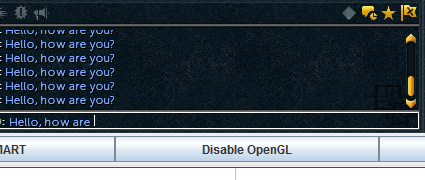
This script will run until you press the stop button.